
In the digital age, personal expression extends far beyond real-world fashion. For anime enthusiasts, one of the most engaging ways to showcase identity online is through a personalized anime avatar. Whether you're active on niche forums, Reddit threads, or social media platforms like Twitter and Instagram, your avatar acts as your visual signature. A well-crafted anime avatar doesn’t just represent you—it communicates your taste, personality, and connection to the anime culture. But moving beyond generic stock images requires thoughtful customization. From choosing the right art style to aligning your avatar with your digital persona, this guide walks you through every step of creating a truly unique anime avatar that stands out.
Understanding the Role of an Anime Avatar
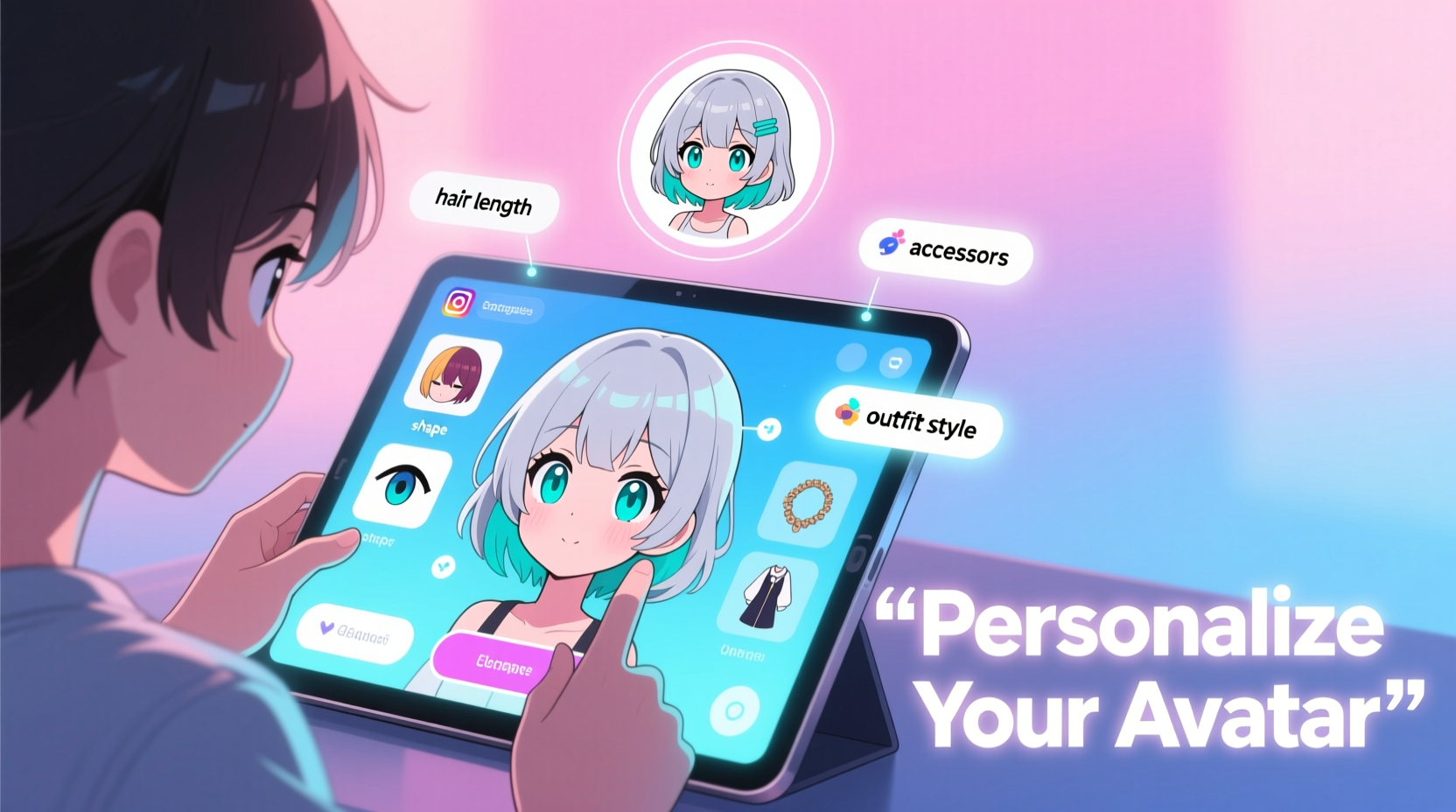
An avatar is more than a profile picture. On forums like MyAnimeList, Crunchyroll Community, or dedicated Discord servers, avatars foster recognition and community bonding. A consistent avatar builds familiarity—other users begin to associate your insights, humor, or critiques with your visual representation. On social platforms, where first impressions are made in seconds, a striking anime avatar can spark curiosity and conversation.
The best avatars balance aesthetic appeal with authenticity. They reflect not only favorite characters or series but also personal traits—be it a love for melancholic storytelling, comedic timing, or futuristic mecha designs. The goal isn't mimicry but reinterpretation: using anime-inspired visuals to express who you are.
Choosing the Right Avatar Creation Tool
Creating a personalized anime avatar starts with selecting the right tool. While some users prefer commissioning artists, many opt for accessible generators that offer quick customization. Here’s a breakdown of popular options:
| Tool | Best For | Customization Level | Export Quality |
|---|---|---|---|
| Pixiv Sketch / BOOTH | Artist collaborations, high-fidelity originals | High (via commissions) | Excellent (PNG, HD) |
| VRoid Studio | 3D anime-style avatars with depth and animation potential | Very High | High (supports textures & rigging) |
| Artbreeder | Blending styles, evolving faces via AI | Moderate to High | Good (web-resolution PNG) |
| Naruto Avatar Maker (fan sites) | Quick, themed avatars for casual use | Low to Moderate | Fair (often low-res) |
| Drawception / Skribbl.io (custom drawing) | Creative experimentation | Depends on skill | Variable |
For beginners, VRoid Studio offers the most intuitive blend of depth and control. It allows full body customization, hairstyle variation, clothing layers, and even eye-tracking animations. Advanced users might layer results from Artbreeder with manual edits in Krita or Clip Studio Paint for a hybrid approach.
“Personalization in avatars mirrors the evolution of digital identity—we’re no longer passive consumers of content but creators of our own narrative.” — Dr. Lena Tran, Digital Culture Researcher at Kyoto Institute of Media Studies
Design Principles for a Cohesive Anime Avatar
A visually compelling avatar follows core design principles that ensure clarity, readability, and emotional resonance—even at small sizes. Consider these elements when crafting your image:
- Color Palette: Limit your palette to 3–5 dominant colors that reflect your personality. Soft pastels suggest calmness; bold reds and blacks convey intensity.
- Facial Expression: Choose expressions that match your typical online tone. A subtle smile works well for friendly forums; a confident gaze suits debate-heavy communities.
- Symbolic Accessories: Incorporate meaningful items—a book for literature fans, headphones for music lovers, or a sword for action genre enthusiasts.
- Style Consistency: Stick to one anime aesthetic (e.g., shoujo, cyberpunk, isekai) rather than mixing disparate genres, which can appear chaotic.
Remember, avatars are often displayed at 100x100 pixels or smaller. Overly detailed hair or tiny accessories may become indistinct. Prioritize strong outlines and contrast between features and background.
Step-by-Step Guide to Crafting Your Avatar
- Define Your Avatar Persona: Ask yourself: Do I want to resemble a character, embody an ideal version of myself, or represent a fictional alter ego? Write down three adjectives that describe this persona (e.g., wise, energetic, mysterious).
- Select a Base Tool: Based on your technical comfort, choose a platform like VRoid Studio for 3D models or Artbreeder for AI-assisted portraits.
- Customize Core Features: Adjust facial structure, eye shape, skin tone, and hair. Use symmetry sliders carefully—slight asymmetry can add realism.
- Add Signature Elements: Introduce tattoos, scars, glasses, or thematic clothing (e.g., school uniform, battle armor) that align with your interests.
- Background & Effects: Apply subtle gradients or blurred scenes (like cherry blossoms or cityscapes), but avoid busy backgrounds that distract from the face.
- Test Visibility: Shrink the image to 64x64 pixels. Can you still recognize key features? Simplify if needed.
- Export & Format: Save as PNG with transparent background for maximum flexibility across platforms.
Platform-Specific Optimization
Your avatar may look stunning in full size, but its effectiveness depends on how it performs across different environments. Each platform has unique display standards and cultural norms.
Forums (MyAnimeList, Reddit, 4chan)
These spaces prioritize legibility and consistency. Use close-up portraits focused on the face. Avoid animated GIFs unless the forum explicitly supports them. Stick to static images with moderate saturation—overly bright avatars can be distracting in comment threads.
Social Media (Twitter/X, Instagram, TikTok)
Here, creativity and branding matter more. You can experiment with dynamic poses, expressive angles, or even seasonal variations (e.g., winter scarf in December). Pair your avatar with a matching banner or highlight cover for cohesive profile aesthetics.
Discord & Gaming Communities
Animated avatars (APNG or GIF) are widely supported and popular. A gently blinking character or flowing hair adds charm without being obnoxious. Ensure animations loop smoothly and don’t exceed 3 seconds in duration.
Email & Professional Hybrid Profiles
If you use your anime avatar in semi-professional contexts (e.g., academic mailing lists with anime affiliations), lean toward minimalist, clean-lined designs. Avoid exaggerated expressions or revealing outfits that might undermine credibility.
“On long-running forums, users with memorable avatars are 40% more likely to receive replies. Visual consistency builds trust.” — Forum UX Study, Tokyo Web Interaction Lab (2023)
Mini Case Study: Building Recognition Through Avatar Evolution
Taylor M., a longtime member of the r/anime subreddit, started posting in 2018 with a generic Naruto-themed avatar. Over time, they noticed their contributions blended into the crowd. Inspired by a discussion about digital identity, Taylor commissioned a custom anime-style avatar reflecting their non-binary identity and passion for Studio Ghibli.
The new avatar featured soft green hair, round spectacles, and a fox-eared hoodie—symbolizing curiosity and whimsy. They used a neutral blue background to keep focus on the character. Within weeks, other users began recognizing Taylor’s posts before reading the username. Moderators invited them to contribute to community guides, citing their “distinctive and welcoming presence.”
Taylor now updates their avatar seasonally—adding a scarf in winter or festival lanterns in summer—keeping engagement fresh while maintaining brand consistency.
Common Pitfalls and How to Avoid Them
- Over-Customization: Too many accessories or effects make avatars cluttered. Stick to one focal point.
- Copyright Infringement: Direct copies of official artwork can lead to takedowns. Always modify or create original content.
- Ignoring File Size: Large files may fail to upload. Compress PNGs using tools like TinyPNG without sacrificing transparency.
- Lack of Consistency: Changing avatars weekly confuses followers. Update only when rebranding or marking milestones.
Do’s and Don’ts Checklist
| Do | Don't |
|---|---|
| Use high-contrast features for visibility | Use all-black eyes or washed-out colors |
| Align avatar mood with your usual tone | Choose aggressive looks for friendly communities |
| Update periodically to reflect growth | Change avatars too frequently |
| Add subtle personal symbols | Include illegible text or inside jokes |
| Save source files for future edits | Delete editable versions after export |
FAQ
Can I use someone else’s art as my avatar?
You may use fan art or illustrations only with explicit permission from the artist. Even then, credit the creator if required. Better yet, commission a custom piece or use avatar generators to ensure originality.
How often should I update my anime avatar?
Every 12–18 months is ideal—enough to reflect personal growth but not so often that you lose recognition. Major life changes (new job, coming out, fandom shift) are good triggers for an update.
Are animated avatars appropriate everywhere?
No. While fun on Discord or Twitter, animated avatars can appear unprofessional on LinkedIn or academic forums. Always assess the platform’s culture before uploading motion-based images.
Conclusion
Your anime avatar is more than decoration—it’s a deliberate act of self-representation in digital space. By thoughtfully designing and maintaining your avatar, you cultivate a recognizable, authentic presence across online communities. Whether you craft it using advanced software or collaborate with an artist, the process itself deepens your connection to the anime world and your place within it.




 浙公网安备
33010002000092号
浙公网安备
33010002000092号 浙B2-20120091-4
Comments
No comments yet. Why don't you start the discussion?