
Finding the perfect foundation shade has long been a challenge—even for seasoned makeup wearers. Traditionally, it required visiting counters, swatching on skin, and enduring fluorescent lighting that distorted color accuracy. Today, virtual try-on tools have transformed this process, offering convenience and precision from the comfort of home. But with so many apps, algorithms, and lighting variables, choosing the right shade online can still feel overwhelming. The key lies not just in the technology, but in understanding how to use it effectively. This guide breaks down the science and strategy behind selecting your ideal foundation match using digital tools—so you can shop confidently, avoid returns, and achieve a flawless finish every time.
Understanding Virtual Try-On Technology
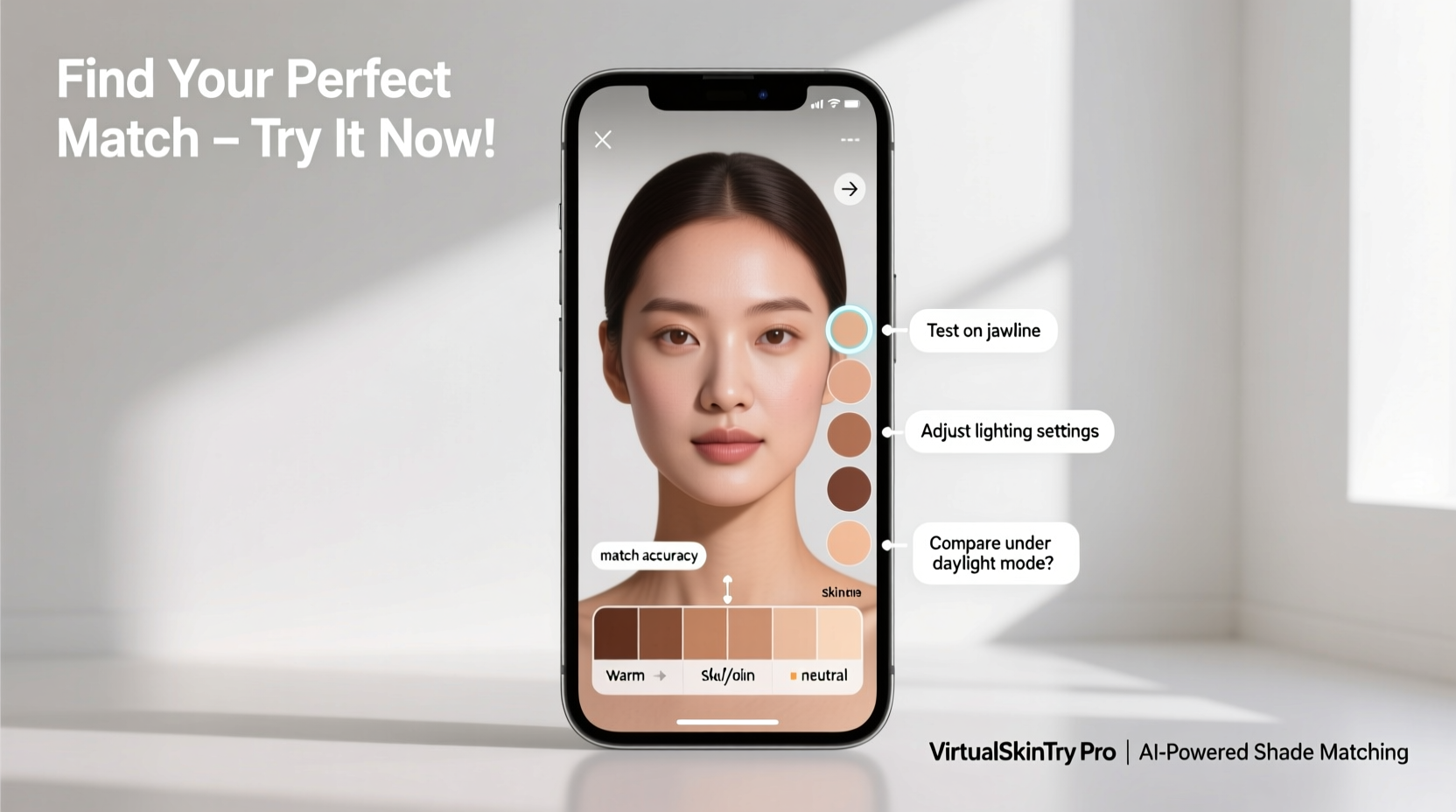
Virtual try-on tools rely on augmented reality (AR) and facial mapping to simulate how a foundation will look on your skin. These systems analyze your facial structure, detect skin tone, and overlay product shades in real time. Major brands like L'Oréal (via ModiFace), Sephora (Color IQ), and Ulta Beauty (GLAMLab) have invested heavily in AR to improve customer experience and reduce mismatched purchases.
However, not all virtual tools are created equal. Some estimate undertones based on limited data points, while others require precise lighting or fail under certain camera resolutions. Accuracy depends on three core components: camera quality, ambient lighting, and algorithm sophistication. A high-resolution front-facing camera combined with neutral lighting yields the best results. Tools that incorporate undertone analysis—cool, warm, or neutral—are more reliable than those relying solely on surface-level brightness.
“Virtual try-ons are only as accurate as the input data. If your lighting is yellow-tinted or uneven, the tool can’t compensate fully.” — Dr. Lena Park, Digital Beauty Consultant at SkinTech Labs
Step-by-Step Guide to Using Virtual Try-On Tools Effectively
Selecting the right foundation shade online isn't guesswork—it's a process. Follow these steps to maximize accuracy and confidence in your choice.
- Cleanse and prep your face. Apply a light moisturizer and let it absorb for 5–10 minutes. Avoid heavy creams or tinted primers that could skew the base tone.
- Use a well-lit environment. Stand near a window during midday or use soft, diffused indoor lighting. Avoid backlighting or harsh shadows across your face.
- Position yourself correctly. Sit about 12–18 inches from your device. Ensure your entire face is visible and centered in the frame.
- Remove makeup and jewelry. Any existing product or reflective accessories can interfere with facial recognition and color matching.
- Run the shade analysis tool. Allow the app to scan your skin. Some tools prompt you to tilt your head or blink to capture multiple angles.
- Test multiple shades. Even if the tool recommends one match, test adjacent shades (one lighter, one darker) to see which blends seamlessly.
- Check in motion. Move your head slightly and observe how the shade adapts to different angles and lighting shifts on screen.
- Compare across platforms. Use more than one tool (e.g., Sephora’s Color IQ and Fenty’s Virtual Shade Finder) to cross-validate results.
Why Cross-Validation Matters
Different brands formulate foundations differently. A “neutral beige” at one brand may lean pink at another. By testing your recommended shade across multiple platforms, you build a more comprehensive profile of your true match. For example, a user matched to “N27” in Estée Lauder’s system might find “Light Neutral” in NARS aligns better after side-by-side virtual testing.
Key Features to Look for in a Virtual Try-On Tool
Not all apps deliver the same level of precision. When choosing a platform, prioritize tools with the following capabilities:
| Feature | Why It Matters | Examples of Brands Offering It |
|---|---|---|
| Undertone Detection | Identifies whether your skin leans cool, warm, or neutral—critical for avoiding ashy or orange finishes. | Sephora Color IQ, L’Oréal Paris Virtual Try-On |
| Real-Time AR Overlay | Shows how foundation blends into your skin texture and adjusts with movement. | Ulta GLAMLab, Maybelline FaceStudio |
| Multiple Lighting Simulation | Displays how the shade looks in daylight, office light, and evening settings. | Fenty Beauty Virtual Try-On, MAC Cosmetics App |
| Shade Range Breadth | Broader ranges increase likelihood of an exact match, especially for deeper or rare undertones. | Fenty (50+ shades), Rare Beauty (48 shades) |
| Save & Compare Functionality | Allows side-by-side comparison of top contenders over time. | Sephora, Ulta, Charlotte Tilbury Virtual Mirror |
Common Mistakes That Skew Virtual Results
Even with advanced technology, human error remains the biggest obstacle to accurate shade matching. Below are frequent missteps and how to avoid them:
- Using filtered selfies as reference. Instagram or Snapchat filters alter skin tone and saturation, leading to incorrect shade assumptions.
- Trying tools at night under warm lighting. Yellow or dim bulbs create a false impression of skin depth, often resulting in choosing a shade too light.
- Relying solely on one brand’s recommendation. Formulas vary; a match in liquid may not translate to powder or stick formats.
- Ignoring jawline blending. Always check how the virtual shade blends along your jawline and neck—this is where mismatches become obvious.
- Skipping patch testing in real life. Virtual tools are guides, not guarantees. Order samples when possible before committing to full-size products.
Mini Case Study: How Sarah Found Her Match After Years of Guessing
Sarah, a 34-year-old professional based in Chicago, had struggled for over a decade to find a foundation that didn’t oxidize or look gray around her hairline. She typically wore a light-medium shade with neutral undertones but found inconsistencies across brands. After trying Sephora’s Color IQ kiosk in-store (which matched her to “Light Beige 3.0”), she used the app’s saved profile to test virtual shades at home.
She discovered that while the Color IQ suggestion worked in daylight simulations, it appeared slightly ashy in indoor lighting. By testing adjacent shades in the Ulta GLAMLab app, she found a warmer variant that blended seamlessly across environments. She ordered a sample, confirmed the match, and now uses that shade across two different brands. “The virtual tools didn’t give me the answer outright,” she said, “but they gave me a starting point I never had before.”
Expert Tips for Maximizing Accuracy
To get the most out of virtual try-on experiences, consider these advanced strategies used by beauty professionals and tech-savvy shoppers.
Know Your Undertone Beyond the Screen
While apps can detect undertones, confirming them manually adds reliability. The classic methods still hold value:
- Vein Test: If your veins appear blue or purple, you likely have cool undertones; greenish veins suggest warmth.
- Jewelry Preference: Silver flatters cool tones; gold enhances warm ones. If both work, you may be neutral.
-
Hold a pure white fabric next to your face. If it clashes, your undertones are likely warm or cool. An off-white shirt that harmonizes indicates your true undertone.
Leverage AI-Powered Shade Finders with History Tracking
Some platforms, like the Lancôme Le Teint Particulier service, go beyond basic AR. They use AI to remember your past preferences, track seasonal shifts in skin tone, and even recommend adjustments as you age. Over time, these systems learn your patterns—making future matches faster and more personalized.
“The future of foundation matching is adaptive AI—not one-time scans, but continuous learning based on usage and feedback.” — Marcus Liu, AR Product Lead at L'Oréal Tech Incubator
Create a Digital Shade Profile
Maintain a note on your phone or cloud drive listing:
- Your current foundation shade and brand
- Seasonal variations (e.g., “Summer: One shade deeper, warm golden”)
- Top three virtual matches across platforms
- Sample test results (e.g., “Fenty Pro Filt’r Soft Matte 320 – slight oxidation after 4 hours”)
This living document becomes your personal database, reducing redundant testing and decision fatigue.
FAQ: Common Questions About Virtual Foundation Matching
Can virtual try-ons really replace in-person testing?
They’re highly effective when used correctly, but not infallible. Think of them as intelligent assistants rather than replacements. For best results, combine virtual trials with physical samples when available. They significantly reduce the trial-and-error phase but shouldn’t eliminate real-world validation entirely.
Why does my virtual match look different in person?
This discrepancy usually stems from formulation differences (matte vs. dewy), oxidation, or lighting conditions during application. A virtual tool shows color placement, not texture or longevity. Also, screen calibration affects how colors render—what looks balanced on your phone may differ on a tablet or computer.
Do virtual tools work for deep skin tones?
Accuracy has improved dramatically thanks to inclusive shade ranges from brands like Fenty, Pat McGrath, and Mented. However, some older platforms still struggle with contrast detection on deeper complexions. Prioritize tools known for diversity in training data and broad shade offerings for the most reliable results.
Final Checklist Before Buying Online
Before clicking “Add to Cart,” run through this quick verification list:
- ✅ Conducted the virtual try-on in natural or neutral lighting
- ✅ Confirmed undertone alignment (cool, warm, neutral)
- ✅ Tested at least three shades around the recommended match
- ✅ Checked blend at jawline and neck in the simulation
- ✅ Compared results across at least two virtual platforms
- ✅ Verified return policy or sample availability
- ✅ Saved the shade info in your personal profile
Conclusion: Confidence Starts with the Right Match
Finding your perfect foundation shade online no longer requires luck or endless returns. With today’s virtual try-on tools, you have access to sophisticated technology that, when used wisely, delivers remarkably accurate results. The secret isn’t just in the app—it’s in your approach. From optimizing lighting to cross-referencing recommendations and understanding your undertones, each step builds toward a match that looks natural, feels confident, and lasts throughout your day.
The next time you shop for foundation, don’t just trust the algorithm—partner with it. Use these strategies to become an informed, empowered buyer who leverages technology without surrendering judgment. Your flawless base begins not at the counter, but in the smart choices you make online.




 浙公网安备
33010002000092号
浙公网安备
33010002000092号 浙B2-20120091-4
Comments
No comments yet. Why don't you start the discussion?