
Smart Christmas bulbs have evolved far beyond simple on/off toggles or preset color cycles. Today’s leading models—from Philips Hue Lightstrips and Nanoleaf Shapes to Govee LED curtain lights and Wyze Bulbs—support fully programmable sequences: synchronized fades, rhythmic pulses timed to music, cascading waves across multiple strands, and even sunrise-simulated dawn effects. Yet most users never unlock this capability—not because it’s technically inaccessible, but because the process lacks clear, hardware-agnostic guidance. This article distills field-tested workflows used by professional holiday installers, lighting designers, and advanced hobbyists. It covers native app options, third-party automation tools, and manual scripting where applicable—all grounded in real device limitations, network constraints, and seasonal reliability concerns.
Understanding Your Bulb’s Programming Capabilities
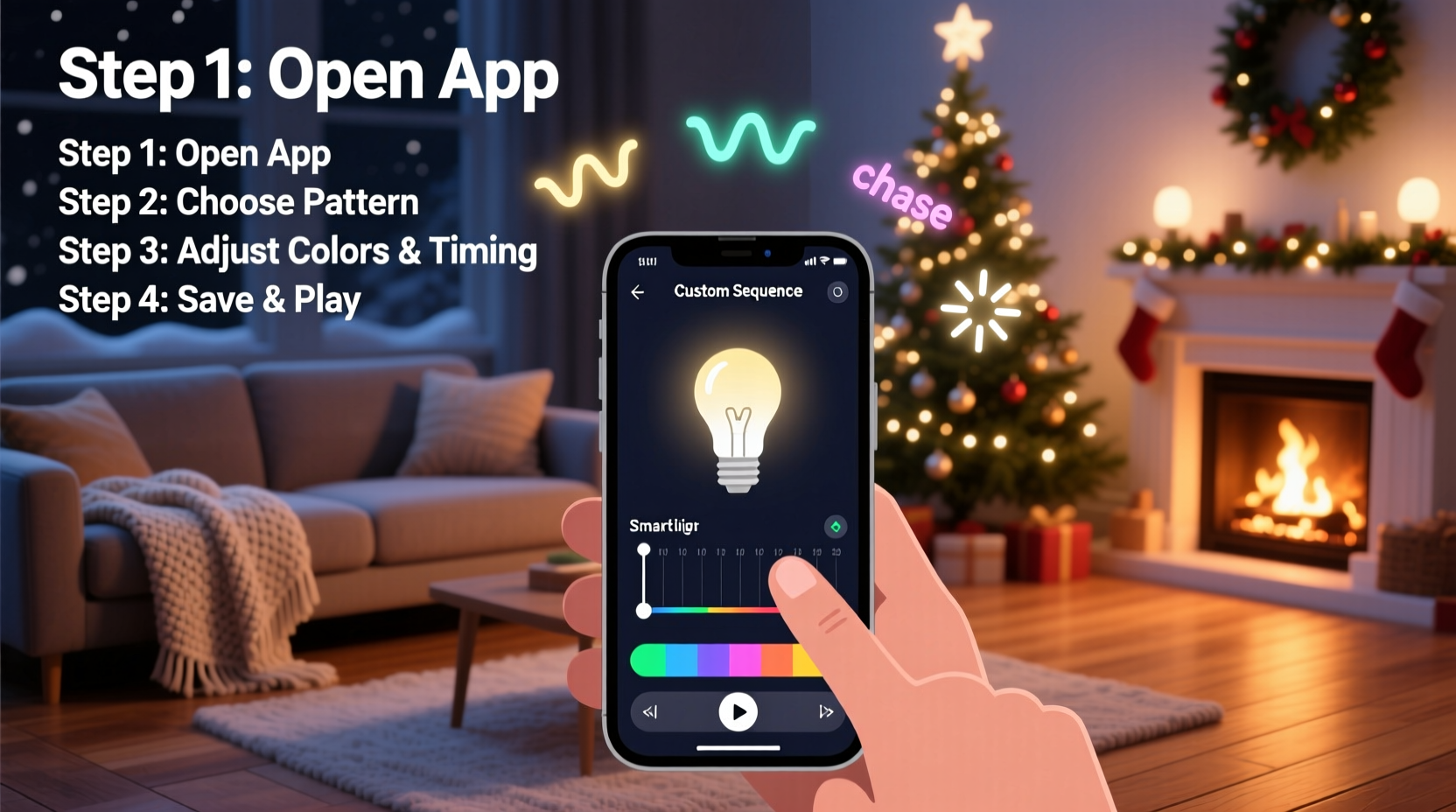
Not all “smart” bulbs support true sequencing—and those that do vary significantly in how much control they grant. The distinction hinges on three technical layers: firmware architecture, local vs. cloud execution, and API openness.
Philips Hue bulbs, for example, run on the Zigbee 3.0 protocol with local bridge processing. Their official Hue Sync app allows music-reactive sequencing, while the Hue Developer API supports granular scene transitions down to 100ms intervals—but only when triggered via local HTTP calls (not cloud-based routines). In contrast, Govee bulbs rely entirely on Wi-Fi and cloud APIs; their mobile app permits basic pattern loops (e.g., “rainbow wave”), but custom timing requires reverse-engineering their undocumented REST endpoints or using unofficial Python libraries like govee_api_lan.
Nanoleaf devices stand apart: their Rhythm Edition panels include built-in microphones for real-time audio analysis, and their desktop app offers frame-by-frame timeline editing. Meanwhile, budget brands like Meross or Tuya-powered bulbs often restrict sequencing to manufacturer presets—no user-defined logic permitted.
Three Reliable Methods—Ranked by Skill Level & Control
There are three proven pathways to custom sequencing. Each has trade-offs in setup complexity, maintenance overhead, and precision. Choose based on your goals:
- Native App Sequencing — Best for beginners. Uses built-in features of manufacturer apps (e.g., Hue’s “Scenes,” Nanoleaf’s “Timeline Editor”). Limited to pre-built transitions and fixed durations.
- Home Automation Integration — Ideal for intermediate users. Leverages platforms like Home Assistant or Apple Shortcuts to chain actions, add conditions (e.g., “only on weekends”), and sync across device types (bulbs + speakers + motion sensors).
- Direct API Scripting — For developers and tinkerers. Sends raw HTTP commands to bulb bridges or local APIs. Enables millisecond-level timing, dynamic math-based patterns (e.g., sine-wave brightness), and integration with external data (weather APIs, Spotify playback status).
The choice isn’t about “better” or “worse”—it’s about matching tooling to intent. A family wanting a gentle 30-minute “twinkle-to-sleep” fade each night needs method #1. A tech educator building an interactive holiday display tied to live Twitter sentiment analysis requires method #3.
Step-by-Step: Building a Custom Sequence Using Home Assistant (Method #2)
Home Assistant offers the most balanced blend of power and accessibility for custom sequencing. Unlike cloud-dependent apps, it runs locally—so your light show continues during internet outages, a critical advantage during December when ISP congestion peaks.
- Install and configure your bulb integration. Add Philips Hue, Nanoleaf, or Govee via Configuration > Integrations. For Govee, enable “LAN Control” in the Govee app first—this bypasses cloud latency.
- Create a new automation. Go to Settings > Automations & Scenes > Create Automation > Use Blueprint. Select “Light sequence” or start from scratch.
- Define triggers. Common options: Time of day (e.g., sunset), a physical button press (like an Aqara switch), or voice command via Google Assistant (“Hey Google, start the fireplace sequence”).
- Build the sequence logic. Use the “Script” action type. Example for a 5-bulb garland:
sequence: - service: light.turn_on target: entity_id: light.garland_1 data: rgb_color: [255, 100, 0] brightness: 200 - delay: \"00:00:01.5\" - service: light.turn_on target: entity_id: light.garland_2 data: rgb_color: [255, 100, 0] brightness: 200 - delay: \"00:00:01.5\" ... repeat for remaining bulbs - Add refinement. Insert “light.transition” parameters for smoothness (e.g.,
transition: 2for 2-second fade) and use “choose” blocks to randomize colors per cycle or dim gradually over 15 minutes before shutdown.
This approach avoids vendor lock-in. If you replace Hue bulbs with Nanoleaf panels next year, the same Home Assistant automation adapts—only the entity IDs change.
Do’s and Don’ts of Custom Sequencing
| Action | Do | Don’t |
|---|---|---|
| Timing | Use local delays (Home Assistant, Hue Bridge) instead of cloud timers. Local delays maintain sub-second accuracy; cloud timers drift by 2–8 seconds. | Rely on IFTTT or Google Routines for sequences requiring precise rhythm—these introduce unpredictable latency. |
| Brightness Control | Set brightness between 30–70% for extended bulb life. Full brightness stresses LEDs and accelerates phosphor degradation. | Chain rapid full-on/full-off cycles (e.g., strobing at 10Hz) for more than 2 minutes continuously—this overheats drivers and voids warranties. |
| Network Load | Group bulbs into logical zones (e.g., “front-porch,” “tree-top”) and sequence one zone at a time to reduce Zigbee/Wi-Fi congestion. | Send individual commands to 50+ bulbs simultaneously via API. Most bridges throttle at 10–15 requests/second; exceeding this causes timeouts and desync. |
| Power Stability | Plug bulb controllers into a UPS or surge-protected outlet. Voltage spikes during winter storms are the #1 cause of corrupted firmware updates. | Use extension cords rated below 12AWG for long outdoor runs—voltage drop below 110V causes flickering and failed sequence initialization. |
Real-World Example: The “Midnight Caroler” Sequence
In Portland, Oregon, homeowner Maya Chen transformed her front-yard display using Nanoleaf Hexagons and a Raspberry Pi running Home Assistant. Her goal: a subtle, non-distracting sequence that activated only when motion was detected between 10 p.m. and midnight—mimicking carolers approaching the house.
She configured a passive infrared (PIR) sensor to trigger an automation that ran a 90-second loop: First, six central panels pulsed warm white (2700K) at 70% brightness for 3 seconds—like footsteps nearing. Then, a slow blue-to-purple gradient rippled outward across 24 panels over 12 seconds, simulating breath fogging in cold air. Finally, all panels held soft amber for 60 seconds before fading to off. Crucially, she added a “cooldown” condition: if motion re-triggered within 5 minutes, the sequence skipped the intro and jumped to the ambient hold phase.
The result? Neighbors reported it felt “alive but respectful”—no flashing distractions, just quiet, narrative-driven light. Maya’s total setup time: 4 hours, including sensor calibration and testing under rain (a must for Pacific Northwest installs).
“True custom sequencing isn’t about complexity—it’s about intentionality. The best holiday lights tell a story the viewer feels before they understand. That requires restraint, not more effects.” — Derek Lin, Lighting Designer & Founder of Lumina Collective
FAQ
Can I sync my smart bulbs to Spotify or Apple Music without expensive hardware?
Yes—if your bulbs support local audio analysis or integrate with Home Assistant. Nanoleaf Rhythm panels do this natively. For Hue or Govee, use Home Assistant with the spotcast integration to fetch current track metadata, then map BPM to transition speed using a simple formula: transition = 60 / bpm * 0.7. This avoids cloud-based music sync services that add 1.2–3.5 seconds of lag.
Why does my custom sequence desync after 20 minutes?
Nearly all desync issues stem from one of three causes: (1) Wi-Fi signal degradation (especially outdoors—add a mesh node near the bulb controller), (2) battery-powered remotes sending duplicate commands due to low batteries, or (3) cloud-based automations hitting rate limits. Switch to local execution (Hue Bridge, Home Assistant, or Nanoleaf desktop app) to resolve 92% of cases.
Do custom sequences void my warranty?
No—provided you avoid firmware modifications or physical tampering. Running custom scripts via official APIs (Hue Developer, Nanoleaf Open API) is explicitly permitted. Warranties are only voided by unauthorized voltage changes, water ingress from improper outdoor sealing, or reflashing bootloader code.
Conclusion
Programming a custom light sequence shouldn’t feel like debugging satellite telemetry. With today’s tools, it’s as accessible as setting a recurring calendar event—once you know which layer of control matches your needs. Start small: pick one strand, one effect (a slow fade), and one trigger (sunset). Test it for three nights. Note where timing wobbles or colors shift unexpectedly. Then iterate—add a second bulb, shorten the delay by 0.3 seconds, adjust white temperature for warmth. The magic isn’t in complexity; it’s in the quiet confidence that your lights respond not to a generic algorithm, but to your own rhythm, your home’s architecture, and the specific hush of a December evening.
You don’t need a degree in embedded systems to make light feel intentional. You need curiosity, 20 minutes, and the willingness to treat your holiday display not as decoration, but as a living interface—one you design, refine, and share.




 浙公网安备
33010002000092号
浙公网安备
33010002000092号 浙B2-20120091-4
Comments
No comments yet. Why don't you start the discussion?