
RGBW (Red-Green-Blue-White) Christmas lights represent a significant leap beyond traditional incandescent or single-color LED strings. Unlike basic multicolor sets that cycle through presets, true RGBW systems offer independent control over red, green, blue, and warm-white diodes—enabling rich pastels, crisp whites, smooth gradients, and dynamic transitions. When paired with modern app-based controllers, these lights transform holiday displays into programmable light art: synchronized to music, timed to sunrise/sunset, or choreographed across multiple zones on your home’s façade. Yet many users struggle not with hardware installation—but with *programming intentionality*. This isn’t about tapping random buttons until something looks festive. It’s about crafting intentional sequences: knowing when white should dominate a winter scene, how amber warmth balances cool blues at dusk, and why precise timing matters more than flashy effects. This guide walks through the full workflow—from selecting compatible hardware to building repeatable, expressive light shows—all controllable from your phone.
Understanding RGBW vs. Standard RGB: Why White Matters
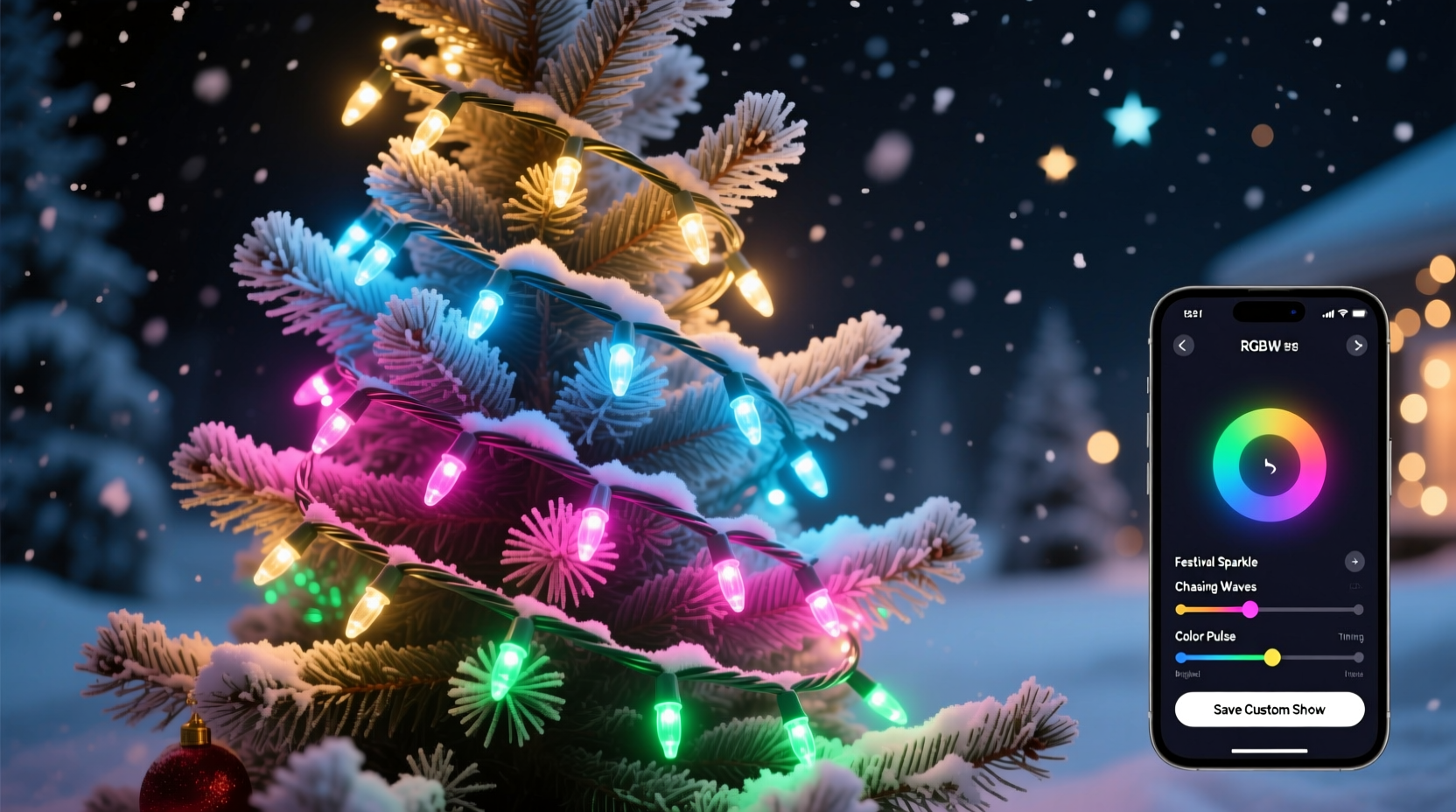
The “W” in RGBW stands for dedicated warm-white LEDs—typically 2700K–3000K—physically separate from the red, green, and blue diodes. This distinction is critical. Standard RGB lights simulate white by mixing equal intensities of red, green, and blue. The result? A cool, slightly bluish, often uneven “white” that lacks depth and can appear harsh or artificial next to real incandescent bulbs or candlelight. RGBW avoids this entirely: warm-white channels deliver authentic, eye-comfortable illumination—ideal for simulating porch lights, window glows, or soft ambient washes. More importantly, RGBW enables *dual-mode operation*: you can run pure white lighting (e.g., for a classic “old-fashioned” look) while simultaneously animating colored elements elsewhere (e.g., a pulsing red-and-green wreath). This separation unlocks layered design—not possible with RGB-only systems.
Selecting Compatible Hardware: Controllers, Lights, and Power
Successful app-controlled RGBW programming starts with interoperability. Not all RGBW lights work with all apps—and compatibility hinges on three interdependent layers: the physical light string, the controller, and the communication protocol. Most consumer-grade systems use either Wi-Fi (for local network control) or Bluetooth (for direct device pairing), though higher-end setups may use DMX or E1.31 over Ethernet for large-scale installations.
| Component | Key Requirements | What to Avoid |
|---|---|---|
| Light Strings | WS2812B, SK6812, or APA102 chips; IP65+ rating for outdoor use; 30–60 LEDs/meter for smooth gradients; voltage matching (5V or 12V) with controller | Non-addressable “dumb” RGBW strips; proprietary connectors without standard 3-pin JST; unshielded wiring for long runs (>5m) |
| Controller | Supports RGBW output mode (not just RGB); built-in Wi-Fi/Bluetooth; firmware-upgradable; supports time-based triggers and audio input | Controllers locked to vendor apps only; no API or local network access; no white-channel dimming curve adjustment |
| Power Supply | Rated for 20% above max load; regulated DC output; adequate gauge wire (16 AWG minimum for >10m runs); grounded for outdoor use | Unregulated “wall wart” supplies; undersized adapters causing voltage drop (dimming at far end); daisy-chaining multiple strips without power injection |
Popular reliable ecosystems include Govee (with their Glide series), Twinkly (for pixel-perfect mapping), and open-source options like WLED running on ESP32-based controllers. WLED stands out for its flexibility: it supports over 300 effects, custom palettes, real-time audio reactivity, and seamless integration with Home Assistant—making it ideal for users who want both simplicity and scalability.
Step-by-Step Programming Workflow: From Setup to Showtime
Programming a custom RGBW show isn’t linear—it’s iterative. You’ll refine colors, adjust timing, test transitions, and observe how light behaves in your actual environment. Follow this proven sequence:
- Install and calibrate hardware: Mount lights securely, connect controller to power and network, and verify all pixels respond uniformly using the app’s “test mode.” Note any dead or flickering segments—replace before proceeding.
- Map your layout: In apps like Twinkly or Govee, define physical zones (e.g., “front eaves,” “garage door,” “porch railing”). For non-mapped systems (e.g., WLED), assign logical groups via LED count ranges (e.g., LEDs 1–120 = roofline).
- Select or build a color palette: Start with 4–6 core hues: deep evergreen (#0B5345), cranberry red (#9B1C1C), warm gold (#D4AF37), snow white (#F8F9FA), twilight blue (#2E5A88), and soft amber (#FFB347). Save as a named palette—don’t rely on default sliders each time.
- Build your first sequence: Begin with a static base layer (e.g., warm white on eaves at 30% brightness), then add one animated element (e.g., slow pulse on wreath using cranberry → deep evergreen). Use fade transitions—not snap changes—for natural flow.
- Time and layer effects: Set start/end times (e.g., “on at sunset, off at 11 PM”), add staggered triggers (e.g., porch lights brighten 15 minutes after main display activates), and schedule weekly variations (e.g., “caroling mode” every Friday 6–8 PM).
- Test at night, in context: Observe from street level and inside your home. Adjust brightness downward—residential lighting rarely needs >70% intensity. Note glare on windows or overspill onto neighbors’ property.
Real-World Example: The Miller Family’s Front Porch Transformation
The Millers installed 42 feet of 60-LED/meter SK6812 RGBW strip along their Colonial-style front porch—two parallel runs on the roofline, one wrapped around the column, and a small ring on the door. Initially, they used the default “Christmas Rainbow” preset. It was loud, overwhelming, and washed out the architectural details. Working with WLED, they redesigned their show in stages over three evenings. First, they set the roofline to a steady, low-intensity warm white (2800K, 25% brightness)—recreating vintage porch lamps. Next, they programmed the column to breathe gently between amber and soft gold every 8 seconds, mimicking candlelight. Finally, they added a subtle 12-second wave effect across the door ring, cycling only through ivory and pale rose—never red or green—to avoid visual competition with the roofline. They scheduled the entire sequence to begin 15 minutes after civil twilight and fade out gradually after 10:45 PM. Neighbors commented not on the “lights,” but on how “cozy and intentional” the porch felt—proof that restraint, not complexity, defines memorable lighting design.
Optimizing Color Psychology and Timing for Impact
Effective RGBW programming leverages human perception—not just technical capability. Warm whites and ambers trigger feelings of safety and tradition; cool blues and purples evoke quiet wonder but can feel sterile if overused. Research in environmental psychology confirms that residential lighting perceived as “inviting” consistently uses dominant warm tones (2700K–3500K) at lower intensities (20–40%), with color accents serving as punctuation—not the sentence.
“People don’t remember light shows—they remember how the light made them feel standing on the sidewalk. A single, well-placed amber glow on a front door says ‘welcome’ more powerfully than a dozen flashing rainbows.” — Dr. Lena Torres, Environmental Lighting Researcher, UC Berkeley Light & Space Lab
Timing also shapes experience. Rapid strobes (<500ms) cause visual fatigue and are best avoided near bedrooms. Smooth fades (2–5 seconds) feel calming and natural. For musical sync, avoid strict beat-matching unless using professional audio analysis—the human ear prefers subtle rhythmic suggestion over mechanical precision. Try setting a gentle swell in brightness during chorus sections, or shifting hue temperature (e.g., warmer → cooler) across verses instead of jumping between colors.
FAQ: Troubleshooting Common App Control Issues
Why does my warm white look yellow or pink instead of clean white?
This indicates poor white-point calibration. Most apps let you adjust white balance independently—look for “White Point” or “CCT Tuning” in settings. Use a physical colorimeter or even a high-end smartphone camera app (like Halide) to measure actual Kelvin output. Then fine-tune the red/green/blue values behind the white channel until the meter reads 2800K–3000K. Avoid relying solely on screen previews—they’re notoriously inaccurate.
My app loses connection overnight—how do I keep the show running reliably?
Wi-Fi dropouts are common with low-cost controllers. Solutions: (1) Assign a static IP to your controller in your router settings; (2) Enable “Auto-Reconnect” and “Local Mode Only” in app preferences (disables cloud dependency); (3) For critical displays, use a dedicated 2.4GHz Wi-Fi network with QoS prioritization for the controller’s MAC address. Bluetooth controllers should be placed within 10 meters of a central hub device (e.g., a Raspberry Pi running Home Assistant) to maintain uptime.
Can I run different effects on RGB and W channels simultaneously?
Yes—but only on advanced firmware like WLED or proprietary platforms like Twinkly Pro. In WLED, enable “RGBW Separate” mode, then assign an effect to the RGB group (e.g., “Fire”) and a different one to the W group (e.g., “Solid” at 40% intensity). This creates layered motion: flickering red/orange embers beneath a steady warm-glow backdrop. Standard apps rarely support this granularity—you’ll need to verify “dual-channel effect independence” before purchase.
Conclusion: Your Light Show Is an Expression—Not Just a Gadget
Programming RGBW Christmas lights with app control is less about mastering software menus and more about cultivating spatial awareness, color literacy, and thoughtful pacing. It’s recognizing that a five-second fade from amber to ivory on your front door speaks more eloquently than a frantic rainbow chase down the gutter. It’s understanding that warm white isn’t a background option—it’s the emotional anchor. And it’s accepting that the most impressive shows aren’t the loudest, but the ones that harmonize with architecture, weather, time of day, and human rhythm. You don’t need dozens of effects or complex schedules to create meaning. Start with one zone, one intentional color, and one deliberate transition. Tune it over three nights. Watch how light falls on brick, wood, or snow—not just how it looks in the app preview. That’s where technical skill meets artistic intent. Your home’s exterior is a canvas. Your RGBW lights are the brush. Now go paint something quietly unforgettable.




 浙公网安备
33010002000092号
浙公网安备
33010002000092号 浙B2-20120091-4
Comments
No comments yet. Why don't you start the discussion?