
Thunderstorms are more than just dramatic weather events—they can silently destroy the electronics you rely on every day. A single lightning strike near your home’s power line can send thousands of volts through your circuits, frying sensitive components in computers, TVs, refrigerators, and smart home systems. Even if a storm doesn’t directly hit your area, distant surges can travel miles through utility grids. The damage is often irreversible and costly. But with the right precautions, most of this risk is preventable. Understanding how power surges happen and taking practical steps before, during, and after a storm can save your devices—and your peace of mind.
Understanding Power Surges: What Happens During a Storm?
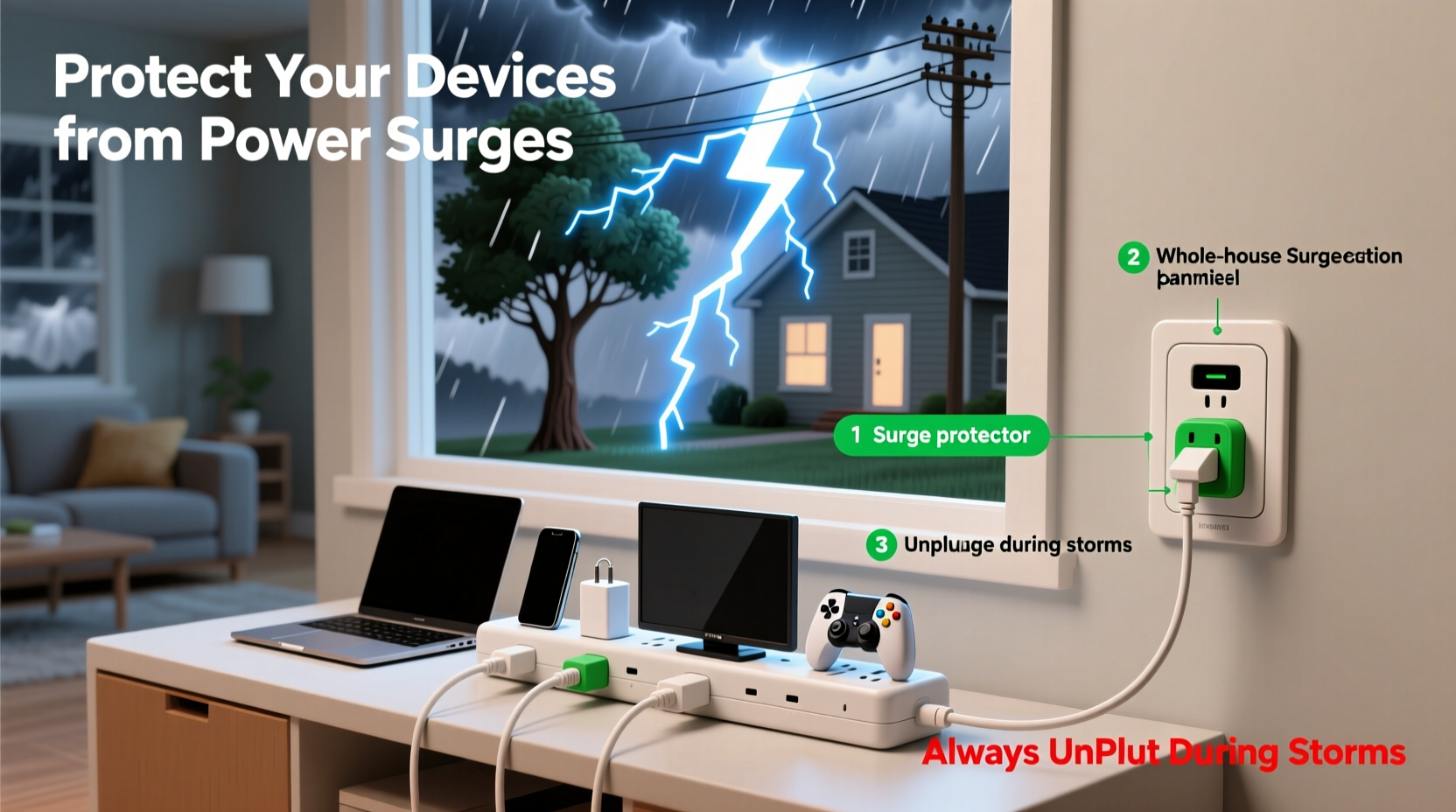
A power surge is a sudden spike in electrical voltage that exceeds the standard flow in your home’s wiring—typically 120 volts in North America. While small fluctuations occur daily, storm-related surges can reach tens of thousands of volts. These spikes originate in two main ways during severe weather:
- Direct lightning strikes to power lines, transformers, or even your home’s exterior can inject massive energy into the electrical system.
- Indirect surges occur when lightning hits nearby ground or infrastructure, inducing current into nearby conductive paths like cables, phone lines, or plumbing.
These surges travel at nearly the speed of light, reaching your outlets in microseconds. Once inside, they overwhelm microprocessors, capacitors, and circuit boards. Devices don’t need to be turned on to be damaged; simply being plugged in is enough. Modern electronics, with their miniaturized components, are especially vulnerable—even a 50-volt increase can degrade performance over time.
“Many people don’t realize that a surge doesn’t have to destroy a device instantly to cause harm. Repeated minor surges wear down electronics like chronic stress on a machine.” — Dr. Alan Reyes, Electrical Systems Engineer, National Institute of Building Sciences
Essential Protection Strategies Before a Storm Hits
Preparation is the cornerstone of surge protection. Waiting until thunder rumbles overhead is too late. Smart homeowners take proactive steps well in advance of storm season or forecasted severe weather.
Invest in High-Quality Surge Protectors (Not Just Power Strips)
Most people confuse basic power strips with surge protectors. True surge protectors contain internal components—like metal oxide varistors (MOVs)—that absorb excess voltage and divert it to the ground wire. Look for units labeled with a Joule rating of at least 600, though 1000+ is recommended for valuable electronics. Higher joule ratings indicate greater capacity to handle multiple or larger surges before failing.
Use Whole-House Surge Protection
While point-of-use protectors (like power strips) defend individual devices, they can’t stop a massive surge from entering your home’s main electrical panel. A whole-house surge protector, professionally installed at your breaker box, acts as the first line of defense. It clamps high-voltage spikes before they spread through your circuits. According to the Insurance Institute for Business & Home Safety (IBHS), homes with whole-house suppressors experience 70% fewer surge-related claims.
Unplug Non-Essential Electronics
No protection method is 100% effective against a direct lightning strike. The only guaranteed way to protect a device is to disconnect it entirely from power, Ethernet, coaxial cable, and phone lines. Use this hierarchy:
- Unplug expensive or irreplaceable electronics (gaming consoles, desktop PCs, home servers).
- Disconnect devices connected to external lines (modems, routers, landline phones), which are common surge entry points.
- Leave essential appliances (refrigerators, medical equipment) on only if necessary, but ensure they’re covered by surge protection.
Step-by-Step Guide: Preparing Your Home for an Incoming Storm
When a storm is forecast within the next 24 hours, follow this timeline to safeguard your devices efficiently:
| Time Before Storm | Action | Notes |
|---|---|---|
| 24 hours | Check surge protectors for indicator lights and expiration dates | Replace any unit showing “protected” light off or older than 5 years |
| 12 hours | Back up critical data from computers and NAS drives | Use cloud storage or external drives stored in surge-safe locations |
| 6 hours | Unplug non-essential electronics | Prioritize entertainment systems, gaming setups, and secondary monitors |
| 1 hour | Disconnect modems, routers, and network switches | Surge can enter via internet or cable lines even if power is off |
| During storm | Avoid using wired electronics (landlines, desktops) | Use mobile devices on battery power instead |
What to Do Immediately After a Storm
Once the skies clear, resist the urge to plug everything back in immediately. Assessing the aftermath properly can prevent further damage.
First, inspect your surge protectors. Many models have status lights indicating whether protection is still active. If the “protected” light is out, the unit has absorbed a surge and needs replacement—even if your devices seem fine. Next, check for signs of electrical issues: burning smells, discolored outlets, or tripped breakers. If present, contact a licensed electrician before restoring power.
Gradually reconnect devices, starting with essentials. Monitor them closely for unusual behavior—slow boot times, flickering screens, or unresponsive controls may indicate hidden surge damage. For network gear, wait until all cables are dry and connections secure to avoid short circuits.
Real Example: A Near-Miss in Central Texas
In May 2023, a thunderstorm passed over Austin, Texas, knocking out power across several neighborhoods. One homeowner, Maria Tran, had recently installed a whole-house surge protector and used UL-listed protectors for her home office. Her neighbor, who relied only on a $10 power strip, lost a TV, router, and gaming PC—all totaled over $2,300 in damages. Maria’s systems survived unscathed. “I heard a loud pop during the storm,” she recalled, “but my computer stayed on. Later, I saw the surge protector’s light had turned red. I replaced it, but everything else was fine.” This case illustrates how layered protection pays off under real-world conditions.
Common Myths About Surge Protection
Misinformation leads many people to believe they’re protected when they’re not. Debunking these myths is crucial:
- Myth: Power strips offer surge protection.
Reality: Most do not. Always verify the packaging states a specific joule rating and clamping voltage.
- Myth: Unplugging isn’t necessary if you have surge protectors.
Reality: While protectors reduce risk, extreme surges (especially from lightning) can bypass them. Unplugging remains the gold standard.
- Myth: Surge protectors last forever.
Reality: MOVs degrade with each surge. Units should be replaced after major events or every few years.
- Myth: Only power lines carry surges.
Reality: Coaxial cables (TV/internet), Ethernet, and phone lines are equally dangerous pathways.
Checklist: Protect Your Devices Before the Next Storm
Action Plan:
- ✅ Install a whole-house surge protector at your electrical panel
- ✅ Replace outdated or low-joule surge protectors (aim for 1000+ joules)
- ✅ Label and organize critical electronics for quick unplugging
- ✅ Back up important data weekly to cloud or offline storage
- ✅ Disconnect all non-essential devices when storms are forecast
- ✅ Use surge-protected outlets for modems, routers, and smart hubs
- ✅ Educate household members on surge risks and unplugging protocol
Frequently Asked Questions
Can a UPS (Uninterruptible Power Supply) protect against surges?
Yes, most UPS units include built-in surge protection and battery backup. They’re ideal for computers, servers, and networking gear. However, not all UPS models offer equal protection—check the joule rating and ensure it includes data line protection for Ethernet or coaxial inputs.
Is it safe to use extension cords during storms?
Extension cords themselves don’t provide surge protection unless explicitly designed as surge-protecting power strips. In fact, long or daisy-chained cords can increase resistance and heat buildup, raising fire risk during voltage fluctuations. Avoid using basic extension cords for sensitive electronics during storm season.
Do surge protectors work for all types of electronics?
They help, but effectiveness varies. Low-power devices like lamps or chargers are less vulnerable, while high-value items with microprocessors (computers, smart TVs, audio systems) benefit most. Always use protectors rated for the device’s wattage and consider unplugging vintage or rare electronics entirely.
Conclusion: Stay Ahead of the Storm
Protecting your devices from power surges isn’t about fear—it’s about foresight. Storms will come, but damage doesn’t have to follow. By combining professional-grade hardware, disciplined unplugging habits, and regular maintenance, you create a robust defense system that preserves both functionality and financial investment. Technology makes life easier, but it demands respect for its vulnerabilities. Take action now, not after the first crack of thunder. Review your current setup, upgrade weak links, and establish a storm-readiness routine. Your future self—facing down a summer thunderstorm with confidence—will thank you.




 浙公网安备
33010002000092号
浙公网安备
33010002000092号 浙B2-20120091-4
Comments
No comments yet. Why don't you start the discussion?