
Watermarks are common on digital images—especially those shared online by photographers, agencies, or brands. They serve as a protective layer, identifying ownership and discouraging unauthorized use. While it’s tempting to remove a watermark to use an image freely, doing so without permission can lead to serious legal consequences under copyright law.
The good news is that you don’t have to break the rules to use watermark-free images. With the right approach, tools, and understanding of intellectual property rights, you can access clean, high-quality photos legally and ethically. This guide walks through legitimate pathways to obtain watermark-free images, how to request proper usage rights, and what to do if you already have a watermarked photo you'd like to use.
Understanding Watermarks and Copyright Law
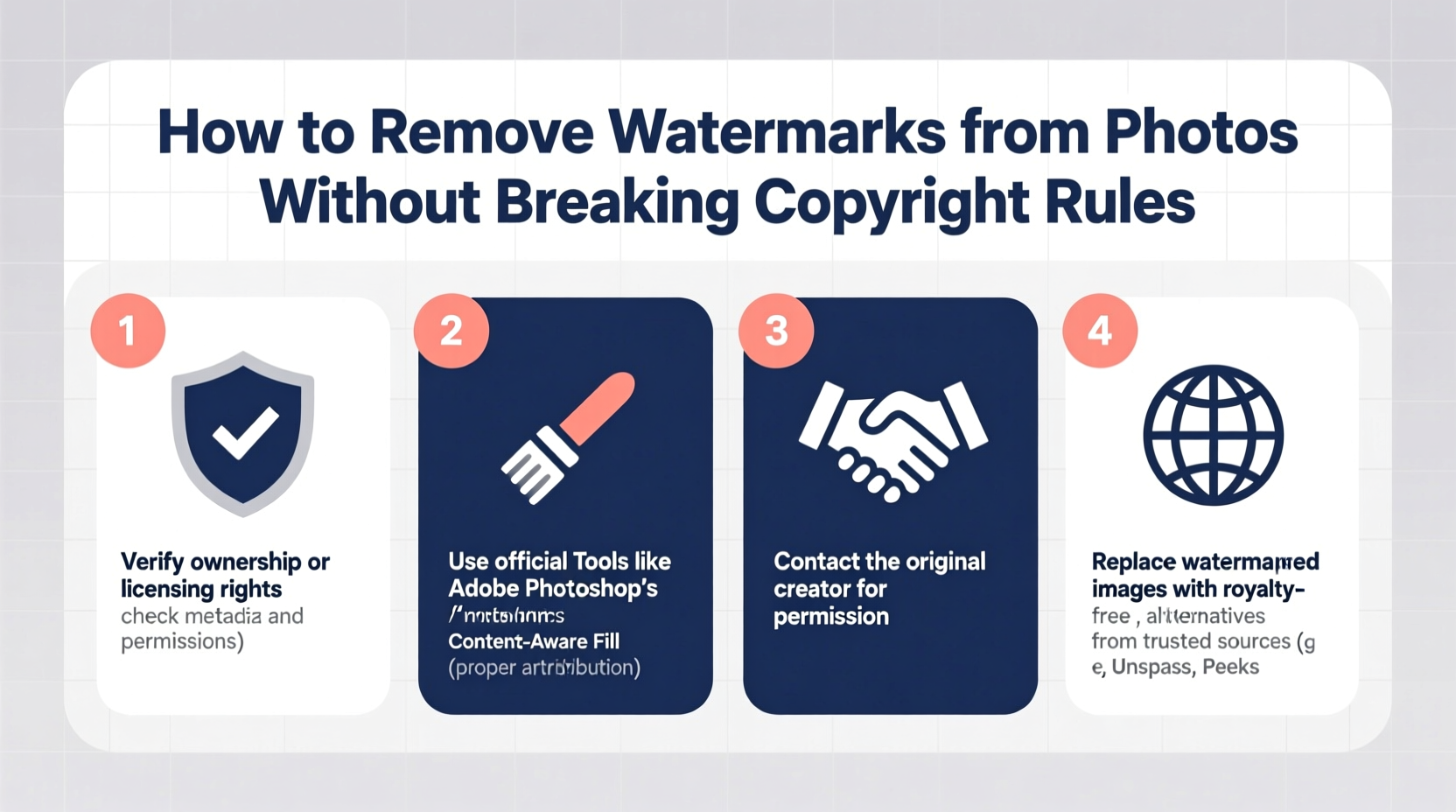
A watermark—whether visible text, logo, or semi-transparent overlay—is more than just branding. It's a legal signal. Under international copyright frameworks like the Berne Convention and U.S. Copyright Act, any original photograph is automatically protected from the moment it’s created. The presence of a watermark reinforces this protection and helps deter misuse.
Removing a watermark with the intent to pass off someone else’s work as your own or to avoid licensing fees violates the Digital Millennium Copyright Act (DMCA) in the United States and similar laws globally. Penalties can include fines up to $25,000 per violation, legal action, and takedown notices.
“Removing a watermark doesn’t just break technical terms—it undermines the creator’s livelihood. Always seek permission before altering or using protected content.” — Sarah Lin, Intellectual Property Attorney
That said, not all watermarked images are permanently off-limits. Many creators offer licensing options, and some watermarks are meant only to preview content before purchase. Understanding the purpose behind the watermark is key to navigating this landscape responsibly.
When Is It Legal to Use a Watermarked Photo?
The legality of using a watermarked photo hinges on one critical factor: permission. There are specific scenarios where using or removing a watermark falls within legal boundaries:
- You’ve obtained a license – Purchasing a license from a stock agency often grants you the right to use the image without the watermark.
- You’re given explicit written consent – A photographer or rights holder may allow use upon request, sometimes at no cost for non-commercial purposes.
- The image is in the public domain – Works whose copyright has expired or been waived (e.g., via Creative Commons Zero) can be used freely, though verifying status is essential.
- Fair use applies – In limited cases such as education, commentary, or news reporting, you may use a portion of a watermarked image, but removal is still risky unless justified.
Step-by-Step Guide to Legally Obtain Watermark-Free Photos
If you need a clean version of a watermarked image, follow this ethical process to stay compliant:
- Identify the owner – Reverse image search using Google Images or TinEye to trace the original source.
- Contact the creator – Look for contact details on their website, social media, or portfolio. Send a polite, clear message explaining your intended use.
- Request licensing or permission – Specify whether the use is commercial or personal, where it will appear, and for how long.
- Negotiate terms or purchase a license – Many photographers offer tiered pricing based on usage scope. Platforms like Shutterstock, Adobe Stock, or Alamy streamline this process.
- Receive the watermark-free file – Once approved, you’ll typically get a high-resolution, unmarked version along with a usage agreement.
- Keep records – Save emails, licenses, or contracts as proof of authorization in case of disputes.
This method not only keeps you legally protected but also supports creative professionals who depend on image licensing for income.
Do’s and Don’ts of Using Watermarked Images
| Do’s | Don’ts |
|---|---|
| Use watermarked previews for editorial reference or client pitches (with credit) | Remove watermarks using editing software to republish online |
| License images through reputable platforms like Unsplash, Getty, or iStock | Assume “no watermark” means “free to use” |
| Attribute the creator even when not required, especially in educational contexts | Use watermarked photos in ads, websites, or merchandise without permission |
| Check usage rights after purchasing a license—some restrict edits or commercial use | Share licensed images with third parties beyond the agreed scope |
Alternatives to Removing Watermarks
Rather than trying to bypass watermarks, consider these practical and legal alternatives:
- Use royalty-free image libraries – Websites like Pexels, Pixabay, and Unsplash offer high-quality, watermark-free photos under permissive licenses.
- Hire a photographer – For custom needs, commissioning original work ensures full rights and unique visuals.
- Create your own content – With smartphone cameras and basic editing apps, producing your own images is easier than ever.
- Use Creative Commons filters – On platforms like Flickr or Wikimedia Commons, filter results by license type (e.g., CC BY for attribution-only use).
Many businesses and bloggers build entire visual identities using only free-to-use resources—without ever needing to alter a single watermark.
Mini Case Study: A Blogger’s Ethical Image Journey
Jamie runs a travel blog focused on sustainable tourism. Early on, she downloaded a watermarked photo of a remote eco-lodge to illustrate a post. Within days, she received a DMCA notice from the photographer, who had spent weeks living at the site to capture authentic images.
Instead of ignoring it, Jamie reached out, apologized, and offered to take down the image. The photographer appreciated her honesty and offered a discounted license for future use. They even collaborated on a feature story, giving Jamie exclusive access to watermark-free images in exchange for exposure.
This experience transformed Jamie’s workflow. She now maintains a spreadsheet of licensed images, uses only verified free sources, and credits every creator. Her audience respects her integrity, and her content has gained credibility in the travel community.
Tools That Claim to Remove Watermarks (And Why You Should Be Cautious)
Several AI-powered tools and apps—such as Remove.bg, HitPaw, or Inpaint—advertise the ability to erase watermarks automatically. While technically effective, using them on copyrighted material without authorization is illegal.
These tools are designed for legitimate uses: restoring old family photos, removing accidental lens flares, or cleaning up user-generated content. However, their misuse for stripping watermarks has drawn criticism from creative communities.
Some platforms now implement safeguards. For example, Adobe Photoshop includes content authenticity metadata (via Content Credentials) that can detect unauthorized alterations. Future versions may flag or block known copyrighted images from being edited in certain ways.
“The technology isn’t the problem—it’s the intent. Editing tools should empower creation, not enable theft.” — Marcus Reed, Digital Ethics Researcher at MIT Media Lab
If you do use such tools, ensure you have full rights to the image. Otherwise, you risk damaging your reputation and facing legal repercussions.
Checklist: How to Use Photos Without Breaking Copyright Rules
- ✅ Always reverse-search unfamiliar images before using them
- ✅ Verify the license type (commercial, editorial, attribution required)
- ✅ Contact the creator if rights are unclear
- ✅ Purchase a license through a trusted marketplace when needed
- ✅ Download the official watermark-free version after licensing
- ✅ Keep copies of permission emails or license agreements
- ✅ Credit the photographer even when not required
- ✅ Avoid editing watermarked previews for public distribution
Frequently Asked Questions
Can I use a watermarked image if I give credit?
No. Giving credit does not override copyright. A watermark indicates the image is not cleared for public use, regardless of attribution. You still need explicit permission or a license.
Is it okay to crop out a watermark?
No. Cropping, covering, or digitally erasing a watermark with intent to conceal ownership is a violation of copyright law in most jurisdictions, including under the DMCA.
What if the watermark is small or barely visible?
The size or visibility of a watermark doesn’t affect its legal protection. Even subtle logos or signatures are enforceable elements of copyright identification.
Conclusion: Respect Creators, Build Trust
Access to beautiful imagery shouldn’t come at the cost of ethics or legality. Removing watermarks without permission might seem like a shortcut, but it risks legal trouble, reputational damage, and harm to the creative economy. Instead, invest time in finding properly licensed content, reaching out to creators, or producing your own visuals.
By respecting copyright, you support artists, maintain professional integrity, and set a standard for responsible digital behavior. The internet thrives when creators feel safe sharing their work—and you play a part in that ecosystem.




 浙公网安备
33010002000092号
浙公网安备
33010002000092号 浙B2-20120091-4
Comments
No comments yet. Why don't you start the discussion?