
A dropped phone is one of the most common accidents in daily life. Whether it slips from your hand on the stairs or tumbles off the kitchen counter, the aftermath can range from a minor scratch to complete device failure. While modern smartphones are built with durability in mind, physical impact often leads to hidden internal damage or software glitches that prevent normal operation. The good news is that many post-fall issues can be addressed effectively—sometimes without professional help. Knowing what steps to take immediately after a drop, how to assess damage, and when to intervene can mean the difference between a quick recovery and permanent loss of function.
Assess the Damage: What to Check First
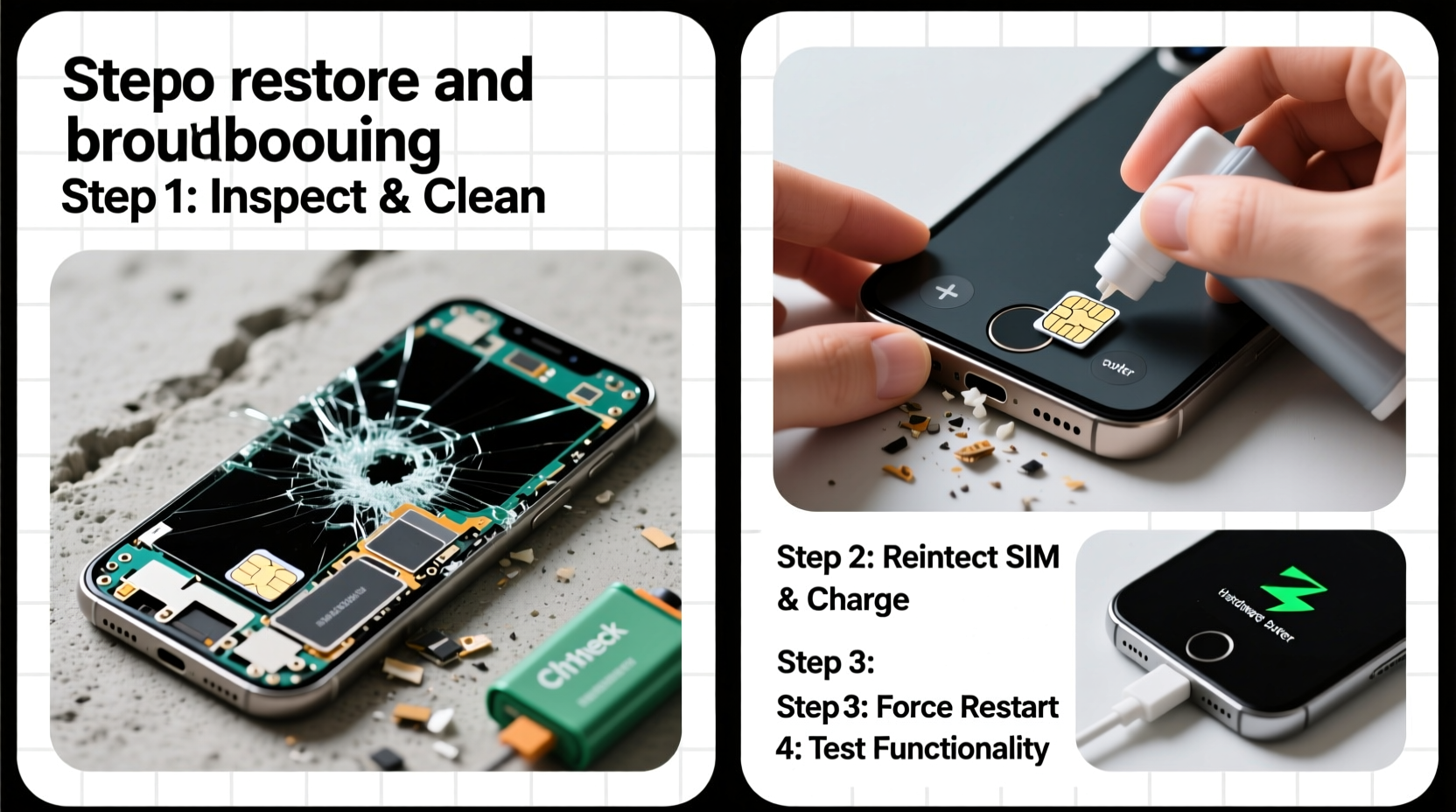
Immediately after a fall, resist the urge to power cycle the device repeatedly. Instead, conduct a calm, systematic inspection. Start by examining the exterior for visible cracks, dents, or misalignment of components like the charging port or camera housing. Then move to functional testing:
- Screen responsiveness: Does the display turn on? Are touch inputs registered?
- Audio output: Can you hear sound through the speaker or earpiece?
- Button functionality: Do the power, volume, and home (if applicable) buttons respond?
- Charging capability: Does the phone charge when connected to a known-good cable and adapter?
- Camera and sensors: Test both front and rear cameras; check if proximity or ambient light sensors work.
Step-by-Step Guide to Restore Functionality
Follow this timeline-based approach to maximize your chances of reviving a fallen phone:
- Power down immediately – If the phone is on but behaving erratically, shut it down to prevent short circuits from potential internal dislodging.
- Inspect for debris or misalignment – Check the charging port and SIM tray for dust, lint, or bent pins caused by impact.
- Clean gently with compressed air – Use short bursts to clear particles from ports. Avoid using metal tools or cotton swabs.
- Charge for at least 30 minutes – Use an original or certified cable. A completely drained battery may not boot even if the system is intact.
- Attempt a forced restart – This varies by model:
- iPhone 8 and later: Press and release Volume Up, then Volume Down, then hold Side button until Apple logo appears.
- Samsung Galaxy S series: Hold Volume Down + Power for 10–15 seconds.
- Google Pixel: Hold Power button for 30 seconds.
- Boot into safe mode (Android) – If the phone turns on but crashes frequently, reboot into Safe Mode to rule out app conflicts triggered by the fall.
- Restore via computer (if unresponsive) – Use iTunes (iOS) or Samsung Smart Switch / Google Fastboot (Android) to reflash firmware if the OS is corrupted.
Common Mistakes That Worsen Post-Fall Damage
Well-intentioned actions can sometimes do more harm than good. Avoid these pitfalls:
| Mistake | Why It’s Harmful | Better Alternative |
|---|---|---|
| Shaking or blowing into ports | Can push debris deeper or damage delicate connectors | Use canned air at a safe distance |
| Using rice to “dry” a non-wet phone | Rice does not absorb moisture efficiently and leaves residue | Only use desiccants like silica gel if liquid exposure occurred |
| Pressing the screen hard to get a response | May worsen LCD or digitizer damage | Connect to external display via HDMI (if supported) to test signal output |
| Ignoring software glitches | Fall-induced file corruption can escalate if not addressed | Back up data and consider OS reinstallation |
When Hardware Repair Is Necessary
Sometimes, no amount of troubleshooting will revive a damaged phone. Internal components such as the logic board, battery connector, or display ribbon cables can become dislodged or fractured upon impact. Signs that professional repair is required include:
- The device powers on but shuts down randomly
- Visible backlight bleed or multicolored lines on screen
- No charging despite multiple cables and outlets
- Loud buzzing from speakers or no audio at all
“Even if a phone seems dead after a fall, up to 60% can be recovered through microsoldering or component-level diagnostics.” — Rajiv Mehta, Senior Technician at UrbanFix Electronics
If you suspect internal hardware failure, seek a reputable repair shop that specializes in motherboard diagnostics. Avoid generic kiosks that may replace entire modules unnecessarily. For older models, compare repair costs against replacement value before proceeding.
Real Example: Recovering a Dropped iPhone XR
Sarah, a freelance photographer, dropped her iPhone XR from chest height onto a tile floor. The screen spiderwebbed, and the phone wouldn’t turn on. She followed these steps:
- She powered it down completely (it had frozen).
- Used compressed air to clean the Lightning port.
- Charged it for 45 minutes with her original charger—no sign of life.
- Performed a forced restart: Volume Up → Volume Down → Hold Side Button. After 20 seconds, the Apple logo appeared.
- The phone booted but froze on the home screen. She connected it to her Mac and restored it using iTunes backup.
Result: Full functionality returned, though the screen remained cracked. She scheduled a screen replacement two days later, preserving all her photos and settings.
Troubleshooting Checklist
- ✅ Safely power down the device
- ✅ Inspect for visible damage
- ✅ Clean ports with compressed air
- ✅ Charge for at least 30 minutes
- ✅ Attempt a forced restart
- ✅ Boot into Safe Mode (Android) or DFU Mode (iOS) if needed
- ✅ Connect to computer for data backup or OS restore
- ✅ Evaluate need for professional repair
Frequently Asked Questions
Can a phone with a black screen still be fixed?
Yes. A black screen doesn’t always mean the phone is dead. It could be a damaged display or disconnected ribbon cable. If the device vibrates or charges, internal systems may still be functional. Try a forced restart or connect to a computer to check for recognition.
Is it safe to use my phone after a fall if it seems to work?
Proceed with caution. Internal damage may not be immediately apparent. Monitor for delayed symptoms like rapid battery drain, overheating, or intermittent connectivity. Back up your data promptly in case underlying issues surface later.
Will dropping my phone void the warranty?
Yes, physical damage from drops is typically excluded from manufacturer warranties. However, some extended protection plans (like AppleCare+ or Samsung Premium Care) cover accidental damage for a service fee.
Conclusion: Act Fast, Think Clearly
Recovering a phone after a fall requires patience and methodical action. Panic leads to poor decisions—like repeatedly pressing buttons or attempting DIY fixes with unsafe tools. By following structured troubleshooting steps, recognizing when professional help is needed, and avoiding common myths, you can significantly improve your odds of restoring full functionality. Even if the device can’t be saved, acting quickly increases the chance of retrieving valuable data. Treat every fall as a critical event, and prioritize stability over speed in your recovery process.




 浙公网安备
33010002000092号
浙公网安备
33010002000092号 浙B2-20120091-4
Comments
No comments yet. Why don't you start the discussion?