
In an age where nearly every device we own stores sensitive personal data—emails, passwords, financial records, photos, and more—the way we dispose of old electronics matters more than ever. Tossing a smartphone, laptop, or external hard drive into the trash without proper preparation isn’t just environmentally irresponsible; it’s a direct invitation for identity theft and data breaches. Millions of people unknowingly hand over their digital lives when they discard devices carelessly. The good news: with the right approach, you can responsibly recycle or donate your old tech while ensuring no trace of your private information remains.
Why Data Security Matters in Electronic Disposal
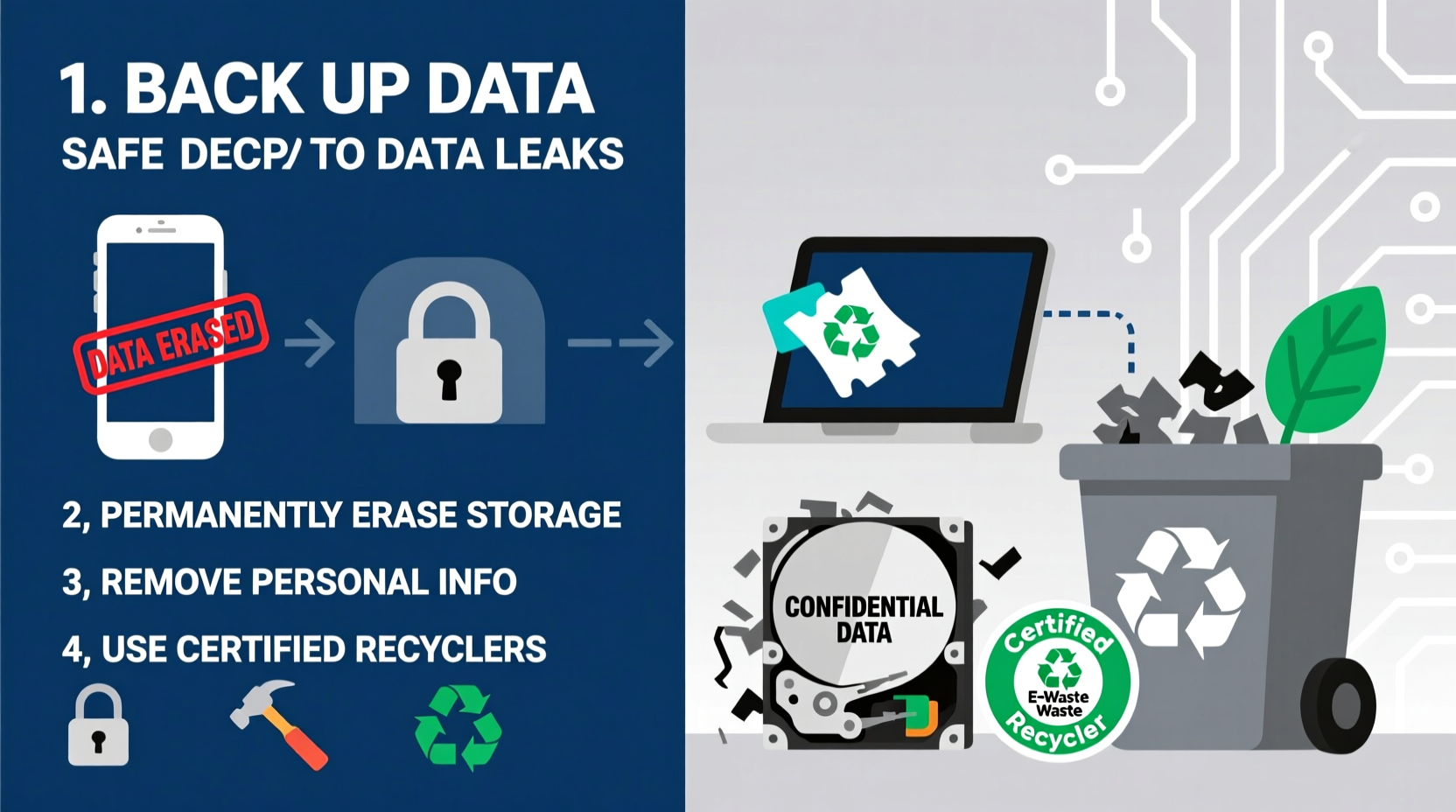
Electronic waste, or e-waste, is one of the fastest-growing waste streams in the world. According to the United Nations, over 50 million metric tons of e-waste are generated globally each year, yet only about 17% is formally recycled. Much of this waste ends up in landfills or informal recycling markets, where devices are often dismantled by hand—sometimes without protective gear—and data storage components may be sold or accessed illegally.
Your old phone might seem useless after years of use, but its internal memory could still hold login credentials, saved credit cards, location history, or even two-factor authentication tokens. Even if the device doesn’t power on, skilled individuals can extract data from damaged drives using specialized tools. This makes secure disposal not just a privacy issue, but a critical component of digital hygiene.
“Data left on discarded devices is like leaving your house keys and diary on the sidewalk. Just because you’re done with it doesn’t mean others won’t exploit it.” — Dr. Lena Patel, Cybersecurity Researcher at the Institute for Digital Trust
A Step-by-Step Guide to Securely Wipe Your Devices
Before any electronic leaves your possession, it must be thoroughly sanitized. Simply deleting files or resetting to factory settings isn’t enough. Here’s a proven sequence of actions to ensure your data is irrecoverable:
- Back up essential data: Transfer any photos, documents, or files you want to keep to a cloud service or external drive. Once wiped, recovery will be impossible.
- Sign out of all accounts: Log out of email, social media, banking apps, and cloud services (iCloud, Google, Microsoft). On smartphones, disable Find My iPhone or Find My Device to prevent remote lock.
- Encrypt the device (if not already): Most modern smartphones and laptops encrypt data by default, but verify this in settings. Encryption ensures that even if someone accesses the hardware, the data remains scrambled.
- Perform a factory reset: Use the built-in reset function under Settings > System > Reset. On Android, choose “Erase all data (factory reset).” On iOS, go to Settings > General > Transfer or Reset iPhone > Erase All Content and Settings.
- For computers: Use disk-wiping software: A factory reset may not fully erase data on desktops or laptops. Tools like DBAN (Darik's Boot and Nuke) for Windows or Disk Utility’s secure erase feature on macOS overwrite data multiple times, making recovery nearly impossible.
- Remove SIM and SD cards: These small components often store contacts, messages, and app data. Physically remove and destroy or reuse them separately.
- Verify erasure: After resetting, turn the device back on. If it boots to a setup screen and shows no user data, the wipe was likely successful.
Choosing the Right Disposal Method: Recycle, Donate, or Sell?
Not all old electronics need to be destroyed. Many can be repurposed, donated, or resold—if handled correctly. The method you choose depends on the device’s condition and your goals.
| Method | Best For | Data Risk Level | Environmental Impact |
|---|---|---|---|
| Recycling | Damaged, outdated, or non-functional devices | Low (if wiped properly) | High positive impact – recovers metals and reduces landfill |
| Donation | Working devices given to schools, nonprofits, or shelters | Moderate – requires full wipe and trust in recipient | Very positive – extends device life |
| Sell or Trade-In | Recent-model phones, tablets, or laptops in good condition | Moderate to high – depends on buyer verification process | Positive – promotes reuse economy |
| Physical Destruction | Devices with classified or extremely sensitive data | Negligible – complete data elimination | Mixed – prevents reuse but allows material recovery |
Real Example: A Cautionary Tale
In 2020, a cybersecurity researcher purchased five used hard drives from an online marketplace. Despite being “wiped,” four contained recoverable data—including tax returns, business contracts, and personal videos. One drive belonged to a former HR manager who had left behind employee records, including Social Security numbers. This case highlights how easily data can persist after improper disposal, even when users believe they’ve taken precautions.
Certified Recycling Programs and Trusted Drop-Off Locations
When recycling electronics, not all programs are created equal. Some so-called recyclers export e-waste to developing countries or disassemble devices in unsafe conditions. To ensure ethical and secure handling, look for certifications such as:
- R2 (Responsible Recycling): Requires strict environmental, worker safety, and data security practices.
- e-Stewards: A global standard prohibiting prison labor, child labor, and dumping in landfills.
- NAID AAA Certification: Specifically for data destruction companies, ensuring compliance with international privacy laws.
Many retailers offer take-back programs:
- Best Buy: Accepts most electronics for free, regardless of brand or purchase origin.
- Apple: Offers trade-ins and recycling—even for devices with no value.
- Staples: Recycles computers, printers, and accessories at participating locations.
Local municipalities often host e-waste collection events or maintain permanent drop-off sites. Check your city’s sanitation department website for details.
Checklist: Secure Electronics Disposal in 8 Steps
Use this checklist before handing over any device:
- ✅ Back up important files to cloud or external drive
- ✅ Remove SIM and SD cards
- ✅ Sign out of all accounts (Apple ID, Google, Microsoft, etc.)
- ✅ Disable remote tracking features (Find My iPhone, Find My Device)
- ✅ Encrypt the device (if not enabled by default)
- ✅ Perform a factory reset using device settings
- ✅ For computers: Use secure erase software (e.g., DBAN, Disk Utility)
- ✅ Verify the device boots to setup screen with no personal data visible
After completing these steps, proceed with your chosen disposal method—donation, resale, or certified recycling.
Frequently Asked Questions
Can someone recover my data after a factory reset?
Yes, in many cases. A factory reset often only removes file indexing, not the actual data. With forensic tools, skilled individuals can reconstruct emails, photos, and documents. For true security, combine the reset with encryption and, if possible, use disk-wiping software designed to overwrite data multiple times.
Is it safe to donate my old laptop to a school?
Yes, provided you’ve securely erased all personal information and removed any proprietary software. Confirm with the receiving organization whether they’ll reinstall the operating system. Consider donating only devices less than 5–7 years old to ensure usability.
What should I do with old USB drives or external hard drives?
Treat them like any other storage device. Wipe them using secure erase tools, or physically destroy them by drilling through the casing or shredding the internal components. Some recycling centers accept drives specifically labeled for destruction.
Conclusion: Protect Your Digital Legacy
Disposing of old electronics isn’t just about decluttering or being eco-friendly—it’s a vital step in protecting your identity and personal history. Every device you retire carries fragments of your digital life, and without proper safeguards, those fragments can fall into the wrong hands. By following a disciplined process of backup, wipe, verification, and responsible recycling, you close the loop securely and ethically.
The habits you build today set the standard for how your data is treated tomorrow. Whether you're upgrading your phone, replacing a decade-old desktop, or clearing out office equipment, take the extra time to do it right. Your future self—and your privacy—will thank you.




 浙公网安备
33010002000092号
浙公网安备
33010002000092号 浙B2-20120091-4
Comments
No comments yet. Why don't you start the discussion?