
Water damage is one of the most common causes of smartphone failure. Whether it’s a spilled drink, a dropped phone in the sink, or an unexpected plunge into a puddle, panic often sets in immediately. For years, the go-to advice was to bury your wet phone in a bowl of rice. But science and real-world testing have shown that rice is slow, inefficient, and can even cause more harm than good. Today, better, faster, and safer alternatives exist. Understanding how to properly dry your device can mean the difference between a minor scare and a costly replacement.
Modern smartphones are built with varying degrees of water resistance, but even IP68-rated devices aren’t immune to prolonged exposure or submersion in liquids like coffee, soda, or saltwater. The key isn't just removing visible moisture—it's preventing corrosion, short circuits, and internal residue buildup. This guide outlines scientifically backed, practical methods to rescue your phone without relying on outdated myths.
Why Rice Doesn’t Work (And Can Make Things Worse)
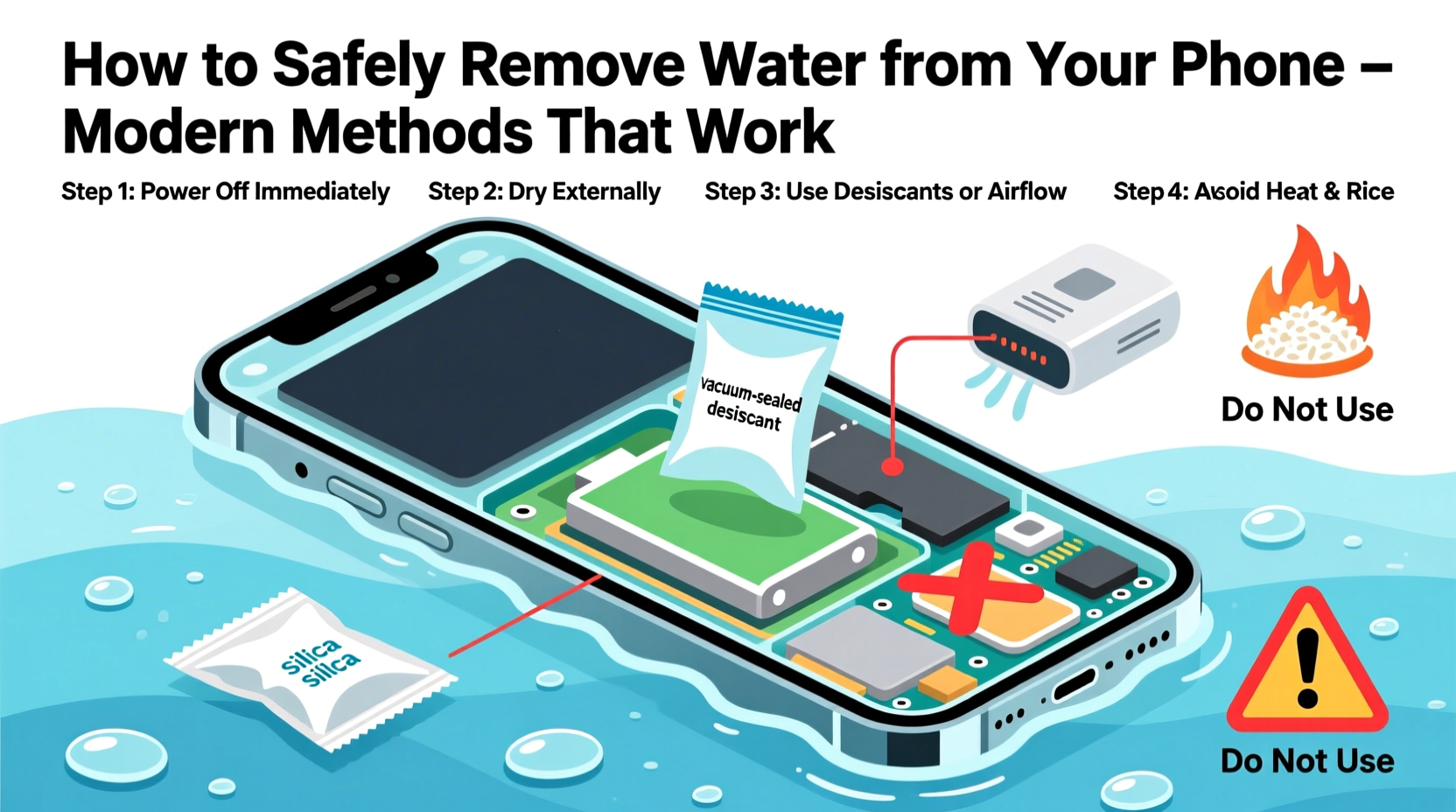
The idea of using rice as a drying agent stems from its ability to absorb moisture. While raw rice does absorb some humidity over time, it’s far less effective than other desiccants. Studies conducted by tech review sites like CNET and MythBusters have tested this method extensively, concluding that rice removes only about 13% of moisture after 48 hours—far too slow for sensitive electronics.
Worse, rice grains can leave behind fine dust and starch particles that may infiltrate charging ports, speakers, and microphones. These residues can interfere with connections, reduce audio quality, or block sensors. Additionally, leaving a phone in a sealed container with rice for days encourages heat retention and limits airflow, potentially worsening internal condensation.
“Rice is not only ineffective, it’s outdated. Modern desiccants like silica gel outperform it tenfold in moisture absorption speed and cleanliness.” — Dr. Lin Zhao, Electronics Durability Researcher, MIT Media Lab
Step-by-Step Guide: What to Do Immediately After Water Exposure
Success in salvaging a water-damaged phone depends heavily on the first few minutes. Quick, deliberate actions increase recovery odds significantly. Follow this timeline precisely:
- Turn It Off Immediately: If your phone is still on, power it down right away. Do not attempt to check if it works or take a selfie to “prove” it survived. Electricity + water = risk of permanent circuit damage.
- Remove from Liquid: Retrieve the phone quickly. The longer it stays submerged, the higher the chance of internal saturation.
- Take Off Accessories: Remove the case, SIM tray, memory card, and any attached peripherals. This allows moisture to escape from hidden crevices.
- Shake Gently: Hold the phone with the charging port facing down and shake lightly to dislodge trapped water. Avoid vigorous shaking, which could push liquid deeper.
- Dab Externally: Use a soft, lint-free cloth or microfiber towel to wipe the surface. Don’t rub—pat gently to avoid forcing water into openings.
- Avoid Heat Sources: Do not use hairdryers, ovens, microwaves, or direct sunlight. High heat can warp components, melt adhesives, and expand trapped moisture.
This initial response should take no more than two minutes. Once complete, move to active drying methods.
Modern Drying Methods That Actually Work
Forget rice. Here are four superior, evidence-based techniques for removing moisture from your phone efficiently and safely.
1. Silica Gel Packets (Best Home Option)
Silica gel—the small packets labeled “Do Not Eat” found in shoeboxes and electronics packaging—is a powerful desiccant. It absorbs moisture up to 40% of its weight and works much faster than rice.
Place your powered-off phone in an airtight container or resealable bag with at least 5–10 silica gel packets. Seal completely and leave for 24–48 hours. For best results, replace used packets with fresh ones halfway through.
2. Electric Dry Boxes (For Frequent Accidents)
Also known as electronic safes or anti-moisture boxes, these are commonly used to store cameras, lenses, and hearing aids. They maintain low humidity environments using Peltier cooling or desiccant systems.
If you live in a humid climate or frequently encounter spills, investing in a small dry box ($30–$70) can protect multiple devices. Simply place your phone inside after water exposure and close the lid. Most models reduce humidity to below 40% within hours.
3. Specialized Phone Drying Kits
Products like XDRY, Dry-All, and LiquiGuard are designed specifically for electronics. These kits typically include a vacuum-sealed bag and a powerful desiccant cartridge.
In independent tests, XDRY removed 90% of internal moisture in under 30 minutes. While pricier than DIY solutions (around $25 per kit), they offer peace of mind and portability—ideal for travelers or parents.
4. Compressed Air (For Surface Moisture Only)
Use short bursts of compressed air (from a can or electric blower) to clear water from ports and seams. Always hold the nozzle at least 2 inches away and angle the airflow sideways to avoid pushing moisture inward.
Note: This method doesn’t dry internal components but helps prepare the device for desiccant treatment.
Do’s and Don’ts: A Quick Reference Table
| Do’s | Don’ts |
|---|---|
| Power off immediately | Turn it on to “check” if it works |
| Use silica gel in a sealed container | Put it in a bowl of rice |
| Remove case and SIM tray | Shake aggressively |
| Pat dry with microfiber cloth | Use a hairdryer on high heat |
| Wait at least 24 hours before powering on | Charge while still damp |
| Try a vacuum seal drying kit | Submerge in alcohol or cleaning fluids |
Real Example: How One Teacher Saved Her Phone After a Coffee Spill
Sarah M., a middle school teacher from Portland, accidentally knocked over her iced latte during a virtual meeting. The cup landed directly on her iPhone 13, soaking the screen and seeping into the speaker grille. Panicked, she nearly reached for rice—but remembered a podcast episode discussing silica gel alternatives.
She turned off the phone immediately, wiped it with a napkin, removed the case, and placed it in a Ziploc bag with six silica gel packets from an old camera box. She left it sealed overnight. The next morning, she powered it on—fully functional. Even the speaker passed a sound test with no crackling.
“I was ready to buy a new phone,” Sarah said. “But skipping the rice and using what I had on hand saved me over $800.”
When to Seek Professional Help
While many water-damaged phones recover with proper drying, some situations require expert intervention. Internal corrosion can develop hours or days after exposure, especially if the liquid was sugary, salty, or acidic.
Signs you should visit a repair technician include:
- Fogging inside the camera lens that doesn’t clear after 48 hours
- Unresponsive touchscreen despite full battery
- Distorted audio, buzzing sounds, or silent speaker
- Device fails to charge or turns off randomly
Professionals use ultrasonic cleaners, isopropyl alcohol rinses (for conductive residue), and controlled vacuum chambers to extract moisture safely. Some services offer “baking” in low-heat convection ovens, though this should only be done by trained technicians.
“Time is the enemy. If a phone sits wet for more than 30 minutes, electrolytic corrosion begins. Fast action stops damage before it becomes irreversible.” — Carlos Mendez, Certified Mobile Repair Technician, iFixit Pro Team
FAQ: Common Questions About Water Damage Recovery
Can I use a vacuum to suck out water?
No. Household vacuums lack the precision and pressure control needed. They may generate static electricity or pull debris into sensitive areas. Instead, use gentle gravity-assisted draining or desiccants.
Does waterproof mean I don’t need to worry?
No. Waterproof ratings (like IP67 or IP68) indicate resistance to brief submersion under controlled conditions. They do not protect against long-term exposure, high-pressure water, or corrosive liquids. Even waterproof phones should be dried promptly after getting wet.
How long should I wait before turning my phone back on?
Wait a minimum of 24 hours when using silica gel or a drying kit. In humid environments or after deep submersion, extend to 48 hours. Rushing this step risks short-circuiting internal boards.
Conclusion: Protect Your Device with Smarter Habits
Rescuing a water-damaged phone doesn’t require magic—or rice. It requires knowledge, speed, and the right tools. By replacing outdated myths with modern, science-backed methods, you dramatically improve your chances of full recovery. Silica gel, drying kits, and proper handling protocols are accessible, affordable, and effective.
Going forward, consider keeping a small emergency drying kit in your home, car, or office. Combine that preparedness with cautious usage around liquids, and you’ll minimize both risk and stress. Your smartphone is a significant investment—treat it with care, respond wisely to accidents, and trust proven techniques over folklore.




 浙公网安备
33010002000092号
浙公网安备
33010002000092号 浙B2-20120091-4
Comments
No comments yet. Why don't you start the discussion?