
Carrying cards in an iPhone case has become a popular habit—especially as mobile wallets gain traction and minimalism trends grow. Whether it’s a credit card, ID, or transit pass, slipping one or two cards into the back of your phone case offers quick access without the bulk of a wallet. But this convenience comes with risks: card damage, signal interference, demagnetization, and even theft. Understanding how to safely store and protect your cards within an iPhone case is essential for both security and longevity.
This guide outlines tested strategies, material considerations, and real-world insights to help you balance accessibility with protection. From choosing the right case type to avoiding common pitfalls, these best practices ensure your cards remain functional, secure, and undamaged.
Choose the Right Case Type for Card Storage
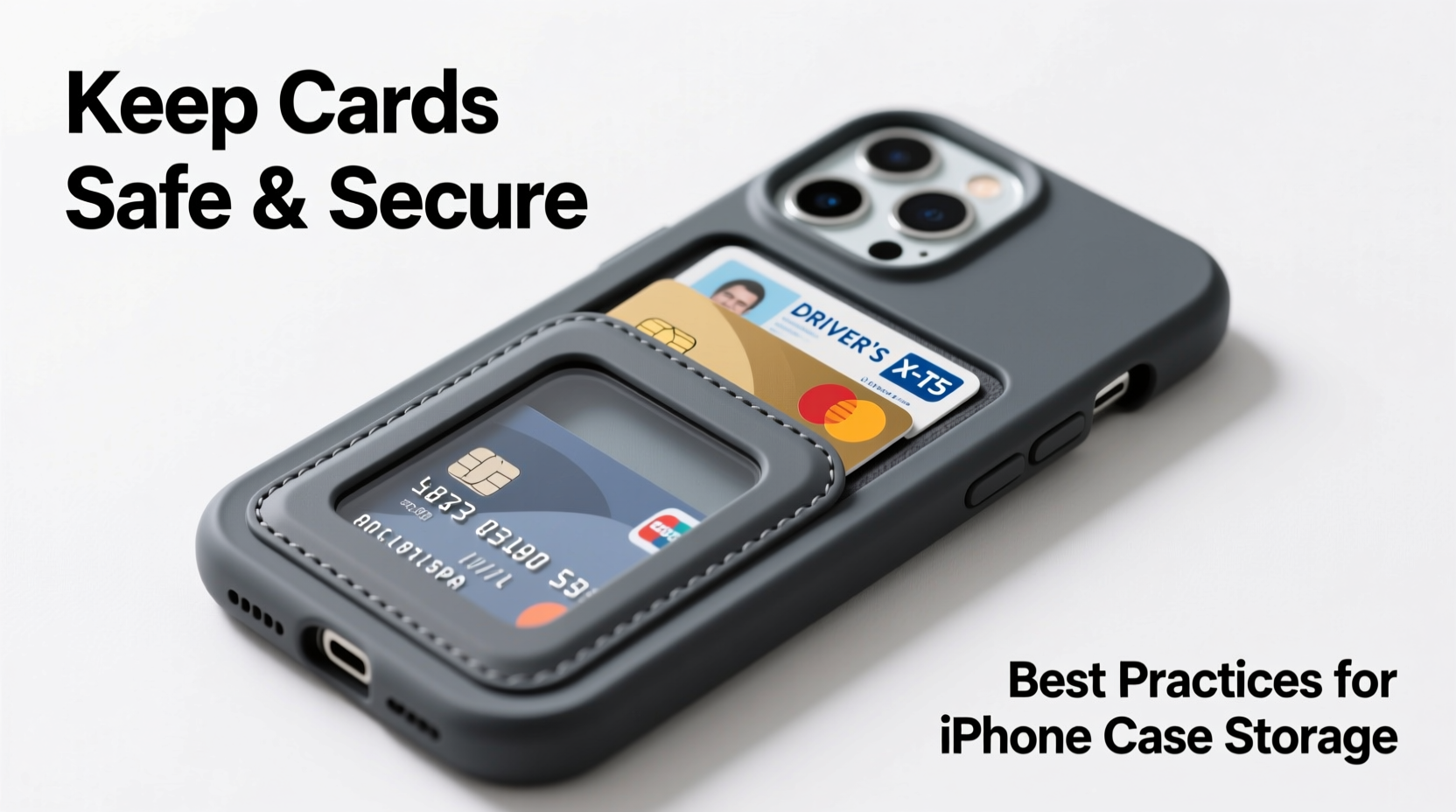
Not all iPhone cases are designed to hold cards, and using the wrong kind can lead to poor fit, slippage, or device damage. The market offers several case styles, each with pros and cons when it comes to storing cards:
| Case Type | Card Compatibility | Risks | Best For |
|---|---|---|---|
| Slim Silicone or Leather | Limited (1–2 cards loosely tucked) | Card slippage, no retention | Occasional use, short commutes |
| Folio/Wallet Cases | High (dedicated internal slots) | Bulkier, screen exposure when open | Daily carry, multiple cards |
| MagSafe-Compatible Wallets | High (secure magnetic attachment) | Potential interference if misaligned | iPhone 12 and newer models |
| Bumper or Hard Shell | Low (no built-in storage) | Cards fall out easily | Protection-focused users |
The safest option for regular card storage is a MagSafe wallet or a dedicated folio case with reinforced card slots. These are engineered to align properly with the iPhone’s internal components and minimize interference with NFC, wireless charging, and GPS signals.
Protect Cards from Physical and Magnetic Damage
Storing cards improperly—even briefly—can lead to long-term issues. Magnetic strips, EMV chips, and RFID/NFC functionality are sensitive to environmental stressors. Here’s how to avoid common forms of damage:
- Magnetic exposure: Keep cards away from strong magnets. While modern smartphones contain small magnets (e.g., MagSafe), prolonged contact with unshielded magnets can degrade magnetic stripes over time.
- Bending and creasing: Rigid plastic cards can warp if stored in tight spaces or exposed to heat (like leaving your phone in a hot car).
- Scratches and abrasions: Sand, keys, or rough case interiors can scratch chip readers or barcode surfaces.
- RFID skimming: If storing contactless cards (credit, transit, keycards), consider RFID-blocking materials to prevent unauthorized scanning.
“Even brief exposure to high heat or pressure can compromise a card’s functionality. Always assume that your phone case environment is dynamic—not static.” — Daniel Reyes, Consumer Electronics Safety Analyst
Step-by-Step Guide to Safely Insert Cards into Your iPhone Case
- Verify compatibility: Confirm your case is designed for card storage. Check manufacturer specifications for weight limits and slot dimensions.
- Inspect the card: Look for existing scratches, bends, or frayed edges. Damaged cards are more likely to fail when subjected to vibration or friction.
- Clean the case interior: Wipe down the card compartment with a dry microfiber cloth to remove dust or debris that could scratch the card.
- Insert vertically: Slide the card straight in, aligned with the slot. Never force it at an angle, which can crack the plastic or damage the case lining.
- Test access: Remove and reinsert the card to ensure smooth operation. If it sticks, realign or consider a thinner card.
- Monitor performance: After insertion, test the card at a terminal (e.g., tap for transit, swipe at a gas pump) to confirm full functionality.
Avoid Interference with Phone Functionality
One often overlooked risk is how stored cards can interfere with your iPhone’s technology. Cards placed directly against the back of the phone—especially near the top edge—can disrupt critical systems:
- NFC (Apple Pay): Metal-backed cards or thick stacks can block the antenna used for contactless payments.
- Wireless charging: Excess thickness between the phone and charger reduces efficiency and may prevent charging altogether.
- GPS and cellular signals: Though rare, metal-infused cards (e.g., some corporate badges) can partially shield antennas.
MagSafe wallets solve many of these issues by using precision alignment and shielding materials. Third-party accessories should be MFI-certified (Made for iPhone) to ensure they meet Apple’s safety and performance standards.
Real-World Example: How One Commuter Lost Access to His Transit Pass
Jared, a software developer in Chicago, relied on his Oyster-style transit card tucked into the back of his silicone iPhone case. He appreciated not carrying a wallet during his bike commute. After three weeks, however, the card stopped working at turnstiles. Customer service found no account issues, but suggested physical damage.
Upon inspection, Jared noticed visible micro-scratches along the card’s edge and a slight warp from being compressed between his phone and a metal bike mount. Heat from afternoon sun exposure had softened the plastic, and constant vibration degraded the embedded circuitry. He switched to a MagSafe wallet with a dedicated, shielded slot—and now rotates his transit card weekly to reduce wear.
This scenario highlights how environmental factors compound over time, even with seemingly minor storage choices.
Best Practices Checklist
- ✅ Do:
- Use MagSafe-approved wallets for secure, aligned storage.
- Limited to 1–2 cards to avoid excess bulk.
- Choose cases with soft, lined interiors to prevent scratching.
- Opt for RFID-blocking models if storing sensitive contactless cards.
- Regularly inspect cards for signs of wear or demagnetization.
- ❌ Don’t:
- Store cards in non-designed cases (e.g., basic clear plastic).
- Expose your phone-and-card combo to extreme heat (e.g., dashboards).
- Carry metal objects (coins, keys) alongside cards in the same pocket.
- Use damaged or warped cards in tight slots.
- Assume all “wallet cases” are equally safe—check reviews and certifications.
Frequently Asked Questions
Can storing a credit card in my iPhone case demagnetize it?
Yes, though the risk is low with modern phones. iPhones use small magnets (mainly around the MagSafe ring), but prolonged contact with unshielded magnetic closures or third-party accessories can degrade magnetic stripes over time. To minimize risk, use only Apple-certified or RFID-safe wallets and avoid stacking multiple magnetic items.
Is it safe to wirelessly charge my iPhone with a card in the case?
It depends on the setup. MagSafe wallets are specifically designed to allow wireless charging while attached. However, non-MagSafe cards or thick stacks placed between the phone and charger can block induction. Always center the phone on the charger and avoid adding extra layers beyond what the manufacturer recommends.
How many cards can I safely keep in my iPhone case?
For most wallet cases, 2–3 cards is the recommended maximum. Overloading can cause case deformation, difficulty removing cards, and increased risk of dropping them. For heavier loads, consider splitting essentials—use Apple Wallet for digital passes and reserve physical slots for backup cards.
Final Thoughts: Balance Convenience with Responsibility
Storing cards in your iPhone case isn’t inherently unsafe—but doing so carelessly invites avoidable problems. The key is intentionality: choose the right case, monitor card condition, and respect the technical limits of your device. As mobile integration deepens, the line between digital and physical wallets continues to blur. Being proactive about protection ensures you enjoy the benefits of convenience without sacrificing security or reliability.




 浙公网安备
33010002000092号
浙公网安备
33010002000092号 浙B2-20120091-4
Comments
No comments yet. Why don't you start the discussion?