
TikTok has evolved from a simple entertainment platform into a cultural hub where fans, creators, and communities converge. For many users, one account no longer suffices—especially when personal interests span different niches like dance, cooking, fashion, or tech reviews. Managing multiple TikTok accounts allows you to tailor your experience, support diverse creators more authentically, and avoid algorithmic clutter. However, doing it effectively requires strategy, organization, and awareness of TikTok’s policies.
Whether you're a superfan wanting separate spaces for different fandoms, a parent managing a child’s account alongside your own, or someone curating distinct digital identities, setting up multiple accounts the right way ensures seamless navigation and meaningful engagement.
Why Use Multiple TikTok Accounts?
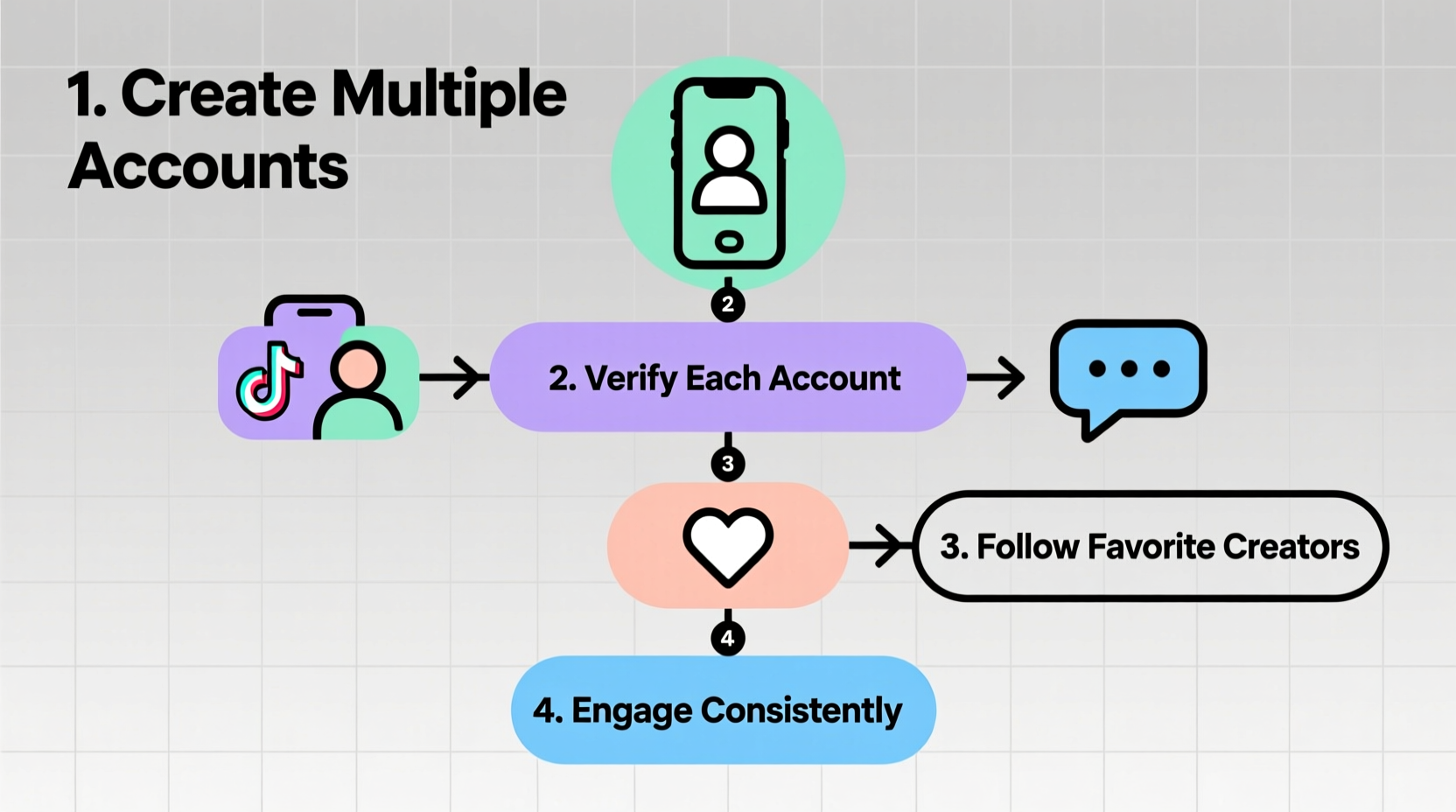
A single feed often becomes overwhelmed with conflicting content types, leading TikTok’s algorithm to deliver mixed recommendations. By segmenting your interests across dedicated accounts, you gain precision in what you see and who sees you.
- Focused Engagement: One account for K-pop, another for fitness—you can comment, like, and share with contextually appropriate audiences.
- Better Algorithm Training: Each account learns faster when exposed to consistent content themes.
- Privacy Control: Keep personal hobbies separate from public personas or professional branding.
- Support Without Noise: Follow and boost your favorite creators without diluting your main feed’s purpose.
Step-by-Step Guide to Creating and Managing Multiple Accounts
- Decide Your Account Purposes: Define the theme or niche for each profile—e.g., comedy, education, regional music, gaming.
- Use Unique Login Credentials: TikTok allows only one phone number per account. Use alternate emails or third-party logins (Google, Apple, Facebook) tied to unique addresses.
- Create the First Account Normally: Download TikTok, sign up using your preferred method, complete setup, and customize the profile.
- Add Secondary Accounts via In-App Switching: Go to your profile > Menu (three lines) > Settings and Privacy > Account > Switch Account > Add Account. Choose “Sign up” and use new credentials. <
- Customize Each Profile: Assign unique usernames, bios, profile pictures, and cover videos that reflect the account’s focus.
- Log In and Out as Needed: You can switch between saved accounts instantly within the app, but they won’t be active simultaneously.
Managing Devices and App Cloning
If you want to run two accounts at once—for example, liking videos on both profiles during a live stream—you’ll need workarounds since TikTok doesn’t support true multi-user mode.
On Android devices, use built-in app cloning features (available on Samsung, Xiaomi, Oppo, etc.) to install a second instance of TikTok. This lets you stay logged into both accounts independently. On iOS, while native cloning isn't supported, you can access secondary accounts through mobile browsers by logging into tiktok.com.
Best Practices for Authentic Engagement Across Accounts
Engaging meaningfully across multiple accounts isn't about inflating likes—it's about building genuine connections. Creators notice consistent, thoughtful interactions far more than random boosts.
- Leave specific comments such as “Your tutorial helped me nail this recipe!” instead of generic “🔥” emojis.
- Share videos to Stories (if available) with personalized captions to amplify reach ethically.
- Follow supporting accounts (duet partners, collaborators) to strengthen community visibility.
- Space out actions to mimic organic behavior; rapid-fire liking may trigger spam filters.
| Action | Recommended Frequency per Account | Risk of Overuse |
|---|---|---|
| Liking Videos | 50–70/day | Shadowban if >100 in short bursts |
| Commenting | 10–20/day | Comments hidden if repetitive |
| Following/Unfollowing | 20–30/day max | Temporary action blocks |
| Duet/Stitch Usage | 3–5/week | Spam flags if overused daily |
“Authenticity scales better than automation. A thousand real fans across three focused accounts do more for creator morale than one bot-driven hype machine.” — Lena Tran, Digital Community Strategist
Mini Case Study: Following BTS Across Three Personas
Maria, a long-time K-pop enthusiast, used to follow all things BTS under her general account. But she also loved baking and wanted to learn Korean language basics. Her feed became cluttered—TikTok started showing her cake decorating tips during comeback season.
She created three accounts:
- @BTS_Only_Maria: Dedicated to ARMY activities—commenting on member updates, sharing fancams, joining hashtag challenges.
- @MariaBakesKorean: Focused on Korean-inspired desserts, where she followed food creators and occasionally stitched their recipes.
- @MariaLearnsHangul: Used to track her language journey, engaging with educational TikTokers and practicing pronunciation via voiceovers.
Within six weeks, each account developed its own rhythm. She noticed increased replies from smaller creators in the language space and even got featured in a weekly “learner highlight” video. More importantly, she enjoyed TikTok more—without guilt or distraction.
Checklist: Setting Up Your Multi-Account System
- Define the purpose of each new account
- Secure unique email addresses or third-party logins
- Create accounts using TikTok’s “Add Account” feature
- Customize bios, photos, and privacy settings individually
- Enable two-factor authentication for security
- Organize switching routine (e.g., morning check-ins per account)
- Engage thoughtfully—prioritize quality over quantity
- Review monthly: Are any accounts inactive or redundant?
Frequently Asked Questions
Can I get banned for having multiple TikTok accounts?
No, TikTok permits multiple accounts per user as long as they comply with Community Guidelines. Avoid spamming, fake engagement, or circumventing restrictions using bots. Manual, authentic use is safe.
How many accounts can I link to one email?
One email address can only register a single TikTok account. To create additional ones, use alternate emails or third-party sign-in options like Google or Apple IDs.
Can I follow the same creator on multiple accounts?
Yes. Many superfans do this to support creators across different engagement styles—e.g., reacting as a casual viewer on one account and participating in fan projects on another. Just ensure your interactions remain respectful and non-spammy.
Conclusion: Own Your TikTok Experience
Setting up multiple TikTok accounts isn’t about gaming the system—it’s about reclaiming control over how you connect with the creators who inspire you. When done mindfully, segmented accounts enhance discovery, deepen engagement, and preserve the joy of fandom without algorithmic interference.
Start small: create one complementary profile today. Tailor it to a passion that deserves its own space. Engage deliberately. Watch how both your experience—and the creators you support—flourish in response.




 浙公网安备
33010002000092号
浙公网安备
33010002000092号 浙B2-20120091-4
Comments
No comments yet. Why don't you start the discussion?