
There’s nothing more frustrating than unlocking your phone only to be greeted by a foggy layer of oily fingerprints. Despite constant wiping, the smudges return almost instantly—especially if you use your device throughout the day. This isn’t just an aesthetic issue; excessive grime can reduce screen visibility, interfere with touch sensitivity, and even harbor bacteria. The good news is that fingerprint smudging is not inevitable. With the right combination of preventive habits, protective accessories, and cleaning routines, you can significantly reduce or even eliminate persistent screen smears.
The root cause lies in the natural oils secreted by your skin—sebum—combined with sweat and environmental dust. These substances transfer easily onto glass surfaces, especially when your hands aren’t completely clean. Modern smartphones, with their large, high-gloss displays, act like magnets for these residues. However, understanding the problem is the first step toward solving it.
Why Phone Screens Attract Fingerprints So Easily
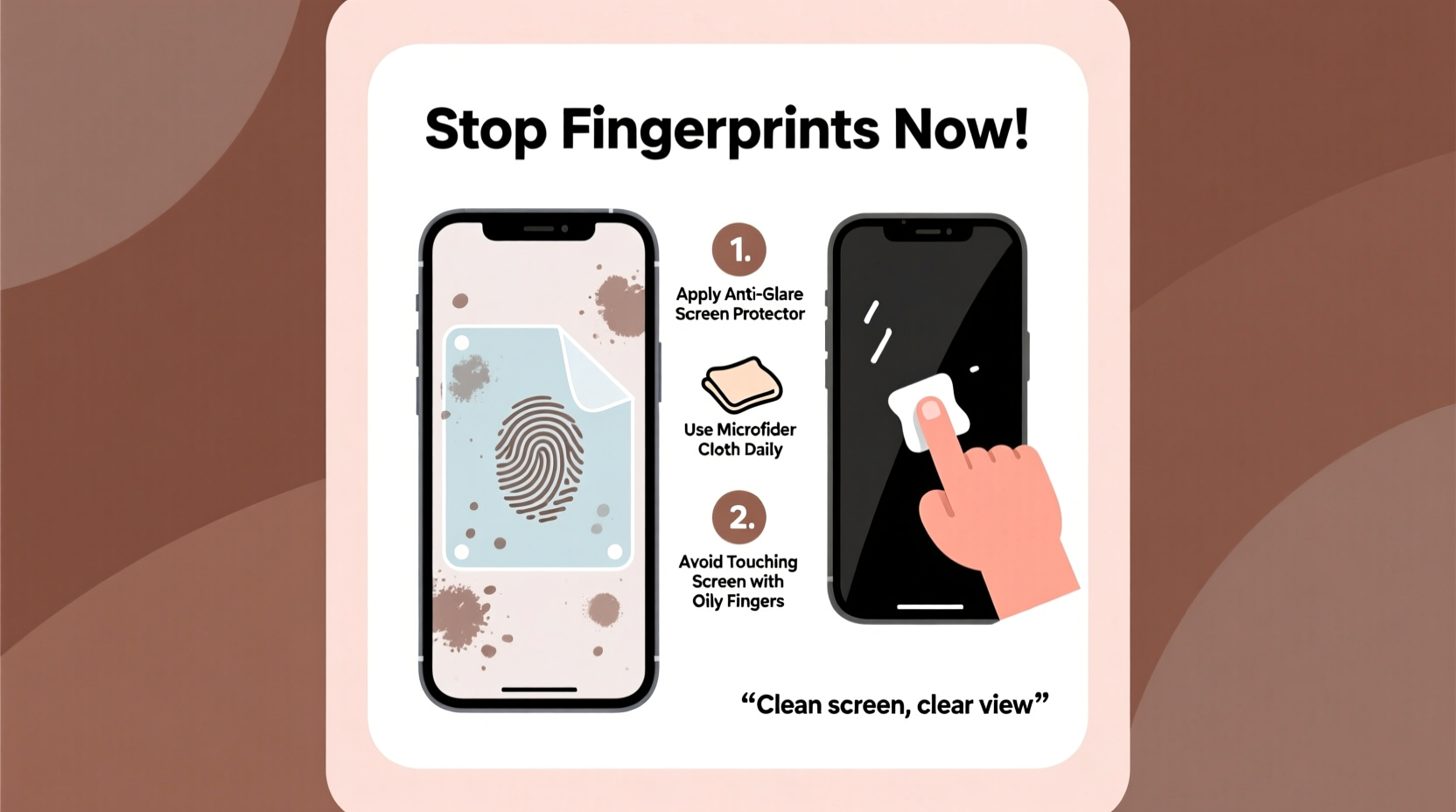
Smartphone screens are typically made from chemically strengthened glass, such as Corning Gorilla Glass, which offers durability but also a smooth, non-porous surface. While this enhances usability and visual clarity, it also makes the screen highly susceptible to oil adhesion. Unlike matte surfaces that scatter light and hide minor smudges, glossy screens reflect light directly, making every fingerprint glaringly obvious.
Additionally, most modern devices come with oleophobic (oil-repelling) coatings applied at the factory. This thin layer reduces surface tension, causing oils to bead up rather than spread. Over time, however, this coating wears off due to repeated touching, improper cleaning, or exposure to abrasive materials. Once degraded, the screen loses its resistance and becomes increasingly prone to smudging.
“Oleophobic coatings are effective initially, but they degrade faster than people realize—often within 6 to 12 months of regular use.” — Dr. Lena Park, Materials Scientist at Mobile Display Innovations Lab
This degradation explains why a brand-new phone might stay relatively clean for weeks, while an older model seems permanently smeared no matter how often it's wiped.
Step-by-Step Guide to Minimize Screen Smudges
Reducing fingerprints isn’t about perfection—it’s about consistency and smart habits. Follow this practical timeline to maintain a cleaner screen over time:
- Wash hands before prolonged phone use: Even brief handwashing removes excess oils and dirt that would otherwise transfer to your screen.
- Apply a high-quality screen protector: Choose one with an updated oleophobic layer. Some premium protectors actually outperform the original factory coating.
- Use a microfiber cloth daily: Gently wipe the screen each evening to remove accumulated oils before they harden or attract dust.
- Avoid pocket storage without protection: Keep your phone in a dedicated compartment away from keys, coins, or rough fabrics that scratch the surface and degrade the coating.
- Reapply oleophobic coating monthly (optional): For older phones, liquid nano-coatings can restore some oil resistance.
- Limit face-touching habits: People frequently touch their faces and then their phones, transferring sebum indirectly.
Consistency in this routine builds long-term protection. Skipping steps occasionally won’t ruin progress, but doing so regularly will accelerate smudge buildup.
Choosing the Right Screen Protector
Not all screen protectors are created equal. While some offer only scratch resistance, others actively combat smudging through advanced surface treatments. Here’s a breakdown of common types and their effectiveness against fingerprints:
| Type | Fingerprint Resistance | Durability | Clarity Impact | Best For |
|---|---|---|---|---|
| Plastic Film (PET) | Poor | Low | Slight haze | Budget users, short-term use |
| Tempered Glass (Standard) | Fair | High | Negligible | General protection |
| Tempered Glass (Oleophobic-Coated) | Excellent | High | None | Heavy users, outdoor environments |
| Matte/Anti-Glare | Very Good (hides smudges) | Moderate | Slight texture visible | People who work outdoors or in bright light |
| Liquid Nano-Coating | Good (temporary) | Low–Medium | None | Phones without protectors, interim solution |
For optimal results, choose a tempered glass protector labeled as having an \"oleophobic coating.\" Brands like Spigen, ZAGG, and ESR invest in multi-layer treatments that repel both water and oil. Matte protectors, while less reflective and excellent at hiding smudges, slightly alter screen texture and may feel unusual to users accustomed to smooth glass.
Real Example: A Commuter’s Transformation
Jamal, a city transit worker in Chicago, used his phone constantly during shifts—checking schedules, messaging coworkers, and navigating routes. Within weeks, his screen was perpetually greasy, making it hard to read in sunlight. He tried wiping it with napkins and shirtsleeves, but the smudges returned immediately.
After switching to a tempered glass screen protector with enhanced oleophobic technology and adopting a habit of wiping his screen with a microfiber cloth during breaks, he noticed a dramatic change. Not only did fingerprints appear less frequently, but when they did, they were easier to remove. Six months later, his screen still looked nearly new, despite heavy daily use.
His simple shift—from reactive wiping to proactive protection—made all the difference.
Common Mistakes That Make Smudging Worse
Some well-intentioned actions actually accelerate smearing and damage protective layers. Avoid these pitfalls:
- Using paper towels or clothing to clean the screen: These materials are often abrasive and can micro-scratch the surface, degrading the oleophobic layer over time.
- Cleaning with household cleaners: Products containing ammonia, alcohol, or acetone strip away protective coatings. Even disinfectant wipes marketed for electronics may contain harmful solvents.
- Touching the screen with wet or lotion-covered hands: Moisture binds with oils, creating a sticky residue that dries into stubborn films.
- Stacking the phone with keys or coins: Metal objects not only scratch the screen but also pick up oils and redeposit them unevenly.
- Ignoring side bezels and frame areas: Oils accumulate on the edges and are transferred back to the screen during handling.
DIY Maintenance Checklist
Stay ahead of smudges with this monthly maintenance checklist:
- Inspect screen for visible scratches or coating wear.
- Remove any existing screen protector if peeling or hazy.
- Clean the bare screen with distilled water and microfiber cloth.
- Apply a new high-quality oleophobic screen protector.
- Wipe down the phone case and ports gently with a cotton swab.
- Reapply liquid nano-coating (if using) according to instructions.
- Establish a daily wipe-down reminder via calendar or habit app.
Completing this list once per month ensures that your phone maintains maximum resistance to smudging. It also prolongs the life of both the device and its components.
Frequently Asked Questions
Can I restore the oleophobic coating on my phone?
Yes, to a limited extent. Liquid nano-coatings available online can temporarily restore oil resistance. However, these are not as durable as factory-applied layers and typically last 1–3 months. They work best on clean, uncoated glass or over worn-out protectors.
Do anti-fingerprint sprays really work?
Some do, but with caveats. Sprays containing silicon dioxide or fluoropolymers create a hydrophobic barrier. However, improper application can leave streaks or attract dust. Always test on a small area first and follow drying instructions carefully. Most experts recommend screen protectors over sprays for consistent results.
Is a matte screen protector worth it?
If you spend time outdoors or dislike shiny reflections, yes. Matte protectors diffuse light and hide smudges effectively. The trade-off is a slightly textured feel and reduced color vibrancy. Users who prioritize gaming or photo editing may prefer clear, glossy options.
Final Thoughts and Action Plan
Stopping constant fingerprint smudging doesn’t require extreme measures—just smarter choices and consistent habits. Start by evaluating your current phone usage patterns. Are you touching it with unwashed hands? Using a low-quality screen protector? Cleaning it improperly?
The most effective strategy combines three elements: physical protection (a coated screen guard), behavioral adjustments (hand hygiene and handling), and routine maintenance (daily wiping and monthly upkeep). Together, these form a sustainable system that keeps your screen clear, responsive, and hygienic.
You don’t need to live with a perpetually dirty screen. Small changes compound into lasting results. Invest in a quality screen protector today, keep a microfiber cloth handy, and commit to a two-minute nightly wipe-down. Within a week, you’ll notice fewer smudges, better visibility, and a device that feels more pleasant to use.




 浙公网安备
33010002000092号
浙公网安备
33010002000092号 浙B2-20120091-4
Comments
No comments yet. Why don't you start the discussion?