
Transforming your home into a holiday spectacle no longer requires thousands of individual lights or weeks of laborious setup. With the rise of AI-powered image generation and projection mapping technology, homeowners can now create dazzling, synchronized Christmas light displays using precisely mapped video projections. By combining high-resolution images of your home’s facade with AI-generated animations, you can project dynamic light shows that appear to dance across windows, eaves, and porches—all without a single strand of wire.
This guide walks through the complete process of designing custom Christmas light projection maps using AI image tools. From capturing your home’s geometry to generating animated sequences and aligning them with physical architecture, this method offers a scalable, cost-effective, and visually stunning alternative to traditional lighting.
Capture and Prepare Your Home’s Facade Image
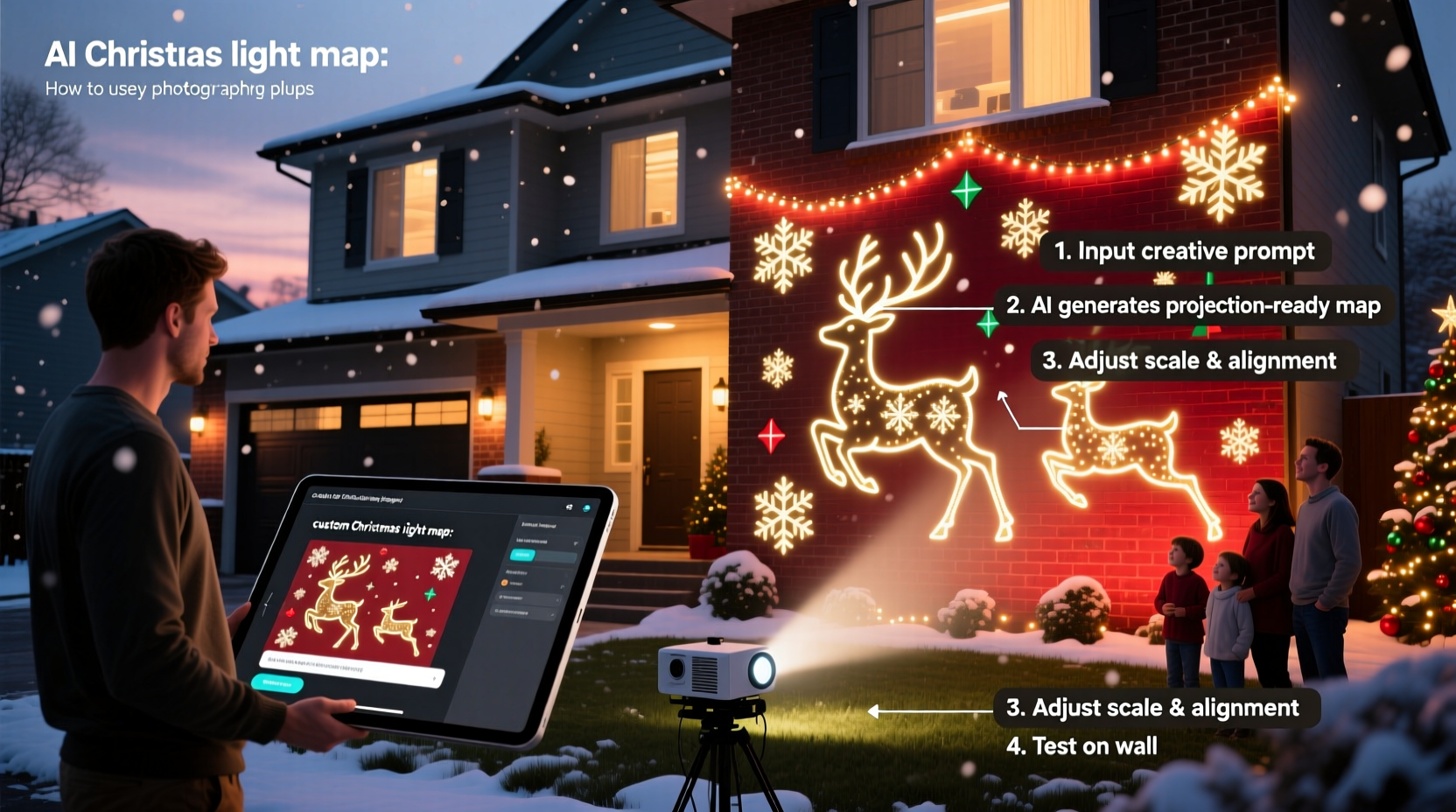
The foundation of any successful projection map is an accurate representation of the surface it will be projected onto. For holiday displays, this means capturing a clear, front-facing photograph of your home’s exterior under neutral lighting conditions—ideally during midday when shadows are minimal.
Use a DSLR or smartphone camera mounted on a tripod to ensure stability. Stand directly in front of your house, at a distance that captures the full structure without distortion. Avoid wide-angle shots that warp edges, as these can misalign your projection later.
“Precision in the base image determines the accuracy of the final projection. A slightly skewed photo can cause animations to ‘slip’ off walls or windows.” — Daniel Reeves, Projection Mapping Artist
Once captured, transfer the image to your computer and open it in an image editor like Photoshop or GIMP. Crop and straighten the image so vertical lines are truly vertical and horizontal elements are level. Save the final version as a high-resolution PNG or TIFF file to preserve quality.
Generate Custom Light Patterns Using AI Image Tools
With your facade image ready, the next step is to generate animated light patterns tailored to your home’s architecture. This is where AI image tools come into play. Platforms like Runway ML, Stable Diffusion, and DALL·E 3 (via Bing Image Creator or ChatGPT Plus) allow users to generate highly specific visual content based on text prompts.
To create usable assets, you’ll need to generate sequences that simulate light behavior—such as twinkling stars, falling snow, glowing outlines, or pulsing wreaths—that align with architectural features like rooflines, doors, and windows.
For example, a prompt like:
“A festive Christmas light animation overlay for a two-story brick house with bay window, showing warm white twinkling lights along roofline and glowing red-green wreaths on each window, transparent background, top-down view, vector-style”
…can yield a frame-ready layer that matches your home’s layout. Use consistent prompts across frames to maintain continuity in motion.
Some AI tools support animation output directly (e.g., Runway’s Gen-2 generates short video clips), while others produce stills. In the latter case, generate a series of slight variations—say, 10–15 frames per second—to simulate flicker or movement when compiled into a video.
Recommended AI Tools and Their Strengths
| Tool | Best For | Limits |
|---|---|---|
| Runway ML (Gen-2) | Full-motion video generation with precise timing | Paid credits required; limited free tier |
| Stable Diffusion + ControlNet | Highly detailed static frames with edge alignment | Requires technical setup; local GPU recommended |
| DALL·E 3 (via ChatGPT) | User-friendly prompt interface; good for concept art | No animation; lower resolution outputs |
| Leonardo.AI | Batch image generation with consistent style | Watermarks on free tier; manual animation assembly needed |
Create the Projection Map Using Alignment Software
Now that you have both your base facade image and AI-generated light layers, it’s time to combine them into a projection-ready video. This involves aligning animated elements precisely with architectural features—a process known as masking or warping.
Use software such as MadMapper, Resolume Arena, or the free alternative HeavyM to import your facade photo as a background reference. Then overlay your AI-generated light sequences as separate video or image layers.
Adjust each layer’s position, scale, and perspective to match specific parts of your home. For instance, stretch a “window wreath” animation to fit exactly within the bounds of a real window. Most programs allow vertex manipulation—dragging corners individually—to conform to angled surfaces like gables or dormers.
Next, apply masking. Draw masks around each architectural element so that light effects only appear where intended. A glowing roofline should not bleed onto the lawn. Use feathered edges sparingly to simulate soft glow, but keep hard cutoffs for clean alignment.
Finally, export the composite as a full HD (1920x1080) or 4K video file in MP4 or MOV format, ensuring smooth playback at 24 or 30 fps. Name the file clearly (e.g., “Holiday_Projection_HouseA_Final.mp4”) and store it on a USB drive or media player compatible with your projector.
Step-by-Step: Creating the Projection Map
- Import your corrected facade photo into MadMapper or HeavyM as a background guide.
- Add your AI-generated light sequence as a new layer.
- Resize and rotate the layer to align with its target feature (e.g., porch railing).
- Draw a polygon mask matching the physical boundary of that feature.
- Repeat for all major elements (windows, doors, roof peaks).
- Preview in fullscreen mode to check for misalignment or overflow.
- Export the final composition as a standalone video file.
Project and Calibrate the Display
With your video file ready, set up a high-lumen projector (minimum 3,000 lumens) outdoors, positioned to cover your home’s entire front face. Place it on a stable surface—like a folding table or platform—centered about 15–25 feet from the house, depending on throw ratio.
Connect the projector to a laptop, media box, or Raspberry Pi running VLC or dedicated playback software. Play the video in loop mode and observe how the lights align with actual structures.
You may notice minor discrepancies due to real-world depth, uneven ground, or atmospheric haze. Return to your mapping software and make micro-adjustments: shift a layer 5 pixels left, reduce opacity on overlapping areas, or tweak mask boundaries. Reprocess and retest until every animated light appears pinned to its correct location.
For multi-song shows, create several themed videos (e.g., “Winter Wonderland,” “Jingle Bell Rock”) and chain them together using playlist software. Sync tempo changes with music beats for maximum impact.
Mini Case Study: The Thompson Family Holiday Display
The Thompsons in Portland, Oregon, wanted a festive display but had strict HOA rules limiting permanent installations and electrical usage. They opted for projection mapping using AI-generated content.
They began by photographing their Craftsman-style home on a sunny Saturday morning. Using DALL·E 3, they created six core assets: glowing icicles for the eaves, animated reindeer on the lawn area, flickering candles in each window, a rotating star atop the roof peak, falling snow, and scrolling “Season’s Greetings” text.
These were layered in HeavyM, masked to architectural zones, and exported as a 5-minute looping video synced to classic carols. A rented 5,000-lumen projector powered the nightly show from their garage doorway.
Neighbors reported feeling “like they’d driven into a holiday movie.” The HOA approved the display because it used no external wiring and could be turned off after 9 PM. Total cost: $180 (mostly rental fees), compared to an estimated $600+ for equivalent string lights and timers.
Checklist: Designing Your AI-Powered Light Projection
- ✅ Capture a high-resolution, front-facing photo of your home in daylight
- ✅ Edit and straighten the image for geometric accuracy
- ✅ Use AI tools (DALL·E, Stable Diffusion, Runway) to generate light-themed overlays
- ✅ Ensure generated assets include transparent backgrounds and fit structural zones
- ✅ Import facade and animations into mapping software (MadMapper, HeavyM)
- ✅ Align and mask each animation to match real-world features
- ✅ Export as a high-frame-rate video file for smooth playback
- ✅ Test projection alignment at dusk; refine as needed
- ✅ Set up automated playback with music synchronization
- ✅ Share your creation responsibly—respect neighbors’ light exposure
Frequently Asked Questions
Can I use a regular home projector for this?
Yes, but only if it’s bright enough (3,000+ lumens) and weather-protected. Standard indoor projectors may overheat or fail outdoors. Use a temporary shelter like a pop-up canopy, and never leave equipment unattended in rain or frost.
Do I need coding or design skills to do this?
No. While advanced tools offer more control, user-friendly platforms like HeavyM and Canva-integrated AI generators allow beginners to create professional results. Start simple—project a single animated wreath—and expand as you gain confidence.
Will AI-generated content look realistic on large-scale projection?
Modern AI models produce high-fidelity visuals, especially when prompted with architectural context. However, always preview at full size before finalizing. Some textures (like simulated LED strings) may pixelate if stretched too far. Generate assets at 2x the expected size to allow for scaling down.
Conclusion
Designing custom Christmas light projection maps using AI image tools merges holiday tradition with modern innovation. What once required electricians, ladders, and miles of cable can now be achieved with a camera, a few well-crafted prompts, and a projector. The result is a personalized, dynamic display that captivates viewers and adapts easily year after year.
From capturing your home’s unique silhouette to generating bespoke animations and fine-tuning alignment, each step empowers creativity without compromising practicality. Whether you’re avoiding HOA restrictions, reducing energy use, or simply exploring digital artistry, this approach opens new possibilities for seasonal expression.




 浙公网安备
33010002000092号
浙公网安备
33010002000092号 浙B2-20120091-4
Comments
No comments yet. Why don't you start the discussion?