
As the holiday season approaches, one of the most delightful traditions is illuminating your home with festive Christmas lights. But manually turning them on and off every evening can become tedious—especially during cold winter nights. With Amazon Alexa and smart lighting technology, you can automate your entire lighting display effortlessly. By setting schedules, routines, and even voice commands, your Christmas lights can glow precisely when you want, without lifting a finger.
This guide walks you through everything you need to know about using Alexa to control and schedule your holiday lights. From choosing compatible devices to building custom routines and troubleshooting common issues, you’ll be able to create a seamless, automated light show that enhances your holiday cheer—and impresses your neighbors.
What You Need to Get Started
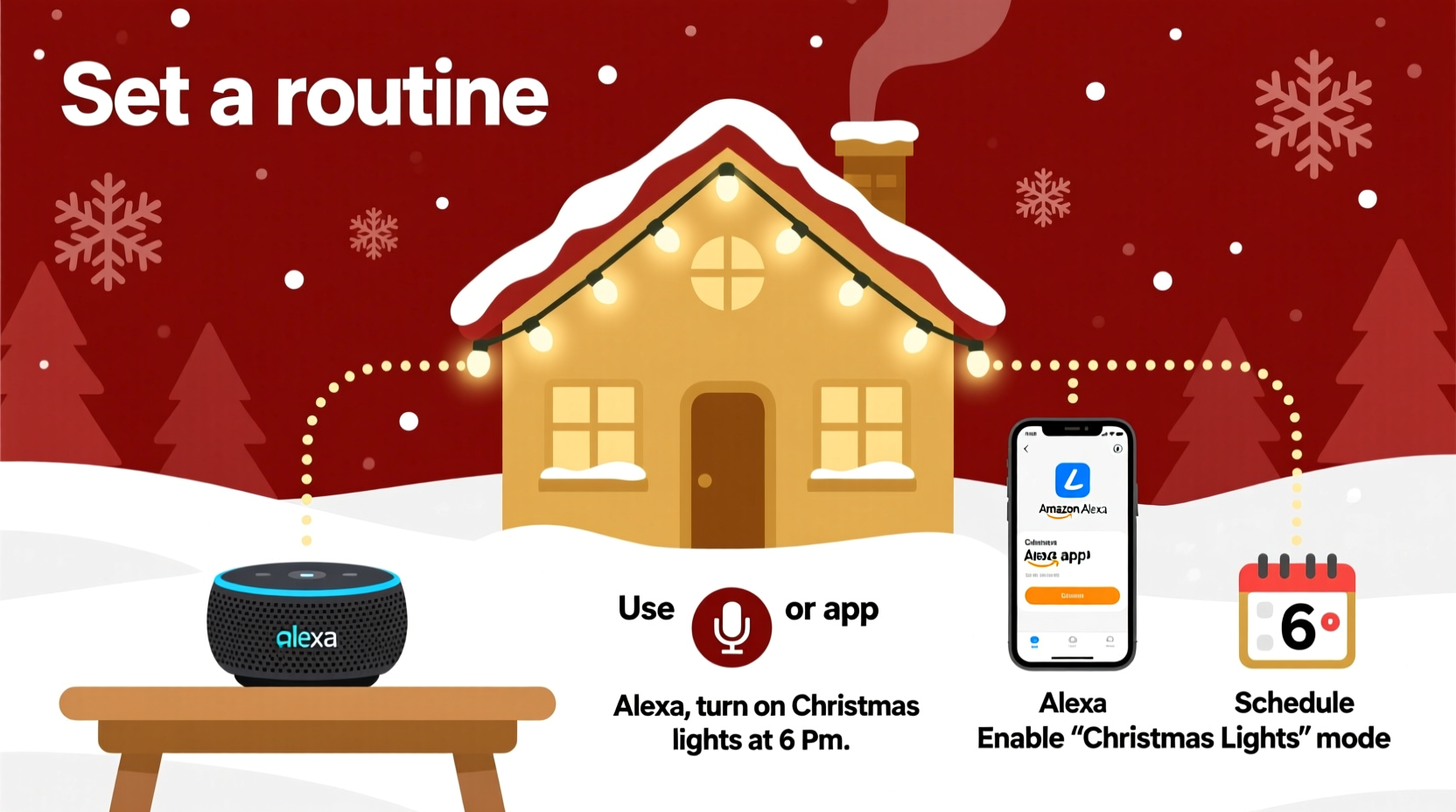
To automate your Christmas lights with Alexa, you don’t need advanced technical skills—just a few essential components. The foundation of this setup is a combination of smart hardware and Amazon’s voice assistant platform.
- Amazon Echo device (e.g., Echo Dot, Echo Show, or any Alexa-enabled speaker)
- Smart plugs or smart light strips compatible with Alexa (such as TP-Link Kasa, Philips Hue, or Govee)
- Christmas lights (standard plug-in string lights or addressable LED strips)
- Stable Wi-Fi connection to ensure reliable communication between devices
- The Alexa app installed on your smartphone or tablet
Once these are in place, you can begin connecting your lights to Alexa and programming automated schedules. Smart plugs are ideal for traditional incandescent or LED string lights—you simply plug the lights into the smart outlet, then control the outlet via Alexa. For more dynamic displays, such as color-changing or patterned light shows, smart LED strips offer greater customization and integration options.
Step-by-Step Guide to Scheduling Your Lights
Setting up automatic scheduling involves linking your smart lighting devices to Alexa and creating time-based routines. Follow this step-by-step process to get your lights turning on and off like clockwork.
- Connect your smart device to Wi-Fi
Follow the manufacturer’s instructions to set up your smart plug or light strip. This typically involves using their companion app (like Kasa or Govee) to connect the device to your home network. - Link the device to Alexa
Open the Alexa app, go to Devices > + Add Device > Light or Plug, then select the brand of your device. Alexa will search for and discover your smart device. Confirm the connection once it appears. - Test basic voice control
Say, “Alexa, turn on the Christmas lights,” to verify that Alexa recognizes and controls the device correctly. Adjust the device name if needed for easier command recognition. - Create a routine
Navigate to Routines in the Alexa app and tap the + icon. Name your routine—e.g., “Evening Holiday Lights.” - Set the trigger
Choose When this happens and select “Schedule.” Pick the time you want your lights to turn on—perhaps 5:00 PM daily from December 1 to January 5. - Add an action
Select “Smart Home” > “Turn on” and choose your Christmas lights device. You can also set brightness levels or colors if your lights support it. - Repeat for turning off
Create a second routine set for when you want the lights to turn off—e.g., 11:00 PM. Use the same steps but select “Turn off” instead. - Save and test
Activate the routine and wait for the scheduled time, or manually trigger it from the app to confirm functionality.
For added flexibility, you can also use sunrise and sunset triggers. In the routine setup, select “Sunset” as the trigger to have your lights turn on automatically at dusk each day—a perfect option for maintaining a consistent ambiance regardless of seasonal daylight changes.
Enhancing Your Display with Advanced Features
Beyond simple on/off scheduling, Alexa supports deeper automation and integration that can elevate your holiday lighting from functional to spectacular.
If you’re using smart light strips like Govee or Philips Hue, you can program color transitions, effects, and synchronization. For example, you can set your tree lights to cycle through red and green hues every 30 seconds or pulse gently to mimic candlelight. These settings are usually configured in the device’s native app, but once saved, they can be triggered through Alexa routines.
You can also combine your lights with other smart home actions. Imagine saying, “Alexa, start the holiday mode,” and instantly your lights turn on, your thermostat adjusts to a cozy temperature, and holiday music begins playing on your Echo speakers. This level of integration transforms individual devices into a cohesive, immersive experience.
| Feature | Benefit | Best For |
|---|---|---|
| Daily Schedules | Consistent lighting without manual effort | Front yard or porch displays |
| Sunset/Sunrise Triggers | Adapts to changing daylight hours | All outdoor lighting |
| Voice Activation | Instant control from anywhere in the house | Families or elderly users |
| Scene Integration | Combines lights with music, climate, etc. | Entertainment or themed events |
| Remote Access | Control lights while away from home | Security or vacation peace of mind |
Another powerful feature is geofencing. If your Alexa app has location permissions enabled, you can set routines based on your proximity to home. For instance, your lights could turn on automatically when your phone enters a five-mile radius of your house—welcoming you home with a festive glow after a long day.
“Automation isn’t just about convenience—it’s about creating moments. A well-timed light display can evoke warmth, nostalgia, and joy, especially during the holidays.” — David Lin, Smart Home Experience Designer
Troubleshooting Common Issues
Even with careful setup, you may encounter hiccups. Here are some common problems and how to resolve them quickly.
- Lights not responding to Alexa: Ensure the smart plug or strip is connected to Wi-Fi and powered on. Restart both the device and your router if necessary. Reconnect the device in the Alexa app if it appears offline.
- Schedule not triggering: Double-check the time zone settings in the Alexa app. Also, confirm that the routine hasn’t been accidentally disabled or overridden by another command.
- Delayed response: Network congestion can cause lag. Try moving your router closer to the smart device or using a Wi-Fi extender for better signal strength.
- Voice command confusion: Avoid generic names like “lights.” Use specific names such as “Porch Christmas Lights” to prevent Alexa from activating the wrong device.
- Power surges tripping smart plugs: During storms or grid fluctuations, smart plugs may reset. Consider using a surge protector to safeguard your devices.
Mini Case Study: The Johnson Family’s Automated Holiday Display
The Johnsons live in a suburban neighborhood known for its competitive holiday decorations. Each year, they aim to top their previous display—but with two young children and busy work schedules, managing the lights was becoming overwhelming.
In November, they upgraded to four TP-Link Kasa smart plugs and a set of Govee color-changing LED strips for their tree and staircase railing. After linking everything to their Echo Dot and Echo Show 10, they created two main routines: one that turned on all lights at sunset (adjusted daily), and another that dimmed and turned off everything at 10:30 PM.
They also added a voice shortcut: “Alexa, let it snow!” which activated a special scene where the lights pulsed in blue and white while holiday music played. Their children loved being able to control the display with their voices, and neighbors began stopping by—not just to see the lights, but to learn how they did it.
By automating their setup, the Johnsons reduced nightly management from 15 minutes to zero. They spent more time enjoying the season rather than maintaining it.
Checklist: Automate Your Christmas Lights with Alexa
Use this checklist to ensure a smooth and successful setup:
- ✅ Purchase Alexa-compatible smart plugs or light strips
- ✅ Install and connect devices to your Wi-Fi network
- ✅ Link devices to the Alexa app
- ✅ Rename devices for easy identification (e.g., “Garage Lights”)
- ✅ Test basic on/off commands via voice
- ✅ Create a daily ‘turn on’ routine with a fixed time or sunset trigger
- ✅ Create a corresponding ‘turn off’ routine
- ✅ Test routines manually before relying on automation
- ✅ Set up backup routines for holidays (e.g., Christmas Eve extended hours)
- ✅ Share voice control with family members for shared enjoyment
Frequently Asked Questions
Can I schedule different times for weekends and weekdays?
Yes. While Alexa doesn’t natively support weekday-specific scheduling in a single routine, you can create separate routines—one for weekdays and one for weekends. For example, set lights to turn on at 5:00 PM Monday through Friday, and 4:30 PM on Saturdays and Sundays.
Do I need a smart bulb if I already have string lights?
No. If your existing Christmas lights are plug-in style, a smart plug is sufficient. Simply plug the lights into the smart outlet, and control the entire strand through Alexa. Smart bulbs are only necessary if you’re using standard lamp fixtures or non-plug LED systems.
Can Alexa turn on my lights if I’m not home?
Absolutely. As long as your Echo device and smart plug are connected to the internet, you can control your lights remotely using the Alexa app or voice commands from another location. This is useful for checking if lights were left on or creating the illusion of occupancy while traveling.
Maximize Convenience and Festive Spirit
Automating your Christmas lights with Alexa is more than a tech upgrade—it’s a way to reclaim time, reduce stress, and amplify joy during one of the busiest times of the year. With precise scheduling, intuitive voice control, and the ability to integrate with other smart home features, your holiday display can run like a well-choreographed show, night after night.
The initial setup takes less than an hour, and the benefits last throughout the season. Whether you're aiming for subtle elegance or a dazzling neighborhood spectacle, Alexa gives you the tools to make it happen—automatically.




 浙公网安备
33010002000092号
浙公网安备
33010002000092号 浙B2-20120091-4
Comments
No comments yet. Why don't you start the discussion?