
For decades, holiday decorating meant guesswork: measuring tape in hand, holding up paper cutouts, or rearranging furniture multiple times before committing to a 7-foot tree or a garland-draped mantel. Today, that uncertainty is obsolete. Augmented reality (AR) apps let you place photorealistic 3D models of ornaments, trees, wreaths, lights, and even animated snow globes directly into your living room, hallway, or porch—viewed through your smartphone or tablet camera. No more second-guessing scale, color harmony, or spatial fit. The technology has matured beyond novelty into a practical, accessible tool for intentional, stress-free holiday planning. This isn’t about replacing tradition—it’s about honoring it with confidence, reducing impulse purchases, minimizing returns, and preserving your mental energy for what truly matters: connection, reflection, and joy.
Why AR Previewing Is Transforming Holiday Decor Decisions
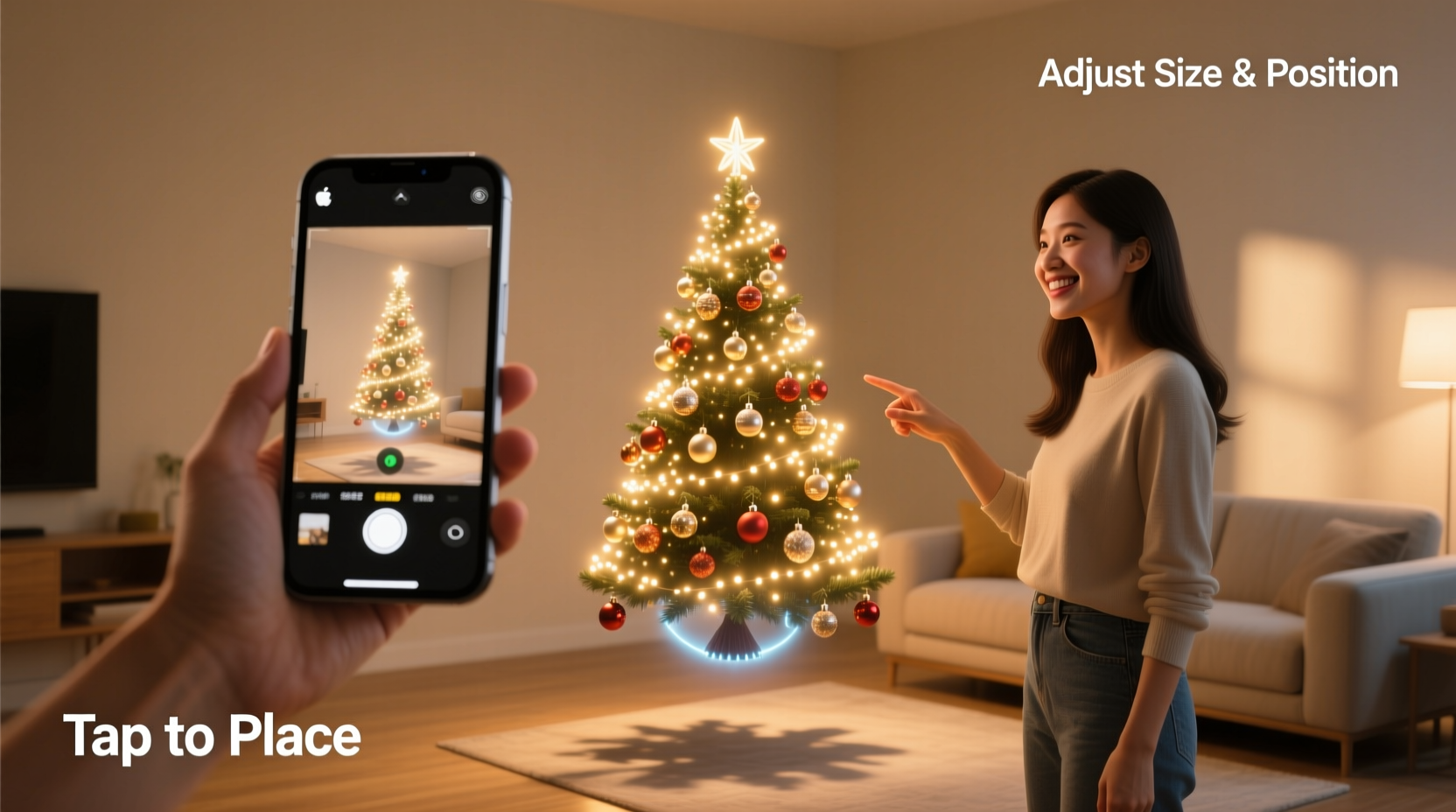
Traditional shopping for Christmas decor carries hidden costs—not just financial, but cognitive and emotional. Studies from the National Retail Federation show that 34% of U.S. shoppers return at least one holiday item, often due to size misjudgment or style mismatch. AR eliminates this friction by bridging the gap between digital browsing and physical reality. When you point your device at your floor and see a 6.5-foot Nordmann fir rendered with accurate shadows, texture, and depth perception, you’re not looking at a flat image—you’re interacting with spatial data anchored to your actual environment. This fidelity enables precise evaluation: Will that oversized velvet bow overwhelm your front door? Does the warm-white LED string complement your existing brass sconces? How much clearance remains between the tree base and your sofa?
Crucially, AR also supports sustainability. A 2023 report by the Ellen MacArthur Foundation found that households using AR tools for home goods reduced decor-related returns by 42% and cut average purchase cycles by nearly three weeks—allowing time for thoughtful curation rather than rushed decisions. It transforms decoration from reactive to reflective, shifting focus from “What’s trending?” to “What feels right *here*, in *this* space, with *these* people?”
Step-by-Step: Setting Up and Using AR Decor Apps Effectively
- Check Device Compatibility: Ensure your smartphone or tablet runs iOS 14+ (iPhone 8 or newer) or Android 8.0+ with ARCore support (most Samsung Galaxy S9+, Google Pixel 3+, and recent OnePlus, Xiaomi, and Motorola models). Older devices may lack motion sensors or camera resolution needed for stable tracking.
- Download and Grant Permissions: Install the app (e.g., IKEA Place, Amazon Shopping, Target, or dedicated decor apps like Houzz or Wayfair). Allow camera, motion, and location access—AR requires real-time sensor fusion to anchor virtual objects accurately.
- Prepare Your Space: Clear a small area on the floor or wall where you’ll place decor. Good lighting is essential; avoid glare or deep shadows. If previewing wall-mounted items (wreaths, stockings), ensure the surface is uncluttered and well-lit.
- Calibrate the Surface: Open the app and follow its on-screen instructions. Typically, this involves slowly moving your device in a figure-eight pattern while pointing at the floor or wall until the app detects a plane (indicated by a grid overlay). Don’t rush this step—poor calibration causes floating or drifting models.
- Select and Place Decor: Browse the app’s catalog, filter by category (e.g., “artificial trees,” “LED string lights”), and tap “View in your room.” Drag the model to position it, pinch to resize, rotate with two fingers, and tilt to adjust angle. Walk around it—true AR renders perspective shifts in real time.
- Test Variations and Save Scenes: Most apps let you save multiple placements (e.g., “Living Room Tree,” “Front Door Wreath”). Compare side-by-side by toggling between saved views—or take screenshots to share with family before purchasing.
Top AR-Compatible Decor Apps: Features, Strengths, and Limitations
Not all AR decor apps deliver equal realism or breadth. Below is a comparison of five widely used platforms, evaluated across key user priorities: catalog depth, model fidelity, ease of scaling, cross-platform availability, and integration with retailers.
| App | Best For | AR Strengths | Key Limitations |
|---|---|---|---|
| Amazon Shopping | One-stop shopping for mass-market decor | Thousands of AR-enabled products (trees, lights, tabletop decor); intuitive placement; integrates with cart instantly | Limited high-end or artisanal items; some models lack texture detail (e.g., matte vs. glossy finishes) |
| Wayfair | Mid-to-high-end furniture and statement pieces | Photorealistic rendering; precise scaling (down to 0.1 inch); saves scenes to account; strong lighting simulation | Requires account login to save; slower loading for complex models (e.g., full garlands) |
| Houzz | Design-focused users seeking cohesive themes | Curated collections (e.g., “Scandinavian Christmas,” “Rustic Farmhouse”); ability to layer multiple decor items in one scene | Fewer budget-friendly options; limited seasonal inventory outside November–December |
| IKEA Place | Modern, minimalist, or functional decor | Exceptional stability on floors/walls; intuitive resizing; includes non-decor items (e.g., storage bins for ornament organization) | Narrow decor selection (focuses on IKEA’s own line); no third-party brands |
| Target (via app) | Families and value-conscious shoppers | Strong kid-friendly interface; AR “Christmas Village” feature for tabletop displays; fast load times | No advanced lighting controls; minimal customization (e.g., can’t change light color temperature) |
Real-World Application: How a Family Avoided $280 in Returns and Stress
In late October, Maya Rodriguez—a graphic designer in Portland with two young children—planned to refresh her 1920s bungalow’s entryway. Her vision: a 6-foot pre-lit flocked tree beside a vintage coat rack, draped with handmade wool ornaments. She ordered a popular “Winter Whisper” tree online based on photos alone. When it arrived, it towered over the 7-foot ceiling height, its base blocked the front door swing, and the cool-white LEDs clashed with her warm-toned oak flooring. She returned it—paying $22 in restocking fees and waiting 10 days for a replacement.
This year, Maya used Wayfair’s AR tool. She placed three tree models (6’, 6.5’, and 7’) in sequence, walking around each to assess headroom, door clearance, and visual weight against her wainscoting. She then layered in her existing coat rack model and tested ornament textures against her floor sample. She discovered the 6.5’ “Frosted Pine” had ideal proportions—and its warm-white LEDs rendered beautifully in her lighting. She added a matching garland to the banister virtually, confirmed spacing, and purchased everything in one checkout. “It took 18 minutes total,” she shared. “No box cutting, no frantic calls to customer service, no guilt about landfill waste from returns. Just calm, clear intention.”
“Augmented reality doesn’t remove human judgment—it sharpens it. When you see a wreath at true scale on your actual door, you’re not reacting to marketing copy. You’re responding to spatial truth.” — Dr. Lena Park, Human-Computer Interaction Researcher, MIT Media Lab
Pro Tips for Realistic, Actionable AR Previewing
- Start with anchors: Before placing decor, scan your space with AR to identify fixed reference points—door frames, baseboards, or window sills. Use these to verify scale. If a virtual tree appears taller than your doorway frame, trust that measurement.
- Test lighting conditions: Preview decor at different times of day. An LED string that looks soft and cozy at noon may appear harsh under evening incandescent bulbs. Some apps (like Houzz) let you simulate ambient light temperature—use it.
- Layer thoughtfully: Don’t just place one item. Add complementary elements: a tree + nearby side table + standing lamp + rug. This reveals how colors and textures interact holistically—not in isolation.
- Respect material limitations: AR shows geometry and lighting—but not tactile qualities. A velvet ribbon may look rich on screen but snag on pet fur. Always check product descriptions for material care notes, even after successful AR placement.
- Use AR as a filter—not a final verdict: If an item looks “off” in AR, it likely will in reality. But if it looks perfect, still verify key specs: weight (for hanging items), power requirements (for lights), and assembly complexity (some AR models hide intricate hardware).
FAQ: Addressing Common AR Decor Questions
Do I need expensive hardware to use AR decor apps?
No. Most modern smartphones and tablets (iPhone 8 and newer, Samsung Galaxy S9+, Google Pixel 3+, and equivalents) support ARKit or ARCore natively. You don’t need AR glasses, VR headsets, or specialized scanners—just a device with a functioning rear camera, gyroscope, and accelerometer. Free apps require no subscription.
Can AR accurately show how lights will look at night?
Basic apps render lights as static glows. Advanced platforms like Wayfair and Houzz offer dynamic lighting simulation—adjusting brightness, color temperature (2700K warm white to 5000K daylight), and even flicker effects for candle-style LEDs. For absolute accuracy, test your chosen model in the app during evening hours when your room lighting matches your intended ambiance.
What if my space has unusual architecture—slanted ceilings, curved walls, or textured stone?
Most consumer AR apps rely on planar detection (flat floors/walls), so they struggle with complex geometries. For slanted ceilings, place items on the nearest flat surface (e.g., floor) and estimate vertical clearance manually. For curved or textured walls, use AR to preview size and proportion, then supplement with a tape measure and printed life-size template. Some pro-grade apps (like Unity Reflect) handle complex surfaces—but these require desktop setup and are overkill for seasonal decor.
Conclusion: Decorate with Confidence, Not Compromise
Christmas decor shouldn’t be a series of compromises—between budget and beauty, scale and sentiment, trend and tradition. Augmented reality doesn’t diminish the magic of the season; it protects it. By removing the friction of uncertainty, AR preserves your time, your resources, and your peace of mind—so you can invest those reserves where they matter most: baking cookies with your niece, recording voice messages for deployed family members, or sitting quietly beside a real tree, listening to its quiet, resinous breath. The technology is ready. Your space is waiting. Your vision deserves precision—not probability.




 浙公网安备
33010002000092号
浙公网安备
33010002000092号 浙B2-20120091-4
Comments
No comments yet. Why don't you start the discussion?