
Home offices have evolved from temporary corners into permanent, high-performance workspaces—yet many still suffer from harsh overhead LEDs or inadequate task lighting that causes eye strain, fatigue, and diminished focus. While dedicated ambient fixtures exist, they’re often expensive, bulky, or mismatched with personal aesthetics. Enter an unexpectedly versatile solution: Christmas lights. Not as festive decor, but as purpose-built ambient light sources—soft, diffused, color-accurate, and highly adaptable. When selected and installed with intention, string lights can deliver 2700K–3000K warm-white illumination that reduces screen glare, supports circadian rhythm stability, and adds subtle visual warmth without competing for attention. This isn’t about tacking lights to a bookshelf and calling it done. It’s about treating them as intentional architectural elements—engineered for ergonomics, electrical safety, and sustained performance.
Why Christmas Lights Work Better Than You Think
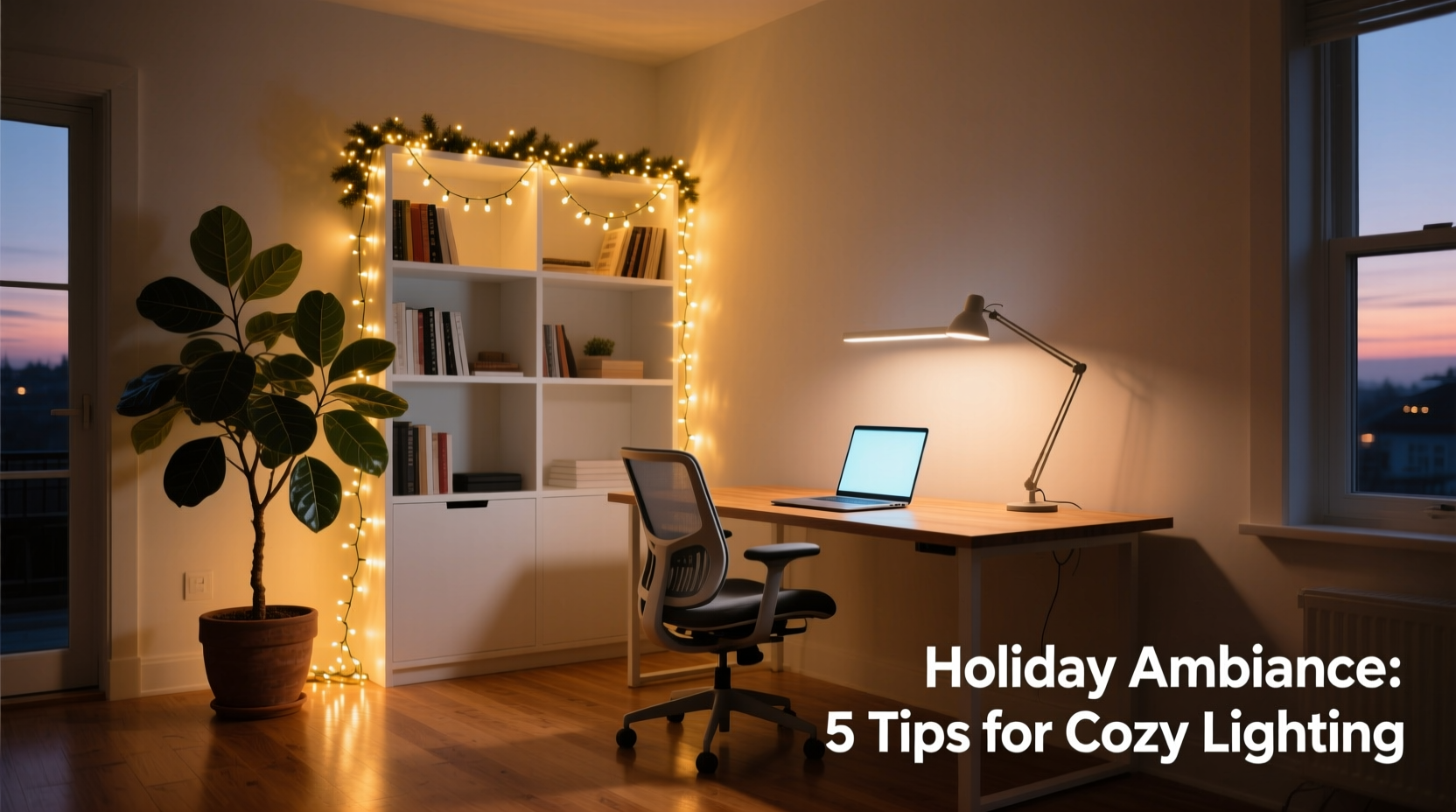
Most people dismiss Christmas lights as purely decorative—too dim, too flickery, too “temporary.” But modern LED micro-string lights (especially those designed for indoor year-round use) offer technical advantages many dedicated ambient lamps lack. First, their ultra-low wattage per bulb (typically 0.04–0.08W) means minimal heat generation—critical near monitors, paper stacks, or sensitive electronics. Second, their distributed point-source layout creates layered, non-directional light that wraps around objects rather than casting sharp shadows. Third, high-CRI (Color Rendering Index ≥90) options render skin tones and document colors more naturally than standard office fluorescents—reducing visual fatigue during long video calls or editing sessions.
Crucially, their flexibility enables strategic placement impossible with rigid fixtures: behind monitor bezels, under floating shelves, along ceiling coves, or even woven through acoustic panels. Unlike a single pendant lamp that floods one zone, strings let you sculpt light across vertical planes—illuminating wall art, book spines, or the upper third of your peripheral field to ease eye transitions between screen and environment.
Selecting the Right Lights: Beyond Warm White
Not all warm-white strings are created equal. For ambient office lighting, four specifications matter most: color temperature consistency, dimmability, power delivery method, and physical form factor.
| Specification | Minimum Requirement | Why It Matters |
|---|---|---|
| Color Temperature | 2700K–3000K (±100K tolerance) | Ensures uniform warmth; inconsistent batches create visible “cool spots” that disrupt visual harmony. |
| Dimmability | Compatible with leading-edge or trailing-edge dimmers (or built-in PWM dimming) | Allows adjustment from 10%–100% brightness—essential for matching time-of-day lighting needs and reducing blue-light exposure after sunset. |
| Power Delivery | Low-voltage DC (12V or 24V) with regulated switching power supply | Eliminates AC hum, prevents voltage drop over long runs, and enables safe integration with smart home systems. |
| Bulb Spacing & Size | ≤6 inches spacing; bulb diameter ≤5mm (micro-LED) | Tighter spacing ensures smoother light diffusion; smaller bulbs minimize visual distraction and fit discreetly behind narrow profiles like monitor stands or shelf edges. |
Avoid incandescent mini-lights entirely—they generate excessive heat, consume 5–8× more power, and fail rapidly under continuous operation. Also steer clear of non-dimmable LED strings with basic resistive drivers; these often flicker at low brightness or produce audible buzzing when paired with incompatible dimmers.
Strategic Placement: Where Light Should Go (and Where It Shouldn’t)
Ambient lighting succeeds when it supports visual tasks without drawing attention. In a home office, this means illuminating surfaces *around* the primary work zone—not directly above or behind the user. The goal is to raise overall luminance to ~100–150 lux while keeping contrast ratios between screen and surroundings below 3:1 (per IESNA guidelines).
Effective placements follow three ergonomic principles: upward bias (light directed toward ceilings/walls for bounce), peripheral framing (light defining the edge of the workspace), and vertical layering (light at multiple heights to avoid flat, cave-like darkness).
- Behind the monitor: Mount lights 1–2 inches above the top bezel, facing upward toward the wall. This creates a soft “halo” that reduces screen contrast without causing reflections. Use adhesive-backed aluminum channel to diffuse and direct light precisely.
- Under floating shelves: Position strings 1 inch back from the front edge, aimed downward at books or decor. This adds depth and makes the shelf feel anchored—not like a floating slab.
- Along baseboards or toe-kicks: Low-level grazing light defines room boundaries and improves spatial orientation in low-light evening hours—critical for safe movement without disrupting focus.
- Inside recessed ceiling coves: If your office has crown molding or built-in soffits, embed lights facing upward to wash light onto the ceiling plane. This mimics architectural cove lighting at a fraction of the cost.
Never place lights where they’re directly visible in your field of view—especially not at eye level on desk edges or dangling from ceiling hooks. Direct line-of-sight exposure triggers pupil constriction, increasing accommodation effort and accelerating digital eye strain.
Step-by-Step Installation: Safe, Scalable, and Sustainable
Proper installation ensures longevity, safety, and seamless integration. Follow this sequence rigorously—even for simple setups.
- Evaluate circuit load: Calculate total wattage (string wattage × number of strings). Keep total under 80% of circuit capacity (e.g., ≤1440W on a 15A/120V circuit). Use a dedicated outlet if possible.
- Test each string independently: Plug in and verify full functionality before mounting. Check for dead sections or intermittent flickering—signs of poor solder joints or damaged wires.
- Mount using low-residue, repositionable adhesives: 3M Command™ Clear Cord Clips or double-sided foam tape rated for indoor LED use. Avoid hot glue or permanent mounting putty—they degrade under heat and leave residue.
- Route and conceal wiring: Use braided cable sleeves or paintable raceways along baseboards or desk grommets. Never staple or nail directly over wires—this damages insulation and creates fire hazards.
- Integrate dimming: For multi-string setups, use a centralized 0–10V dimmer controller or smart plug with adjustable scheduling. Set default evening brightness to ≤30% and enable automatic warm-shift (e.g., 2700K → 2200K) after 7 p.m. via smart home automation.
- Final calibration: Sit at your desk during daytime and evening. Adjust brightness until ambient light feels “present but unobtrusive”—you should notice its absence more than its presence.
Real-World Application: A Remote Designer’s Setup
Sarah Kim, a UI/UX designer based in Portland, spent months battling screen fatigue and headaches in her converted sunroom office. Her space had large north-facing windows (great for natural light) but no ceiling fixtures—and harsh track lighting installed by the previous owner caused glare on her dual 27-inch monitors. She replaced the track lights with two 16-foot reels of 12V DC micro-LED strings (2700K, CRI 92, dimmable via Lutron Caséta): one mounted behind her monitors in an aluminum channel, another under her floating oak desk shelf. She added a third short string inside a shallow ceiling cove above her reading nook.
“The difference wasn’t just visual—it was physiological,” she notes. “My eyes stopped burning by 3 p.m. I realized how much energy I’d spent unconsciously compensating for the harsh light. Now my ambient layer stays at 20% brightness during daylight hours and ramps up to 45% on cloudy days. In the evenings, it drops to 15% and shifts warmer. I’ve cut my blue-light filter usage in half—and my client feedback mentions ‘calmer, more focused’ video call presence.” Her setup draws just 8.4 watts total and has operated continuously for 14 months without a single failure.
“Lighting isn’t background noise—it’s the foundational layer of cognitive ergonomics. Ambient light that supports peripheral vision and reduces contrast stress directly improves sustained attention and error detection rates.” — Dr. Lena Torres, Human Factors Researcher, Cornell University Ergonomics Lab
Common Pitfalls and How to Avoid Them
Even well-intentioned installations can undermine their purpose—or worse, introduce hazards. Here’s what experienced users consistently flag:
- Overloading daisy-chained strings: Most manufacturers specify maximum run length (e.g., “up to 3 sets in series”). Exceeding this causes voltage drop—dimming at the far end and overheating near the power supply. Always use individual power supplies for each string beyond the first.
- Ignoring thermal management: Even low-wattage LEDs generate heat in confined spaces. Never coil excess string length inside power supplies, behind monitors, or under dense fabric covers. Leave 1-inch air gaps around drivers and junction points.
- Mismatching dimmers: Leading-edge (TRIAC) dimmers work with resistive loads; trailing-edge (ELV) dimmers suit capacitive LED drivers. Using the wrong type causes buzzing, flickering, or premature driver failure. When in doubt, use the manufacturer-recommended dimmer model.
- Skipping surge protection: Home offices contain expensive electronics. Plug all lighting circuits—including power supplies—into a UL 1449-rated surge protector with joule rating ≥1000.
FAQ
Can I leave Christmas lights on 24/7 in my office?
Yes—if they’re certified for continuous operation (check packaging for “24/7 use” or “commercial grade”) and installed with proper ventilation. Modern micro-LEDs have L70 lifespans of 25,000–35,000 hours (≈3–4 years of constant use). However, dimming to ≤50% brightness extends lifespan significantly and reduces energy use. Avoid incandescent or older LED strings—they’ll fail within weeks.
Will the lights interfere with my Wi-Fi or Bluetooth devices?
Properly shielded, regulated DC-powered LED strings produce negligible electromagnetic interference. Problems arise only with cheap, unregulated AC-powered strings or those using poorly filtered switching power supplies. If you experience dropouts, replace the power adapter with a medical-grade or industrial DC supply (look for FCC Class B certification).
How do I clean dust off the bulbs without damaging them?
Use a soft, dry microfiber cloth or a clean, soft-bristled artist’s brush. Never use liquids, alcohol, or abrasive cleaners—even on plastic housings. For stubborn dust, lightly dampen the cloth with distilled water only, then wipe gently and allow to air-dry completely before powering on.
Conclusion: Light as Intentional Infrastructure
Ambient lighting isn’t decoration—it’s infrastructure. Like ergonomic chairs or monitor arms, it’s a silent contributor to daily cognitive resilience. Christmas lights, when chosen with technical rigor and placed with spatial intelligence, transcend their seasonal origins to become precision tools for human-centered design. They offer warmth without glare, flexibility without compromise, and quiet efficiency without sacrifice. You don’t need to overhaul your office. Start with one string—behind your monitor, under your desk shelf, or along a baseboard. Measure the change in how your eyes feel at noon and again at 8 p.m. Notice the reduction in squinting, the steadier focus, the less-frequent need to adjust screen brightness. Then scale deliberately. Because the best ambient light doesn’t shout for attention. It simply makes everything else easier to see, think, and create.




 浙公网安备
33010002000092号
浙公网安备
33010002000092号 浙B2-20120091-4
Comments
No comments yet. Why don't you start the discussion?