
For streamers, visual presentation is just as important as gameplay. A well-lit, thoughtfully designed backdrop can transform an ordinary stream into a professional-looking broadcast. One of the most accessible and cost-effective ways to elevate your streaming aesthetic is by using Christmas lights as ambient backlighting behind your monitor or desk. While traditionally associated with seasonal decor, modern LED Christmas lights offer consistent color temperature, low heat output, and energy efficiency—making them ideal for permanent installation in a gaming space.
When used strategically, Christmas lights can add depth, reduce eye strain, and enhance chroma key performance if you're using a green screen. They also allow for creative customization through color schemes, brightness control, and dynamic lighting effects that sync with your brand or mood. This guide walks through the technical, aesthetic, and practical considerations of integrating Christmas lights into your gaming setup—not just for holiday flair, but as a year-round enhancement tool.
Why Backlighting Matters in Streaming
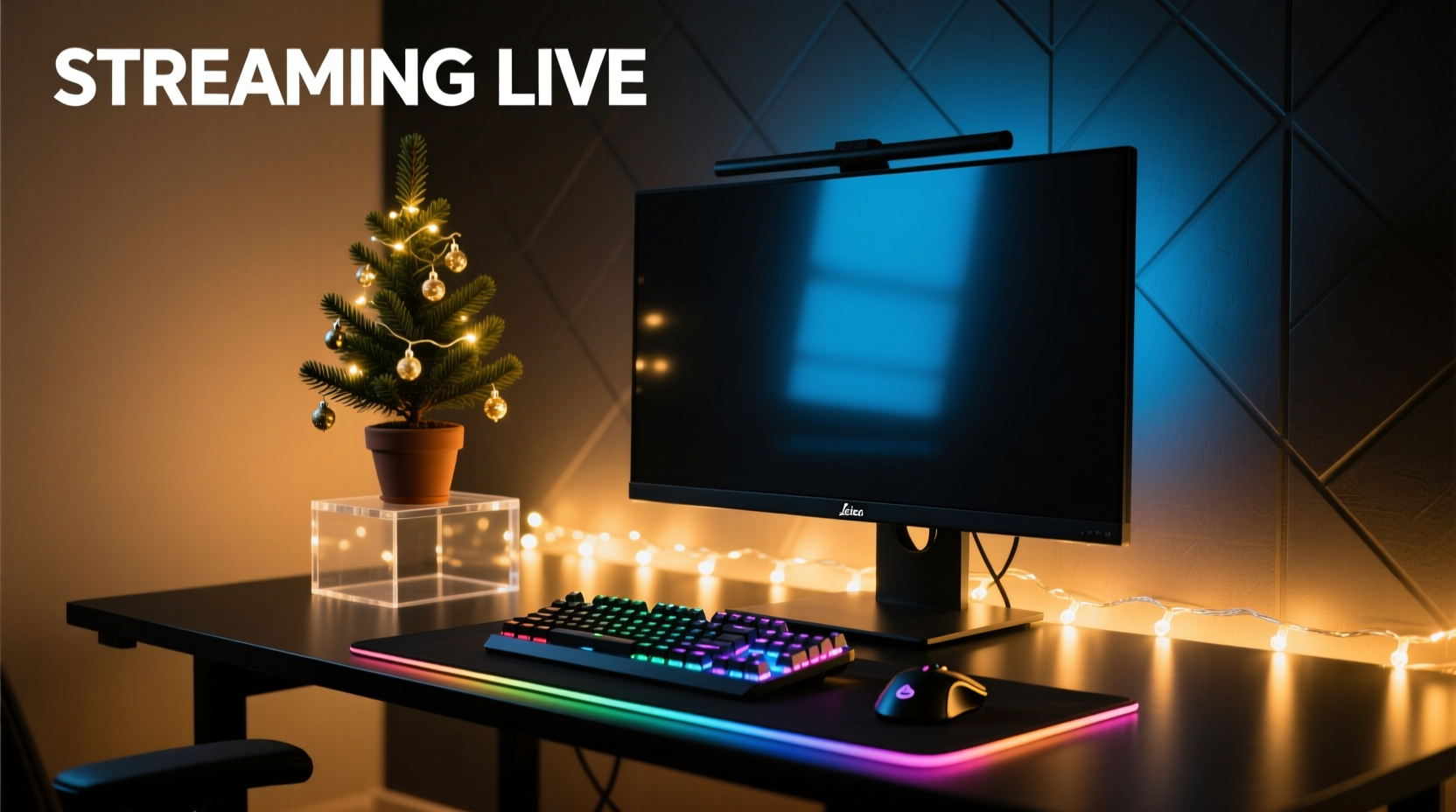
Backlighting refers to placing light sources behind a subject—in this case, the streamer or their monitor—to separate them from the background visually. In video production, this technique reduces flatness and adds dimensionality. Without it, even high-end webcams can produce a washed-out image, especially in dimly lit rooms.
Christmas lights, particularly warm-white or RGB variants, serve as excellent diffused backlighting. Unlike harsh spotlights, they emit soft, even illumination that wraps around the edges of your monitor and casts a gentle glow on the wall. This halo effect helps define the boundaries of your setup, making your stream appear more polished and intentional.
“Even subtle backlighting can drastically improve perceived video quality. It’s not about brightness—it’s about contrast and depth.” — Jordan Lee, Broadcast Lighting Technician
Additionally, colored backlighting influences viewer psychology. Blues and purples convey calm focus; reds and oranges suggest energy and excitement. By aligning your lighting palette with your content tone, you reinforce your personal brand without saying a word.
Choosing the Right Type of Christmas Lights
Not all Christmas lights are suitable for continuous indoor use or precise color control. Selecting the right strand depends on several factors: power source, color options, durability, and ease of control.
| Type | Best For | Drawbacks |
|---|---|---|
| LED Mini Lights (Warm White) | Subtle, non-distracting ambient glow | Limited color variation |
| RGB LED String Lights (WiFi/Remote) | Customizable colors, dynamic modes | Higher cost, potential lag in response |
| Battery-Powered Fairy Lights | Temporary setups, no wiring needed | Short battery life, dimmer output |
| Plug-in Net Lights | Covering large wall areas evenly | Less flexible placement, visible grid pattern |
| Addressable LED Strips (NeoPixel-style) | Precise control, animation syncing | Require controllers, steeper learning curve |
For most streamers, plug-in RGB LED strings with remote or app control strike the best balance between functionality and affordability. Look for models labeled “for indoor use” with UL certification to ensure electrical safety during extended operation.
Step-by-Step Installation Guide
Installing Christmas lights as monitor backlighting requires planning for both visual impact and safety. Follow this sequence to achieve a clean, effective result.
- Measure Your Space: Determine the area behind your monitor and desk. Most setups benefit from lights arranged in a rectangle or “halo” shape around the monitor perimeter or along the top edge of the desk.
- Choose Anchor Points: Use adhesive clips, command strips, or cable ties to secure the lights. Avoid nails or tape that could damage walls or fail over time.
- Plan the Layout: Lay out the lights loosely before attaching them. Consider symmetry—centered arrangements look more professional than haphazard draping.
- Connect and Test: Plug in the lights and test all functions. If using RGB, set a default color that complements your room and webcam skin tone.
- Manage Cables: Route cords neatly along baseboards or under desks using cable channels. Exposed wires detract from the aesthetic and pose tripping hazards.
- Adjust Brightness: Set intensity so the glow enhances rather than overwhelms. The light should be visible but not compete with your face or screen.
For multi-monitor setups, extend the lighting across the entire back edge to maintain continuity. If mounting on drywall, consider using removable hooks to avoid permanent holes.
Optimizing Light Placement for Visual Impact
The position of your lights determines how effectively they contribute to stream quality. Poor placement can cause glare, uneven shadows, or distracting reflections on your monitor.
- Place lights at least 6–12 inches behind the monitor to prevent direct reflection on the screen.
- Aim for uniform spacing—crowded clusters create hotspots, while gaps break visual flow.
- If using colored lights, avoid overly saturated hues that may tint your surroundings or affect skin tones in camera.
- Use white or neutral gray walls for the cleanest reflection. Dark walls absorb light; busy patterns distort diffusion.
To test effectiveness, turn off overhead lights and observe your webcam feed. The outline of your monitor and head should be softly highlighted against the background. If your silhouette blends in, increase brightness slightly. If the lights dominate the frame, dial them back.
Integrating with Smart Home Systems and Stream Software
Advanced users can synchronize Christmas lights with game events, chat alerts, or music using smart controllers. Platforms like Philips Hue, Nanoleaf, or DIY solutions such as WLED with ESP8266 modules allow integration with streaming tools.
For example:
- Set lights to pulse red when you take damage in-game.
- Trigger a rainbow wave when someone subscribes.
- Match ambient colors to your team’s jersey in sports games.
Using software like OpenRGB, StreamDeck, or Home Assistant, you can map lighting profiles to specific games or stream modes. This level of automation turns static decoration into interactive storytelling.
“We started syncing our studio lights to raid alerts and donation spikes. Viewer engagement went up 30%—people love seeing real-time reactions.” — Maya Tran, Full-time Twitch Streamer
Even without smart systems, basic remote-controlled RGB strings let you switch themes between games or moods—cool blue for strategy titles, fiery red for FPS marathons.
Mini Case Study: From Dorm Room to Pro Stream Setup
Samuel, a college student streaming part-time from his dorm, wanted to improve his production value without spending hundreds on gear. His initial setup had a bare wall behind him, causing his image to flatten on camera, especially during evening streams.
He purchased a single 20-foot warm-white LED string light for $18 and mounted it in a rectangular frame around his dual monitors using adhesive clips. He routed the cord under his desk and plugged it into a surge protector.
After testing, he found that setting the brightness to 70% created a soft glow that separated him from the background without washing out his face. Viewers immediately noticed the improvement, with comments like “Your stream looks so much clearer now” and “Love the cozy vibe.”
Within two months, his average watch time increased by 22%, and he attributed part of that growth to the enhanced visual consistency. Later, he upgraded to RGB lights and began changing colors based on game genres—proof that small lighting changes can yield measurable results.
Common Mistakes to Avoid
Even simple installations can go wrong if overlooked details undermine safety or aesthetics. Steer clear of these pitfalls:
- Daisy-chaining too many strands: Overloading outlets increases fire risk. Check manufacturer limits on connected sets.
- Ignoring color temperature: Mixing cool and warm whites creates visual inconsistency. Stick to one Kelvin rating (e.g., 2700K–3000K for warmth).
- Mounting lights too close to electronics: Ensure airflow isn’t blocked, and never drape lights over hot components like GPUs or power supplies.
- Using damaged or frayed wires: Inspect each strand before installation. Replace any with exposed copper or cracked insulation.
- Over-lighting the space: More isn’t better. Subtlety ensures professionalism; strobing rainbows may distract from content.
Checklist: Setting Up Christmas Light Backlighting
- ✅ Choose LED-only, indoor-rated Christmas lights
- ✅ Measure your desk and monitor area
- ✅ Select a color profile (white, RGB, or tunable)
- ✅ Gather mounting tools (clips, command strips, zip ties)
- ✅ Plan wire routing and power access
- ✅ Install lights with even spacing and secure fasteners
- ✅ Test brightness and color settings on camera
- ✅ Conceal excess cables and eliminate trip hazards
- ✅ Adjust based on feedback and viewing conditions
- ✅ Schedule periodic inspections for wear and tear
Frequently Asked Questions
Can Christmas lights interfere with my gaming performance?
No. Modern LED Christmas lights draw minimal power and emit no electromagnetic interference. As long as they’re not obstructing airflow or covering sensors, they won’t affect your PC’s performance.
Are there any safety concerns with leaving Christmas lights on overnight?
UL-certified LED strings designed for indoor use are generally safe for continuous operation. However, avoid covering them with fabric, don’t overload circuits, and inspect for damage regularly. Unplug during extended absences.
How do I match my backlight color to my branding?
Select primary or accent colors from your logo or channel theme. Use apps that allow hex code input or preset saving so you can replicate the exact shade consistently across devices.
Final Thoughts and Call to Action
Transforming your gaming setup with Christmas light backlighting isn’t about seasonal decoration—it’s about leveraging accessible technology to improve visual storytelling. With careful selection, strategic placement, and attention to detail, what starts as a simple string of LEDs can become a signature element of your streaming identity.
You don’t need expensive panels or complex rigging to stand out. Sometimes, the most impactful upgrades are the ones hidden just outside the frame. Whether you're aiming for a cozy atmosphere, vibrant energy, or sleek professionalism, controlled backlighting gives your stream the polish viewers remember.




 浙公网安备
33010002000092号
浙公网安备
33010002000092号 浙B2-20120091-4
Comments
No comments yet. Why don't you start the discussion?