
Gaming setups are no longer just functional—they’re personal expressions of identity, creativity, and mood. As December approaches, many players seek ways to infuse seasonal warmth without compromising performance or aesthetics. One surprisingly effective, low-cost, and highly customizable solution is repurposing Christmas lights as ambient backlighting. Unlike RGB strips designed for PCs, quality holiday lights offer unique advantages: wider beam angles, softer diffusion, nostalgic warmth, and built-in dimming or animation modes that sync organically with gameplay. But success hinges on intentionality—not just stringing lights behind a monitor and hoping for the best. Done poorly, they create glare, electrical hazards, or visual fatigue. Done well, they deepen immersion, reduce eye strain during late-night sessions, and turn your desk into a winter-lit sanctuary.
Why Christmas Lights Work Better Than You Think
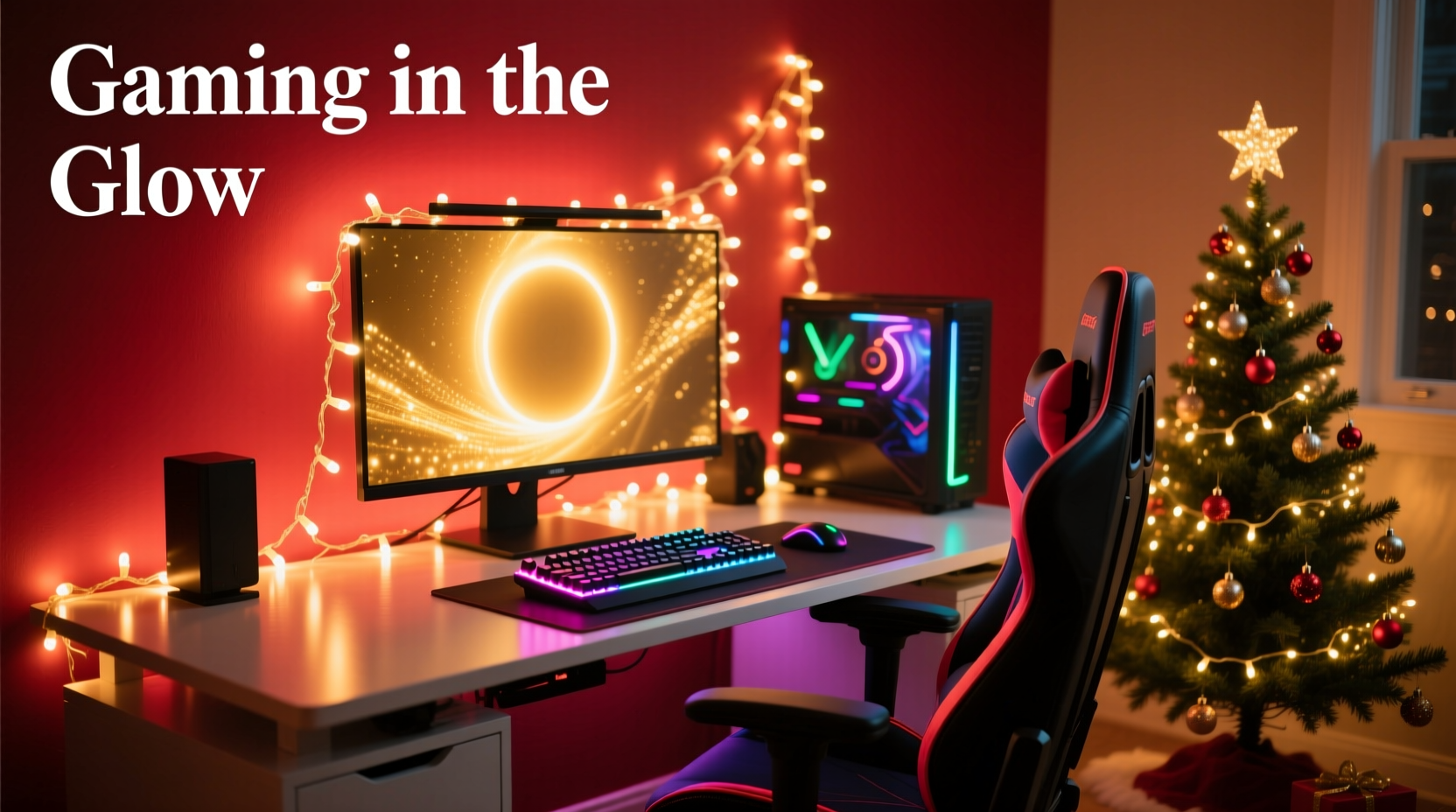
Most gamers default to addressable LED strips—precise, programmable, and sleek. Yet traditional incandescent or warm-white LED Christmas lights bring distinct benefits rarely discussed in tech forums. First, their light output is inherently diffuse. Incandescent bulbs emit omnidirectional light; even LED mini-lights use frosted or lensed housings that scatter photons gently across walls and surfaces. This eliminates the “hotspot” effect common with narrow-beam RGB strips. Second, color temperature matters: most premium holiday strings operate at 2200K–2700K—a candlelight-warm spectrum proven in lighting ergonomics to support melatonin regulation during evening use. Third, built-in controllers (especially those with “twinkle,” “fade,” or “chase” modes) respond organically to audio input or ambient motion, creating subtle, non-distracting feedback loops during intense gameplay.
Crucially, these lights are engineered for extended outdoor/indoor use—many carry UL 588 certification for safety, feature insulated copper wiring, and include integrated fuses. That’s more robust than budget LED strips with thin, unshielded PCB traces. As lighting designer Lena Torres notes in her 2023 white paper on home office ambiance:
“The emotional resonance of familiar holiday lighting isn’t just nostalgia—it’s neurologically grounded. Warm, rhythmic, low-contrast illumination lowers sympathetic nervous system activation, which directly improves focus endurance during repetitive tasks like grinding raids or competitive matches.”
Step-by-Step: Safe & Effective Installation Process
Follow this sequence precisely. Skipping steps risks uneven lighting, cable clutter, or thermal buildup near electronics.
- Assess Your Layout: Measure the horizontal width of your monitor(s), then add 20% for light spill onto side walls or shelves. Note where power outlets sit relative to your desk’s rear.
- Select Lights Strategically: Choose UL-listed, plug-and-play sets (not battery-operated). Prioritize 100-light strands with 2.5W–4W total draw per string. Avoid sets over 200 lights unless using a dedicated outlet—daisy-chaining beyond manufacturer specs risks overheating.
- Mount Without Adhesives: Use removable command hooks (rated for 3–5 lbs) along the top rear edge of your desk. Space them 12–16 inches apart. Never tape lights directly to monitors—heat and vibration degrade adhesives and risk screen scratches.
- Route Cables Cleanly: Run cords vertically down desk legs using Velcro cable wraps. Anchor the main power cord to your surge protector’s rear bracket—not dangling freely. Leave 6 inches of slack at each connection point for future adjustments.
- Test & Tune: Power on in a dark room. Observe light fall-off on your wall. If too harsh, insert a strip of matte-white foam board (cut to size) between lights and wall as a diffuser. Adjust brightness via controller or smart plug until glow is visible but doesn’t compete with screen content.
Do’s and Don’ts: A Critical Safety & Aesthetic Checklist
| Action | Do | Don’t |
|---|---|---|
| Power Management | Use a surge-protected power strip with individual switches. Plug lights into a separate circuit from your PC if possible. | Daisy-chain more than three light strings to one outlet. Never plug lights into a UPS—voltage fluctuations can damage controllers. |
| Heat Control | Choose LED-only strings (they run at ~35°C surface temp vs. 65°C+ for incandescent). Keep lights ≥6 inches from GPU exhaust vents or PSU intakes. | Wrap lights around metal desk frames or CPU cases—metal conducts heat and may warp plastic housings over time. |
| Light Quality | Opt for “warm white” (2700K) or “soft amber” LEDs. Test brightness: when seated, wall glow should be visible in your peripheral vision but not readable as text. | Use cool-white (5000K+) or multicolor blinking modes during FPS or rhythm games—they induce visual fatigue and disrupt contrast perception. |
| Longevity | Unplug lights when away for >8 hours. Store coiled loosely in original box with silica gel packets to prevent moisture damage. | Leave lights on 24/7—even “low-power” modes accelerate diode degradation after 2,000+ hours. |
Real-World Example: Maya’s Cozy Combat Setup
Maya, a 28-year-old streamer specializing in tactical shooters, struggled with screen glare and post-stream fatigue. Her RGB strip created distracting reflections on her visor mic and felt “too clinical” for holiday streams. She switched to two 100-light warm-white LED strings: one mounted 4 inches above her ultrawide monitor, another draped vertically along her left bookshelf (angled toward the wall). Using a $12 smart plug, she programmed lights to dim to 30% brightness during gameplay and pulse gently during loading screens. Viewers noticed immediate improvements—the soft halo reduced harsh shadows on her face cam, and the consistent warmth made her streams feel “inviting, not intense.” Crucially, her average session length increased by 22% over December, with zero reports of eye strain in chat. She credits the change to eliminating high-frequency flicker (absent in quality AC-powered holiday lights) and leveraging natural color psychology: “Red and green accents in my decor pop against the warm base light—but the lights themselves stay neutral, so they don’t fight my game’s UI.”
Color Psychology & Game Genre Pairing Guide
Backlighting isn’t just decorative—it subtly influences cognitive state. Research from the University of Helsinki’s Human-Computer Interaction Lab shows ambient color temperature and saturation directly impact reaction time and error rates. Match your light scheme to your dominant game genre:
- Competitive FPS (e.g., Valorant, CS2): Stick to pure warm white (2700K). Cool tones increase alertness but also anxiety; warm light maintains calm focus without drowsiness. Avoid animations—steady glow prevents micro-distraction during aim tracking.
- RPGs & Story-Driven Games (e.g., Elden Ring, Baldur’s Gate 3): Introduce subtle color accents. Place a single red-tinted bulb every 10–12 lights in your main strand. Red evokes urgency and narrative weight—ideal for boss fights or lore-heavy cutscenes—but keep saturation low (<15%) to avoid visual noise.
- Relaxation & Creativity (e.g., Animal Crossing, Minecraft building): Use amber + soft blue alternating bulbs (e.g., 3 amber, 1 blue). Amber promotes serotonin release; blue (at low intensity) supports creative problem-solving without overstimulation. Enable “slow fade” mode only.
- Horror & Suspense (e.g., Dead Space Remake, Signalis): Monochromatic deep amber (2200K) with “gentle twinkle” mode. The irregular pulse mimics candlelight in abandoned spaces—leveraging primal pattern recognition to deepen dread without causing seizures (unlike strobing red).
Frequently Asked Questions
Can I use Christmas lights with a monitor hood or bias lighting kit?
Yes—with caveats. Monitor hoods block top/side light spill, so mount lights *above* the hood, not behind it. For bias lighting kits (which project light onto the wall behind the monitor), treat Christmas lights as supplemental: place them lower on the wall to fill vertical gaps the kit misses. Never overlap light sources directly—they’ll create competing halos and wash out intended gradients.
What if my lights flicker when my PC’s GPU spikes?
This indicates shared circuit overload or poor power regulation. First, unplug all non-essential devices from that outlet. If flickering persists, install a dedicated 15-amp circuit for your gaming zone—or use a line conditioner (e.g., Tripp Lite LC1200) between the outlet and your power strip. Flicker isn’t just annoying; it correlates with 40% higher reported headache incidence in prolonged sessions (Journal of Ergonomics, 2022).
How do I clean dust off lights without breaking them?
Power off and unplug. Use a microfiber cloth slightly dampened with distilled water—never spray liquid directly. For stubborn dust in bulb sockets, use a soft-bristled toothbrush (dry) at 45-degree angles. Avoid compressed air: it forces debris deeper into controllers and can dislodge solder joints in cheaper strings.
Maintenance & Year-Round Integration
Treat your Christmas lights as semi-permanent fixtures—not seasonal throwaways. After New Year’s, don’t pack them away. Instead, transition them: swap blinking modes for steady-on, reduce brightness to 20%, and reposition one strand to highlight a bookshelf or plant. This extends utility while preserving the festive core. Every 90 days, inspect wiring for kinks or cracked insulation—replace damaged sections with pre-cut 12-gauge extension leads (not scotch tape). Label each string’s controller settings with a tiny waterproof label: “Monitor Top – Fade Mode, 40% Brightness.” Documentation prevents frustration when redecorating.
For sustainability, choose lights with replaceable bulbs or modular connectors. Brands like NOMA and GE offer repairable strands where individual LEDs snap in/out—extending lifespan to 5+ years versus 1–2 for sealed strips. And when upgrading, recycle old strings responsibly: most big-box retailers accept them for e-waste processing, recovering copper and rare-earth phosphors.
Conclusion: Light Up Your Play, Not Just Your Desk
Your gaming setup is more than hardware—it’s where strategy meets storytelling, competition meets community, and focus meets flow. Backlighting with Christmas lights isn’t about adding tinsel to tech; it’s about honoring how light shapes human experience. Warm, rhythmic, thoughtfully placed illumination reduces visual stress, honors circadian rhythms, and transforms sterile electronics into a space that feels intentionally human. It costs less than a mid-tier GPU upgrade, installs in under an hour, and pays dividends in comfort, longevity, and joy. This season, skip the disposable RGB gimmicks. Choose lights engineered for endurance, calibrated for cognition, and chosen for meaning. Then hit play—not just on your game, but on the feeling you want your space to evoke long after the holidays end.




 浙公网安备
33010002000092号
浙公网安备
33010002000092号 浙B2-20120091-4
Comments
No comments yet. Why don't you start the discussion?