
In the era of remote work and digital communication, your on-camera presence matters more than ever. Poor lighting can make you appear washed out, shadowed, or unprofessional—even if your message is strong. While many invest in ring lights and softboxes, there’s a simpler, more affordable, and surprisingly effective solution already tucked away in holiday storage: Christmas lights.
Fairy lights, string lights, or whatever you call them, these tiny bulbs are more than festive decor. When used strategically, they can produce soft, diffused ambient lighting that enhances your appearance on camera without harsh glare. This guide reveals how to transform ordinary Christmas lights into a professional-grade lighting setup for Zoom, Teams, Google Meet, and other video platforms.
Why ambient lighting matters for video calls
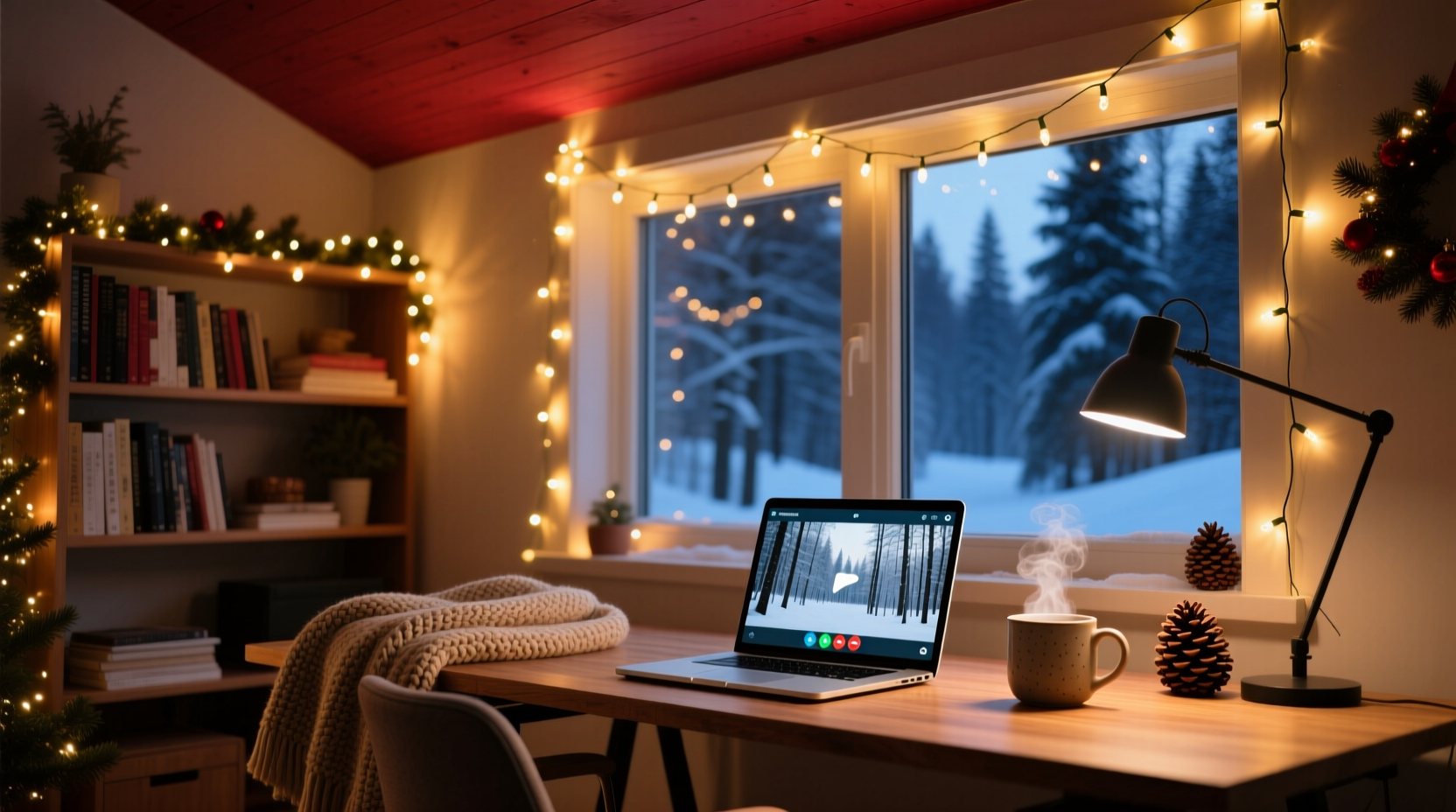
Most built-in laptop cameras struggle with contrast and dynamic range. Overhead lighting creates shadows under the eyes, while backlights cause silhouetting. The goal isn’t just visibility—it’s creating a balanced, flattering glow that makes you look alert, approachable, and engaged.
Ambient lighting refers to soft, indirect illumination that wraps around a subject. Unlike direct light sources (like desk lamps), ambient lighting reduces contrast, minimizes skin imperfections, and adds depth to your background. Christmas lights, especially warm-white LEDs, naturally diffuse light across a broad area when arranged properly, making them ideal for this purpose.
“Lighting is 70% of the visual experience in video communication. A well-lit face builds trust and clarity.” — Daniel Park, Broadcast Lighting Technician, BBC Digital Studios
Choosing the right type of Christmas lights
Not all string lights are created equal. For video use, prioritize consistency, color temperature, and safety. Here’s what to look for:
- LED vs. incandescent: LED strings consume less power, generate minimal heat, and last longer—critical for extended meetings.
- Color temperature: Opt for warm white (2700K–3000K) over cool white. Warm tones mimic indoor lighting and flatter most skin tones.
- Bulb density: More bulbs per foot mean smoother, more continuous light. Aim for at least 50 bulbs per 16.4 feet (5 meters).
- Dimmability: Dimmable strings give you control over brightness, letting you adapt to daylight changes or room conditions.
- Power source: USB-powered lights are safer and easier to connect to laptops or power banks during long sessions.
Step-by-step guide to setting up Christmas light ambient lighting
Follow this sequence to build an effective lighting environment using only Christmas lights and common household items.
- Assess your space: Identify where you typically sit for calls. Note existing light sources—windows, ceiling fixtures, desk lamps. Your goal is to supplement, not overpower, natural light.
- Choose placement zones: Focus on three areas:
- Behind the monitor: Creates a soft halo effect and separates you from the background.
- Along wall edges or shelves: Adds depth and dimension to your backdrop.
- Frame around the screen: Acts as subtle fill light, reducing facial shadows.
- Install the lights: Use adhesive clips, painter’s tape, or removable hooks to secure the string. Avoid nails or permanent fixtures. Arrange lights in gentle curves or zigzags to prevent visible gaps between bulbs.
- Layer the lighting: Combine multiple strands. One behind the monitor, one along a bookshelf, and one draped vertically beside the desk creates a three-dimensional glow.
- Test and adjust: Turn on the lights and join a test Zoom call. Observe how the light falls on your face and background. Adjust angles or add diffusion (e.g., a sheer curtain) if any spot appears too bright.
- Optimize camera settings: In your video app, disable auto-exposure if it keeps adjusting. Manually set brightness so the lights enhance, rather than overwhelm, your image.
Enhancing your Zoom background with creative light arrangements
Your background doesn’t need to be elaborate—just intentional. Christmas lights can turn a blank wall into a visually engaging space that draws attention without distracting.
Try these configurations:
- The Frame Effect: Wrap lights around the top and sides of your monitor like a picture frame. This draws the eye toward your face and mimics professional studio setups.
- Shelf Glow: Drape lights along floating shelves with books or plants. The upward glow highlights texture and adds warmth.
- Wall Grid: Create a grid pattern on the wall behind you using crisscrossed strings. Evenly spaced bulbs form a subtle, modern backdrop suitable for corporate or creative calls.
- Canopy Ceiling Lights: If your desk is near a corner, hang lights diagonally from ceiling to wall. The downward spill acts as soft overhead fill.
For added effect, pair lights with matte-finish surfaces. Glossy walls reflect hotspots; textured paint or fabric absorbs and diffuses light evenly.
| Arrangement | Best For | Setup Time | Visual Impact |
|---|---|---|---|
| Monitor Frame | Daily meetings, interviews | 10 minutes | High – focuses attention |
| Shelf Accent | Creative roles, coaching | 15 minutes | Medium – adds personality |
| Wall Grid | Streaming, presentations | 25 minutes | Very High – studio-like depth |
| Ceiling Canopy | Home offices with low ceilings | 20 minutes | Medium-High – unique ambiance |
Do’s and Don’ts of using Christmas lights for video calls
| Do | Don't |
|---|---|
| Use warm-white LEDs for natural skin tones | Use colored or blinking modes during professional calls |
| Layer multiple strands for even coverage | Cluster all lights in one bright spot |
| Position lights slightly above or beside eye level | Place lights below your face (causes eerie upward shadows) |
| Diffuse with sheer fabric if bulbs appear too bright | Look directly at the lights—this causes lens flare on camera |
| Unplug when not in use to extend lifespan | Leave non-dimmable strings on full brightness overnight |
Mini case study: From dull basement to professional home studio
Sarah Kim, a freelance graphic designer in Portland, worked from her basement office with dim overhead lighting. Clients often commented she looked “tired” on calls, despite feeling energetic. After experimenting with a $12 string of 100 warm-white LED fairy lights, she transformed her space.
She installed one strand around her monitor and another along a high shelf behind her, angled to bounce light off the ceiling. She added a third vertical line beside her desk to balance side illumination. Using a free webcam app, she adjusted exposure manually.
Within a week, a client remarked, “You look so much more vibrant now—did you change something?” Sarah didn’t mention her tech upgrade; she simply smiled and said, “Just feeling good lately.” Her confidence—and client retention—improved noticeably.
Checklist: Setting up your Christmas light video lighting system
Use this checklist before your next important call:
- ☐ Choose warm-white, dimmable LED string lights (minimum 50 bulbs)
- ☐ Identify primary camera position and seating area
- ☐ Plan light layout: frame, shelf, or wall grid
- ☐ Gather mounting tools: adhesive clips, tape, or hooks
- ☐ Install lights securely, avoiding sharp bends or tension
- ☐ Test brightness and color in a live video call
- ☐ Adjust camera exposure or white balance if needed
- ☐ Remove any visible cords or clutter from camera view
- ☐ Schedule a weekly check for loose connections or flickering
- ☐ Unplug lights after use to conserve energy and bulb life
FAQ: Common questions about using Christmas lights for video calls
Can I leave Christmas lights on for 8+ hours during workdays?
Yes—modern LED strings are designed for extended use and generate little heat. However, ensure they’re plugged into a quality power strip with overload protection. Avoid covering them with fabric or placing near flammable materials.
Will Christmas lights interfere with my Wi-Fi or Bluetooth?
No. Standard LED string lights do not emit radio frequency interference. Only poorly shielded power adapters might cause minor issues, but this is rare with reputable brands.
What if my lights flicker on camera?
Flickering is usually due to incompatible refresh rates. Try adjusting your camera’s frame rate (e.g., from 30fps to 25fps) or use a DC-powered USB string instead of AC. Some cameras have a “flicker reduction” setting—enable it if available.
Maximizing impact with minimal investment
You don’t need a Hollywood budget to look professional on camera. The psychology of lighting is powerful: warm, even illumination signals comfort, competence, and credibility. Christmas lights offer an accessible way to harness that advantage year-round—not just during the holidays.
The key is intentionality. Randomly tossing lights behind your desk won’t yield results. But thoughtful placement, combined with awareness of camera behavior, turns simple decor into a strategic tool. Whether you're pitching investors, teaching online, or leading team meetings, your lighting sets the tone before you speak a word.
And when the holidays return, you’ll already have the perfect base for festive cheer—just swap in a few colored strands for seasonal flair.
Conclusion
Great video presence starts with light—not expensive cameras or designer backdrops. By repurposing Christmas lights as ambient lighting, you gain control over how you’re seen, reduce eye strain, and elevate your professional image—all for under $20. The setup takes less time than brewing coffee, and the payoff lasts far beyond December.




 浙公网安备
33010002000092号
浙公网安备
33010002000092号 浙B2-20120091-4
Comments
No comments yet. Why don't you start the discussion?