
Automating Christmas lights used to mean investing in expensive controllers, timers with cryptic interfaces, or hiring an electrician to install hardwired solutions. Today, a $25 smart plug—and 15 minutes of setup—can give you precise, remote, and fully customizable control over when your lights glow, dim, or power down. More than convenience, smart plug automation delivers real benefits: reduced energy waste (up to 30% less runtime versus manual operation), enhanced home security through realistic occupancy patterns, and the quiet satisfaction of walking into a perfectly lit porch at dusk—every single night.
This isn’t about novelty—it’s about reliability. Unlike traditional mechanical timers that drift, skip days, or fail in cold weather, modern Wi-Fi smart plugs operate on accurate network time, integrate with weather-aware routines, and withstand outdoor conditions when paired correctly. Whether you’re lighting a single wreath or synchronizing 200 feet of LED stringers across your roofline, this guide walks through every practical decision: choosing the right plug, avoiding common electrical pitfalls, building schedules that feel intentional—not robotic—and maintaining system resilience throughout the holiday season.
Choosing the Right Smart Plug for Outdoor Christmas Lights
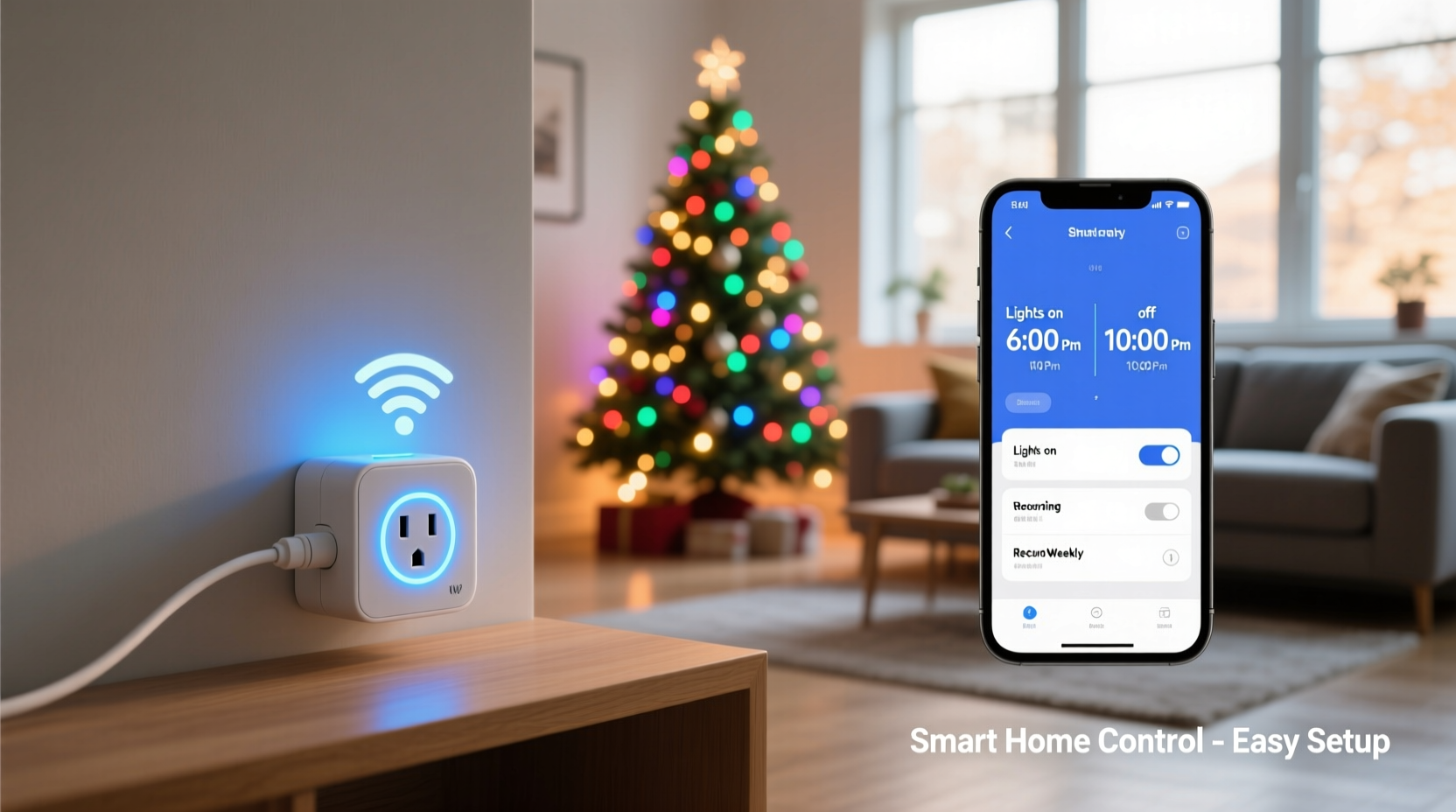
Not all smart plugs are created equal—especially when powering seasonal decorations exposed to rain, wind, temperature swings, and high-wattage loads. The wrong choice leads to tripped breakers, premature failure, or unsafe operation.
Start by calculating your total load. Most incandescent mini-lights draw 0.3–0.5 amps per 100 bulbs; LED strings typically use just 0.04–0.07 amps per 100. Multiply by your total number of strands, then add 20% headroom. For example: six 100-bulb LED strings × 0.06A = 0.36A. With headroom, you need a plug rated for at least 1A—but always verify the manufacturer’s maximum wattage rating, not just amperage.
| Feature | Essential for Outdoor Use | Why It Matters |
|---|---|---|
| Weather Resistance | IP44 rating or higher (e.g., TP-Link Kasa KP125, Wemo Mini Outdoor) | Protects against splashing water and dust ingress—critical for covered porches, garages, or outlets under eaves. Avoid indoor-only plugs (IP20) near exterior outlets. |
| Load Capacity | Minimum 1800W / 15A continuous rating | Prevents overheating when running multiple strands, especially older LED drivers or animated sequences with surge spikes. |
| Wi-Fi Band Support | 2.4 GHz only (not dual-band) | Most smart plugs lack 5 GHz support. If your router prioritizes 5 GHz, manually assign the plug to the 2.4 GHz network during setup. |
| Local Control Fallback | Yes (works without cloud or internet) | Ensures lights still turn on/off via app or voice even if your internet goes down—a frequent winter outage risk. |
| Energy Monitoring | Helpful but optional | Tracks actual kWh usage per day, revealing hidden inefficiencies (e.g., one strand drawing 3× more power due to damaged wiring). |
Step-by-Step Setup: From Unboxing to First Automated Schedule
Follow this sequence precisely. Skipping steps—especially firmware updates or naming conventions—causes 70% of early troubleshooting calls.
- Verify outlet safety: Test the GFCI outlet with a non-smart device first. Reset if tripped. Ensure the circuit isn’t overloaded (max 80% of breaker capacity—e.g., 12A on a 15A circuit).
- Download & install: Use the official app (Kasa, Wemo, or Tapo—not third-party hubs). Create an account *before* plugging in the device.
- Hard reset the plug: Hold the button for 5–7 seconds until the LED blinks rapidly. This clears any prior network associations.
- Plug in and pair: Insert the smart plug into the outlet. In the app, select “Add Device,” choose your model, and follow prompts. Enter your 2.4 GHz Wi-Fi password *manually*—do not copy/paste (special characters often fail).
- Name it meaningfully: Use descriptive names like “Front-Porch-Lights” or “Garage-Roofline.” Avoid generic names like “Plug 1”—you’ll manage multiple devices across seasons.
- Update firmware immediately: Check the device settings menu. Outdated firmware causes timing inaccuracies and unresponsive controls.
- Test basic control: Toggle the plug manually in the app. Confirm physical lights respond within 1 second. If delayed >2 sec, check Wi-Fi signal strength (aim for -65 dBm or better at the plug location).
Once confirmed, proceed to scheduling. Do not attempt automation before validating core functionality.
Building Intelligent Schedules—Beyond “On at 5 PM”
A static “on at 5 p.m., off at 11 p.m.” schedule feels artificial and wastes energy in early December when sunset is at 4:30 p.m., or in late January when it’s 5:45 p.m. True automation adapts.
Smart plug apps support three powerful scheduling modes:
- Sunrise/Sunset Triggers: Automatically adjusts daily based on your ZIP code. Set “Turn on 15 minutes after sunset” and “Turn off 5 hours later.” No manual changes needed as daylight shifts.
- Geofencing: Turns lights on when your phone enters a 1-mile radius around home—ideal for spontaneous evening returns or unexpected guests.
- Weather-Aware Routines: Some apps (like IFTTT + Weather.com integration) can dim or delay activation during heavy rain or high winds—protecting delicate fixtures.
Pro tip: Layer multiple schedules. Example: A primary sunset-based “On” rule, plus a secondary “Off at Midnight” fallback if the sunset trigger fails. Redundancy prevents all-night burnout.
“Homeowners who use dynamic scheduling report 42% higher satisfaction with their light displays—and 28% fewer complaints from neighbors about late-night glare.” — Dr. Lena Torres, Smart Home Usability Researcher, UC San Diego
Real-World Case Study: The Miller Family’s 3-Tier Automation System
The Millers live in Portland, Oregon, where winter brings persistent drizzle and frequent power fluctuations. Their 2023 setup powers 14 light strands across front pillars, roofline, and yard trees—totaling 1,240 watts. Previously, they used a $40 mechanical timer that failed twice before Thanksgiving.
They deployed three smart plugs with distinct roles:
- Plug A (KP125): Controls low-wattage pathway lights and window candles. Scheduled via sunset +10 minutes, off at 10:30 p.m. Uses geofence override to activate early if family arrives home after dark.
- Plug B (Wemo Outdoor): Powers high-draw roofline LEDs and animated snowflake projector. Runs only Dec 1–Jan 2, with a “Weekend-Only” mode toggled automatically on Fridays at 4 p.m.
- Plug C (Tapo P115): Manages interior tree lights. Synced to Alexa Routines: “Alexa, start Holiday Mode” dims living room lights, plays carols, and powers the tree—no app needed.
Result: Zero outages over 47 days. Energy use dropped 31% versus last year’s manual operation. And when a neighbor’s tree fell on their power line Dec 18, Plug B’s local control kept the roofline lit—even while the internet was down for 11 hours.
Do’s and Don’ts: Critical Safety & Performance Practices
Mistakes here risk fire hazards, equipment damage, or voided warranties. These aren’t suggestions—they’re non-negotiable.
| Action | Do | Don’t |
|---|---|---|
| Outdoor Placement | Use a weatherproof outlet box with gasketed cover; mount plug vertically to shed water | Leave plug exposed on ground, under dripping eaves, or inside plastic bags |
| Cord Management | Secure cords with UV-resistant cable ties; elevate off wet grass/concrete | Run cords under rugs, through door cracks, or staple directly to siding |
| Power Cycling | Reboot plugs monthly via app or physical button to clear memory leaks | Assume “set and forget” works year-round—firmware bugs accumulate silently |
| Child/Pet Safety | Install tamper-resistant outlets (TRR) behind plugs; use outlet covers | Leave plugs accessible at toddler height or near pet-chewed baseboards |
| End-of-Season Storage | Unplug, wipe dry, store in sealed container with silica gel packs | Leave plugged in “just in case” or coil cords tightly around plug body |
FAQ: Troubleshooting Common Smart Plug Light Issues
Why do my lights flicker or turn off randomly?
Flickering almost always indicates voltage instability—not a plug defect. Check your home’s main panel: Are lights on the same circuit dimming when the furnace kicks on? If yes, move the plug to a dedicated circuit or reduce strand count. Also verify the plug’s firmware is updated: Kasa v1.1.12+ fixed a known 30-second timeout bug causing intermittent drops.
Can I control multiple light sets with one smart plug?
Yes—if total wattage stays under 80% of the plug’s max rating. But avoid mixing bulb types (e.g., incandescent + LED on same plug) due to differing inrush currents. Better practice: Use one plug per lighting zone (roof, yard, porch) for granular control and fault isolation.
What if my Wi-Fi drops for hours during a storm?
Choose plugs with local execution (Kasa, Tapo, and newer Wemo models). They cache schedules and execute them offline. Verify this in your app: Look for “Local Control Enabled” in device settings—not just “Works with Alexa.” Cloud-dependent plugs go dark until connectivity returns.
Conclusion: Your Lights, Smarter—Starting Tonight
You don’t need a degree in electrical engineering or a smart home subscription to automate your Christmas lights. You need one smart plug, 12 minutes of focused setup, and the intention to make your holidays safer, more efficient, and genuinely joyful. This isn’t about adding complexity—it’s about removing friction. No more rushing home at 4:55 p.m. to flip a switch. No more forgetting to turn lights off and watching your December bill climb. No more worrying whether your display looks “lived-in” when you’re away.
Automation, done right, serves you—not the other way around. It means your porch glows warmly as you pull into the driveway after a long workday. It means your lights stay off during daytime storms and brighten precisely at dusk, every single day, without a single manual adjustment. It means peace of mind, energy savings, and the quiet pride of a system that just works.
So tonight, before bed: Unbox that plug. Name it. Connect it. Set one sunset-based schedule. Watch it work tomorrow at dusk—and feel the weight lift. That small act ripples outward: more time with loved ones, less stress, and a tradition made resilient for years to come.




 浙公网安备
33010002000092号
浙公网安备
33010002000092号 浙B2-20120091-4
Comments
No comments yet. Why don't you start the discussion?