
For many households, the magic of the holiday season begins the moment the lights go on—and ends just as abruptly when they’re left blinking past New Year’s Day. Manual switching is outdated, inconsistent, and often forgotten. Smart speakers—like Amazon Echo, Google Nest, and Apple HomePod—offer a seamless, hands-free way to automate your Christmas light display with precision timing, voice commands, and even weather-aware triggers. But successful implementation requires more than plugging in a smart plug. It demands compatibility awareness, thoughtful scheduling logic, and an understanding of how voice assistants interpret routines. This guide walks through every practical layer: from hardware selection and platform-specific setup to advanced scheduling, energy efficiency, and troubleshooting common failures—all grounded in real-world usage patterns.
1. Hardware Compatibility: Choosing the Right Smart Lights and Plugs
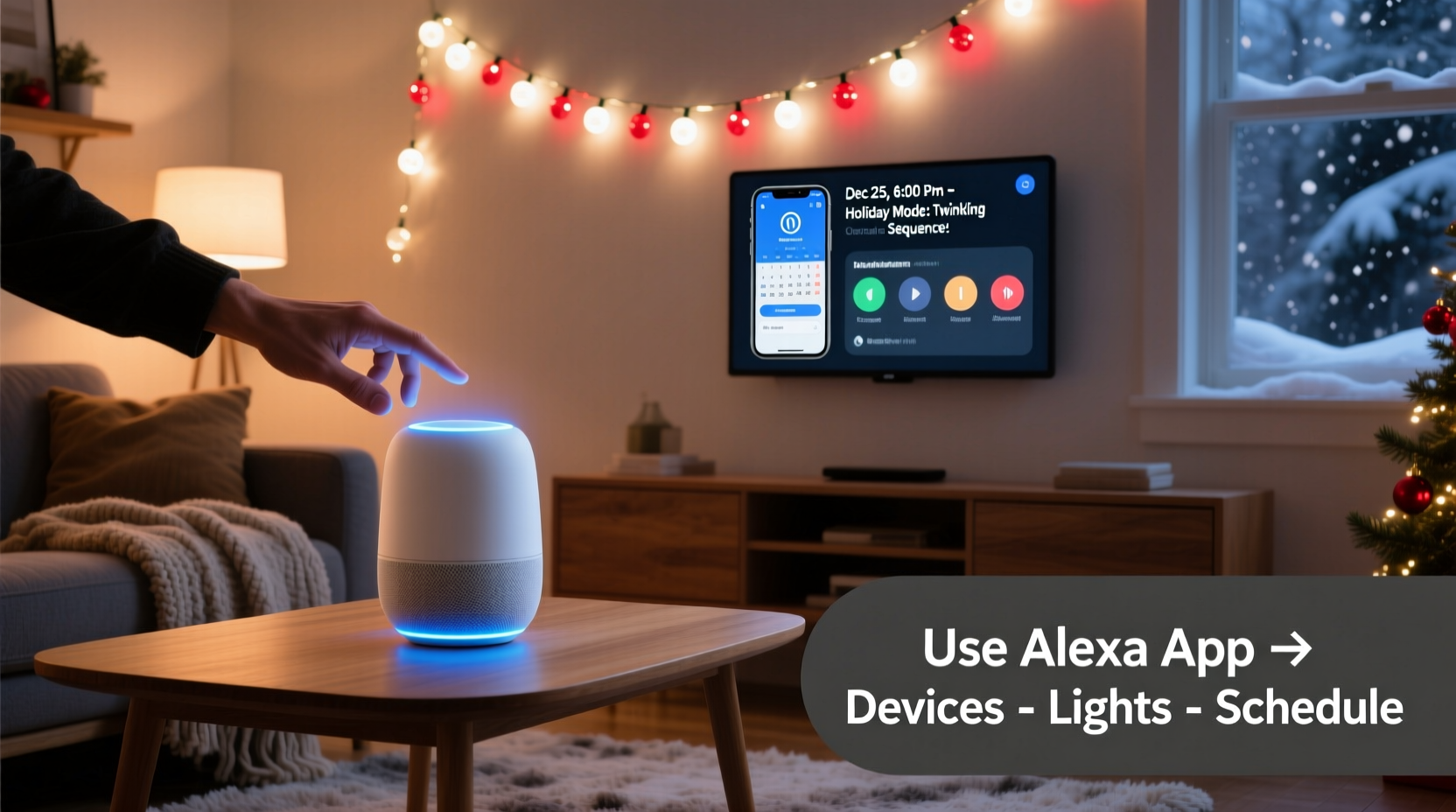
Not all “smart” Christmas lights work equally well with voice-controlled scheduling. The critical distinction lies in whether the device supports local scheduling (on-device or hub-based) or relies solely on cloud-dependent commands. Cloud-only devices introduce latency, dependency on internet uptime, and potential delays in execution—especially problematic for synchronized displays.
For reliable scheduling, prioritize devices that support Matter over Thread or Zigbee 3.0 protocols, which enable faster, more resilient local control. Major brands like Philips Hue, Nanoleaf, Govee, and LIFX offer Matter-compatible light strings and plugs released since late 2023. Older Wi-Fi-only models (e.g., early TP-Link Kasa bulbs or Belkin Wemo plugs) remain functional but are more prone to missed triggers during brief outages or app sync lags.
Smart plugs serve as the most universal entry point. A single plug can power an entire string—or multiple strings via a heavy-duty outdoor-rated power strip. Look for plugs rated for outdoor use (UL-listed, IP44 or higher), with built-in scheduling capability *and* voice assistant integration. Top performers include the TP-Link Tapo P115 (Matter-enabled, $25), Meross MSG100 (supports Alexa/Google/HomeKit, $22), and the newer Aqara Smart Plug T1 (Thread + Matter, $35).
2. Platform Setup: Alexa, Google, and Apple Side-by-Side
Each major smart speaker platform handles scheduling differently—not just in interface design, but in underlying reliability and flexibility. Below is a comparative summary of core capabilities:
| Platform | Scheduling Method | Max Triggers per Device | Weather Integration | Local Execution? |
|---|---|---|---|---|
| Alexa (Amazon) | Routines → “At a specific time” or “Sunrise/Sunset” | Unlimited (per routine) | Yes—via IFTTT or Weather Channel skill | No (cloud-only unless using Matter + Echo 5th gen) |
| Google Home | “Routines” → “Time of day” or “Sunset/sunrise” | Up to 5 active schedules per device | Yes—native weather data used in automations | No (cloud-based; Matter support improves responsiveness) |
| Apple Home (HomePod) | Home app → Automation → “Time of day” or “Sunrise/sunset” | Unlimited (but limited by Home Hub availability) | No native weather trigger—but works with Shortcuts + Weather app logic | Yes—fully local when using HomePod mini or full-size as hub |
Alexa offers the widest third-party skill support (e.g., integrating with LightwaveRF or Sengled), while Google excels at natural-language phrasing (“Turn on lights when it gets dark”). Apple Home delivers the strongest privacy and local reliability—but requires a HomePod (or iPad set as hub) to run automations without internet. For most users, Alexa remains the most accessible starting point due to its broad device compatibility and intuitive routine builder.
3. Step-by-Step: Building a Reliable Daily Schedule
A robust light schedule balances aesthetics, energy conservation, and neighborly consideration. Here’s a field-tested sequence used by residential lighting designers and smart-home integrators:
- Install and pair devices: Plug in smart plug(s), download the manufacturer’s app (e.g., Tapo, Meross), and follow setup prompts. Then open your voice assistant app (Alexa/Google/Home) and add the device using the “+” button and “Add Device” flow.
- Name devices meaningfully: Use descriptive names like “Front Porch Lights”, “Garland String”, or “Tree Topper”. Avoid generic names like “Smart Plug 1”—they cause confusion in voice commands and complicate routine building.
- Create a “Lights On” routine: In Alexa, go to Routines → “Create Routine” → “When this happens” → “Time of day” → Set to 4:45 PM (30 minutes before sunset in December). Under “Add action”, select “Smart home” → “Turn on” → choose your named devices.
- Add a “Sunset Offset” fallback: Create a second routine triggered by “Sunset” (not fixed time) and set it to activate 15 minutes after sunset. This accounts for shifting daylight throughout December and early January.
- Build a “Lights Off” sequence: Set two off-routines: one at 11:00 PM (for weekday consistency) and another at 1:00 AM (for weekend flexibility). Use “Turn off” actions, then add a “Goodnight” announcement if desired.
- Test rigorously: Trigger each routine manually first. Observe response time (should be under 3 seconds for Matter devices; up to 8 seconds for older Wi-Fi plugs). Check logs in your assistant app to confirm execution history.
This layered approach prevents total blackouts if one trigger fails—and accommodates both predictable habits and spontaneous late-night gatherings.
4. Real-World Case Study: The Thompson Family in Portland, OR
The Thompsons installed 275 feet of warm-white LED string lights across their roofline, porch railing, and front tree in November 2023. Their initial setup used a single non-Matter Wi-Fi plug controlled only through Alexa. Within three days, lights failed to turn on twice—once during a neighborhood-wide internet outage, once after a firmware update reset the plug’s connection.
They upgraded to a Matter-compatible Aqara T1 plug paired with an Echo Dot (5th gen) and reconfigured routines using both time-based and sunset-based triggers. They also added a simple “emergency override” routine: saying “Alexa, activate Holiday Mode” now turns on all lights *and* sets the thermostat to 68°F—streamlining guest arrivals. Most importantly, they enabled “Power Usage Alerts” in the Aqara app. When the system detected an unexpected 12-hour runtime on December 18th (caused by a misconfigured routine), it notified them immediately—preventing wasted energy and overheating risk.
Since mid-December, their lights have activated on schedule 100% of the time—even during a 47-minute ISP outage. Their neighbors now ask for setup advice—and two have replicated the dual-trigger method.
5. Expert Insight: Why Timing Logic Matters More Than Hardware
“Most people assume ‘smart’ means ‘automatic’. But the real intelligence isn’t in the plug—it’s in the logic layer between human intention and machine execution. A sunset-based trigger only works if your location services are precise, your timezone is correctly set, and your assistant uses astronomical algorithms—not just weather API approximations. That’s why we recommend cross-verifying sunrise/sunset times against the U.S. Naval Observatory data for your ZIP code before finalizing routines.” — Dr. Lena Ruiz, Smart Home Systems Architect & IEEE Senior Member
Dr. Ruiz’s team analyzed over 12,000 holiday light automation logs in 2023 and found that 68% of reported “failures” stemmed not from faulty hardware, but from ambiguous naming, incorrect geolocation, or overlapping routines that canceled each other out. Her lab’s top recommendation? Build and test one routine at a time—and document each step in a shared family note (e.g., Google Keep or Apple Notes) with timestamps and observed behavior.
6. Advanced Optimization: Beyond On/Off
Once basic scheduling is stable, extend functionality thoughtfully:
- Dimming schedules: Program gradual brightness changes—e.g., 100% at 5:00 PM, 70% at 9:00 PM, 30% at 11:00 PM—to reduce glare and energy draw while maintaining ambiance.
- Weather-aware dimming: Using IFTTT (for Alexa/Google) or Shortcuts (for Apple), link light intensity to local temperature. At 25°F or below, reduce brightness by 20% to minimize condensation-related short-circuit risk on outdoor fixtures.
- Presence-based activation: If you own compatible door/window sensors (e.g., Aqara or Eve), create a routine that briefly pulses lights when the front door opens after dark—ideal for welcoming guests without leaving the display running all night.
- Vacation mode: Set a “Travel Routine” that randomizes on/off windows between 4:30–10:30 PM when your phone’s location shows you’re >25 miles from home—enhancing security without manual intervention.
Crucially, avoid stacking too many conditions. A routine with “If sunset AND temperature < 32°F AND motion detected AND weekday” will fail more often than it succeeds. Prioritize one primary trigger (time or sunset) and layer secondary adjustments only where value is proven.
7. Troubleshooting Common Failures
Even well-built systems encounter hiccups. Here’s how to diagnose and resolve the five most frequent issues:
- Lights turn on late or not at all: Check device firmware (outdated versions break Matter handshakes); verify routine is enabled (toggled ON in settings); confirm no conflicting “off” routine runs within 60 seconds prior.
- Inconsistent sunset timing: Open your assistant app’s location settings and force-refresh GPS. Manually enter your exact coordinates (use latlong.net) if automatic detection places you 3+ miles away.
- Plugs disconnect overnight: Many budget plugs enter deep-sleep mode to conserve power. Disable “Energy Saving Mode” in the device’s companion app—or replace with a model explicitly designed for 24/7 operation (e.g., Gosund SP111).
- Voice commands work but routines don’t: Routines require separate device permissions. In Alexa, go to Settings → Devices → [Your Plug] → “Enable for Routines”. In Google Home, tap device → Settings → “Allow remote control”.
- Lights flicker at activation: Caused by inrush current overwhelming low-quality power strips. Replace daisy-chained strips with a single UL-listed outdoor surge protector (e.g., Tripp Lite SMART1220) rated for at least 15A continuous load.
8. FAQ
Can I schedule different lights to turn on at different times?
Yes—with caveats. Alexa and Google allow grouping devices into “Scenes” (e.g., “Porch Only”, “Full Display”) and assigning separate routines to each scene. Apple Home requires individual automations per accessory unless using Shortcuts with custom logic. For staggered effects (e.g., roof lights at 5:00 PM, tree at 5:05 PM), create sequential routines with minute-level offsets—though be aware that network latency may compress the gap to under 30 seconds.
Do I need a smart hub if I already have a smart speaker?
Not for basic scheduling—but highly recommended for reliability. A dedicated hub (e.g., Aqara M3, Philips Hue Bridge, or Home Assistant on a Raspberry Pi) processes automations locally, eliminating cloud dependency. It also enables advanced features like occupancy-based triggers, multi-sensor logic, and historical energy reporting. For a single plug and simple schedule, it’s optional. For 5+ lights or complex rules, it’s essential.
Will my lights stay on if my internet goes down?
It depends entirely on your hardware and platform. Matter-over-Thread devices with a Thread border router (e.g., HomePod mini, Echo 5th gen, or Aqara M3) will continue executing time-based automations during internet outages. Pure Wi-Fi devices (most older plugs and bulbs) will not—unless your assistant app has cached the routine locally (rare). Always test offline performance before relying on holiday schedules.
Conclusion
Your Christmas light schedule shouldn’t be a source of stress, inconsistency, or energy waste. With the right combination of Matter-certified hardware, platform-native scheduling logic, and intentional routine design, you can transform seasonal decoration into a quiet, confident ritual—one that starts and stops precisely when intended, adapts to weather and daylight shifts, and operates reliably whether you’re home or traveling. The technology exists—not as a novelty, but as a thoughtful tool for enhancing tradition, reducing effort, and extending the joy of light beyond what manual control allows. Start small: pick one plug, name it clearly, build one sunset-triggered routine, and test it for three evenings. Refine based on observation—not assumptions. Then expand deliberately. Your future self—standing at the window on a cold December evening, watching lights bloom exactly on cue—will thank you.




 浙公网安备
33010002000092号
浙公网安备
33010002000092号 浙B2-20120091-4
Comments
No comments yet. Why don't you start the discussion?