
Every year, millions of households spend hours untangling lights, rearranging trees, and second-guessing decor placements—only to realize mid-setup that a centerpiece blocks the TV or the wreath clashes with the wall color. What if you could test every element of your holiday display before bringing down a single ornament from storage? Virtual reality (VR) now makes that possible. With accessible tools and intuitive software, homeowners can design, walk through, and refine their Christmas layouts in immersive 3D environments—eliminating guesswork and reducing physical labor.
This isn’t science fiction. Consumer-grade VR headsets like Meta Quest 3, HTC Vive, and even standalone apps on smartphones have brought spatial design within reach of everyday users. Whether you're decorating a cozy apartment or a sprawling family home, VR allows you to simulate indoor and outdoor setups with precise scale, lighting, and placement. The result? A seamless, stress-free decoration process grounded in confident planning.
Create a Digital Twin of Your Home
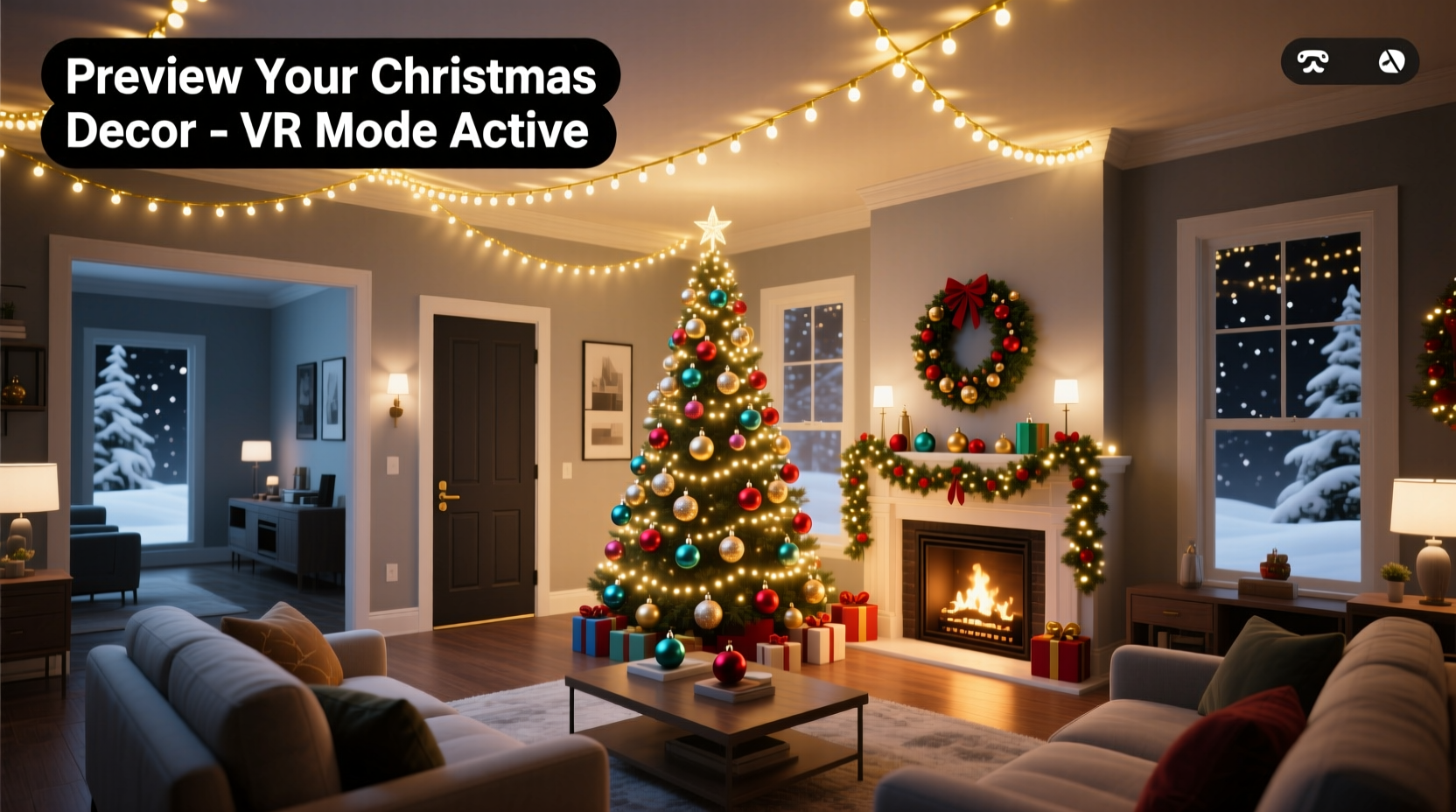
The first step in using VR for Christmas planning is building an accurate digital model of your living space. This “digital twin” serves as the canvas for your virtual decorations. While professional architects use laser scanning, most consumers can achieve excellent results using smartphone-based room scanning apps.
Applications like RoomScan LiDAR (for iPhone with LiDAR sensors), Canvas, or Planner 5D allow you to walk around a room while your phone captures dimensions and generates a floor plan. Some integrate directly with VR platforms, enabling one-click export into immersive environments. For homes without LiDAR phones, manual input via tape measurements and photo references still works—just less quickly.
Once imported into a compatible VR design tool, this floor plan becomes a navigable 3D space. You can adjust ceiling height, window positions, furniture layout, and flooring textures to mirror reality. Accuracy here is critical: a misaligned couch by six inches may throw off tree placement or light string routing.
Choose the Right VR Design Software
Not all VR applications are built for interior decoration. To effectively preview Christmas layouts, select software that supports real-time object manipulation, realistic lighting, and holiday-specific assets. Below is a comparison of top tools suited for seasonal planning.
| Software | Best For | Holiday Assets Included? | VR Compatible | Price Range |
|---|---|---|---|---|
| Matterport + Oculus | Photorealistic walkthroughs from real scans | No (requires import) | Yes (via mobile app & headset sync) | $40–$60/month |
| Twinmotion (by Epic Games) | High-fidelity rendering with snow effects | Yes (seasonal foliage, lights) | Yes (SteamVR, Oculus) | Free for personal use |
| Floorplanner VR Mode | Beginner-friendly drag-and-drop | Limited (user-uploaded models) | Partial (web-based VR view) | Free tier; $9.99+/mo premium |
| SketchUp Viewer + VR | Precise modeling and measurement | No (but large 3D warehouse library) | Yes (Quest, Vive) | Free viewer; Pro at $119/year |
| Homestyler AR/VR | Quick holiday previews on mobile | Yes (pre-built Christmas packs) | Yes (mobile VR mode) | Free |
For most users, Twinmotion offers the best balance of realism and accessibility. Its integration with Unreal Engine allows dynamic lighting simulations—critical when testing how LED strings interact with dark corners or reflective surfaces. Plus, it includes pre-loaded pine trees, twinkling bulbs, and even animated falling snow, letting you experience ambiance before installation.
“Testing lighting schemes in VR cuts real-world adjustment time by up to 70%. Clients who visualize early make fewer changes during execution.” — Lena Torres, Interior Technologist at SpatialHome Labs
Build and Test Your Decoration Layout Step-by-Step
With your environment ready, begin populating it with virtual decor. Follow this sequence to ensure thorough planning:
- Anchor major pieces first: Place your Christmas tree, nativity set, or lighted reindeer in approximate locations. Use scaling tools to match real dimensions (e.g., an 8-foot tree should be exactly 8 feet tall).
- Add lighting routes: Trace pathways for garlands, curtain lights, and stair rail wraps. Most VR tools let you “unspool” string lights along surfaces, showing total length needed.
- Incorporate furniture interaction: Check sightlines. Can you see the fireplace behind the tree? Does the menorah interfere with foot traffic? Walk through the scene as if hosting guests.
- Simulate nighttime ambiance: Switch to dusk or night mode. Adjust bulb colors (warm white vs. cool blue) and intensity. Observe glare on screens or over-lighting in small spaces.
- Test outdoor visibility: If decorating exteriors, extend your model beyond walls. View curb appeal from the sidewalk and check street-level brightness compliance (some neighborhoods limit wattage).
One often-overlooked benefit is electrical load simulation. Advanced users can label outlets and assign devices to circuits, preventing real-world overloads. For example, assigning three strands of lights and a rotating projector to one circuit might trigger a warning if exceeding 15 amps—something easily adjusted virtually before plugging anything in.
Real Example: The Johnson Family’s Stress-Free Setup
The Johnsons live in a two-story colonial with a formal living room, open kitchen, and front porch columns ideal for wrapping. In past years, they spent two full days adjusting decorations, only to remove a large tree because it blocked the staircase railing where grandchildren held on.
Last November, they used Twinmotion with a scanned model of their home. Mrs. Johnson placed three different tree sizes in the living room corner and walked around them in VR. She discovered that a 7-foot tree cleared the railing by just 3 inches—too tight. They opted for a slimmer 6.5-foot flocked tree instead.
They also tested rooftop light placement. Using aerial view, they previewed how icicle lights would appear from the street. After noticing uneven spacing on the left eave, they corrected the pattern digitally and printed a labeled diagram for the installer. Total setup time dropped from 14 hours to under 6—with no re-hanging required.
Avoid Common VR Planning Mistakes
While powerful, VR is only as effective as the user’s approach. These pitfalls undermine otherwise solid plans:
- Ignoring scale: Downloading a “life-sized” reindeer model but forgetting to verify its dimensions. Always cross-check with known objects (e.g., a standard sofa is ~84 inches long).
- Overlooking physical constraints: Placing a virtual nutcracker where a real pet sleeps or a door swings open. Include moving elements like doors and chairs in your model.
- Using default lighting: Many apps simulate neutral daylight. Failing to switch to evening mode leads to surprise shadows or hotspots after dark.
- Skipping collaboration: Decorating is often a family effort. Share access to the VR file so others can explore and give feedback before implementation.
To mitigate these issues, run a final validation checklist before starting physical setup.
✅ VR Holiday Setup Checklist
- ☑ Floor plan matches actual room dimensions within 2%
- ☑ All major furniture is positioned accurately
- ☑ Tree, lights, and centerpieces are placed and scaled correctly
- ☑ Nighttime lighting has been reviewed from multiple angles
- ☑ Electrical circuits are mapped and loads balanced
- ☑ Decorations avoid obstructing pathways, vents, or safety equipment
- ☑ Shared project file with household members for approval
FAQ: Common Questions About VR Holiday Planning
Do I need expensive hardware to use VR for decorating?
No. While high-end headsets like Valve Index offer superior immersion, you can start with a Meta Quest 2 ($250) or even use smartphone-based VR viewers with free apps like Homestyler. Many tools also support desktop viewing with mouse navigation—no headset required.
Can I use my existing Christmas decorations in VR?
Yes, if digital models exist. Platforms like SketchUp’s 3D Warehouse host thousands of user-uploaded ornaments, train sets, and village houses. Search for items like “LED snowman 6ft” or “vintage Santa figurine.” If unavailable, approximate with similar shapes and textures.
How long does it take to build a VR layout?
For a typical single-family home, expect 2–4 hours for scanning and importing, plus another 1–3 hours for placing decorations, depending on complexity. Once set up, modifications take minutes. Many users save templates to reuse next year with minor tweaks.
Future-Proof Your Holiday Tradition
Using VR to preview your Christmas decoration layout isn’t just a tech novelty—it’s a practical upgrade to an annual ritual. It reduces physical strain, prevents costly mistakes, and enhances creative confidence. Families report higher satisfaction when everyone participates in the virtual walkthrough, leading to more inclusive, joyful outcomes.
As augmented reality (AR) glasses become mainstream, future iterations may allow you to overlay decorations directly onto your living room through smart lenses—effectively turning your home into a live preview zone. But today’s VR tools are already capable, affordable, and transformative.
The holiday season should be about connection, not correction. By investing a few hours in virtual planning, you reclaim time, reduce clutter, and ensure your space reflects your vision—exactly as intended.




 浙公网安备
33010002000092号
浙公网安备
33010002000092号 浙B2-20120091-4
Comments
No comments yet. Why don't you start the discussion?