
For digital artists working within financial constraints, choosing between the iPad Pro and the Surface Pro 9 isn’t just about preference—it’s about maximizing creative output with limited resources. Both devices offer premium build quality, powerful processors, and advanced stylus support, but their differences in operating systems, software ecosystems, and pricing can significantly impact long-term usability and affordability. This guide breaks down every critical factor—from initial cost to app availability—so you can make an informed decision based on real-world artistic needs.
Performance and Hardware: Power Under the Hood
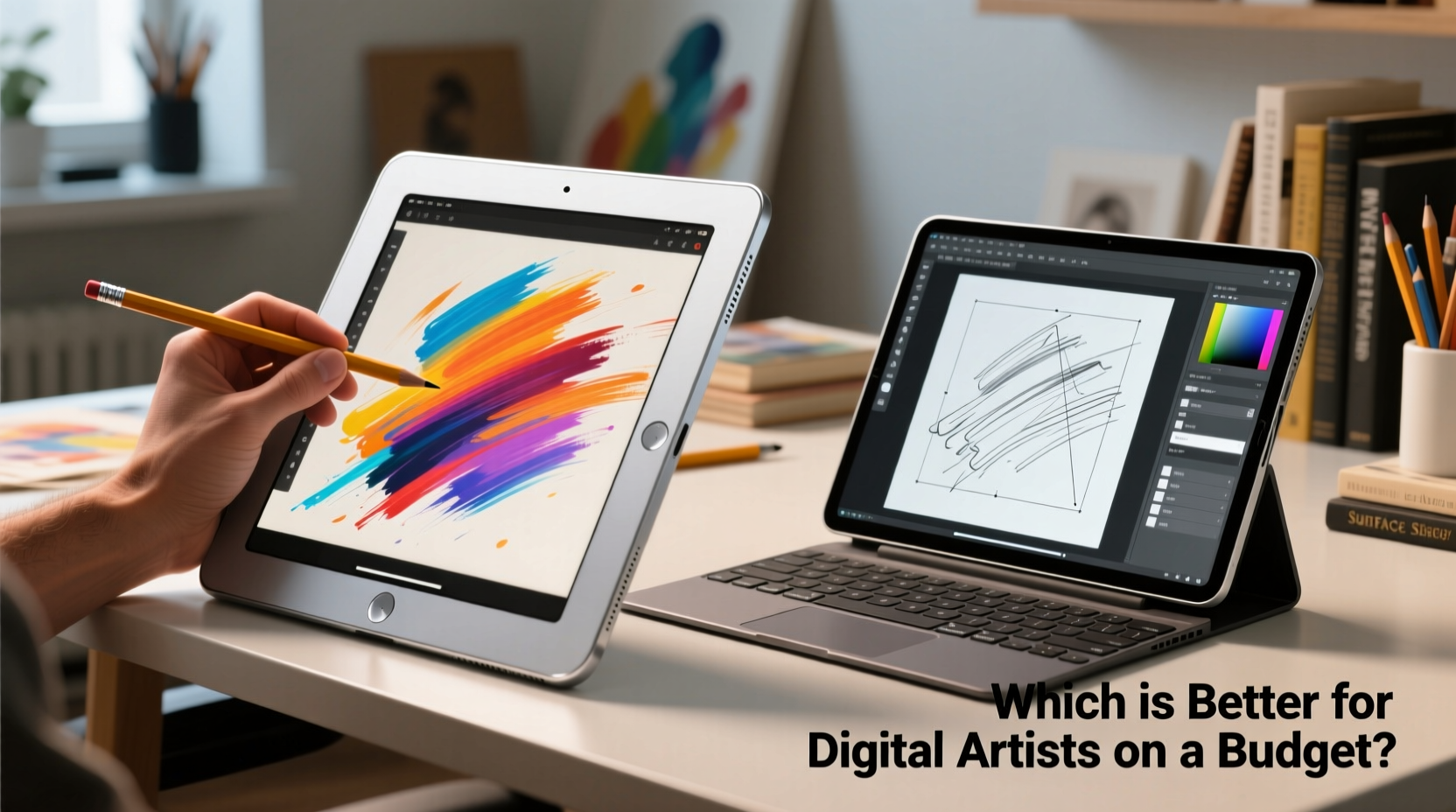
The iPad Pro (6th generation, M2 chip) and the Surface Pro 9 (12th Gen Intel Core or Microsoft SQ3 ARM variant) are both engineered for high-performance tasks. However, their underlying architectures lead to different experiences.
The iPad Pro runs on Apple’s M2 chip, delivering desktop-class performance in a fanless design. It handles complex illustrations, 3D modeling apps like Shapr3D, and even light video editing smoothly. The device comes in configurations from 8GB to 16GB RAM, depending on storage size, which affects multitasking ability when running multiple creative apps simultaneously.
The Surface Pro 9 offers two processor options: Intel-based models with up to 32GB RAM and the ARM-powered SQ3 version optimized for efficiency and LTE connectivity. While the Intel model provides full Windows compatibility and robust multi-app workflows, it generates more heat and requires active cooling, making it slightly louder during intensive sessions. Artists who rely on CPU-heavy applications such as ZBrush or After Effects will find the Intel version more capable than its iPad counterpart.
Display and Drawing Experience
A screen that accurately renders color and responds precisely to pen input is non-negotiable for artists. Both devices feature excellent displays, but key differences affect drawing precision and comfort.
The iPad Pro boasts a 12.9” Liquid Retina XDR display (or 11” standard Liquid Retina), offering exceptional brightness (up to 1600 nits HDR), P3 wide color gamut, and True Tone technology. When paired with the Apple Pencil (2nd gen), it delivers industry-leading latency of around 8ms and pixel-perfect accuracy thanks to hardware-level integration. Palm rejection works flawlessly, allowing natural hand placement while sketching.
The Surface Pro 9 features a 13” PixelSense Flow display with a 120Hz refresh rate, supporting Dolby Vision IQ and sRGB/DCI-P3 color accuracy. Its touchscreen responsiveness is strong, especially with the Surface Slim Pen 2, which magnetically attaches and charges. Latency is competitive at approximately 9–12ms, though some users report minor lag compared to the Apple Pencil. Pressure sensitivity and tilt detection are accurate, but palm rejection occasionally falters under fast strokes unless settings are fine-tuned.
“The iPad Pro remains the gold standard for low-latency stylus interaction. For pure drawing fluidity, nothing else matches it.” — Lena Torres, Digital Illustration Instructor at Minneapolis College of Art & Design
Software Ecosystem: Creativity Within Limits
This is where the divide widens. The iPad Pro runs iPadOS, a mobile-first system optimized for touch and portability. While it supports powerful creative apps like Procreate, Adobe Fresco, Affinity Designer, and Clip Studio Paint, many lack full desktop functionality. File management is sandboxed, limiting cross-app workflows unless third-party tools like Dropbox or Shortcuts are used.
Procreate alone is a major selling point for illustrators. Its intuitive interface, vast brush library, and animation assist tools make it ideal for concept art and storyboarding. However, once projects grow beyond illustration—into layout design, 3D rendering, or video compositing—the limitations of iPadOS become apparent. You cannot run Photoshop CC with all plugins, nor compile code or edit XML files directly.
In contrast, the Surface Pro 9 runs full Windows 11, giving access to the entire suite of professional creative software: Photoshop, Illustrator, Blender, DaVinci Resolve, Cinema 4D, and more. Artists using Wacom tablets or external monitors can extend their workspace seamlessly. Multi-window workflows, keyboard shortcuts, and deep file system access allow for complex project management impossible on iPad.
If your workflow includes hybrid tasks—drawing, photo retouching, typography, and client presentations—the Surface Pro 9 offers unmatched versatility. But if your focus is purely on sketching, painting, and comic creation, the iPad Pro’s curated app ecosystem may suffice—and even enhance productivity by reducing distractions.
Cost Analysis: Upfront Price vs Long-Term Value
Budget-conscious artists must consider not just purchase price, but also required accessories and software subscriptions.
| Device | Base Model Price | Stylus Included? | Keyboard Included? | Required Add-Ons | Total Entry Cost |
|---|---|---|---|---|---|
| iPad Pro 11” (M2, 128GB) | $799 | No | No | Apple Pencil ($129), Keyboard case ($249) | $1,177 |
| Surface Pro 9 (Intel i5, 8GB/128GB) | $999 | No (Slim Pen 2 sold separately) | No (Type Cover extra) | Slim Pen 2 ($129.99), Type Cover ($149.99) | $1,278.98 |
| Surface Pro 9 (Refurbished w/ Pen & Keyboard) | $749 (approx.) | Yes | Yes | None | $749 |
At first glance, the base iPad Pro appears cheaper. But once you add essential peripherals, the total cost surpasses that of the similarly equipped Surface Pro 9. However, Microsoft often sells refurbished bundles through its official store, including pen and keyboard at steep discounts—making the Surface a smarter financial choice for those open to pre-owned hardware.
Additionally, many Windows creative apps have free or one-time purchase alternatives (e.g., Krita, GIMP, Inkscape), whereas top-tier iPad apps often require ongoing purchases or subscriptions. Procreate costs $9.99 once, but Adobe Fresco starts at $9.99/month. Over two years, that adds up to nearly $250—money that could go toward upgrading storage or buying reference materials.
Real Artist Workflow: A Mini Case Study
Jamal Reed, a freelance concept artist based in Austin, Texas, switched from a MacBook Pro + Wacom tablet to an iPad Pro in 2021, drawn by Procreate’s speed and portability. “I loved how quickly I could sketch ideas during coffee shop meetings,” he says. But after landing a game development contract requiring texture work in Substance Painter and integration with Unreal Engine, he hit a wall. “I couldn’t export layered PSDs properly, and file transfers were a nightmare.”
He eventually returned to a dual-device setup: iPad Pro for ideation and roughs, then transferring assets to a secondary Windows laptop for finishing. “It worked, but managing two ecosystems doubled my workload.” Last year, he invested in a refurbished Surface Pro 8 (now upgraded to Pro 9). “Now I do everything on one machine. I draw directly into Photoshop, use shortcut keys mid-stroke, and plug into my monitor at home for larger canvas work.”
His advice? “If you’re serious about turning art into income, don’t let portability blind you to workflow gaps. One unified environment saves time—and time is money.”
Step-by-Step Buying Guide for Budget Artists
Follow this sequence to choose wisely without overspending:
- Define your primary use case: Are you mainly sketching, painting, designing UI, or doing mixed media work?
- List required software: Can your essential tools run fully on iPadOS? Or do you need Windows-only programs?
- Check secondhand markets: Look for certified refurbished Surfaces on Microsoft’s site or reputable sellers on eBay with return policies.
- Calculate total entry cost: Include stylus, keyboard, cloud storage, and any necessary adapters.
- Test before committing: Visit an Apple Store or Microsoft retail partner to try both devices with a stylus. Draw freely and assess comfort.
- Prioritize RAM and storage: Choose at least 16GB RAM and 256GB SSD if going with Surface; 256GB minimum on iPad to avoid constant file shuffling.
Frequently Asked Questions
Can I use the Surface Pro 9 for animation like I would with Procreate?
Yes, but differently. While Procreate’s Animation Assist is unique and beloved, Windows offers powerful alternatives like OpenToonz (free), TVPaint, or Adobe Animate. These support frame-by-frame drawing with onion skinning and export flexibility far beyond what iPad apps typically allow.
Is the Apple Pencil worth the extra $130?
For dedicated illustrators, absolutely. No other stylus matches its pressure sensitivity, tilt response, and near-zero latency. However, if your work involves equal parts writing, note-taking, and light sketching, the Surface Slim Pen 2 offers comparable performance with added haptic feedback and Bluetooth button controls.
Which device lasts longer on a single charge during drawing sessions?
The iPad Pro generally lasts 8–10 hours of continuous use, while the Surface Pro 9 manages 6–7 hours under similar conditions. However, battery degradation over time is faster on iPads due to sealed batteries and lack of replaceability. Surface Pro allows partial self-repairs and maintains performance longer across five+ years of moderate use.
Final Recommendation: Who Should Choose What?
Choose the iPad Pro if:
- You primarily create illustrations, comics, or concept art.
- You value portability and instant-on simplicity.
- Your workflow revolves around Procreate, Adobe Fresco, or Affinity apps.
- You already own other Apple devices and appreciate ecosystem sync.
Choose the Surface Pro 9 if:
- You need full desktop software like Photoshop, Illustrator, or Blender.
- You work across multiple creative disciplines (design, painting, typography).
- You want future-proof expandability and repairability.
- You're willing to buy refurbished to stay on budget while gaining full Windows power.
Conclusion: Make Your Budget Work Smarter
There is no universal “better” device—only the one that aligns best with your artistic goals and financial reality. The iPad Pro excels as a focused drawing machine with unparalleled stylus integration and app polish. Yet, for digital artists building careers—not just portfolios—the Surface Pro 9 delivers broader capabilities, deeper software access, and greater long-term value, especially when purchased smartly.
Don’t let marketing narratives dictate your decision. Assess your actual workflow, test both platforms, and remember: investing in a tool that grows with you is always cheaper than upgrading twice. Whether you choose iOS elegance or Windows versatility, equip yourself wisely and keep creating.




 浙公网安备
33010002000092号
浙公网安备
33010002000092号 浙B2-20120091-4
Comments
No comments yet. Why don't you start the discussion?