
Choosing between an iPad and a Kindle for reading ebooks and comics isn’t just about brand preference—it’s about understanding how each device aligns with your reading habits, visual comfort, and lifestyle. While both can deliver digital content, they do so in fundamentally different ways. The iPad offers versatility and multimedia power, while the Kindle specializes in distraction-free, eye-friendly reading. For those who read daily—whether novels, nonfiction, or graphic stories—the decision impacts not only enjoyment but also long-term eye health and convenience.
This guide breaks down the key differences across display technology, battery life, portability, app support, comic compatibility, and overall user experience to help you determine which device truly serves your needs best.
Display Technology: E-Ink vs Retina – What Matters Most?
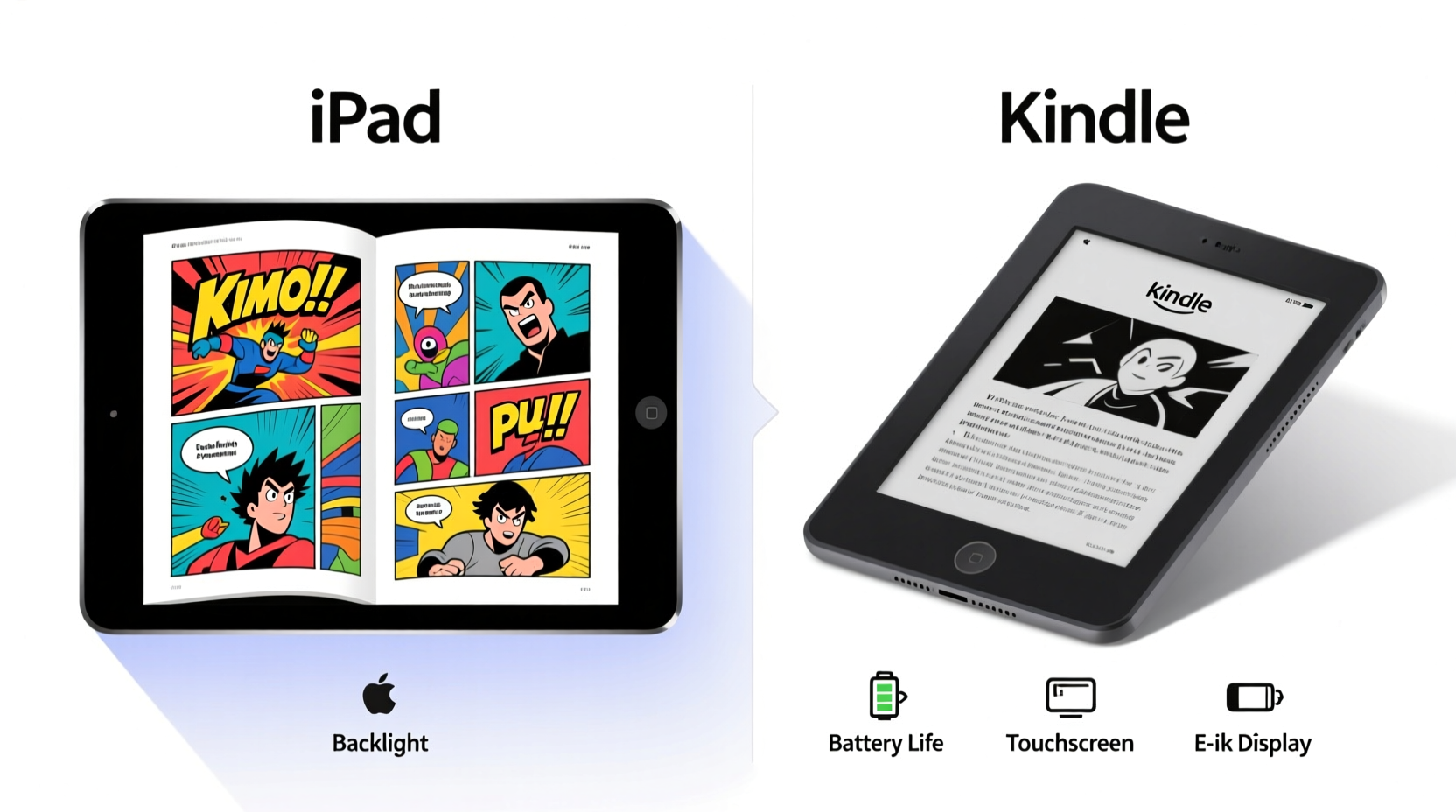
The most significant difference between the iPad and Kindle lies in their screens. The iPad uses an LCD or OLED Retina display, known for its vibrant colors, high brightness, and sharp resolution. This makes it excellent for video, web browsing, and yes—reading comics with rich visuals. However, that same brightness can become fatiguing during extended reading sessions, especially in low-light environments.
In contrast, Kindle devices use e-ink technology, which mimics the appearance of printed paper. E-ink screens reflect ambient light rather than emit it, reducing glare and minimizing blue light exposure. This design is easier on the eyes during prolonged reading, particularly at night. Many users report being able to read for hours on a Kindle without discomfort—a major advantage for avid book lovers.
However, e-ink has limitations. It refreshes slowly, making page turns slightly delayed compared to the instant response of an iPad. It also lacks color on most models (except the newer Kindle Colorsoft), which is critical when reading full-color comics or illustrated books.
Battery Life and Charging Habits
One area where the Kindle dominates is battery longevity. Most Kindle models last weeks—not hours—on a single charge. The Paperwhite, for example, can go up to 10 weeks with moderate use (30 minutes per day) and the light turned off. Even with the front light on, expect several weeks of regular reading.
Compare that to the iPad, which typically lasts 8–10 hours with mixed usage. If you're using it solely for reading, you might stretch it to two full days under ideal conditions. But once you add background apps, notifications, and screen brightness, daily charging becomes necessary.
This distinction matters for travelers, commuters, or anyone who dislikes managing frequent charges. The Kindle’s energy efficiency stems from its e-ink display, which only consumes power when turning pages. The iPad’s active backlight and processor demand constant energy, even when idle.
“Battery endurance is a silent factor in reading consistency. Devices that require nightly charging often get set aside when convenience fades.” — Dr. Alan Zhou, Digital Wellness Researcher
Portability and Physical Comfort
Size and weight play a crucial role in reading comfort, especially if you hold your device for long periods. Most Kindles are lightweight—around 6 to 7 ounces—and designed to be held comfortably in one hand. Their matte finishes resist fingerprints and provide a secure grip, similar to holding a physical book.
iPads, even the smaller iPad mini (around 10.5 ounces), feel noticeably heavier and bulkier. While still portable, they’re more prone to causing hand fatigue during extended reading. Additionally, their glass surfaces attract smudges and can slip easily without a case.
For readers who enjoy lying in bed or sitting outdoors, the Kindle’s compact form factor wins. But if you frequently switch between reading, note-taking, and media consumption, the iPad’s larger screen and multitasking features may justify the extra heft.
Reading Apps and Content Flexibility
The iPad shines in versatility. You can install Kindle, Apple Books, Kobo, Google Play Books, ComiXology, and many other reading apps—all on one device. This means access to multiple ebook stores, subscription services like Kindle Unlimited or Audible, and seamless syncing across platforms.
Moreover, iPads support PDFs, EPUBs, and comic file formats (like CBZ/CBR) natively through third-party apps such as ComicDrop or Marvin. You can zoom, annotate, and organize files with precision, making the iPad ideal for students, researchers, or collectors of digital comics.
Kindles, by contrast, are tightly integrated with Amazon’s ecosystem. While this ensures smooth performance within Amazon’s store and WhisperSync, it limits flexibility. You can sideload some EPUBs via Send to Kindle, but advanced formatting, comics, or PDFs often render poorly without conversion tools like Calibre.
Additionally, Kindle does not support native comic formats. Reading manga or graphic novels requires converting images into a compatible format, which can be time-consuming and degrade quality.
| Feature | Kindle | iPad |
|---|---|---|
| Native Comic Support | No (requires conversion) | Yes (via ComiXology, Marvel, etc.) |
| EPUB Compatibility | Limited (via Send to Kindle) | Full (Apple Books + third-party apps) |
| PDF Handling | Poor (no reflow, hard to zoom) | Excellent (with annotation tools) |
| Multiple Store Access | No (Amazon-only) | Yes (all major retailers) |
| Battery Life | Weeks | Hours to Days |
Comic and Manga Experience: A Closer Look
If you're a fan of comics, manga, or graphic novels, the iPad holds a clear advantage. Full-color panels, dynamic layouts, and motion comics come alive on its high-resolution screen. Apps like ComiXology, Kindle (on iPad), and Azuki offer optimized viewing modes, including guided view (panel-by-panel navigation) and double-page spreads.
Reading comics on a Kindle is possible but far from ideal. The lack of color on most models strips vibrancy from artwork. Even on the Kindle Colorsoft, color reproduction is muted compared to an iPad. Page transitions are slow, and zooming in on small text bubbles is cumbersome due to limited pinch-to-zoom functionality.
A real-world example: Sarah, a manga enthusiast, tried reading *Chainsaw Man* on her Kindle Paperwhite. She found herself constantly adjusting the zoom level, struggling with cropped panels, and missing facial expressions due to poor contrast. After switching to her iPad mini with the Kindle app, she could use two-page spreads, adjust brightness precisely, and even switch between reading left-to-right or right-to-left seamlessly. “It wasn’t just better,” she said. “It felt like I was actually experiencing the story.”
Step-by-Step: Optimizing Your iPad for Comics
- Install a dedicated comic app like ComiXology, Azuki, or Manga Rock to access large libraries.
- Use iCloud Drive or Dropbox to sync your personal CBR/CBZ files.
- Enable Auto-Lock to \"Never\" in Settings > Display & Brightness to prevent interruptions.
- Adjust brightness manually to avoid eye strain during night reading.
- Invest in a slim case with stand for hands-free reading at comfortable angles.
Cost and Long-Term Value
Price is another deciding factor. Entry-level Kindles start at $100, with the Paperwhite around $140. These are affordable investments for dedicated readers. Higher-end models like the Oasis ($250) add premium materials and waterproofing but aren’t essential for most users.
iPads start at $499 for the base model, and the iPad mini (better suited for reading) costs $599. That’s nearly four times the price of a basic Kindle. While the iPad does more than read, it’s overkill if your primary goal is consuming books.
However, consider what else you want from your device. If you already own an iPad for work or entertainment, adding reading apps costs nothing extra. In that case, consolidating functions makes financial sense. But if reading is your main focus, spending hundreds on unused features may not be worth it.
Frequently Asked Questions
Can I read Kindle books on an iPad?
Yes. The Kindle app is available on iPad and supports all features, including Whispersync, X-Ray, and Kindle Unlimited. Many users prefer reading Kindle books on iPad for the better screen and app integration.
Is the Kindle really better for eye health?
For prolonged reading, yes. E-ink screens reduce glare and emit no blue light, making them gentler on the eyes. Studies suggest e-ink causes less visual fatigue than backlit displays, especially in low-light conditions.
Which device is better for travel?
It depends. The Kindle wins for pure reading trips thanks to its weeks-long battery and lightweight build. The iPad is better for multi-purpose travel—reading, watching videos, navigating, and working—but requires a charger and power bank.
Checklist: Choosing Between iPad and Kindle
- ☐ Do you read mostly novels or nonfiction? → Lean toward Kindle
- ☐ Do you read comics, manga, or illustrated books? → Choose iPad
- ☐ Is battery life a top concern? → Kindle
- ☐ Do you want one device for reading, notes, and media? → iPad
- ☐ Are you sensitive to screen glare or blue light? → Kindle
- ☐ Do you use multiple ebook stores or formats? → iPad
- ☐ Is budget under $150? → Kindle
Final Verdict: Match the Tool to the Task
There’s no universal answer to whether the iPad or Kindle is better for reading ebooks and comics. The choice depends on your priorities. If you value eye comfort, long battery life, and immersive reading without distractions, the Kindle is unmatched. It’s purpose-built for readers, and its simplicity enhances focus.
But if you crave color, versatility, and a rich multimedia experience—especially for comics and graphic content—the iPad is the superior platform. Its powerful apps, vibrant display, and file flexibility make it a complete digital reading hub, albeit at a higher cost and shorter battery life.
Some readers opt for both: a Kindle for novels and an iPad for comics and textbooks. Others consolidate everything onto the iPad, accepting trade-offs in battery and eye strain for convenience.




 浙公网安备
33010002000092号
浙公网安备
33010002000092号 浙B2-20120091-4
Comments
No comments yet. Why don't you start the discussion?