
Five years is a lifetime in smartphone evolution. If you're still using the Samsung Galaxy Note 8 in 2024, you're part of a shrinking but proud group of users who value durability, stylus functionality, and long-term reliability. But as newer models flood the market with advancements in speed, camera quality, and software support, the question becomes unavoidable: Is it time to let go?
The iPhone 13 Pro Max represents Apple’s premium offering from its 2021 lineup—still fully supported, powerful, and relevant today. Meanwhile, the Note 8, released in 2017, has been out of software updates since 2020 and lacks modern features that have become standard. This isn’t just about specs; it’s about usability, security, and whether your current device still meets your daily needs.
Performance & Software: A Generational Divide
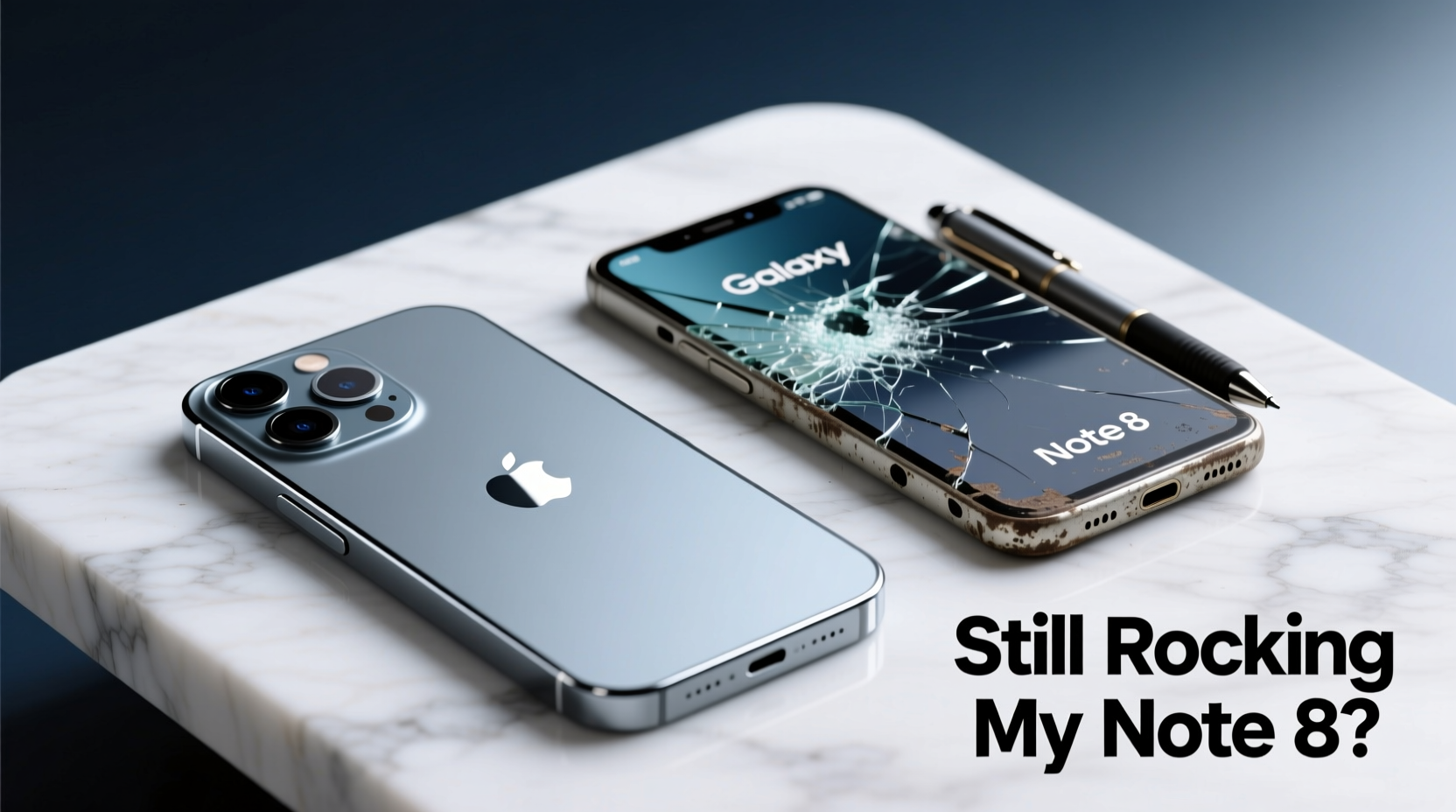
The heart of any smartphone is its processor and operating system. The Note 8 runs on the Qualcomm Snapdragon 835 (or Exynos 9810 in some regions), which was top-tier in 2017. Today, it struggles with multitasking, app launch speeds, and background processes. Apps like Instagram, WhatsApp, and even Chrome are heavier than ever, and older hardware shows strain.
In contrast, the iPhone 13 Pro Max uses Apple’s A15 Bionic chip—one of the most efficient and powerful mobile processors ever made. It handles 4K video editing, augmented reality apps, and gaming with ease. iOS 17 continues to support this model with regular security patches, feature updates, and compatibility with the latest versions of popular apps.
Software support is another critical factor. Samsung ended major Android OS updates for the Note 8 in 2020, with security patches ceasing shortly after. That means no protection against newer vulnerabilities. Apple, on the other hand, typically supports iPhones for five to six years post-release. The iPhone 13 Pro Max will likely receive updates through 2027.
Camera Quality: Night and Day Difference
Photography has evolved dramatically since 2017. The Note 8 featured a solid dual-camera setup for its time: 12MP wide and 12MP telephoto lenses. It produced good daylight photos but struggled in low light and lacked advanced computational photography.
The iPhone 13 Pro Max introduces sensor-shift stabilization, Night mode across all cameras, Cinematic mode for video, and Photographic Styles. Its triple-lens system includes ultra-wide, wide, and telephoto sensors—all significantly larger and smarter than the Note 8’s.
| Feature | Samsung Galaxy Note 8 | iPhone 13 Pro Max |
|---|---|---|
| Rear Camera Setup | Dual 12MP (f/1.7 + f/2.4) | Triple 12MP (f/1.5, f/2.8, f/1.8) |
| Low-Light Performance | Limited, no Night mode | Excellent with Night mode on all lenses |
| Video Recording | 4K @ 30fps | 4K @ 24/30/60fps + Dolby Vision HDR |
| Front Camera | 8MP, f/1.7 | 12MP, f/2.2 with Autofocus |
| Zoom Capability | 2x optical | 3x optical, 15x digital (with improved processing) |
In real-world use, the difference is stark. Whether capturing kids’ birthday parties indoors or scenic landscapes at dusk, the iPhone delivers richer detail, better dynamic range, and more consistent results. For social media creators, travelers, or anyone who values photo quality, upgrading makes a tangible difference.
“Smartphone cameras today do more than take pictures—they interpret scenes, enhance lighting, and preserve memories with cinematic depth.” — David Lin, Mobile Photography Analyst at TechScope Weekly
Battery Life & Charging: Longevity vs. Modern Efficiency
The Note 8 came with a 3,300mAh battery—respectable in 2017—but aging lithium-ion cells degrade over time. After six-plus years, even if the phone still holds a charge, capacity likely sits between 60–75% of original, meaning shorter usage periods and more frequent charging.
The iPhone 13 Pro Max packs a 4,352mAh battery and benefits from Apple’s power-efficient architecture. Real-world testing shows it lasting up to 28 hours of video playback. Most users get through a full day, even with heavy use.
Charging technology has also moved forward. The Note 8 supports fast charging (Qualcomm Quick Charge 2.0), but not wireless. The iPhone 13 Pro Max supports 20W+ fast charging, MagSafe, and Qi wireless charging—offering flexibility the Note 8 never had.
Mini Case Study: Sarah, Freelance Designer Still Using Her Note 8
Sarah bought her Note 8 in 2017 for its S Pen, which she used for sketching wireframes. She appreciated the removable microSD card and headphone jack. By 2022, she noticed her phone freezing during Zoom calls, apps crashing, and GPS lagging in navigation.
She upgraded to an iPhone 13 Pro Max and paired it with an iPad (using Apple Pencil) for design work. While she missed the physical S Pen slot, she gained seamless iCloud sync, reliable FaceTime for client meetings, and vastly improved app responsiveness. “It wasn’t just the phone,” she said. “It was how everything worked together.”
Should You Upgrade? A Practical Checklist
Before making the leap, consider these factors. Use this checklist to evaluate your readiness:
- ✅ Does your Note 8 struggle to install or run current versions of essential apps (e.g., banking, messaging)?
- ✅ Have you experienced increased battery drain—needing multiple charges per day?
- ✅ Are you unable to update to the latest OS due to lack of manufacturer support?
- ✅ Do you want better photo/video quality for memories or content creation?
- ✅ Is repair becoming difficult or costly (e.g., screen replacements, battery swaps)?
- ✅ Are you missing features like Face ID, spatial audio, or advanced health tracking?
If three or more apply, upgrading is not just beneficial—it may be necessary for productivity and digital safety.
Step-by-Step Guide to Transitioning from Note 8 to iPhone 13 Pro Max
- Back up your Note 8 data: Use Samsung Cloud or Google Drive to save contacts, messages, photos, and app data.
- Prepare your SIM card: Ensure your carrier supports eSIM or provide the correct nano-SIM size.
- Set up your iPhone: During initial setup, choose “Move Data from Android” and follow prompts via the Move to iOS app.
- Transfer media manually if needed: Connect your Note 8 to a computer and copy large photo/video libraries directly to your Mac or PC, then import into Photos on iPhone.
- Reinstall key apps: Download equivalents (e.g., OneNote instead of Samsung Notes, Google Drive instead of Samsung Cloud).
- Customize settings: Adjust display zoom, enable Dark Mode, set up Face ID, and configure notification preferences.
- Explore new features: Test Cinematic mode, Action mode video, and the ProRes recording option if you shoot video.
Frequently Asked Questions
Can I use my S Pen with an iPhone?
No, the S Pen is exclusive to Samsung devices. However, you can use third-party styluses designed for iPhone, such as Adonit or Wacom. For serious drawing, pairing your iPhone with an iPad and Apple Pencil offers a superior experience.
Is the iPhone 13 Pro Max too big compared to the Note 8?
Both phones are large, but differently shaped. The Note 8 measures 162.5mm tall; the iPhone 13 Pro Max is 160.8mm but wider and heavier (240g vs. 195g). Many users adapt quickly, especially appreciating the brighter, smoother 120Hz ProMotion display.
Will my accessories work with the new phone?
Most won’t. The iPhone uses Lightning (or USB-C in newer models), so chargers and headphones need replacement unless they’re USB-A based. Wireless earbuds like Galaxy Buds will work via Bluetooth, but without Samsung-specific features.
Final Thoughts: Time to Move Forward
Holding onto a device that’s served you well is understandable. The Note 8 was a landmark phone—well-built, innovative, and beloved by professionals and creatives alike. But technology exists to make life easier, safer, and more connected. Sticking with outdated hardware risks security breaches, poor performance, and missed opportunities.
The iPhone 13 Pro Max isn’t just faster or prettier—it’s part of a modern ecosystem that prioritizes privacy, longevity, and seamless integration across devices. Upgrading doesn’t mean abandoning what you valued; it means embracing tools that reflect how we live now.




 浙公网安备
33010002000092号
浙公网安备
33010002000092号 浙B2-20120091-4
Comments
No comments yet. Why don't you start the discussion?