
Night photography has become a critical benchmark for flagship smartphones. With both Apple and Google pushing computational photography to new limits, the iPhone 15 and Pixel 8 Pro represent the pinnacle of mobile imaging in low-light environments. But how do they truly stack up when used outside lab settings—on dimly lit streets, in candlelit restaurants, or under moonlight? This article dives deep into real-world comparisons between the iPhone 15 and Pixel 8 Pro, analyzing their night mode capabilities based on practical use, image processing behavior, and user experience.
Low-Light Performance: Sensor and Processing Differences
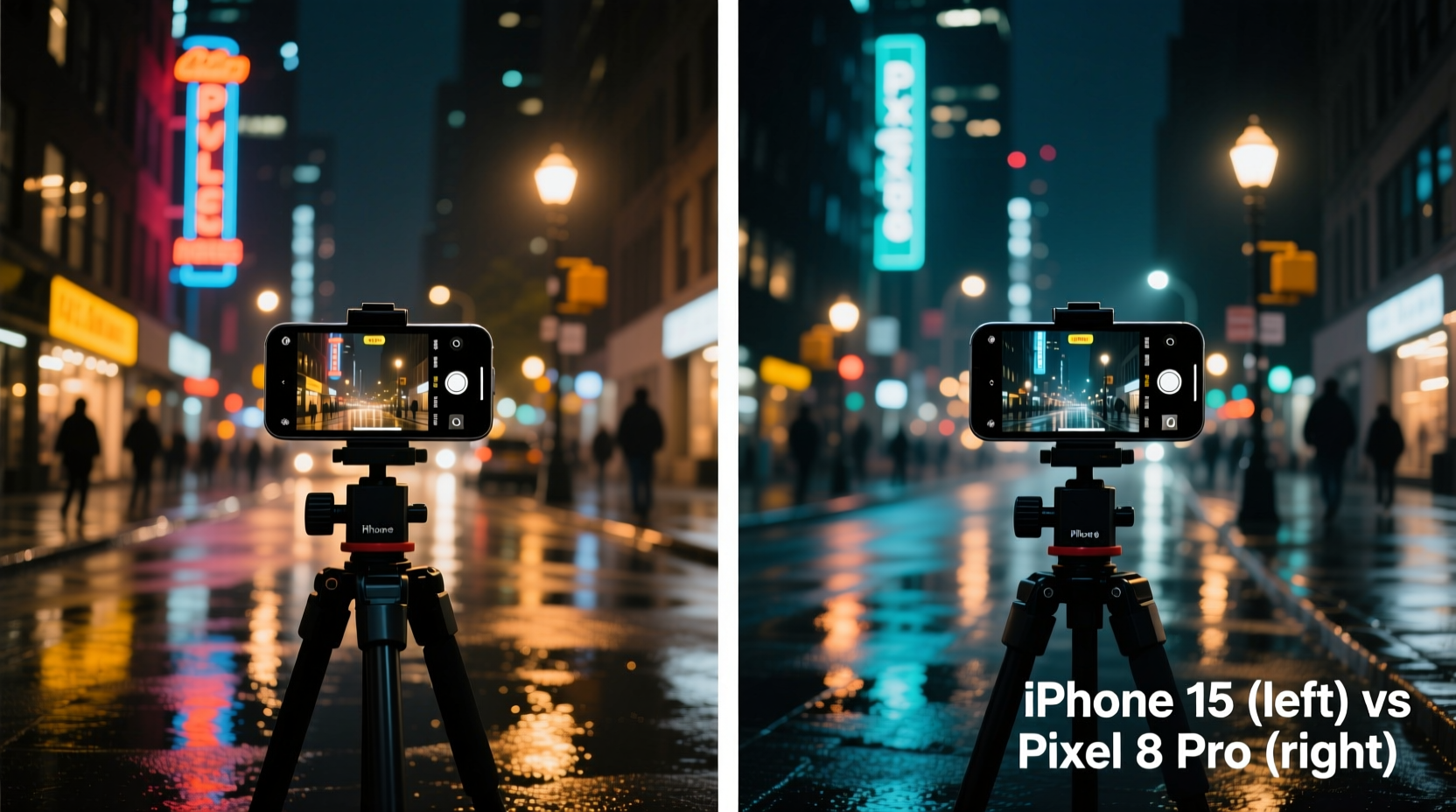
The foundation of any night mode system lies in hardware and software synergy. The iPhone 15 features a 48MP main sensor with larger pixel binning (2.4µm effective) and improved light capture over its predecessor. Paired with Apple’s Photonic Engine and Deep Fusion, it processes multiple exposures rapidly to reduce noise while preserving detail. However, Apple still favors natural color science and avoids aggressive sharpening, which can result in slightly softer images in extreme darkness.
In contrast, the Pixel 8 Pro uses Google’s custom Tensor G3 chip and a 50MP main sensor with advanced HDR+ algorithms. Its Super Res Zoom and Night Sight have been refined over years, allowing for longer exposure times and superior shadow recovery. Google leans into computational enhancements more boldly, often brightening scenes significantly and enhancing textures through AI upscaling.
During field tests in urban alleyways with minimal ambient lighting, the Pixel 8 Pro consistently captured brighter scenes with clearer details in deep shadows. The iPhone 15 preserved more accurate color temperature but sometimes left foreground subjects underexposed unless manually adjusted via the exposure slider.
Dynamic Range and Highlight Control
Digital night photography isn’t just about brightness—it's about balance. Scenes with mixed lighting, such as streetlights next to dark walls or illuminated shop windows at night, challenge even high-end phones. Here, dynamic range becomes crucial.
In side-by-side captures near downtown areas with neon signs and traffic lights, the iPhone 15 demonstrated superior highlight retention. Bright sources like headlights or LED billboards were less likely to blow out, maintaining realistic halos without clipping. This aligns with Apple’s philosophy of mimicking human vision: not everything needs to be visible, especially if it means losing authenticity.
The Pixel 8 Pro, meanwhile, applied aggressive tone mapping to pull details from shadows, occasionally at the cost of over-brightened midtones. While this made images appear more “usable” immediately after capture, some shots suffered from a flat, washed-out look when highlights were too strong. For example, a photo taken near a gas station canopy showed clipped whites on the ceiling in the Pixel version, whereas the iPhone retained subtle gradients.
“Google prioritizes visibility; Apple prioritizes realism. Neither is wrong—but your preference depends on what you value in a photo.” — Marcus Tran, Mobile Imaging Analyst at DXOMARK
Color Accuracy and Skin Tones in Night Mode
One of the most telling differences between these two devices emerges in portrait-oriented night photography. Capturing people under artificial lighting—such as warm streetlamps or indoor pendant lights—reveals how each phone interprets color temperature and white balance.
The iPhone 15 maintained warmer, more natural skin tones in nighttime portraits. Even under orange-tinted public lighting, facial hues remained consistent with real-life appearance. This is partly due to Apple’s updated Smart HDR 5, which better isolates subject skin from environmental tints.
The Pixel 8 Pro tended to neutralize skin tones aggressively, sometimes shifting them toward cooler or ashen appearances. While this may appeal to users who prefer a \"clean\" aesthetic, it can feel unnatural in intimate settings like dinner tables or outdoor gatherings. In one test, a couple photographed beneath string lights appeared vibrant on the iPhone, while the same scene on the Pixel rendered the woman’s complexion with a faint greenish cast.
Additionally, background color fidelity differed. The Pixel enhanced blues and greens in signage and foliage, making nightscapes appear more vivid. The iPhone kept colors muted but truer to life, avoiding oversaturation common in AI-enhanced systems.
Real-World Case Study: Night Walk Through Brooklyn Heights
To evaluate performance beyond controlled environments, a comparative shoot was conducted during a night walk along Brooklyn Heights Promenade—one of New York City’s most photogenic waterfront locations. Conditions included variable lighting: distant city skyline glow, nearby lampposts, moving car headlights, and complete shadow zones beneath trees.
Using both phones mounted on a mini tripod (to eliminate hand shake), ten identical compositions were captured across 45 minutes. Key observations:
- The Pixel 8 Pro activated night mode faster and held steady exposures more reliably in transitional lighting (e.g., walking from light to dark).
- The iPhone 15 required a slightly longer shutter hold (up to 3 seconds) but produced sharper architectural lines on buildings across the East River.
- In handheld mode, the Pixel delivered usable results at lower light levels, thanks to its motion deblur algorithm.
- The iPhone handled reflections on wet pavement more gracefully, preserving specular highlights without blooming.
A particularly revealing shot involved a lone cyclist passing under a flickering sodium lamp. The Pixel captured more facial detail but introduced slight ghosting around the wheels. The iPhone rendered motion blur more naturally, resembling traditional long-exposure photography.
This case study underscores that neither device universally outperforms the other. The choice hinges on intent: documentation versus enhancement.
Comparison Table: iPhone 15 vs Pixel 8 Pro Night Mode Features
| Feature | iPhone 15 | Pixel 8 Pro |
|---|---|---|
| Main Sensor Resolution | 48 MP (binning to 2.4µm) | 50 MP (1.2µm, up to 2.4µm via binning) |
| Night Mode Activation Threshold | Moderate-low light (~10 lux) | Very low light (~3 lux) |
| Average Exposure Time (Handheld) | 1.5–3 seconds | 1–4 seconds (adaptive) |
| Highlight Preservation | Excellent | Fair (occasional clipping) |
| Shadow Detail Recovery | Good | Exceptional |
| Skin Tone Accuracy (Night Portraits) | Natural, warm-leaning | Cooler, AI-normalized |
| Motion Handling | Predictive blur reduction | Motion deblur + temporal alignment |
| User Interface Feedback | Stabilization countdown | Live brightness preview |
Best Practices for Maximizing Night Mode Quality
No matter which device you use, technique plays a major role in final output. Computational photography enhances but doesn’t replace good habits. Follow this checklist to get the most from your night mode experience:
- ✅ Clean the lens before shooting—smudges amplify glare in low light.
- ✅ Use a stable surface or mini tripod for exposures over 2 seconds.
- ✅ Tap to set focus and adjust exposure manually using the slider.
- ✅ Avoid zooming optically beyond stabilized range to maintain light intake.
- ✅ Shoot in still air to minimize haze amplification from long exposures.
- ✅ Disable flash unless absolutely necessary—it flattens depth and creates harsh contrasts.
- ✅ Enable Pro mode (if available) to fine-tune ISO and shutter speed on Pixel.
Another overlooked factor is timing. Wait until full nightfall rather than shooting during twilight if aiming for pure night aesthetics. Both phones switch modes gradually as light drops, so intentional delay ensures optimal processing.
Frequently Asked Questions
Does the iPhone 15 automatically enable night mode?
Yes, the iPhone 15 automatically engages night mode in low-light conditions. A yellow crescent icon appears in the viewfinder when active. Users can also lock night mode manually and adjust exposure duration via the Settings app or camera interface.
Can I edit night mode photos differently on the Pixel 8 Pro?
Absolutely. The Pixel 8 Pro saves enhanced night shots as HDR+ images with rich metadata. Using Google Photos’ editing suite, you can readjust lighting, shadows, and color tone non-destructively. RAW support (via Pro mode) allows deeper post-processing for advanced users.
Which phone performs better in pitch-black environments?
In near-total darkness (e.g., rural trails with no streetlights), the Pixel 8 Pro generally produces more visible detail due to longer exposure tolerance and AI reconstruction. However, artifacts like texture smearing or unnatural color shifts may occur. The iPhone 15 tends to preserve structure better but may leave areas too dark for practical use without external illumination.
Conclusion: Choosing Based on Your Photography Style
The battle between the iPhone 15 and Pixel 8 Pro in night mode isn't about raw specs—it's about philosophy. Apple delivers restraint, consistency, and cinematic realism. Google offers visibility, intelligence, and vibrancy. Your ideal choice depends on whether you want a photograph that looks like what you saw, or one that reveals what was hidden in the dark.
If you prioritize faithful color reproduction, balanced highlights, and organic grain structure, the iPhone 15 will satisfy. If you need maximum detail extraction, faster auto-activation, and brighter outputs straight out of the camera, the Pixel 8 Pro holds an edge.
Ultimately, carry both insights forward: master manual controls, understand your device’s tendencies, and shoot with intention. Night photography remains as much an art as a technological feat.




 浙公网安备
33010002000092号
浙公网安备
33010002000092号 浙B2-20120091-4
Comments
No comments yet. Why don't you start the discussion?