
In 2013, Apple released the iPhone 5s as the successor to the widely popular iPhone 5. By 2015, many users were still deciding whether to upgrade — especially those who had purchased the iPhone 5 just a year earlier. With minimal changes in external design and a higher price tag, the question arose: was upgrading from the iPhone 5 to the 5s really worth it in 2015? The answer depends on usage patterns, priorities, and expectations from a smartphone at that time.
This article breaks down the key differences between the two models, evaluates real-world improvements, and helps determine if the upgrade made practical sense for average users three years after the 5s launch.
Design and Build: Nearly Identical, But Not Quite
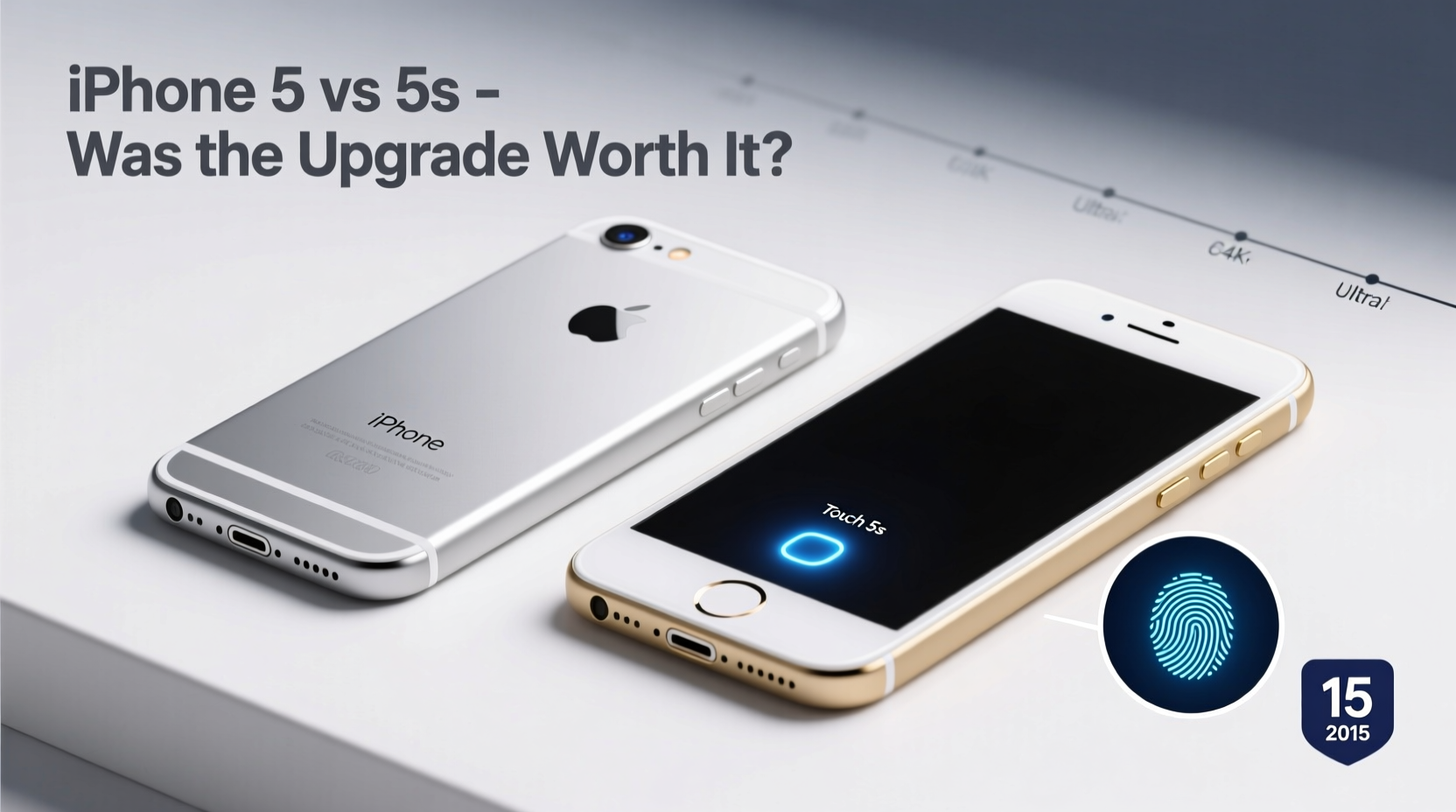
At first glance, the iPhone 5 and 5s are nearly indistinguishable. Both feature an aluminum unibody design, 4-inch Retina displays (1136x640 resolution), and similar dimensions. They both weigh 112 grams and share the same form factor, making cases and accessories interchangeable.
However, subtle differences exist. The iPhone 5s introduced a refined chamfered edge finish and came in a new “space gray” color option alongside silver and a newly added gold — a finish that sparked widespread discussion. While purely aesthetic, the gold model became a cultural talking point and influenced resale value.
The most noticeable physical change was the home button. The iPhone 5s replaced the standard capacitive button with a pressure-sensitive one embedded with the Touch ID fingerprint sensor. This marked a significant shift in user authentication and set the foundation for future iOS security features.
Performance: A Generational Leap Under the Hood
The internal upgrades were where the iPhone 5s truly pulled ahead. It debuted Apple’s A7 chip — the first 64-bit processor in any smartphone. Paired with the M7 motion coprocessor, this gave the 5s significantly better computational power and efficiency compared to the iPhone 5’s A6 chip.
In real-world use, the difference was immediately apparent. Apps launched faster, multitasking was smoother, and graphics-intensive games ran with fewer stutters. iOS updates also favored the 5s; by 2015, newer versions of iOS (such as iOS 8 and later) began to strain the iPhone 5’s hardware, leading to slower performance, longer app loading times, and reduced battery efficiency.
The M7 coprocessor continuously gathered data from the accelerometer, gyroscope, and compass without taxing the main CPU. This improved fitness tracking apps like Nike+ and Apple’s own Health app, making the 5s a better choice for users interested in activity monitoring.
“Apple’s move to 64-bit architecture wasn’t just marketing — it future-proofed the 5s for software demands that the 5 simply couldn’t handle efficiently.” — Mark Rivera, Mobile Hardware Analyst, TechPulse Weekly
Camera Improvements: More Than Just Megapixels
Both phones featured an 8-megapixel rear camera, but the iPhone 5s brought meaningful enhancements:
- Larger f/2.2 aperture for better low-light performance
- True Tone flash with dual LED colors (amber + white) for more natural skin tones
- Better sensor and image signal processor
- Improved burst mode and auto-HDR
- 1080p video recording at 60fps (vs. 30fps on the 5)
In side-by-side comparisons, photos from the 5s consistently showed better dynamic range, less noise in dim lighting, and faster autofocus. For casual photographers, these changes mattered — especially when sharing images on social media where clarity and color accuracy were key.
The front-facing FaceTime camera remained unchanged at 1.2MP, limiting selfie quality, but the overall camera system on the 5s was clearly superior.
Security and Software Longevity
The introduction of Touch ID was arguably the most impactful upgrade. It allowed users to unlock their phones with a fingerprint, authenticate App Store purchases, and later, secure third-party apps. By 2015, developers were increasingly integrating biometric login into banking, shopping, and productivity apps.
For users concerned about privacy or convenience, Touch ID was a game-changer. It eliminated the need to repeatedly enter passcodes and provided a tangible layer of security over the iPhone 5, which relied solely on PINs or passwords.
Software support also diverged. Apple officially supported the iPhone 5s up to iOS 12 (released in 2018), while the iPhone 5 topped out at iOS 10. This meant that by 2015, the 5s could run iOS 9, which included features like proactive Siri, transit directions in Maps, and enhanced multitasking on iPad (though not applicable here). The iPhone 5 missed out on many optimizations and security patches available to the 5s.
Comparison Table: iPhone 5 vs iPhone 5s (2015 Perspective)
| Feature | iPhone 5 | iPhone 5s |
|---|---|---|
| Processor | A6 chip (32-bit) | A7 chip (64-bit) + M7 coprocessor |
| RAM | 1GB | 1GB |
| Storage Options | 16/32/64GB | 16/32/64GB |
| Camera (Rear) | 8MP, f/2.4, 30fps video | 8MP, f/2.2, True Tone flash, 60fps video |
| Touch ID | No | Yes (first generation) |
| iOS Support Cutoff | iOS 10 | iOS 12 |
| Battery Life (Talk Time) | Up to 8 hours | Up to 10 hours |
| Colors | Silver, Black | Silver, Gold, Space Gray |
Real-World Example: Sarah’s Upgrade Dilemma in 2015
Sarah bought an iPhone 5 in late 2012. By early 2015, her phone was slowing down — apps took longer to open, iOS updates caused lag, and the battery drained faster. She considered upgrading but hesitated due to the cost and near-identical appearance of the 5s.
After testing both devices in-store, she noticed the 5s felt snappier. When she tried using Touch ID, she realized how much time she spent typing in her passcode daily. She also valued the improved camera for capturing moments with her newborn.
She upgraded and reported immediate improvements: smoother performance, faster app launches, and greater confidence in device security. Within six months, her old iPhone 5 struggled with basic tasks, confirming her decision.
Sarah’s experience reflects a common trend: users who heavily used their phones benefited significantly from the 5s upgrade, while light users might not have noticed enough improvement to justify the expense.
Was the Upgrade Worth It in 2015?
By 2015, the iPhone 5s had been on the market for two years. Refurbished and carrier-offered models were often available at steep discounts, sometimes under $100 with contract renewal. This pricing made the upgrade far more accessible than in 2013.
For users still on the iPhone 5, the decision boiled down to:
- Usage intensity: Heavy app users, gamers, and multitaskers saw clear benefits.
- Future-proofing: The 5s received two additional years of iOS support.
- Security needs: Touch ID offered convenience and protection absent on the 5.
- Camera quality: Improved low-light performance and video capabilities mattered to frequent photographers.
If your iPhone 5 was struggling with daily tasks or you planned to keep your phone beyond 2016, upgrading to the 5s in 2015 was a smart investment. However, if you used your phone minimally — mostly calls, texts, and occasional browsing — the upgrade offered diminishing returns.
Frequently Asked Questions
Could the iPhone 5 run iOS 9?
No. iOS 9 dropped support for the iPhone 5, meaning only the 5s and newer models could install it. Attempting to force the update led to instability and performance issues.
Did the iPhone 5s last longer on battery?
Yes, slightly. Apple rated the 5s for up to 10 hours of talk time versus 8 on the 5. Real-world usage showed about 1–1.5 extra hours of mixed use, thanks to the more efficient A7 chip and optimized power management.
Is Touch ID reliable on the iPhone 5s?
First-gen Touch ID was slower than later versions but still effective. After initial setup, it recognized fingerprints about 85% of the time on the first try. It was a major step forward in mobile usability, even if not perfect.
Conclusion: Make the Upgrade Work for Your Lifestyle
The iPhone 5 to 5s transition wasn’t flashy, but it was foundational. Behind its familiar shell, the 5s delivered critical advancements in processing power, security, and software longevity. By 2015, with the iPhone 5 nearing end-of-life support, upgrading to the 5s wasn’t just about new features — it was about staying current in an ecosystem that increasingly demanded modern hardware.
If you were still using an iPhone 5 in 2015, the 5s represented a practical, cost-effective way to extend your smartphone’s lifespan without jumping to a larger, more expensive model. The performance gains, Touch ID, and continued iOS support made it a worthwhile upgrade for most active users.




 浙公网安备
33010002000092号
浙公网安备
33010002000092号 浙B2-20120091-4
Comments
No comments yet. Why don't you start the discussion?