
For students navigating the demands of modern education—juggling lectures, research papers, collaborative projects, and digital note-taking—the right device can make a significant difference. The rise of 2-in-1 laptops has created an appealing hybrid: machines that function as both traditional clamshell laptops and touchscreen tablets. But is this flexibility genuinely useful, or are students simply paying more for a device that ends up being a heavier, less efficient tablet? The answer depends on how you work, what your courses require, and what kind of learning environment you're in.
While the concept sounds ideal—a single device that does everything—it’s important to look beyond marketing claims and assess real-world usability, durability, battery life, and software compatibility. For some students, a 2-in-1 is a game-changer. For others, it's overkill.
Understanding the 2-in-1 Laptop: What It Is (and Isn’t)
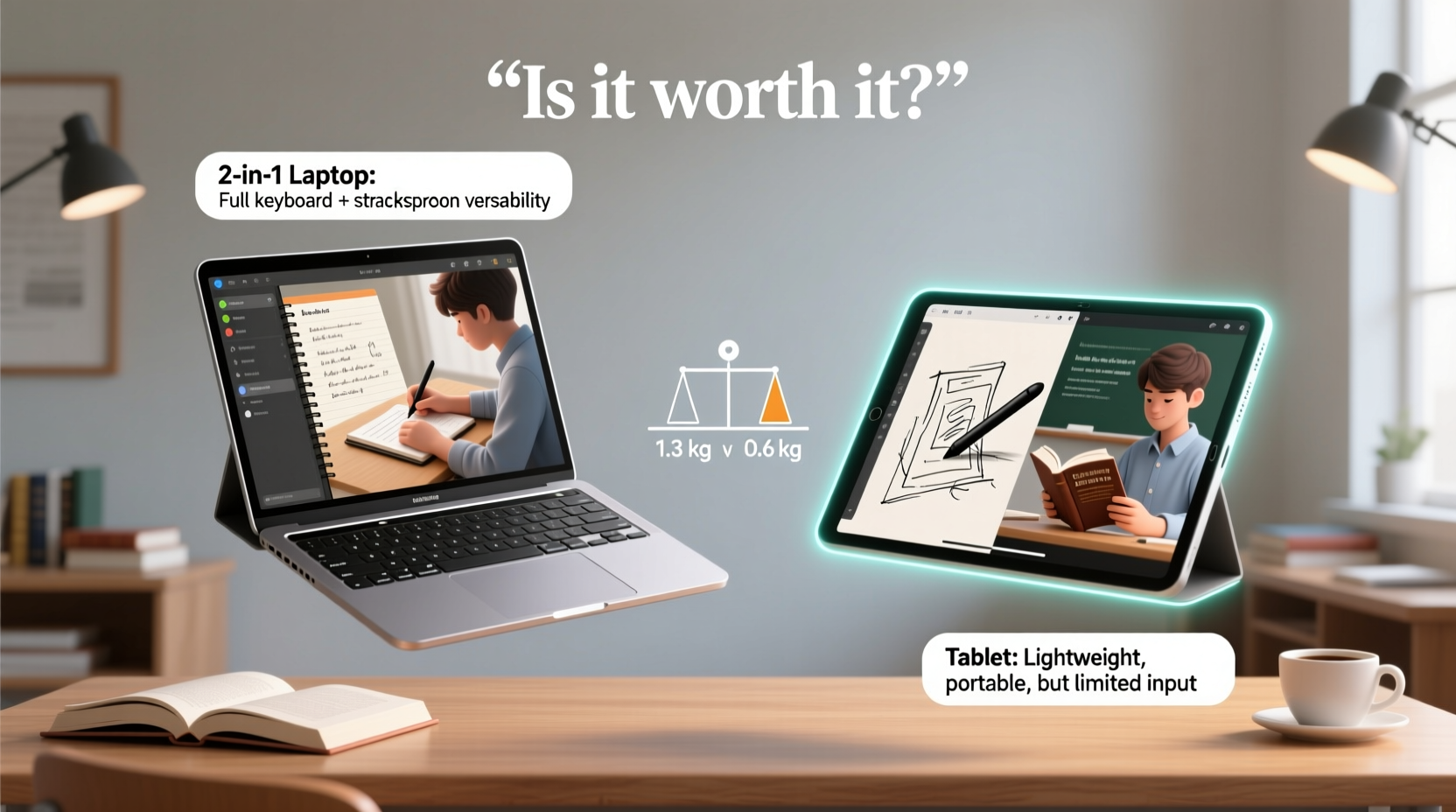
A 2-in-1 laptop blends the functionality of a notebook computer with the touch-centric experience of a tablet. There are two primary designs:
- Detachable models: The screen fully separates from the keyboard base, turning into a standalone tablet.
- Convertible (or hinge-style) models: The screen rotates 360 degrees, allowing the device to fold flat or stand in tent mode while remaining physically attached.
Both types run full operating systems like Windows or ChromeOS, giving access to desktop applications such as Microsoft Office, Adobe Creative Suite, coding environments, and academic databases. This sets them apart from standard tablets, which often run mobile OS versions with limited multitasking and file management capabilities.
However, not all 2-in-1s deliver equal performance. Entry-level models may feature underpowered processors, limited RAM, or lower-resolution displays—compromises that can hinder productivity during intensive tasks like video editing, engineering simulations, or running virtual machines.
When a 2-in-1 Shines: Real Academic Use Cases
The true value of a 2-in-1 lies in its adaptability. Students in certain disciplines benefit significantly from the dual-mode design.
In art and design programs, the ability to sketch directly on screen using a stylus transforms the device into a digital sketchpad. Architecture and engineering students can annotate blueprints or diagrams in real time during studio sessions. Medical and nursing students find value in using digital pens to mark up anatomy charts or take handwritten clinical notes during rounds.
Lectures also present a strong use case. Instead of typing verbatim, many students prefer handwriting notes, which studies suggest improves retention. A 2-in-1 allows you to open your device in tablet mode, launch a note-taking app like OneNote or Notability, and write naturally with a stylus—then switch back to laptop mode to type essays or run data analysis tools.
“Students who engage in active note-taking with pen input show deeper cognitive processing compared to passive typing.” — Dr. Linda Nguyen, Cognitive Science Researcher, University of Michigan
Moreover, group work benefits from the flexibility. During study sessions, students can pass around the device to collaborate on a shared document, rotate the screen for easier viewing, or use it as a whiteboard for brainstorming.
Where 2-in-1s Fall Short: The Trade-Offs
Despite their versatility, 2-in-1s come with notable drawbacks that can frustrate students in specific scenarios.
Weight and bulk: While marketed as portable, many convertibles end up weighing more than ultrabooks due to reinforced hinges and thicker chassis needed to support rotation. A typical 13–14” 2-in-1 weighs between 3.0 and 3.8 pounds—noticeably heavier than lightweight laptops like the MacBook Air or Dell XPS 13.
Battery life: The inclusion of high-resolution touchscreens and additional sensors often reduces battery efficiency. Many models last only 6–7 hours under mixed use, falling short of the 10+ hour endurance offered by non-touch counterparts.
Durability concerns: The 360-degree hinge is a mechanical weak point. Over time, repeated folding can lead to loosening or failure. Detachable keyboards also pose risks—losing the keyboard turns your device into a limited-function tablet unless you carry spares.
Performance compromises: To maintain thin profiles and cooling efficiency, manufacturers sometimes pair powerful CPUs with underperforming thermal solutions, leading to throttling during sustained workloads like compiling code or rendering videos.
Comparison: 2-in-1 vs. Traditional Laptop vs. Tablet
| Feature | 2-in-1 Laptop | Traditional Laptop | Standard Tablet |
|---|---|---|---|
| Keyboard Typing Experience | Fair to Good (varies by model) | Excellent | Poor (on-screen or optional) |
| Touch & Pen Input | Excellent | Poor or None | Excellent |
| Portability (Weight) | Moderate (3.0–3.8 lbs) | Good (2.5–3.2 lbs) | Excellent (1.0–1.8 lbs) |
| Battery Life | 6–8 hours | 8–12 hours | 10–14 hours |
| Software Flexibility | Full desktop OS | Full desktop OS | Mobile OS (limited apps) |
| Durability | Moderate (hinge risk) | High | Moderate (screen vulnerability) |
| Best For | Note-takers, creatives, STEM fields | Writers, coders, researchers | Casual reading, media consumption |
Mini Case Study: Sarah, Pre-Med Student at Boston University
Sarah uses a Microsoft Surface Pro 9 for her coursework. Her day begins with morning lectures where she switches her device into tablet mode, attaches the Slim Pen, and takes handwritten notes in OneNote. Diagrams of cellular structures and biochemical pathways are easier to draw than describe in text.
During lab sessions, she reattaches the Type Cover and runs statistical analysis software to process experimental data. Later, in group study, she shares her annotated notes via cloud sync and presents findings using PowerPoint in laptop mode.
“I tried using a regular tablet with a keyboard case,” she explains, “but switching between devices was clunky. With the 2-in-1, I don’t lose momentum. It’s one system, one workflow.”
However, Sarah acknowledges downsides. “The battery doesn’t last through back-to-back classes without charging. And I’m careful not to drop it—replacing the screen would cost more than half the device’s value.”
For Sarah, the trade-offs are acceptable because the core functionality aligns with her academic needs. For a student focused solely on essay writing or programming, her setup might be unnecessarily complex.
Step-by-Step Guide: Choosing the Right Device for Your Academic Needs
Before investing in a 2-in-1, follow this practical decision-making process:
- Assess your primary tasks: List your most frequent activities—note-taking, coding, video editing, reading PDFs, etc. If pen input or visual annotation is essential, a 2-in-1 makes sense.
- Evaluate your mobility needs: How often do you move between classrooms, libraries, or labs? If you carry your device all day, prioritize weight and battery life.
- Check software requirements: Does your program require specific desktop-only applications? Some engineering or finance software isn’t compatible with ARM-based or low-power devices.
- Test ergonomics: Visit a store to try typing on the keyboard and using the stylus. Ensure the screen size (11–14”) suits your comfort level.
- Compare total cost: Include accessories like styluses and keyboard covers, which are often sold separately. A $900 base model can easily exceed $1,200 with add-ons.
- Read long-term reviews: Look for feedback on hinge durability, fan noise, and thermal performance after six months of use.
FAQ: Common Questions About 2-in-1s for Students
Can a 2-in-1 replace my textbook and notebook?
Yes, for many students. With a good e-reader app and note-taking software, you can consolidate textbooks, handouts, and class notes into one device. However, some learners still prefer physical books for deep reading, and prolonged screen use can cause eye strain.
Are detachable keyboards reliable for long essays?
They vary by model. Premium options like the Surface Keyboard or Lenovo Folio offer excellent key travel and stability. Budget models or third-party accessories may feel flimsy and lack tactile feedback, making extended typing uncomfortable.
Do I need a stylus?
If you plan to annotate documents, sketch diagrams, or take handwritten notes, yes. Most 2-in-1s support active pens with pressure sensitivity and palm rejection. Passive styluses (capacitive pens) offer little advantage over fingers.
Final Verdict: Who Should Buy a 2-in-1—and Who Shouldn’t
A 2-in-1 laptop is worth it for students who actively use both computing modes. If your academic work involves visual thinking, creative projects, or hybrid workflows that blend typing and drawing, the investment pays off. Fields like architecture, medicine, design, education, and applied sciences see the highest return on this flexibility.
On the other hand, if your routine revolves around writing papers, browsing resources, coding, or spreadsheet work, a lightweight traditional laptop will likely serve you better—with superior battery life, typing comfort, and reliability.
And if all you need is a device for reading, watching lectures, and light web browsing, a standard tablet is lighter, cheaper, and lasts longer on a charge.
The danger lies in buying a 2-in-1 simply because it seems futuristic or versatile. Versatility only adds value when used. Otherwise, you’re carrying extra weight for features you rarely access.
Conclusion: Make the Choice That Fits Your Workflow
Technology should enhance your education, not complicate it. A 2-in-1 laptop isn’t inherently better or worse—it’s a tool whose effectiveness depends entirely on how well it aligns with your daily academic rhythm. Before swiping your card, ask yourself: Will I actually use the tablet mode regularly? Do I need pen input for my coursework? Can I afford the potential trade-offs in battery and durability?
For the right student, a 2-in-1 is a powerful, streamlined solution. For others, it’s a compromise disguised as convenience. Choose based on your real habits, not hypothetical ones.




 浙公网安备
33010002000092号
浙公网安备
33010002000092号 浙B2-20120091-4
Comments
No comments yet. Why don't you start the discussion?