
Walk into any esports tournament, high-end gaming setup, or YouTube streamer’s battle station, and you’ll likely see one thing in common: mechanical keyboards. The loud, tactile clack of switches has become synonymous with serious gaming. But behind the satisfying feedback and flashy RGB lighting lies a critical question—do mechanical keyboards actually improve gaming performance, or are they just stylish accessories designed to impress?
The answer isn’t as simple as “yes” or “no.” While aesthetics play a significant role in their popularity, mechanical keyboards offer tangible advantages in responsiveness, durability, and customization. However, not every gamer needs—or benefits from—all these features. Understanding the real differences between mechanical and membrane keyboards can help separate marketing hype from meaningful upgrades.
How Mechanical Keyboards Work: The Science Behind the Click
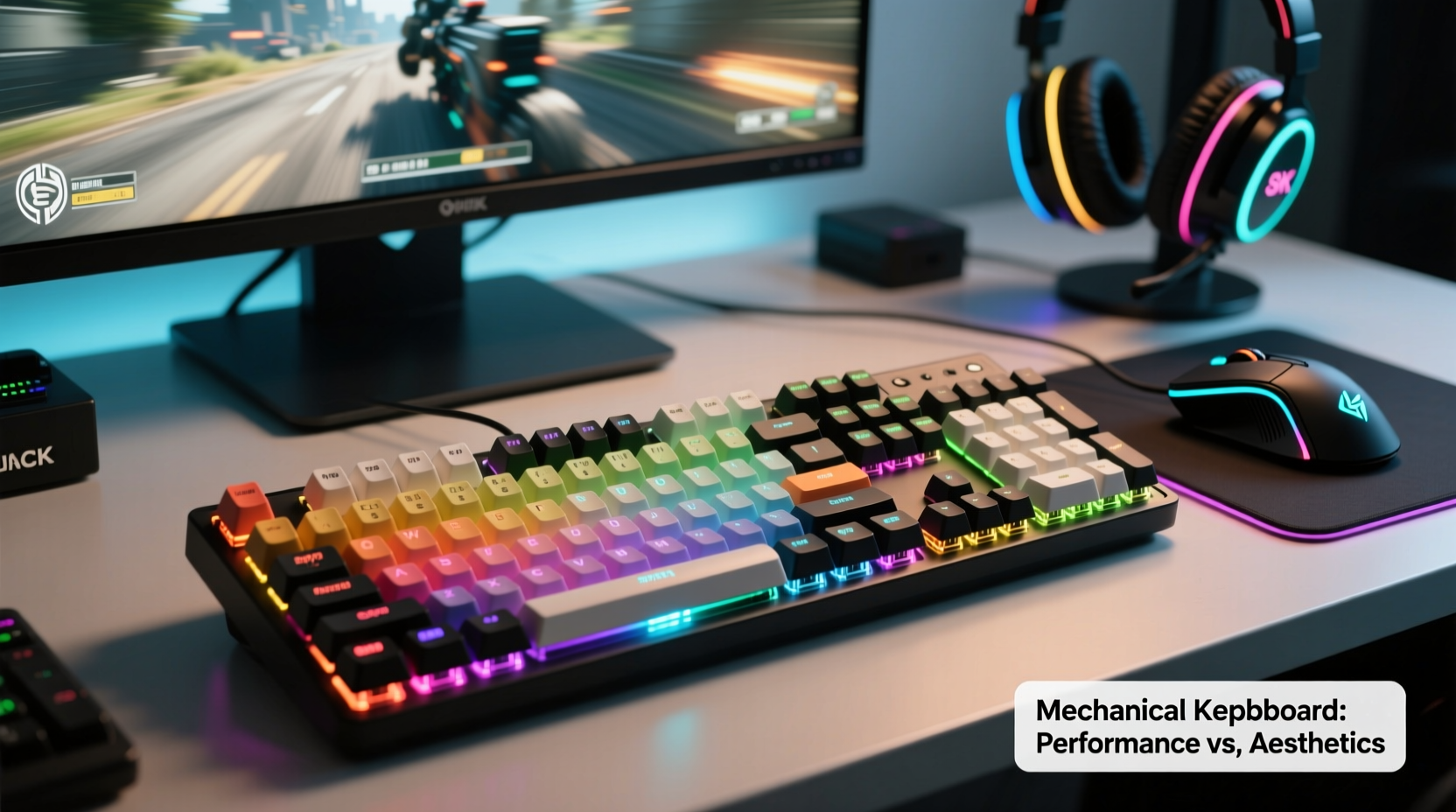
Mechanical keyboards use individual mechanical switches under each keycap. When a key is pressed, the switch completes an electrical circuit, registering the input. Unlike membrane keyboards—which rely on a single rubber dome layer beneath the keys—mechanical switches operate independently, providing consistent actuation force and tactile feedback across the board.
Each switch type (e.g., Cherry MX Red, Blue, Brown) offers different characteristics:
- Actuation point: The distance a key must be pressed before it registers. Mechanical switches typically actuate at 2mm, faster than most membrane keys.
- Tactile feedback: Some switches provide a bump or click when actuated, giving physical confirmation without bottoming out.
- Force required: Measured in centinewtons (cN), this affects how heavy or light a keystroke feels.
- Lifespan: Most mechanical switches are rated for 50 million keystrokes, compared to 5–10 million for membrane variants.
This engineering translates into more precise control—a crucial factor during fast-paced gameplay where split-second inputs determine victory or defeat.
“Mechanical keyboards aren’t just louder—they’re engineered for consistency. That predictability reduces input lag and mental fatigue over long sessions.” — Dr. Alan Park, Human-Computer Interaction Researcher, MIT Media Lab
Performance Advantages in Competitive Gaming
In competitive titles like CS:GO, Valorant, or League of Legends, milliseconds matter. Mechanical keyboards contribute to improved performance through several key mechanisms:
Faster Actuation and Reduced Bounce
Key “bounce” occurs when a switch rapidly opens and closes during actuation, potentially causing double-inputs. Mechanical switches include debounce mechanisms that minimize this effect, ensuring cleaner signal transmission. Additionally, lower actuation force and shorter travel distance mean commands reach the system quicker.
N-Key Rollover and Anti-Ghosting
Many mechanical keyboards support full N-key rollover (NKRO), meaning every keypress is registered even when multiple keys are pressed simultaneously. This is essential for complex combos or movement + ability inputs in MOBAs and MMOs. Membrane keyboards often cap at 6-key rollover, increasing the risk of missed inputs.
Consistency Across the Board
Because each switch functions independently, there’s no degradation in performance based on where you press. On cheaper membrane boards, pressing keys near the edge may require more force or fail to register. With mechanical switches, every keystroke feels identical—critical for muscle memory development.
Aesthetic Appeal vs. Functional Value
No one denies that mechanical keyboards look—and sound—cool. Custom keycaps, programmable RGB lighting, aluminum frames, and audible clicks create a sensory experience that goes beyond utility. But does this aesthetic value overshadow actual functionality?
For casual gamers or those who prioritize quiet environments, the visual appeal might outweigh practical gains. However, for enthusiasts, the aesthetic elements often enhance usability:
- Custom keycaps improve grip and finger placement.
- RGB zones allow quick identification of macros or modes during gameplay.
- Programmable keys streamline inventory management in RPGs or hotkey-heavy strategy games.
The danger arises when users choose a loud, flashy keyboard solely for social media appeal without considering ergonomics or switch type. A poorly chosen switch (like noisy Cherry MX Blues) in a shared living space can lead to discomfort and distraction—not just for the user, but for everyone nearby.
Real Example: A Streamer’s Setup Dilemma
Consider Sarah, a mid-tier Twitch streamer playing World of Warcraft. She upgraded to a vibrant, blue-switch mechanical keyboard because her favorite influencer used one. Initially thrilled by the crisp sound and rainbow lighting, she soon noticed issues. Her roommate complained about noise during late-night raids, and after eight-hour streaming marathons, her fingers ached from the constant clicking.
She eventually switched to a quieter linear switch (Cherry MX Reds) with dampened stabilizers and O-rings to reduce sound. The new board retained the durability and precision she needed but eliminated unnecessary strain. Her gameplay didn’t change drastically—but her comfort and sustainability did.
This illustrates a key point: aesthetics should complement function, not replace it.
Comparative Analysis: Mechanical vs. Membrane vs. Hybrid
| Feature | Mechanical | Membrane | Hybrid (Scissor/Silent Mechanicals) |
|---|---|---|---|
| Lifespan | 50M+ keystrokes | 5–10M keystrokes | 20–30M keystrokes |
| Actuation Speed | Fast (1.2–2mm) | Slower (2–4mm) | Moderate (1.5–2.2mm) |
| Tactile Feedback | High (varies by switch) | Low | Medium |
| Noise Level | Loud to moderate | Quiet | Quiet to moderate |
| Price Range | $70–$250+ | $20–$60 | $50–$120 |
| Best For | Competitive gaming, typists | Casual use, office work | Balanced performance, quieter setups |
While mechanical keyboards dominate in longevity and responsiveness, hybrids are closing the gap—especially models using optical-mechanical switches that use light beams instead of metal contacts, reducing wear and enabling faster resets.
Choosing the Right Switch: A Step-by-Step Guide
Selecting a mechanical keyboard isn’t just about brand or color. The switch type defines your entire typing and gaming experience. Follow this timeline to make an informed decision:
- Assess your environment (Day 1): Will you use the keyboard in a shared space? If so, avoid loud tactile or clicky switches like Blues or Greens.
- Determine primary use (Day 2): Are you mostly gaming, typing, or both? Gamers often prefer linear switches (Reds, Speed Silvers); typists may favor tactile ones (Browns, Clears).
- Test before buying (Day 3–7): Visit a tech store or order a switch tester kit ($15–$25) to feel different types firsthand.
- Consider modding potential (Day 8): Does the keyboard support lubing, switch swapping, or plate mounting? Enthusiasts value these features for long-term customization.
- Finalize budget and layout (Day 9–10): Decide between full-size, TKL (tenkeyless), or 60% layouts based on desk space and macro needs.
Frequently Asked Questions
Do mechanical keyboards reduce input lag?
Not significantly in terms of electronic latency—both modern mechanical and membrane keyboards connect via USB with negligible delay. However, mechanical switches often have faster actuation points and better debounce logic, which can result in *perceived* responsiveness. In practice, this means your inputs feel snappier and more reliable during rapid sequences.
Are mechanical keyboards worth it for casual gamers?
It depends on priorities. If you play casually for a few hours a week, a quality membrane or hybrid keyboard may suffice. But if you value durability, customization, and a premium feel, investing in a mechanical model—even a mid-range one—can enhance long-term satisfaction. Think of it like upgrading from sneakers to running shoes: not essential, but beneficial over time.
Can I replace switches on my mechanical keyboard?
Yes—if the board uses hot-swappable sockets. Many newer models allow switch replacement without soldering. Always check compatibility (e.g., 3-pin vs. 5-pin) and ensure your tools are ESD-safe to avoid damaging components.
Action Plan: How to Decide What’s Right for You
Before purchasing a mechanical keyboard, complete this checklist to align your choice with your lifestyle and goals:
- ✅ Identify your main use case: gaming, productivity, or both?
- ✅ Evaluate your environment: Do you need a quiet keyboard?
- ✅ Determine your budget: Entry-level ($70–$100) or premium ($150+)?
- ✅ Choose a switch type: Linear (smooth), Tactile (bump), or Clicky (audible)?
- ✅ Select a layout: Full-size, TKL, 75%, or compact 60%?
- ✅ Prioritize features: RGB, wireless, programmability, build material?
- ✅ Read reviews and watch hands-on videos from trusted sources.
Remember, the best keyboard isn’t the most expensive or loudest—it’s the one that supports your habits without getting in the way.
Conclusion: Beyond the Hype, There’s Real Value
So, is a mechanical keyboard really better for gaming, or is it just aesthetic? The truth lies in the details. While the striking appearance and satisfying sound contribute heavily to their allure, mechanical keyboards also deliver measurable improvements in actuation consistency, durability, and input accuracy—advantages that matter in competitive scenarios and extended use.
But value is personal. For a professional esports player, the marginal gains justify the investment. For a student playing Minecraft after class, a sleek membrane keyboard might be perfectly adequate. The key is intentionality: choosing hardware based on how you play, not just how it looks on camera.




 浙公网安备
33010002000092号
浙公网安备
33010002000092号 浙B2-20120091-4
Comments
No comments yet. Why don't you start the discussion?