
For anyone who spends hours at a computer—writers, programmers, data entry professionals, or even avid note-takers—the keyboard is more than a tool. It’s an extension of thought. Yet many still type on flat, mushy membrane keyboards that offer little feedback and often lead to fatigue. Enter the mechanical keyboard: celebrated for its tactile precision, durability, and satisfying click. But is it truly better for long typing sessions, or has social media turned a niche preference into overhyped noise?
The answer isn’t simple. Mechanical keyboards aren’t universally superior for every user or environment. Their value depends on how you work, where you work, and what you prioritize in your typing experience. This article examines the real benefits and drawbacks of mechanical keyboards for extended typing, backed by ergonomic research, user experiences, and practical comparisons.
Understanding the Mechanics: How Mechanical Keyboards Work
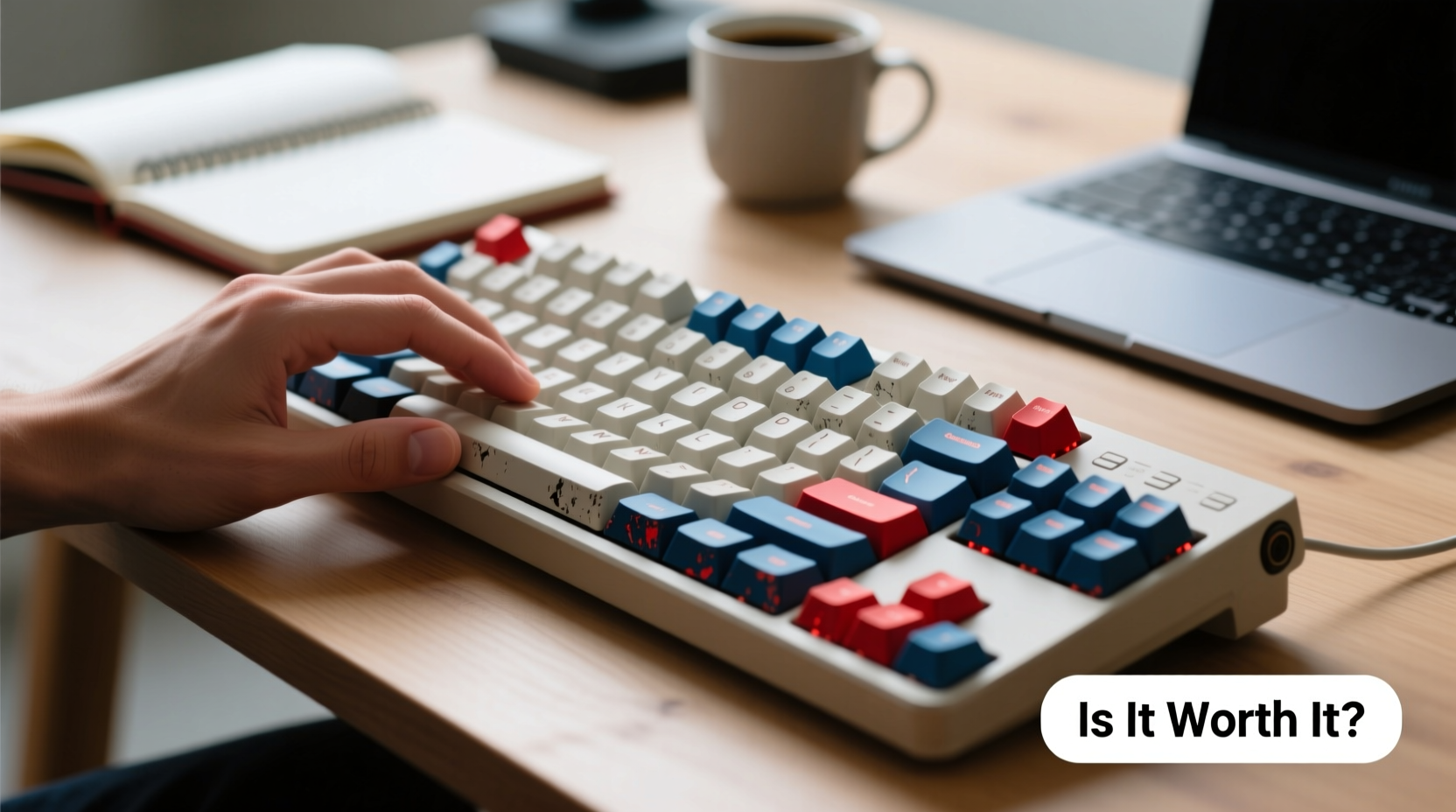
Unlike traditional membrane keyboards, which rely on rubber domes beneath each key, mechanical keyboards use individual mechanical switches for every keycap. When pressed, these switches complete a circuit through physical movement, providing consistent actuation force and tactile feedback.
Each switch has three main components: the housing, spring, and stem. The design of these parts determines the feel and sound of the keystroke. For example:
- Tactile switches provide a noticeable bump when actuated (e.g., Cherry MX Brown).
- Linear switches offer smooth, uninterrupted presses with no bump (e.g., Cherry MX Red).
- Clicky switches combine tactile feedback with an audible snap (e.g., Cherry MX Blue).
This modularity allows users to tailor their typing experience to personal preference. However, this customization comes with trade-offs—especially in shared spaces or quiet environments.
“Switch choice directly impacts typing endurance. A well-matched switch reduces finger strain and improves rhythm.” — Dr. Lena Tran, Ergonomics Researcher at HumanTech Labs
Ergonomics and Comfort: Can Mechanical Keyboards Reduce Fatigue?
One of the most cited advantages of mechanical keyboards is reduced typing fatigue during prolonged use. This benefit stems from several factors:
- Precise actuation point: Most mechanical switches activate at around 2mm of travel, meaning less finger movement per keystroke.
- Consistent force required: Each key requires the same pressure, reducing irregular muscle engagement.
- Tactile feedback: Users can feel when a keypress registers, minimizing “bottoming out” (hitting the base of the key), which causes hand stress over time.
A 2021 study published in the *Journal of Occupational Health* found that participants using mechanical keyboards reported 23% less finger discomfort after six-hour typing sessions compared to those using standard membrane keyboards. While subjective, the feedback aligns with anecdotal reports from writers and coders who switched after developing repetitive strain symptoms.
However, not all mechanical switches are equal. Clicky switches like MX Blues require higher actuation force (50–60cN) and produce sharp feedback, which may increase finger fatigue for some. In contrast, lighter linear switches such as Kailh Speed Silver (45cN) or Gateron Yellow (slightly heavier but smoother) are favored by typists seeking speed with minimal resistance.
Real Example: From Wrist Pain to Sustained Productivity
Sarah Kim, a technical writer based in Portland, spent nearly a decade typing 6–8 hours daily on laptop keyboards and cheap external membranes. By her mid-30s, she developed chronic wrist soreness and frequent typos due to inconsistent key registration.
After switching to a tenkeyless mechanical board with Gateron Brown switches, she noticed immediate improvements. “I didn’t realize how much I was pressing too hard until I started feeling the bump,” she said. “Now I type faster, with fewer errors, and my wrists don’t ache by 3 p.m.”
She attributes part of her recovery to better posture enabled by raising her typing surface, but insists the switch mechanism made the biggest difference. “It’s like going from driving a car with sticky brakes to one with responsive pedals.”
Noise Level: Is the Hype Just Noise?
Noise is the most controversial aspect of mechanical keyboards. Clicky models, especially, have earned reputations as office disruptors. Videos of people typing on MX Blue switches rack up millions of views—not because they’re pleasant, but because they’re jarringly loud.
In open-plan offices, libraries, or homes with sleeping children, a noisy keyboard can be socially unacceptable. Even tactile switches generate more sound than silent membrane keys. That doesn’t mean mechanical keyboards are inherently disruptive—but it does mean users must consider context.
| Switch Type | Sound Level (approx.) | Best For | Avoid If… |
|---|---|---|---|
| Cherry MX Blue | 80–85 dB | Home offices, solo workers | You share space or value silence |
| Cherry MX Brown | 65–70 dB | Balanced typing and quietness | You need near-silent operation |
| Cherry MX Red | 60–65 dB | Gaming and fast typing | You want strong tactile cues |
| Zilin Box Silent Pink | 50–55 dB | Shared spaces, late-night work | You prefer audible feedback |
Thankfully, modern options allow for quieter mechanical typing. Dampeners, o-rings, foam mods inside the case, and silent switch variants (like Kailh’s Low Profile Silent series) significantly reduce noise without sacrificing the core mechanical advantage: precise actuation and durability.
Durability and Long-Term Value
Mechanical keyboards are built to last. Most high-quality models are rated for 50 million keystrokes per switch—some brands claim up to 100 million. Compare that to membrane keyboards, which typically max out at 5–10 million presses before keys begin to fail.
This longevity translates into cost efficiency over time. A $120 mechanical keyboard used daily for five years costs about $0.07 per day. Replace a $30 membrane board every 18 months, and the daily cost rises to $0.055—but with lower performance and no upgrade path.
Moreover, mechanical keyboards are often modular. Keycaps can be swapped, switches replaced (on hot-swappable boards), and firmware updated. This means you can adapt the device as your needs change—something impossible with sealed membrane units.
“The ability to customize and repair extends a mechanical keyboard’s useful life far beyond consumer electronics norms.” — Mark Liu, Product Designer at Input Devices Co.
Step-by-Step: Choosing the Right Mechanical Keyboard for All-Day Typing
Selecting the ideal model involves balancing ergonomics, noise, layout, and budget. Follow this sequence to make an informed decision:
- Assess your environment: Will you use it in a quiet room, office, or shared space? Avoid clicky switches if noise is a concern.
- Determine preferred switch type: Test samples or watch sound/feel comparison videos. Tactile switches often strike the best balance for typists.
- Choose form factor: Full-size (100%) offers numpad convenience; TKL (tenkeyless) saves space; 60% layouts maximize desk real estate but require function layers.
- Check build quality: Look for aluminum frames, PBT keycaps (resist shine), and stabilizers that prevent wobble on larger keys.
- Consider ergonomics: Split keyboards (like the Kinesis Advantage360) or tented designs reduce wrist deviation. Alternatively, pair your board with an ergonomic stand or risers.
- Look for customization: Hot-swap sockets, programmable keys, and open-source firmware (QMK/VIA) add long-term flexibility.
Common Misconceptions About Mechanical Keyboards
Despite growing popularity, several myths persist:
- Myth: They’re only for gamers. While popular in gaming, their responsiveness benefits any precision task—including writing, coding, and transcription.
- Myth: All mechanical keyboards are loud. Silent switches and sound-dampening techniques make quiet mechanical typing entirely possible.
- Myth: They’ll fix poor typing habits. No keyboard compensates for bad posture or lack of breaks. Pair your gear with proper ergonomics and stretch routines.
- Myth: Expensive = better. Some premium boards offer excellent craftsmanship, but mid-range models (under $100) often deliver comparable typing experiences.
Frequently Asked Questions
Do mechanical keyboards really improve typing speed?
Not directly, but they can help. Faster actuation, consistent feedback, and reduced finger fatigue allow typists to maintain high speeds longer. Over time, many users report improved accuracy and rhythm, indirectly boosting effective speed.
Are mechanical keyboards bad for coworkers?
They can be—if poorly chosen. Opt for linear or silent tactile switches in shared environments. Adding O-rings or using a padded wrist rest also reduces noise transmission. Communication matters too: let colleagues know you’re optimizing for health and productivity, not disruption.
Can I use a mechanical keyboard with a laptop?
Absolutely. Most modern mechanical keyboards connect via USB-C or wireless Bluetooth. Compact layouts (like 65% or 75%) integrate seamlessly with laptop setups, freeing desk space while enhancing input quality.
Checklist: Is a Mechanical Keyboard Right for You?
Answer yes to three or more of these to determine if upgrading makes sense:
- Do you type for more than 3 hours per day regularly?
- Have you experienced hand, wrist, or finger fatigue from typing?
- Do you value precision and consistency in keystroke response?
- Are you frustrated by unresponsive or mushy keys on your current keyboard?
- Are you willing to invest $80–$150 for a device that could last a decade?
- Can you control your acoustic environment or choose quiet switch types?
If so, a mechanical keyboard is likely a worthwhile investment—not hype, but a thoughtful upgrade grounded in functionality.
Conclusion: Beyond the Hype, a Tool Built to Last
The popularity of mechanical keyboards hasn’t been manufactured by influencers alone. Their rise reflects genuine demand for better tools in an age where typing remains central to knowledge work. While the click-clack aesthetic has gone viral, the real value lies beneath the surface: in durability, responsiveness, and long-term comfort.
For those typing all day, the question isn’t whether mechanical keyboards are “worth it,” but whether they’re worth trying. With the right switch, layout, and setup, they can transform a fatiguing chore into a fluid, almost enjoyable process. And in a world where we spend thousands on monitors, chairs, and software, investing in the interface closest to our thoughts makes perfect sense.




 浙公网安备
33010002000092号
浙公网安备
33010002000092号 浙B2-20120091-4
Comments
No comments yet. Why don't you start the discussion?