
The front door lock has long been the first line of defense for homes. For generations, mechanical keys provided a reliable—and familiar—way to secure property. But as homes grow smarter, so do their locks. Smart locks now promise convenience through smartphone access, remote entry, and integration with home automation systems. Yet this shift raises a critical question: Are we trading physical security for digital vulnerability? Is a smart lock actually safer than a traditional key—or is it simply a new playground for hackers?
This article examines both sides of the debate, comparing the real-world strengths and weaknesses of smart locks and traditional keyed systems. It also offers practical guidance on how to maximize safety regardless of which system you choose.
Understanding the Security Models
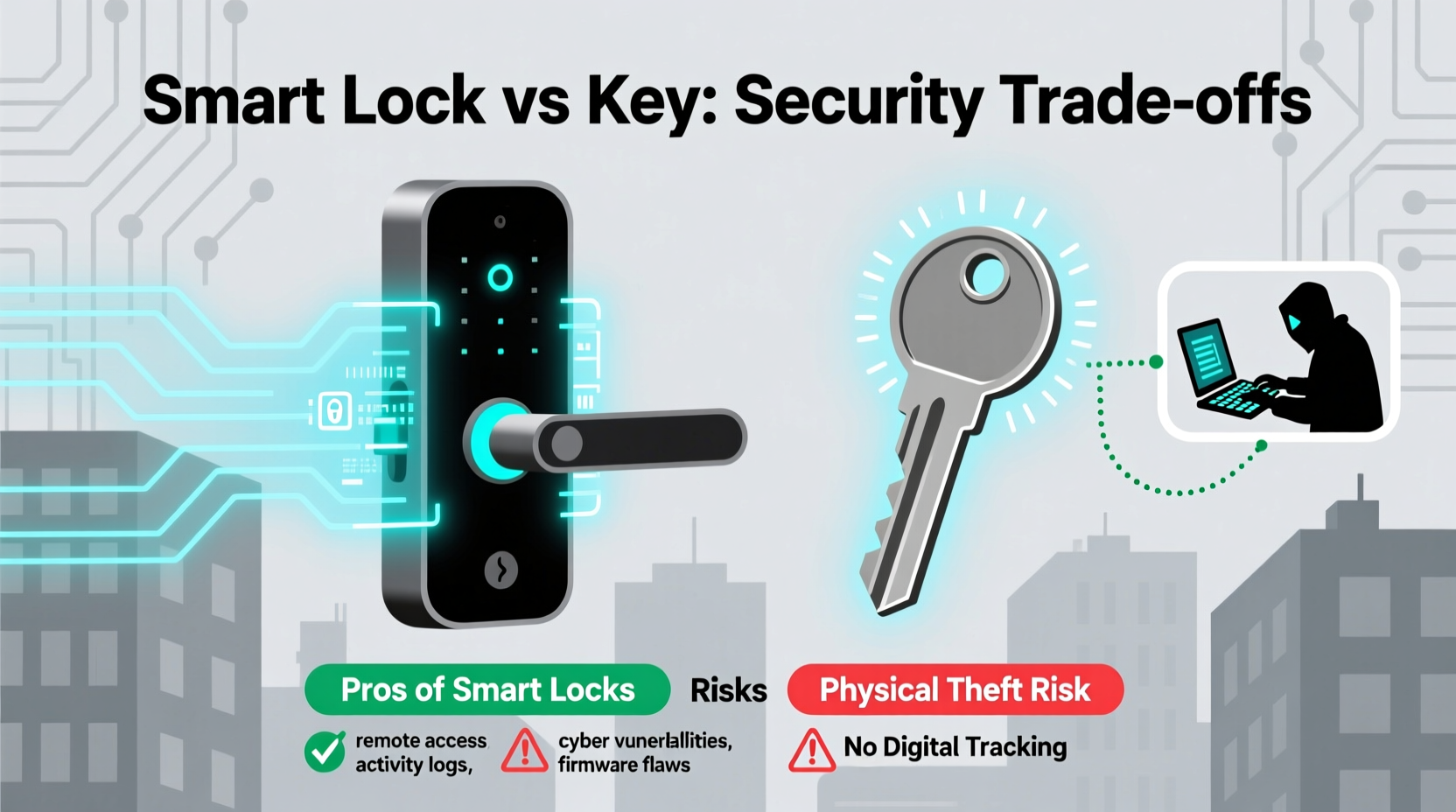
Traditional locks rely on physical mechanisms—pins, tumblers, and levers—that only respond to the correct key shape. Their security depends on lock quality, cylinder design, and resistance to picking or forced entry. High-security models like Medeco or Mul-T-Lock use patented designs and restricted keyways to reduce unauthorized duplication.
Smart locks, by contrast, combine mechanical components with electronic controls. They use Bluetooth, Wi-Fi, or Z-Wave to communicate with smartphones, voice assistants, or cloud services. Access can be granted via PIN codes, biometrics, mobile apps, or even geolocation. While they still have a physical bolt mechanism, their interface introduces digital vulnerabilities not present in traditional locks.
The core difference lies in attack vectors. A traditional lock is vulnerable to physical tampering—bumping, drilling, or lock snapping. A smart lock opens up additional threats: wireless interception, software exploits, account breaches, and firmware manipulation.
Advantages of Smart Locks
Despite the risks, smart locks offer compelling benefits that go beyond convenience:
- Remote Access: Grant temporary access to guests, cleaners, or contractors without handing over a physical key.
- Activity Logs: See who entered and when, helping track access patterns and detect suspicious behavior.
- No Lost Keys: Eliminate the risk of misplaced keys being found or copied.
- Auto-Locking: Many models automatically lock after a set time, reducing human error.
- Integration: Work with smart home platforms like Apple HomeKit, Google Home, or Amazon Alexa for voice control and automation.
Vulnerabilities of Smart Locks
While smart locks improve usability, they expand the threat surface. Common vulnerabilities include:
- Wi-Fi/Bluetooth Hacking: Attackers within range may intercept signals or perform replay attacks.
- Firmware Flaws: Poorly coded software can contain exploitable bugs allowing unauthorized access.
- Account Takeover: Weak passwords or lack of two-factor authentication (2FA) can lead to stolen credentials.
- Power Failure: If the lock’s battery dies and there’s no backup method, you could be locked out—or worse, allow forced entry.
- Cloud Dependency: Some models require constant internet connectivity; if the service goes down, so does access.
In 2020, researchers at the cybersecurity firm Pen Test Partners discovered serious flaws in several popular smart locks. One model allowed attackers to bypass authentication entirely using a simple script sent over Bluetooth. Another used predictable PIN codes generated from user data. These findings underscore that not all smart locks are created equal.
“Smart locks are only as secure as their weakest link—often the app, cloud service, or user habits.” — Dr. Lena Patel, Cybersecurity Researcher at MITRE Corporation
Comparing Real-World Risks: Key vs. Smart Lock
To assess overall safety, it helps to compare typical attack scenarios and likelihoods. The table below summarizes key differences:
| Threat | Traditional Lock Risk | Smart Lock Risk | Mitigation Strategy |
|---|---|---|---|
| Lock Picking | Medium to High (depends on lock quality) | Low to Medium (mechanical component still present) | Use high-security cylinders; anti-pick pins |
| Key Duplication | High (keys can be copied without owner knowledge) | Very Low (digital access logs every entry) | Control key distribution; use restricted keyways |
| Hacking (Remote) | Negligible | Medium (especially with poor setup) | Enable 2FA; update firmware regularly |
| Physical Tampering | High (drilling, snapping) | High (same mechanical vulnerabilities) | Install anti-snap shields; reinforce door frames |
| User Error | High (forgetting to lock) | Low (auto-lock features reduce risk) | Train household members; set reminders |
| Data Privacy | N/A | Medium (logs stored in cloud; potential misuse) | Review privacy policy; disable unnecessary data sharing |
Interestingly, while smart locks introduce cyber risks, they often reduce certain physical risks—like forgotten locks or unauthorized key copies. However, they demand more technical diligence from users.
Real-World Example: The Seattle Rental Hack
In 2021, a vacation rental host in Seattle reported an alarming incident. A guest had gained access to the property days before their reservation began. The host checked the smart lock’s activity log and saw an unfamiliar phone unlock the door remotely. Investigation revealed the guest had found the previous tenant’s login details posted in a public Facebook group dedicated to Airbnb hacks.
The host had never reset the lock’s admin credentials after changing tenants. The old account remained active, and its password was weak and widely shared. Though no theft occurred, the breach highlighted two failures: poor credential hygiene and lack of regular device resets.
This case illustrates that smart lock security isn’t just about technology—it’s about user behavior. Even the most advanced lock can be compromised by a single oversight.
Best Practices for Secure Smart Lock Use
If you choose a smart lock, following these steps can significantly reduce risk:
- Purchase Reputable Brands: Stick with manufacturers known for strong security, such as August, Yale, or Schlage. Avoid off-brand models from unknown vendors.
- Enable Two-Factor Authentication: Protect your account with 2FA to prevent unauthorized logins.
- Update Firmware Regularly: Manufacturers issue patches for discovered vulnerabilities—keep your lock updated.
- Use Strong, Unique Passwords: Never reuse passwords across accounts. Consider a password manager.
- Limit Cloud Reliance: Choose models that support local control so you’re not dependent on internet connectivity.
- Reset After Tenants or Guests: When someone moves out or loses access, factory reset the lock and remove their credentials.
- Disable Unused Features: Turn off voice assistant integrations or remote access if you don’t need them.
Checklist: Securing Your Smart Lock
- ✅ Choose a lock with local encryption (not just cloud-based)
- ✅ Set up two-factor authentication on your account
- ✅ Change default usernames and passwords immediately
- ✅ Review access logs weekly for unusual activity
- ✅ Install a physical deadbolt as backup
- ✅ Keep firmware updated automatically if possible
- ✅ Disable Bluetooth when not in use (on some models)
When a Traditional Key Might Be Safer
Despite their limitations, traditional locks remain a solid choice in many situations:
- No Internet Dependency: They work during power outages or network failures.
- No Software Updates Needed: Once installed correctly, they require minimal maintenance.
- Less Targeted by Tech-Savvy Criminals: Most burglars still prefer brute force over hacking.
- Lower Cost: High-security mechanical locks are often cheaper than premium smart models.
For low-tech households or areas with unreliable internet, a high-quality deadbolt remains a dependable option. According to FBI crime statistics, fewer than 5% of break-ins involve any form of digital intrusion. Most residential burglaries occur through unlocked doors, windows, or forced entry—regardless of lock type.
Hybrid Approach: Best of Both Worlds
Many homeowners opt for a hybrid solution: a smart lock paired with a traditional deadbolt. This provides electronic convenience while maintaining mechanical redundancy. For example, a keypad smart lock can handle daily access, while a separate keyed deadbolt adds a physical barrier that must be manually engaged.
Some modern smart locks even include built-in alarms or motion detection, alerting you to tampering attempts. When integrated with security cameras or alarm systems, they become part of a broader protection strategy.
Frequently Asked Questions
Can smart locks be hacked easily?
Most reputable smart locks are difficult to hack under normal conditions. However, vulnerabilities exist—especially in older models or those with weak passwords and outdated firmware. The risk increases if the associated app or cloud service has poor security. Regular updates and strong account practices greatly reduce exposure.
Are keyless entry systems more secure than keys?
They offer different types of security. Keyless systems eliminate lost keys and provide access tracking, but introduce digital risks. In terms of overall protection, a well-maintained smart lock with strong user habits is generally more secure than a standard keyed lock. However, a high-security mechanical lock (e.g., bump-resistant) in a reinforced door may still outperform a poorly configured smart model.
What happens if my smart lock battery dies?
Most smart locks include emergency power options—such as a 9V battery terminal or USB-C port—to temporarily power the device. Many also retain a physical key override. Always keep spare batteries on hand and monitor battery alerts. Sudden failure shouldn’t leave you stranded if you plan ahead.
Conclusion: Security Is a System, Not a Single Device
The question isn't whether smart locks are inherently safer than keys—it's whether you're using them safely. Technology doesn't replace responsibility; it shifts where vigilance is needed. A smart lock in the hands of a careless user is far riskier than a basic deadbolt managed thoughtfully.
Security today requires a layered approach: strong hardware, updated software, good digital hygiene, and awareness of real-world threats. Whether you choose a key or a code, the strongest lock is the one paired with informed habits.
If you're considering a smart lock, invest time in research, setup, and ongoing maintenance. Treat your digital access like your bank account—protect it fiercely. And remember: no lock is impenetrable, but consistent care makes your home a much less appealing target.




 浙公网安备
33010002000092号
浙公网安备
33010002000092号 浙B2-20120091-4
Comments
No comments yet. Why don't you start the discussion?