
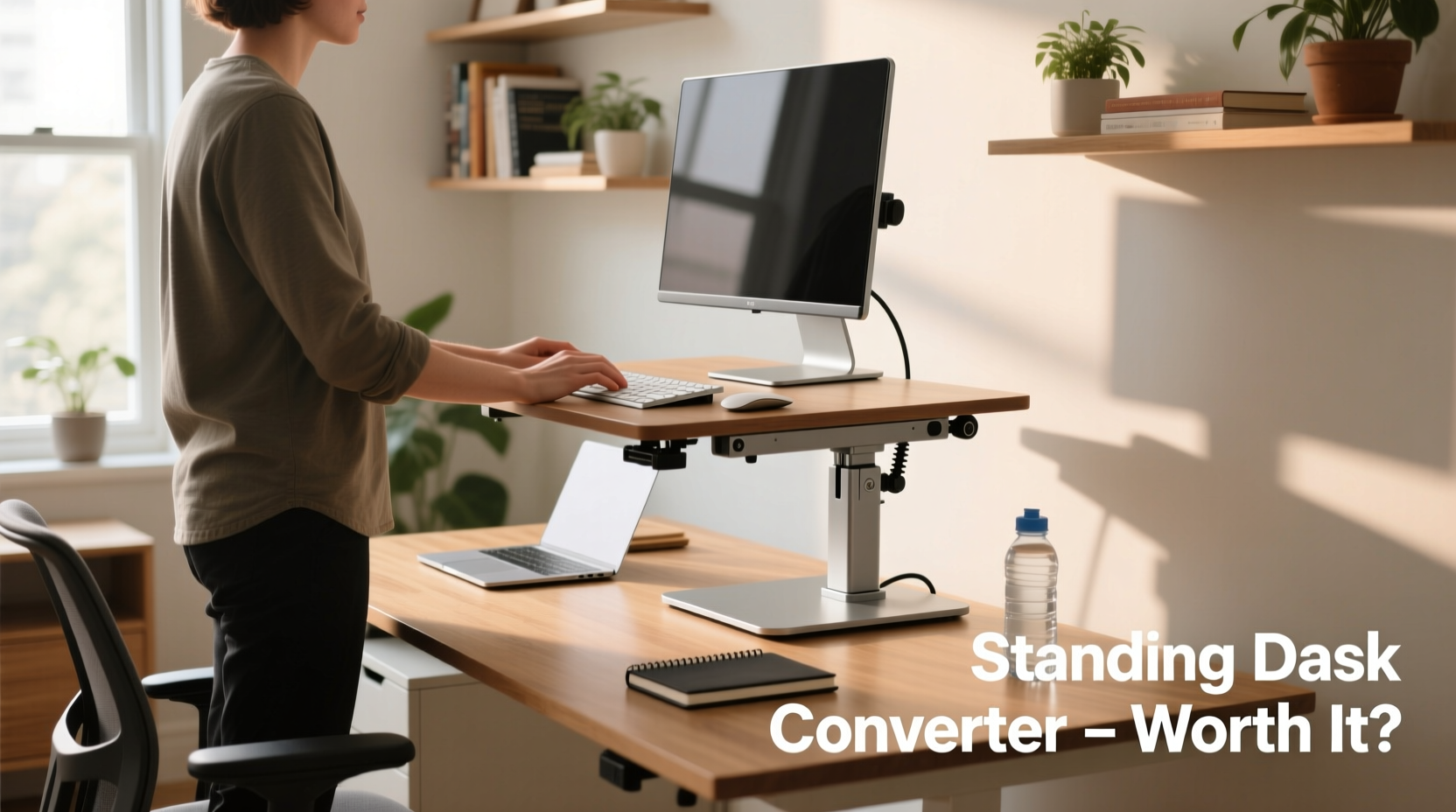
Sitting for prolonged periods has become an unavoidable part of modern work life. With most office jobs requiring hours in front of a screen, the physical toll can accumulate silently—lower back pain, poor posture, reduced circulation, and even increased risk of chronic conditions like heart disease and type 2 diabetes. As awareness grows, many professionals are exploring ways to introduce movement into their day without overhauling their workspace. One popular solution is the standing desk converter: a device that sits on top of an existing desk and allows users to switch between sitting and standing positions.
If you already have a fully functional office setup—a reliable chair, monitor at eye level, keyboard, and mouse—the idea of adding another piece of equipment might seem redundant or even wasteful. But is that assumption accurate? For those questioning whether a standing desk converter justifies the investment, the answer depends on individual needs, health goals, and long-term work habits. This article examines the practicality, benefits, drawbacks, and real-world value of integrating a standing desk converter into an established workspace.
The Health Case for Alternating Postures
Research consistently shows that prolonged sitting is associated with negative health outcomes. A 2019 study published in the Annals of Internal Medicine found that individuals who sat for more than eight hours a day with no physical activity had a mortality risk comparable to that of smoking or obesity. While standing all day isn’t the solution—prolonged standing brings its own risks, such as varicose veins and joint strain—the key lies in variation.
Alternating between sitting and standing throughout the day supports better blood flow, reduces spinal compression, and engages postural muscles that remain dormant during extended sitting. The American Medical Association recommends breaking up sedentary time every 30 to 60 minutes. A standing desk converter makes this feasible without requiring a full-time standing desk or rearranging your entire office.
“Movement is medicine. Even small shifts in posture can significantly reduce musculoskeletal stress over time.” — Dr. Lena Torres, Occupational Health Specialist
Cost vs. Value: Standing Desk Converter vs. Full Standing Desk
One of the primary reasons people hesitate to adopt a standing workstation is cost. A high-quality electric sit-stand desk can range from $400 to over $1,000, not including shipping or assembly. In contrast, most standing desk converters fall between $150 and $400, making them a more accessible entry point.
Moreover, replacing an entire desk means discarding a functional piece of furniture. If your current desk is spacious, well-organized, and ergonomically positioned (e.g., near outlets, within reach of peripherals), replacing it may create more disruption than benefit. A converter preserves your existing investment while upgrading functionality.
| Feature | Standing Desk Converter | Full Sit-Stand Desk |
|---|---|---|
| Average Cost | $150–$400 | $400–$1,200+ |
| Installation Time | 10–20 minutes | 30–90 minutes |
| Floor Space Required | Same as current desk | Potentially different footprint |
| Mobility | Easy to move or remove | Bulky; hard to relocate |
| Ergonomic Flexibility | Adjusts height quickly | Full range, but fixed base |
The table highlights how converters offer a balance of affordability, convenience, and adaptability. For remote workers using a spare room or shared space, the ability to remove or reposition the converter when not in use adds significant value.
Real-World Use: A Mini Case Study
Consider Mark, a software developer working remotely from a home office. His setup includes a wooden desk, dual monitors mounted on arms, a mechanical keyboard, and an ergonomic chair—all carefully arranged over two years. After developing persistent lower back discomfort, he explored solutions. Buying a new desk would mean dismantling his monitor arms, recalibrating cable management, and potentially losing optimal screen alignment.
Instead, Mark purchased a clamp-on standing desk converter with enough width to accommodate both monitors. Installation took 15 minutes. He programmed reminders to stand for 15 minutes every hour. Within three weeks, he reported improved energy levels and reduced stiffness. After two months, his back pain decreased significantly. Importantly, he didn’t sacrifice any element of his existing setup—he simply enhanced it.
This scenario reflects a growing trend: professionals optimizing rather than replacing. The converter became a seamless addition, not a disruptive overhaul.
Key Factors to Consider Before Buying
Not every office environment or user will benefit equally from a standing desk converter. Several factors determine whether the upgrade makes sense for your situation.
- Available Desk Space: Converters require at least 24 inches of depth and sufficient surface area. Overcrowded desks may not support smooth operation.
- Weight Capacity: Ensure the model supports the combined weight of your monitors, laptop, and accessories. Most mid-range units handle 20–30 lbs.
- Lifting Mechanism: Pneumatic (gas spring) models offer smoother transitions than manual crank systems. Electric options exist but are less common in converters.
- Cable Management: Look for built-in channels or clips to prevent cords from tangling during height adjustments.
- Stability: Wobble can cause eye strain and typing inaccuracies. Read reviews focusing on stability at maximum height.
Additionally, consider your daily workflow. If you frequently collaborate via video calls or need constant access to printed materials, frequent transitions may interrupt focus. Conversely, roles involving deep concentration—writing, coding, design—often benefit from periodic standing breaks that refresh mental clarity.
Step-by-Step Guide to Integrating a Converter Into Your Setup
Adopting a standing desk converter successfully involves more than unboxing and assembling. To maximize comfort and effectiveness, follow this timeline:
- Week 1 – Assessment & Adjustment: Install the converter and spend 10–15 minutes per day standing. Adjust monitor height, keyboard position, and lighting. Note any glare or reach issues.
- Week 2 – Gradual Increase: Extend standing sessions to 30 minutes total per day, broken into 10-minute intervals. Use a timer or smartwatch alert.
- Week 3 – Routine Integration: Aim for 1–2 hours of standing across the workday. Pair standing periods with low-cognitive tasks (emails, calls) to ease adaptation.
- Week 4 – Optimization: Evaluate comfort and productivity. Add an anti-fatigue mat if needed. Refine transition frequency based on energy levels and posture feedback.
- Ongoing – Maintenance: Clean dust from lift mechanisms monthly. Check clamp tightness every few weeks to prevent slippage.
This phased approach prevents burnout and allows your body to adapt gradually. Rushing into full-day standing often leads to foot pain or fatigue, undermining long-term adoption.
Common Misconceptions About Standing Desk Converters
Several myths deter people from trying these devices:
- Myth: They’re only for people with back problems. While beneficial for those with musculoskeletal issues, converters also serve preventive health. Regular posture changes reduce cumulative strain.
- Myth: Standing burns massive calories. Reality: Standing burns about 0.15 more calories per minute than sitting. The real benefit is metabolic activation, not weight loss.
- Myth: Once installed, you must use them daily. Flexibility is the point. Some days may call for more sitting; others allow longer standing stretches.
The goal isn’t to eliminate sitting but to reduce uninterrupted sedentary time. Even modest use—standing during phone calls or while reading documents—adds up over weeks.
Checklist: Is a Standing Desk Converter Right for You?
Before purchasing, ask yourself the following:
- ✅ Do I sit for more than 6 hours a day without meaningful breaks?
- ✅ Have I experienced stiffness, backache, or circulation issues after work?
- ✅ Is my current desk stable, spacious, and unlikely to be replaced soon?
- ✅ Am I willing to commit to small habit changes (e.g., setting reminders)?
- ✅ Can I allocate $150–$400 toward workplace wellness?
- ✅ Do I prefer incremental upgrades over full replacements?
If you answered “yes” to most of these, a standing desk converter is likely a worthwhile investment.
Frequently Asked Questions
Can I use a standing desk converter with a dual-monitor setup?
Yes, provided the converter is wide enough and rated for the combined weight. Look for models at least 35 inches wide with a capacity of 25+ lbs. Monitor arms can help maintain flexibility in positioning.
Will a converter damage my desk surface?
Most use clamps with protective padding. However, repeated tightening or use on delicate finishes (e.g., lacquered wood) may leave marks. Consider a desktop mat or alternative mounting options if concerned.
How long do standing desk converters last?
With proper care, quality models last 5–7 years. Gas lifts may lose pressure over time, but reputable brands offer warranties of 3–5 years. Avoid exposing mechanisms to excessive dust or moisture.
Conclusion: An Upgrade That Respects Your Existing Investment
A standing desk converter isn’t a magic fix, nor is it essential for everyone. But for professionals already equipped with a functional office setup, it represents one of the most cost-effective, non-disruptive ways to improve long-term health and comfort. It leverages what you already have while introducing meaningful change.
The true value lies not in standing more, but in moving more. By enabling seamless transitions between postures, converters support dynamic workstyles that align with how human bodies function best. When chosen wisely and used consistently, they bridge the gap between comfort and wellness without demanding a complete reset.




 浙公网安备
33010002000092号
浙公网安备
33010002000092号 浙B2-20120091-4
Comments
No comments yet. Why don't you start the discussion?