
Sedentary office work has long been linked to chronic health issues—back pain, poor circulation, increased risk of cardiovascular disease, and even reduced life expectancy. As awareness grows, many professionals are turning to standing desks as a solution. But what if you don’t want—or can’t realistically manage—to stand all day? Enter the standing desk converter: a flexible upgrade that allows users to switch between sitting and standing without replacing their entire workspace. The question remains: is investing in one worthwhile if you plan to stand only part time?
The short answer is yes—for most people, a standing desk converter delivers tangible benefits even with limited daily use. The key lies in understanding how partial standing impacts your body, how to use the converter effectively, and whether the long-term advantages justify the upfront cost.
Why Part-Time Standing Matters More Than You Think
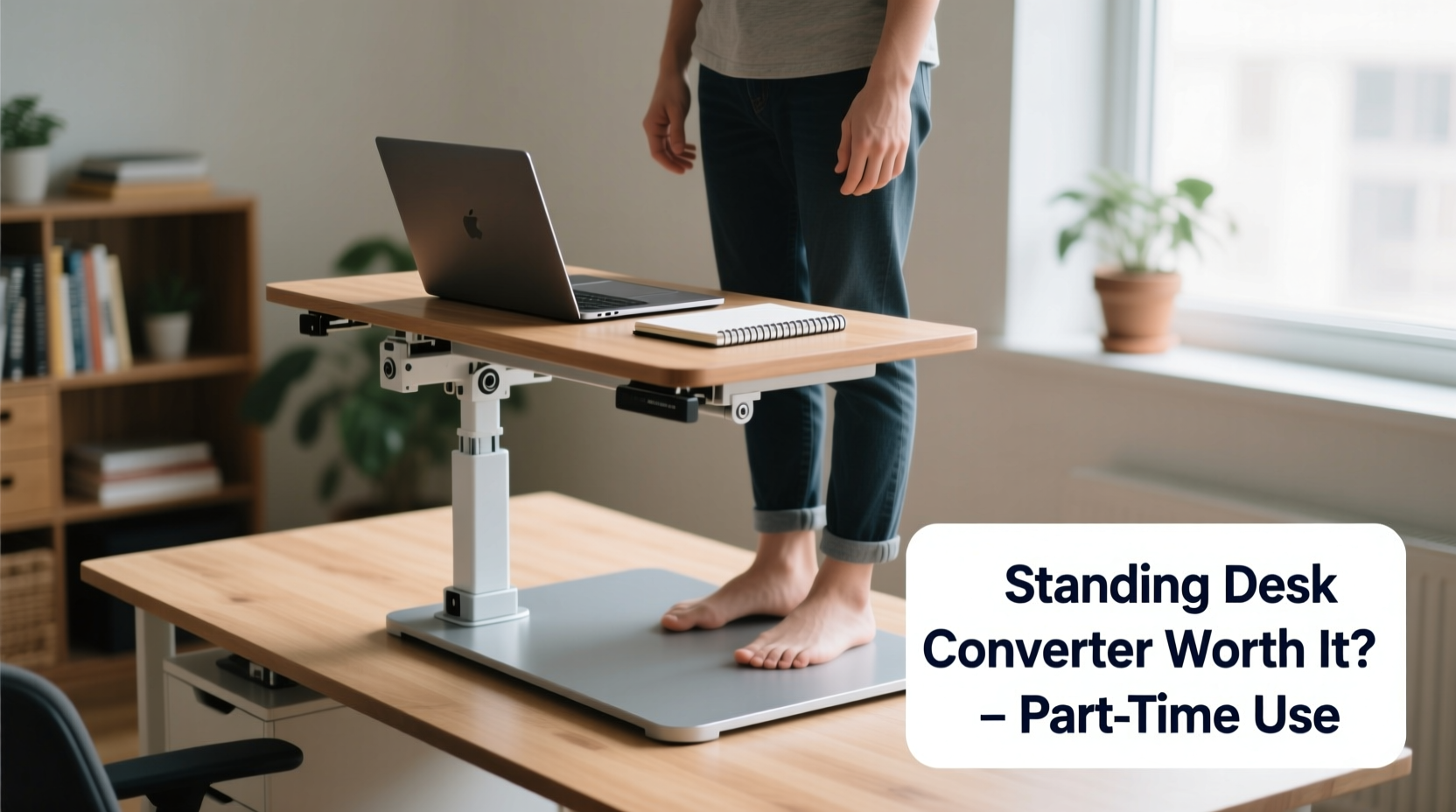
You don’t need to stand for eight hours straight to reap the rewards of an upright posture. Research shows that breaking up prolonged sitting—even with just 5 to 10 minutes of standing every hour—can significantly improve metabolic function, reduce spinal compression, and enhance focus. A study published in the *European Heart Journal* found that alternating between sitting and standing throughout the workday lowered blood sugar spikes by 43% after meals compared to continuous sitting.
This intermittent approach aligns perfectly with how most people actually use standing desk converters. Instead of committing to full-time standing, users typically alternate positions based on energy levels, task type, or comfort. For example, someone might stand during phone calls, brainstorming sessions, or while reviewing documents, then sit during deep-focus writing tasks.
“Even modest increases in non-sitting time can lead to meaningful improvements in musculoskeletal comfort and energy regulation.” — Dr. Laura Chen, Ergonomics Researcher at Cornell University’s Human Factors and Ergonomics Lab
The human body thrives on movement variation. Remaining static—whether seated or standing—for extended periods leads to stiffness, fatigue, and muscle imbalances. A converter encourages dynamic postures, which is more beneficial than any single “ideal” position.
Health Benefits of Using a Converter Part Time
Standing occasionally may seem like a minor change, but over weeks and months, the cumulative effects are substantial:
- Reduced Lower Back Pain: Prolonged sitting compresses lumbar discs and tightens hip flexors. Standing intermittently relieves pressure and activates core stabilizers.
- Better Circulation: Gravity assists blood flow when upright, reducing leg swelling and lowering the risk of deep vein thrombosis (DVT), especially in remote workers who move less.
- Improved Posture Awareness: Transitioning between positions makes you more mindful of slouching or hunching, leading to better overall alignment.
- Moderate Calorie Burn: While not a substitute for exercise, standing burns about 0.15 more calories per minute than sitting. Over a year, this could amount to several pounds of prevented weight gain.
- Enhanced Cognitive Function: Increased oxygen flow from improved circulation can boost alertness and concentration, particularly during afternoon slumps.
Cost vs. Value: Is the Investment Justified?
Standing desk converters range from $100 for basic models to over $500 for motorized, heavy-duty versions. This raises a valid concern: can such a device be cost-effective if used only part time?
The answer depends on three factors: longevity, versatility, and indirect savings.
First, quality converters last 5–7 years with regular use. Even at $200, that’s less than $40 per year—an affordable investment compared to medical costs associated with chronic back pain or repetitive strain injuries.
Second, unlike full standing desks, converters are highly portable. They can be moved between home offices, shared workspaces, or even taken to client meetings. This flexibility increases utility beyond a single workstation.
Third, consider indirect value. Reduced absenteeism due to improved comfort, fewer ergonomic accessories needed (like specialized chairs), and higher productivity add up over time. One tech company reported a 12% drop in employee-reported musculoskeletal complaints within six months of offering subsidized converters.
| Factor | Full Standing Desk | Standing Desk Converter |
|---|---|---|
| Average Cost | $400–$1,000+ | $100–$500 |
| Installation Complexity | High (replaces entire desk) | Low (clamps or sits on current desk) |
| Portability | None | High |
| Ideal for Part-Time Use | No (designed for frequent transitions) | Yes (built specifically for hybrid use) |
| Lifespan | 7–10 years | 5–7 years |
Real-World Example: How Sarah Balanced Comfort and Productivity
Sarah, a freelance graphic designer working from her apartment, struggled with lower back pain after transitioning to remote work. Her dining table doubled as a desk, and she often worked 10-hour stretches without moving. After researching solutions, she purchased a mid-range standing desk converter for $220.
She didn’t aim to stand all day. Instead, she followed a simple rhythm: stand during client calls and creative sessions, sit while editing files or responding to emails. She started with 10-minute intervals and gradually built up to 2–3 hours of total standing per day.
Within four weeks, Sarah noticed less stiffness, improved sleep, and fewer mid-afternoon energy crashes. She also appreciated being able to pack up the converter easily when guests visited. For her, the device wasn’t about eliminating sitting—it was about introducing healthy variety into her routine.
“It paid for itself in comfort,” she said. “I didn’t need to buy a new chair or pay for massage therapy every month anymore.”
How to Maximize Your Converter’s Effectiveness (Step-by-Step Guide)
Simply owning a converter isn’t enough. To get real value from part-time use, follow this practical sequence:
- Assess Your Current Setup: Measure your desk depth and monitor height. Ensure there's enough clearance for the converter and that your wrists remain level with your elbows when typing.
- Choose the Right Model: Opt for a spring-assist or dual-motor lift depending on your equipment weight. If you use multiple monitors or heavy laptops, prioritize load capacity.
- Set Up Ergonomically: When standing, your screen should be at eye level, about an arm’s length away. Keep your arms at 90 degrees and feet shoulder-width apart.
- Create a Transition Schedule: Use a timer or app to prompt shifts. Begin with 15 minutes standing per hour, increasing by 5-minute increments weekly until you find your optimal balance.
- Pair With Supportive Accessories: Use an anti-fatigue mat and wear supportive shoes. These small additions prevent discomfort and encourage longer standing sessions.
- Track Your Experience: Keep a log for two weeks noting energy levels, pain points, and focus. Adjust timing and posture based on observations.
Common Myths About Part-Time Standing
Misconceptions often deter people from trying converters. Let’s clarify a few:
- Myth: Standing burns massive calories.
Reality: It helps, but not dramatically. Don’t expect weight loss without diet and exercise. - Myth: You must stand for hours to benefit.
Reality: Short bursts are effective. Consistency matters more than duration. - Myth: Converters are unstable or wobbly.
Reality: Higher-quality models offer excellent stability. Read reviews and check weight ratings. - Myth: Sitting is inherently bad.
Reality: Sitting isn’t the enemy—lack of movement is. The goal is variation, not elimination.
Frequently Asked Questions
Can I use a standing desk converter on any desk?
Most clamp-on models require at least 2 inches of overhang and a desk thickness under 3 inches. If your surface is glass or too thin, look for a freestanding model that rests on the desktop rather than clamping.
How much standing is enough to see benefits?
Studies suggest at least 2 hours of standing or light activity per workday, broken into intervals. Even 30–60 minutes spread across the day improves circulation and reduces spinal load.
Will a converter damage my existing desk?
Clamp models may leave marks on softer woods. Use felt pads or opt for a platform-style converter that doesn’t require clamping. Always follow manufacturer guidelines for installation.
Final Checklist Before Buying
- ✅ Measure your desk dimensions and available space
- ✅ Confirm weight capacity matches your setup (monitors, laptop, keyboard tray)
- ✅ Decide between manual lift (spring-assist) or electric motor
- ✅ Check return policy and warranty (aim for at least 3 years)
- ✅ Read user reviews focusing on stability and ease of adjustment
- ✅ Budget for an anti-fatigue mat and proper footwear
Conclusion: Small Change, Lasting Impact
A standing desk converter doesn’t demand a lifestyle overhaul. It offers a low-barrier entry into healthier work habits, making it ideal for those who want to stand part time. Whether you’re on your feet for 30 minutes or three hours a day, the act of changing posture regularly combats the hidden dangers of sedentary work.
The investment pays off not in dramatic transformations, but in subtle, sustained improvements—less back pain, sharper focus, and greater physical resilience. If you’ve hesitated because you don’t plan to stand all day, reconsider. The power of a converter lies precisely in its flexibility. It meets you where you are, supports gradual change, and adapts to your evolving needs.




 浙公网安备
33010002000092号
浙公网安备
33010002000092号 浙B2-20120091-4
Comments
No comments yet. Why don't you start the discussion?