
In today’s hybrid work environment, optimizing your home or office desk setup is more important than ever. As awareness of sedentary lifestyle risks grows, many professionals are exploring ways to incorporate movement into their day. One popular solution is the standing desk converter—a device that sits atop your current desk and allows you to switch between sitting and standing positions without replacing your entire workspace.
But here’s the catch: these units take up valuable surface area. For those working in compact spaces or using already crowded desks, adding another layer of hardware raises a legitimate question—**is a standing desk converter worth the space it occupies?** The answer isn’t universal. It depends on your physical needs, work habits, spatial constraints, and long-term health goals.
This article examines the practical trade-offs of integrating a standing desk converter into an existing setup. From ergonomic benefits to spatial compromises, we’ll explore what really matters when deciding whether this addition earns its place on your desk.
Evaluating the Health Benefits of Standing Desks
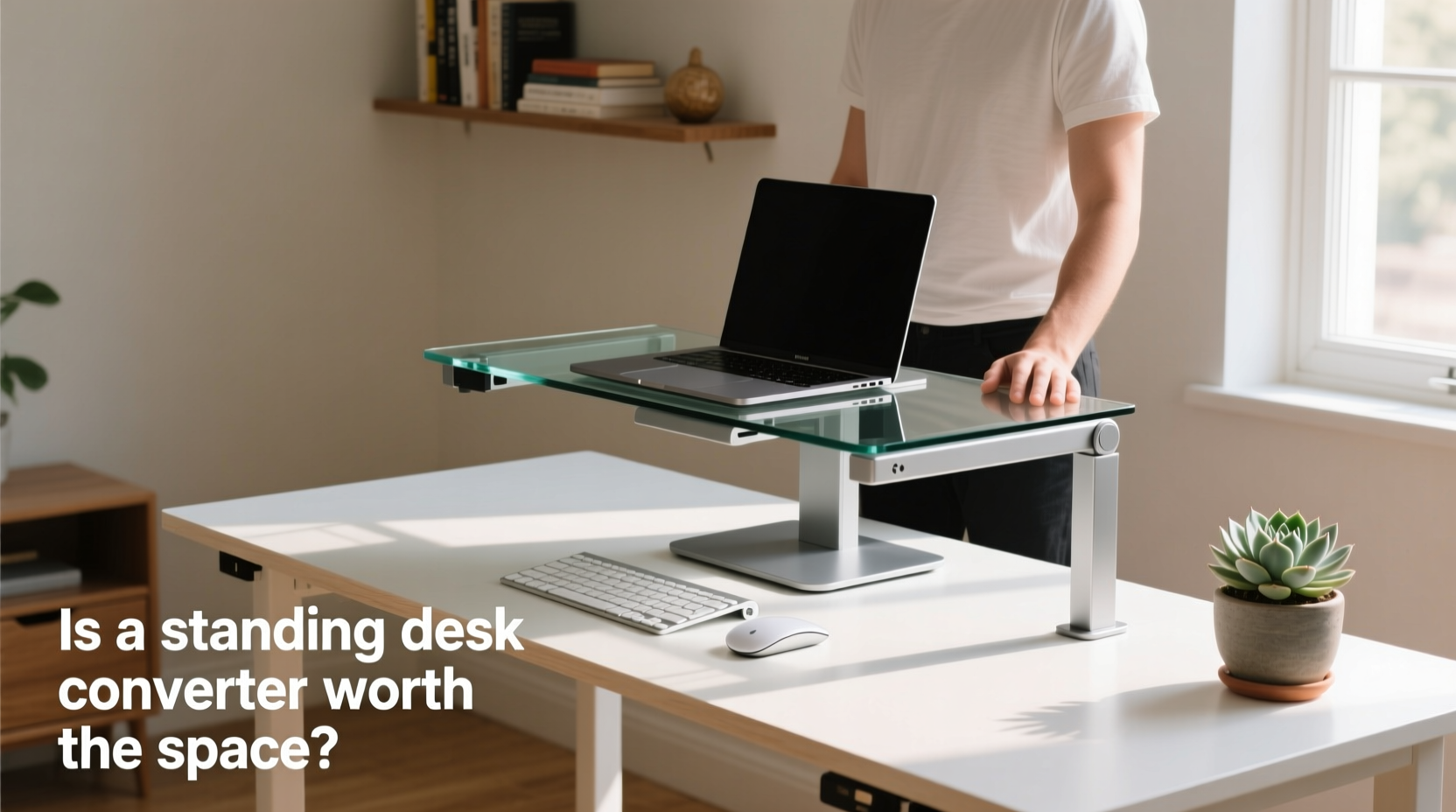
Prolonged sitting has been linked to a range of health issues, including increased risk of cardiovascular disease, type 2 diabetes, and musculoskeletal discomfort—particularly in the lower back and neck. According to research published in the *Journal of Physical Activity and Health*, alternating between sitting and standing throughout the day can reduce spinal load, improve circulation, and increase calorie expenditure by up to 50 calories per hour compared to seated work.
Standing desk converters enable this kind of dynamic posture shifting. Unlike full-height adjustable desks, which require replacing your entire workstation, converters offer a modular approach. You keep your current desk but gain the ability to elevate your monitor and keyboard to standing height with minimal effort.
The key benefit lies in **postural variety**. Dr. Helena Reeves, an occupational physiotherapist specializing in workplace ergonomics, explains:
“Movement is medicine. Even small changes in posture every 30–60 minutes can significantly reduce strain on the spine and improve energy levels. A standing desk converter doesn’t have to be used all day—it just needs to make movement easier.” — Dr. Helena Reeves, Occupational Physiotherapist
For individuals experiencing chronic back pain or fatigue during long work sessions, even short standing intervals (15–30 minutes per hour) can lead to noticeable improvements in comfort and focus.
Spatial Trade-Offs: What You Gain and What You Lose
While the health advantages are compelling, the physical footprint of a standing desk converter cannot be ignored. Most models extend vertically and occupy 25% to 40% more depth than your current setup due to lift mechanisms, support arms, and platform overhang. This means less room for notebooks, secondary monitors, coffee mugs, or peripheral devices.
To understand the impact, consider a standard desk measuring 48 inches wide by 24 inches deep. After installing a mid-sized dual-tier converter (approx. 35” x 18”), usable desktop space shrinks dramatically—especially if you also use a laptop stand, external keyboard, mouse pad, and notebook.
The compromise becomes starker in shared workspaces, dorm rooms, or kitchen-island offices where surface real estate is already limited.
Some users adapt by going minimalist—removing non-essential items, mounting peripherals, or using magnetic cable organizers. Others find themselves constantly rearranging gear, leading to frustration rather than relief.
Comparison: Standing Desk Converter vs. Full Electric Desk vs. No Upgrade
| Feature | Standing Desk Converter | Full Electric Standing Desk | No Upgrade (Sitting Only) |
|---|---|---|---|
| Cost | $150–$400 | $400–$1,000+ | $0 |
| Installation | Tool-free; sits on desk | May require assembly; replaces desk | N/A |
| Floor Space Used | Same as current desk | Same footprint | Same |
| Surface Space Lost | Moderate to high | Minimal (custom fit) | None |
| Ease of Adjustment | Manual or electric (varies) | Smooth electric control | N/A |
| Postural Flexibility | Good (if used consistently) | Excellent | Poor |
| Ideal For | Renters, tight budgets, temporary setups | Long-term home offices, dedicated spaces | Short workdays, low physical strain |
This comparison shows that while converters preserve floor space and avoid major investment, they sacrifice desk usability. In contrast, full standing desks offer seamless integration and superior adjustability—but at higher cost and permanence.
Real-World Example: Sarah’s Compact Home Office Dilemma
Sarah, a freelance graphic designer based in Brooklyn, works from a repurposed dining table in her studio apartment. Her desk measures 42” x 26”, already filled with a Cintiq tablet, two monitors, a keyboard tray, sketchbooks, and charging stations.
After developing neck stiffness and afternoon fatigue, she purchased a popular gas-spring standing converter. While the mechanism worked smoothly, she quickly realized the platform extended too far forward. To accommodate it, she had to remove her second monitor and reposition her drawing tablet diagonally—an inefficient layout that disrupted her workflow.
She tried stacking books beneath her monitor instead, but the angle caused glare and poor ergonomics. Eventually, Sarah sold the converter and invested in a sit-stand stool paired with regular walking breaks. Though not ideal, this alternative preserved her workspace integrity while still introducing movement.
Sarah’s experience highlights a critical point: **a tool is only effective if it fits seamlessly into your environment and routine.** A standing desk converter may solve one problem but create others if spatial planning isn’t prioritized.
When a Standing Desk Converter Makes Sense
Despite the space concerns, there are clear scenarios where a converter is not only worthwhile but transformative:
- You’re renting and can’t replace furniture.
- Your current desk is high-quality (e.g., solid wood, built-in cable management), making replacement costly or wasteful.
- You need portability, such as moving between home and office.
- Budget limits prevent investing $600+ in a new desk.
- Medical advice recommends posture variation due to back pain or circulation issues.
Modern converters have improved significantly. Many feature compact footprints, dual tiers for monitor and keyboard separation, and spring-assisted lifts requiring minimal effort. High-end models like the VARIDESK Pro Plus 36 or UPLIFT V2 Commercial offer stability and smooth transitions, minimizing wobble and maximizing usability.
Step-by-Step Guide: Assessing Fit Before Purchase
Before committing to a standing desk converter, follow this practical evaluation process:
- Measure Your Desk: Record width, depth, and clearance from the floor. Note any obstructions (drawers, pedestals).
- Determine Available Depth: Subtract 6 inches from total depth to account for comfortable arm reach. Converters typically require 20–24 inches of usable depth.
- Map Current Layout: Sketch your desk setup showing monitor, keyboard, mouse, and accessories. Identify potential conflicts.
- Check Weight Capacity: Ensure the model supports your monitor(s), laptop, and peripherals. Most range from 15–35 lbs.
- Test Ergonomic Range: When elevated, the top of your screen should align with eye level. If your ceiling or lighting fixture interferes, the unit may be too tall.
- Try a Mock Setup: Use cardboard boxes or books to simulate height and footprint. Spend a few hours working in this configuration.
- Review Return Policy: Buy from vendors offering at least a 30-day trial period in case spatial issues arise post-purchase.
This method prevents costly mistakes and ensures compatibility with both your body and your space.
Common Pitfalls and How to Avoid Them
Many users abandon their converters within weeks—not because they don’t work, but because implementation overlooked practical realities. Here are frequent missteps and how to sidestep them:
- Pitfall: Choosing size based on aesthetics, not function. Solution: Prioritize depth compatibility over sleek design.
- Pitfall: Ignoring cable management. Solution: Use adhesive clips or braided sleeves to secure cords and prevent snagging during elevation.
- Pitfall: Overloading the platform. Solution: Keep heavy items like printers or binders off the moving surface.
- Pitfall: Using only one posture. Solution: Set hourly reminders to alternate between sitting and standing for 30-minute intervals.
FAQ: Addressing Common Concerns
Can I use a standing desk converter on a glass or IKEA desk?
Yes, most converters are compatible with standard desk materials, including tempered glass and particleboard (like IKEA’s LINNMON). However, ensure the desk is sturdy and anchored. Thin or wobbly surfaces may flex under weight, reducing stability. Reinforcement brackets are available for added support.
Do standing desk converters damage my desk surface?
Generally, no. Most include nonslip pads to protect finishes. However, prolonged pressure or sliding during adjustment might cause micro-scratches. Placing a felt mat underneath distributes weight and prevents wear.
How much space does a typical converter take up?
Average dimensions range from 32–36 inches wide and 16–20 inches deep. When raised, they add 12–18 inches in height. Always verify clearance under shelves or cabinets.
Final Checklist: Is It Worth It for You?
Use this checklist to determine whether a standing desk converter deserves a spot on your desk:
- ☐ I spend 4+ hours daily at my desk in a seated position.
- ☐ I experience discomfort (back, neck, shoulders) after prolonged sitting.
- ☐ My desk has at least 20 inches of usable depth after accounting for current items.
- ☐ I cannot replace my desk due to cost, rental restrictions, or sentimental value.
- ☐ I’m willing to reorganize or minimize desktop clutter.
- ☐ The converter fits within my budget and offers a return option.
- ☐ I commit to actually using it—starting with 15-minute standing intervals per day.
If you checked four or more items, a standing desk converter is likely a smart, space-conscious upgrade. If fewer apply, consider alternatives like under-desk risers, active seating, or scheduled stretch breaks.
Conclusion: Reclaiming Space Without Sacrificing Health
The decision to adopt a standing desk converter ultimately hinges on balance—between health and efficiency, investment and space, intention and habit. While it demands a physical trade-off, its value isn’t measured solely in square inches saved or lost, but in sustained well-being and productivity over time.
For many, the slight reduction in desk real estate is a fair exchange for reduced back strain, sharper focus, and greater daily movement. But success requires honest assessment: Will you use it? Does it fit? Can your workflow adapt?
If the answers lean toward yes, then a standing desk converter isn’t just worth the space—it becomes an essential part of a healthier, more dynamic work life.




 浙公网安备
33010002000092号
浙公网安备
33010002000092号 浙B2-20120091-4
Comments
No comments yet. Why don't you start the discussion?