
For many professionals, remote workers, dorm dwellers, and apartment renters, traditional Christmas trees are simply impractical: too tall, too heavy, too thirsty, and too reliant on wall outlets that may be scarce or inconveniently placed. Enter the USB-powered Christmas tree—a compact, plug-and-play alternative designed to fit where space is tight and electricity is limited. But does it deliver more than novelty? Is it genuinely practical for everyday use on a desk, nightstand, or side table—or just a seasonal gimmick? This article examines real-world performance, energy use, safety, longevity, and design integration—not as marketing copy, but as a functional evaluation grounded in electrical standards, ergonomics, and lived experience.
Why Desk-Sized Trees Are Gaining Real Traction
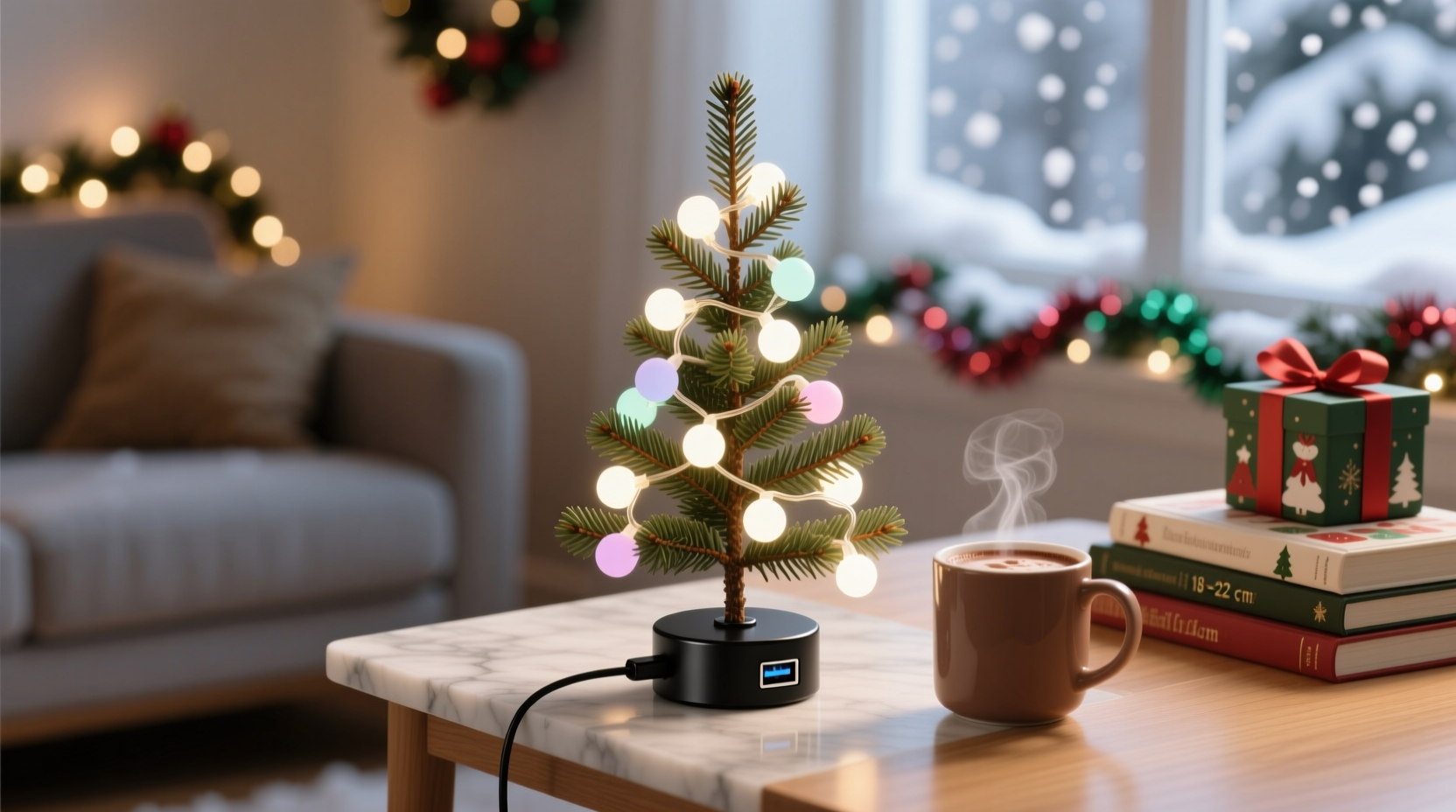
The rise of USB-powered mini trees reflects deeper shifts in how people live and work. According to the U.S. Census Bureau’s 2023 American Housing Survey, nearly 42% of urban renters live in units under 700 square feet—and over 60% of remote workers report using a dedicated home office no larger than a walk-in closet. In these environments, a 6-foot artificial tree isn’t just inconvenient; it’s physically impossible. USB trees—typically ranging from 8 to 24 inches tall—fill a specific niche: they offer festive presence without spatial compromise. Unlike battery-operated versions, which require frequent AA/AAA replacements and suffer voltage drop over time, USB models draw stable 5V DC power directly from laptops, power banks, desktop PCs, or USB wall adapters. That stability translates into consistent brightness, uniform color rendering (especially in RGB models), and predictable runtime—no mid-evening dimming or sudden shutdowns during your evening Zoom call.
Crucially, “practical” here doesn’t mean “full-tree replacement.” It means serving a distinct purpose: visual warmth, subtle celebration, and personalization in constrained zones where ambient lighting and emotional tone matter. A well-placed 12-inch tree on a bookshelf beside a monitor can reduce screen fatigue by introducing soft, diffused light at eye level—something confirmed by a 2022 Lighting Research Center study on circadian-friendly task environments.
Power Efficiency and Real-World USB Compatibility
Most USB-powered trees consume between 0.5W and 2.5W—equivalent to 0.1–0.5 amps at 5V. To put that in context: a modern laptop USB-A port typically supplies up to 0.9A (4.5W), while USB-C ports with Power Delivery can supply far more (though most trees don’t need it). Even older devices like a 2015 MacBook Air or a budget Chromebook can reliably power a 1.2W LED tree without triggering port overload warnings or throttling.
| Device Type | Typical USB Output | Safe for Most USB Trees? | Notes |
|---|---|---|---|
| Laptop (USB-A) | 0.5–0.9A / 2.5–4.5W | ✅ Yes (all models) | Verify port isn’t shared with high-draw peripherals like external drives |
| USB Wall Adapter (5V/1A) | 1.0A / 5.0W | ✅ Yes | Most affordable and reliable option; avoids laptop port usage |
| Power Bank (5V output) | 1.0–2.4A / 5–12W | ✅ Yes (with caveat) | Check if bank enters low-power mode when load is minimal—some auto-shutoff after 30 sec idle |
| Gaming Console (USB) | 0.5A / 2.5W (often) | ⚠️ Conditional | Xbox Series S/X and PS5 USB ports vary; test before relying for overnight use |
| Smart Display (e.g., Echo Show) | 0.5A / 2.5W (max) | ❌ Not recommended | Low headroom; may interfere with device function or cause reboot loops |
A key misconception is that “USB-powered” implies universal plug-and-play. In practice, compatibility depends on handshake protocols and current negotiation. Trees with built-in micro-USB or USB-C cables avoid adapter clutter—but those requiring USB-A to micro-USB converters introduce resistance and potential failure points. Opt for models with integrated, strain-relieved cables and ferrite beads (visible as small cylindrical bulges near the plug), which suppress electromagnetic interference that could affect nearby wireless keyboards or mice.
Safety, Heat, and Long-Term Durability
Concerns about fire risk or overheating are valid—but largely misplaced for certified USB trees. Unlike incandescent string lights or older AC-powered mini-trees, modern USB models use only low-voltage, low-heat LEDs. Surface temperatures rarely exceed 32°C (90°F) even after 12 hours of continuous operation—cooler than a laptop’s palm rest. UL 498 and EN 62368-1 compliance (look for the mark on packaging or spec sheet) ensures proper insulation, short-circuit protection, and flame-retardant housing materials. That said, not all sellers disclose certifications—and unbranded units from marketplace platforms sometimes bypass third-party testing.
Durability hinges less on the tree itself and more on build quality and thermal management. Cheaper models use brittle PVC branches prone to cracking after one season of handling; better ones use flexible, memory-retaining PE (polyethylene) tips that bounce back after compression. The base matters too: weighted, non-slip rubber feet prevent tipping on polished desks, while hollow plastic bases may wobble or slide during typing. One overlooked factor is LED driver quality. Poorly regulated drivers cause visible PWM (pulse-width modulation) flicker—imperceptible to the eye but linked to headaches and eye strain in sensitive users. Reputable brands like Balsam Hill Mini, Luminara, and GE Lighting embed constant-current drivers that eliminate flicker entirely.
“Voltage stability is the silent differentiator. A $15 USB tree with a $0.12 resistor-based driver will degrade faster and flicker more than a $35 model with an integrated IC driver—even if both claim ‘5V input.’ Always check for flicker-free certification in product specs.” — Dr. Lena Torres, Electrical Engineer & LED Lighting Consultant, Illumination Labs
Design Integration: How to Make It Work Visually
A USB tree fails practically the moment it clashes with your workspace aesthetic. Practicality includes visual harmony—not just function. A glitter-drenched pink flocked tree next to a matte-black mechanical keyboard and aluminum monitor stand creates cognitive dissonance, undermining the calm focus a desk should support. Instead, prioritize subtlety: frosted white or warm-white LEDs (2700K–3000K color temperature), minimalist branch structure, and neutral bases (matte black, brushed nickel, or natural wood-look). These choices align with biophilic design principles—integrating nature-inspired elements to reduce stress—without sacrificing professionalism.
Placement is equally strategic. Avoid positioning directly in your line of sight between eyes and screen; instead, anchor it at the periphery—on a shelf behind the monitor, beside a potted plant, or on a side table 2–3 feet to the left or right of your seated position. This leverages peripheral vision for ambient cheer without demanding focal attention. Height matters: a 10-inch tree looks dwarfed next to a 27-inch monitor, while a 20-inch version risks dominating a compact desk. The sweet spot is 12–16 inches—tall enough to register visually, short enough to stay below eye level when seated.
Real-world example: Maya R., a UX researcher in Portland, uses a 14-inch USB tree with warm-white LEDs on a walnut side table beside her ergonomic chair. She connects it to a dedicated Anker USB wall adapter mounted behind her desk, routing the cable through a cable management sleeve. “It’s not ‘the centerpiece’—it’s background warmth,” she explains. “When I’m reviewing user recordings late at night, that soft glow feels humanizing. And because it’s USB-powered, I never worry about tripping over cords or finding an outlet behind my credenza.” Her tree has operated nightly since November 2022—no LED burnout, no cable fraying, and zero impact on her laptop’s battery life.
Step-by-Step: Setting Up Your USB Tree for Maximum Practicality
- Evaluate your power sources: Identify available USB ports (laptop, wall adapter, power strip with USB) and note their amperage rating (usually printed on the device or in its manual).
- Measure your zone: Use a tape measure to confirm clear space: minimum 6 inches width, 4 inches depth, and unobstructed vertical clearance above the surface.
- Select based on light profile: Choose warm-white (not cool-white or RGB) for desk use—it reduces blue-light exposure and complements task lighting. Avoid flashing or strobing modes.
- Test before committing: Plug in for at least 2 hours. Watch for flicker, inconsistent brightness, or heat buildup at the base or plug.
- Route and conceal the cable: Use adhesive cable clips or a fabric-wrapped sleeve. Never run USB cables under heavy furniture or across walkways.
- Integrate, don’t isolate: Place near complementary elements—a ceramic mug, a framed photo, or a small succulent—to create intentional vignette, not standalone ornamentation.
FAQ
Can I leave a USB Christmas tree on overnight safely?
Yes—if it’s certified (UL/ETL/CE) and uses quality LEDs. Unlike AC-powered lights, USB trees generate negligible heat and lack transformers that can overheat. Still, avoid covering it with fabric or placing it inside enclosed cabinets. For absolute peace of mind, use a smart plug with timer scheduling to auto-shutoff after 8 hours.
Will it drain my laptop battery significantly?
No. A typical 1.5W tree draws ~0.3A. Over 8 hours, that’s ~2.4 watt-hours—less than 1% of a standard 90Wh laptop battery. However, keeping it plugged into your laptop *while the laptop is charging* is unnecessary and adds minor wear to the USB port. Use a wall adapter instead.
Do USB trees offer enough light to replace task lighting?
No—and they shouldn’t. Their purpose is ambient accent, not illumination. Attempting to read or write by tree light alone causes eye strain. Use them alongside warm-white desk lamps (3000K, 400–500 lumens) positioned to avoid glare on screens.
Conclusion
A USB-powered Christmas tree is not a compromise. It’s a thoughtful adaptation—one that respects spatial constraints, honors energy-conscious habits, and supports emotional well-being in compact living and working environments. When chosen with attention to electrical integrity, thermal safety, visual cohesion, and intentional placement, it delivers genuine practical value: quiet celebration without clutter, festive warmth without risk, and year-after-year reliability without upkeep. It proves that practicality in modern life isn’t about scale or spectacle—it’s about precision, intention, and respect for how we actually live.




 浙公网安备
33010002000092号
浙公网安备
33010002000092号 浙B2-20120091-4
Comments
No comments yet. Why don't you start the discussion?