
Millions of professionals spend hours each day at a desk, navigating screens with a traditional mouse. Over time, this repetitive motion—especially when combined with poor ergonomics—can lead to discomfort, strain, and even chronic wrist pain. Carpal tunnel syndrome, tendonitis, and general forearm fatigue are common among office workers, developers, designers, and remote employees. One increasingly popular solution is the vertical mouse. But is it actually worth trying? For those already experiencing wrist pain, the answer may be more than just “yes”—it could be a turning point in long-term comfort and productivity.
This article explores the science behind vertical mice, compares them to standard models, shares real-world experiences, and provides actionable guidance for anyone considering a switch to protect their wrists and improve daily computing comfort.
Understanding Wrist Pain from Computer Use
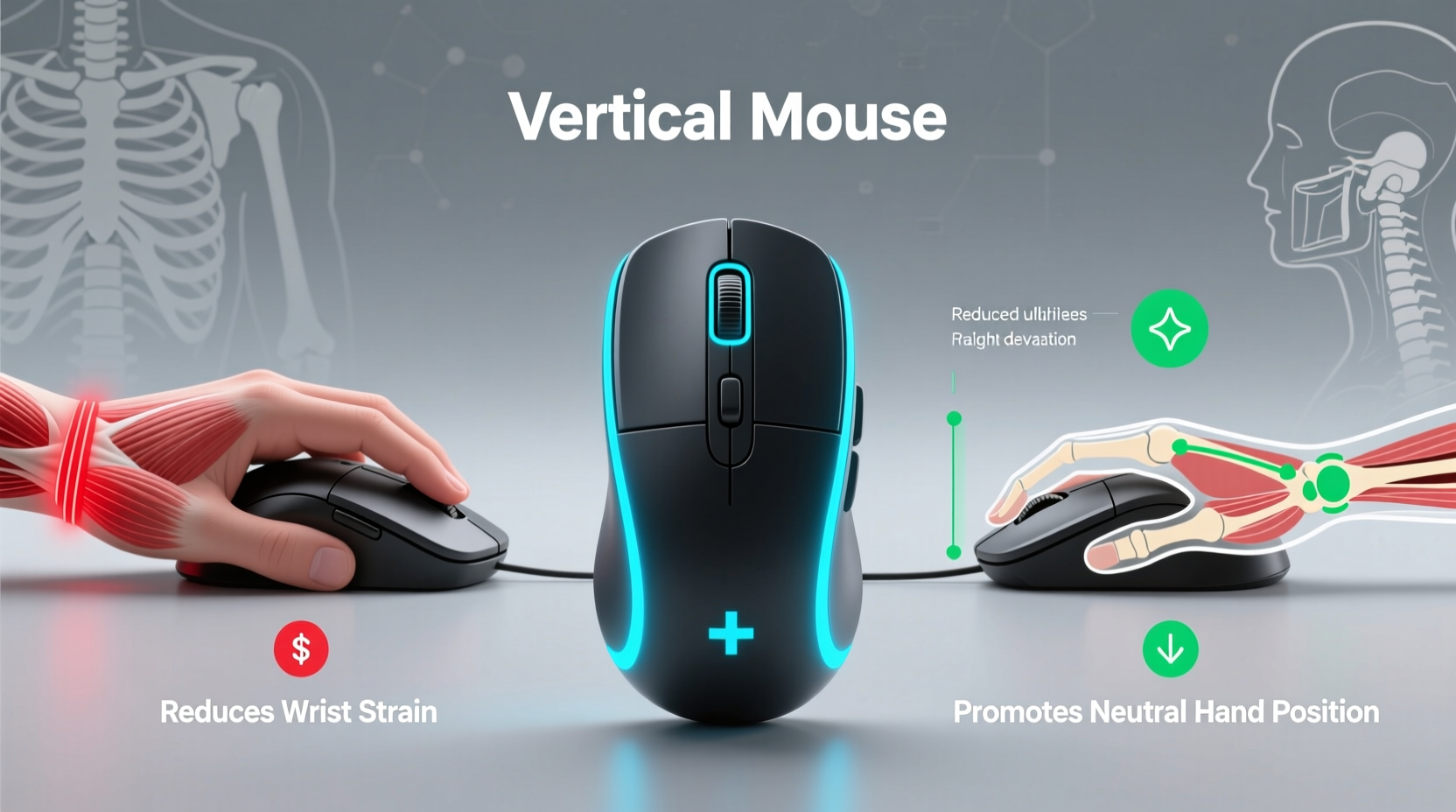
Wrist pain related to computer work typically stems from repetitive strain injuries (RSIs). These develop gradually due to sustained awkward postures, overuse of small muscle groups, and lack of ergonomic support. The traditional horizontal mouse forces the hand into a “shaking hands” position—known as ulnar deviation and forearm pronation—where the palm faces downward, similar to typing. Holding this posture for hours compresses nerves and strains tendons in the wrist and forearm.
The median nerve, which runs through the carpal tunnel in the wrist, is especially vulnerable. When inflamed or compressed, it leads to numbness, tingling, weakness, and pain—classic signs of carpal tunnel syndrome. According to the Bureau of Labor Statistics, over 50,000 workers in the U.S. annually take time off due to hand or wrist disorders linked to repetitive motion.
While keyboard technique and desk height matter, the mouse plays a significant role because it demands fine motor control and constant movement. That’s where alternative designs like the vertical mouse come in.
How a Vertical Mouse Changes Hand Position
A vertical mouse reorients your hand into a handshake-like grip. Instead of lying flat, the device stands upright, aligning the forearm in a more neutral, supinated position—closer to how you’d naturally hold a jar or shake someone’s hand. This reduces forearm pronation by up to 50%, according to research published in the Journal of Occupational Rehabilitation.
The shift may seem minor, but biomechanically, it redistributes stress away from the wrist and onto larger, stronger forearm muscles. It also opens up the carpal tunnel slightly, reducing pressure on the median nerve. Users often report less fatigue, fewer twinges, and improved comfort after switching—even within days.
Scientific Support and Expert Opinions
Ergonomic specialists have long advocated for tools that promote neutral postures. Dr. Susan Hallbeck, a professor of human factors engineering at West Virginia University and former president of the Human Factors and Ergonomics Society, explains:
“Devices that reduce extreme joint angles—like the vertical mouse—can significantly lower the risk of musculoskeletal disorders. The goal isn’t just comfort; it’s injury prevention.” — Dr. Susan Hallbeck, PhD, CPE
A 2010 study conducted at Cornell University compared electromyography (EMG) readings between users of traditional and vertical mice. Results showed a 10–15% reduction in muscle activity in the forearm when using a vertical design, indicating less effort and strain during routine tasks.
Another peer-reviewed trial found that participants using vertical mice reported a 37% decrease in wrist pain after four weeks, compared to only 8% in the control group using standard mice. While not a cure-all, these findings suggest meaningful relief is possible with proper implementation.
Real-World Experience: A Case Study
Consider the case of Marcus T., a software developer based in Portland, Oregon. After eight years of coding full-time, he began waking up with numb fingers and sharp pain radiating from his right wrist into his forearm. His doctor diagnosed early-stage carpal tunnel syndrome and recommended rest, splints, and ergonomic adjustments.
Reluctant to take extended leave, Marcus researched alternatives. He replaced his standard Logitech mouse with a vertical model—the Anker Vertical Ergonomic Optical Mouse—and adjusted his chair height and monitor position. Within ten days, he noticed reduced nighttime tingling. By week three, his daytime discomfort had dropped from a consistent 6/10 to occasional 2/10 flare-ups.
“It wasn’t magic,” Marcus said. “I still stretch every hour and avoid marathon coding sessions. But the mouse made the biggest difference. My hand doesn’t feel ‘twisted’ anymore.”
His experience mirrors thousands of online testimonials across Reddit, ergonomic forums, and customer reviews. Many describe similar patterns: initial skepticism, short adaptation period, and lasting relief.
Vertical vs. Traditional Mouse: Key Differences
| Feature | Traditional Mouse | Vertical Mouse |
|---|---|---|
| Hand Position | Pronated (palm down) | Neutral (handshake grip) |
| Forearm Strain | High – sustained pronation | Reduced – natural alignment |
| Wrist Angle | Ulnar deviation common | Aligned with forearm |
| Muscle Activation | Higher in smaller tendons | Distributed across forearm |
| Learning Curve | None – familiar design | Moderate – 3–14 days |
| Portability | High – compact, flat | Variable – taller profile |
| Average Price | $10–$40 | $40–$120 |
As the table shows, the vertical mouse sacrifices some familiarity and portability for significant ergonomic gains. For desk-bound professionals, this trade-off is often well worth it.
Who Should Consider a Vertical Mouse?
Not everyone needs a vertical mouse, but certain individuals stand to benefit most:
- People with existing wrist or forearm pain – Especially those diagnosed with RSI, carpal tunnel, or tendonitis.
- Heavy computer users – Anyone spending 6+ hours daily using a mouse.
- Remote workers and freelancers – Who may lack access to professional ergonomic setups.
- Gamers or graphic designers – Though high-DPI gaming vertical models exist, precision varies.
- Preventative adopters – Those noticing early signs like stiffness or fatigue.
However, it's important to note that a vertical mouse alone won't fix deep-seated ergonomic issues. It should be part of a broader strategy including proper chair height, keyboard placement, monitor level, and regular movement.
Step-by-Step Guide to Transitioning to a Vertical Mouse
Switching to a vertical mouse requires more than just plugging it in. To maximize benefits and minimize frustration, follow this timeline:
- Week 1: Setup and Adjustment
Place the mouse close to your body to avoid reaching. Adjust sensitivity (DPI) to reduce large arm movements. Use it for light tasks like browsing and email. - Days 3–5: Monitor Discomfort
Note any new aches. Some forearm soreness is normal as underused muscles engage. Sharp wrist pain is not—reassess positioning. - Week 2: Increase Usage Gradually
Begin using it for core work tasks. Alternate with your old mouse if needed, but aim for full-day use by day 10. - Week 3–4: Evaluate Results
Track pain levels daily. Look for improvements in stiffness, grip strength, and nighttime symptoms. - Ongoing: Integrate with Ergonomic Habits
Pair the mouse with hourly stretches, wrist rests (if used correctly), and posture checks.
Common Misconceptions About Vertical Mice
Despite growing popularity, several myths persist:
- Myth: They’re only for people with injuries.
Reality: Prevention is key. Many healthy users adopt them to avoid future problems. - Myth: They’re too slow for precise work.
Reality: Modern vertical mice offer high DPI and customizable buttons suitable for design and programming. - Myth: All vertical mice are the same.
Reality: Designs vary widely—from angled hybrids to fully upright models. Fit matters. - Myth: You’ll never get used to it.
Reality: Most adapt within two weeks. Muscle memory shifts quickly with consistent use.
Checklist: Is a Vertical Mouse Right for You?
Before purchasing, ask yourself the following:
- ✅ Do I experience wrist, forearm, or hand pain after computer use?
- ✅ Am I willing to spend 1–2 weeks adapting to a new device?
- ✅ Have I already optimized my desk setup (chair, keyboard, monitor)?
- ✅ Can I invest $40–$100 in a quality ergonomic tool?
- ✅ Do I use a mouse for more than 4 hours per day?
- ✅ Have I tried other solutions (wrist pads, breaks, stretching) without lasting relief?
If you answered “yes” to three or more, a vertical mouse is likely worth trying.
Frequently Asked Questions
Can a vertical mouse cure carpal tunnel syndrome?
No device can cure carpal tunnel syndrome, but a vertical mouse can significantly reduce symptoms and slow progression by minimizing nerve compression and muscle strain. It’s best used alongside medical advice, splinting, and physical therapy when needed.
Are vertical mice good for left-handed users?
Most vertical mice are designed for right-handed users, but ambidextrous models like the Evoluent VerticalMouse C Right & Left are available. Check product specifications carefully, as true left-handed options are limited.
Will I lose precision or speed with a vertical mouse?
Initially, yes—there’s a learning curve. However, once adapted, most users match or exceed their previous performance. High-end models offer adjustable DPI, programmable buttons, and smooth tracking for demanding tasks.
Conclusion: Taking Action for Long-Term Comfort
Wrist pain from computer work doesn’t have to be an inevitable cost of modern employment. Small changes, especially in input devices, can yield outsized improvements in comfort and health. The vertical mouse isn’t a gimmick—it’s a scientifically supported ergonomic tool that realigns your hand into a more natural, sustainable position.
For those already feeling the warning signs—numbness, stiffness, persistent ache—a vertical mouse offers a low-risk, high-reward intervention. It won’t replace medical care, but it can complement it powerfully. Combined with mindful work habits, it becomes part of a proactive strategy to preserve mobility and prevent long-term disability.
If you’ve been wondering whether it’s worth trying, the evidence suggests: yes. Not tomorrow. Not “when it gets worse.” Now. Your future self will thank you for making the switch before pain dictates the decision.




 浙公网安备
33010002000092号
浙公网安备
33010002000092号 浙B2-20120091-4
Comments
No comments yet. Why don't you start the discussion?