
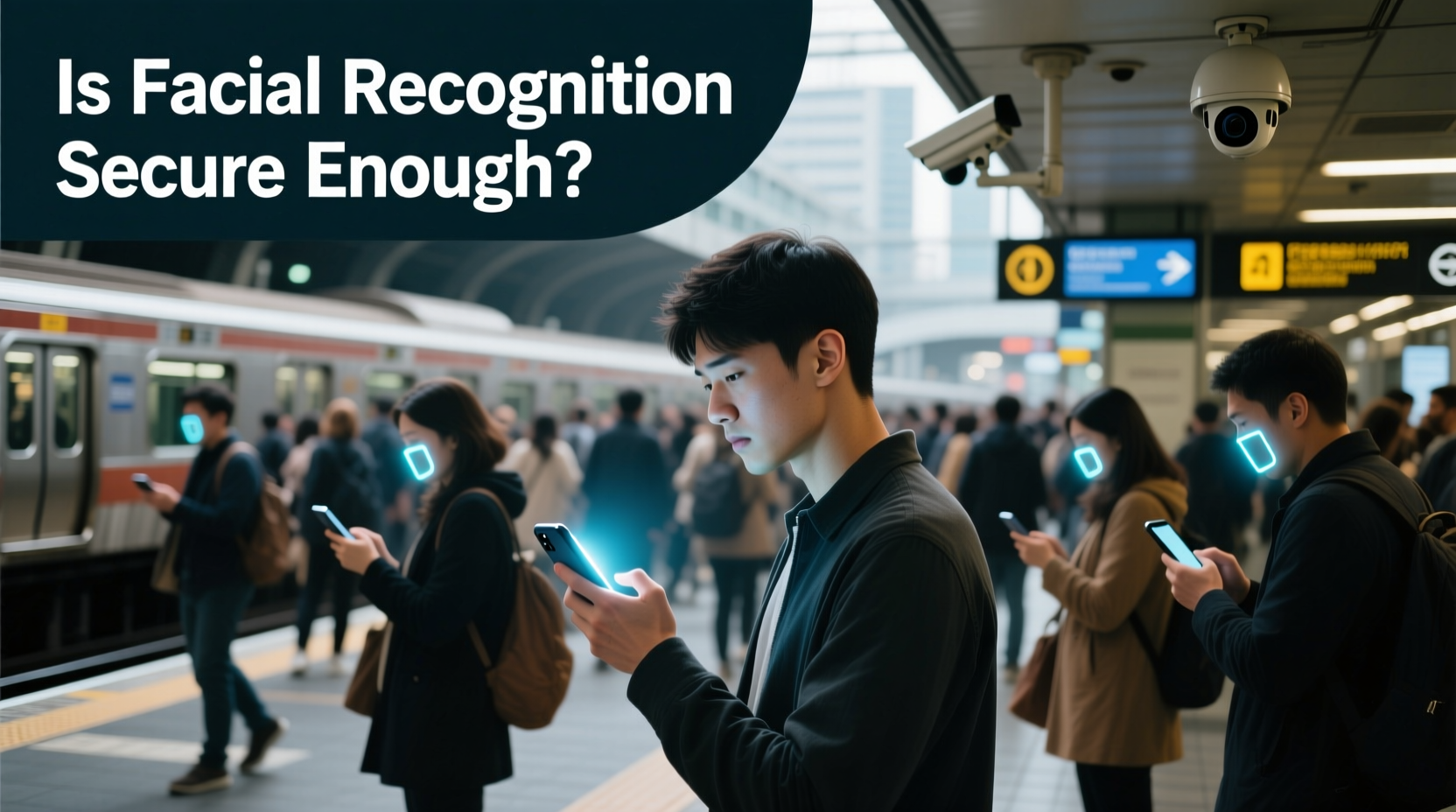
In an age where convenience often trumps caution, facial recognition has become a standard feature on smartphones. From unlocking devices with a glance to authorizing payments, it’s fast, seamless, and feels like the future. But when used in public spaces—crowded streets, transit stations, or cafes—is this technology truly secure? While manufacturers tout advanced algorithms and infrared mapping, real-world conditions expose vulnerabilities that many users overlook.
Facial recognition systems rely on complex machine learning models trained to detect unique facial features. Modern implementations, such as Apple’s Face ID or Samsung’s Intelligent Scan, use depth sensors, dot projectors, and infrared cameras to distinguish a live face from photos or masks. Yet even these sophisticated systems are not immune to manipulation, especially under unpredictable environmental conditions. The core question isn’t whether the technology works—it does—but whether it remains trustworthy outside the controlled environment of your home.
How Facial Recognition Works: Beyond the Surface
Most high-end smartphones today use 3D facial mapping rather than simple 2D image matching. For instance, Face ID projects over 30,000 invisible infrared dots onto the user’s face to create a detailed depth map. This data is then processed by a secure neural engine stored within the device’s Secure Enclave, ensuring biometric information never leaves the phone.
However, the reliance on infrared and depth sensing doesn’t eliminate all risks. Ambient lighting, angles, obstructions (like hats or scarves), and rapid movement can interfere with accuracy. More critically, some systems may lower their liveness detection thresholds when they struggle to authenticate, increasing the chance of false positives. In public, where users are often in a hurry or partially obscured, these factors converge to weaken security assumptions.
“Biometrics offer usability gains but shift risk from forgotten passwords to physical exposure. A password can be changed; your face cannot.” — Dr. Lena Torres, Cybersecurity Researcher at MIT Computer Science & AI Lab
Risks of Using Facial Recognition in Public Spaces
The primary danger lies in passive authentication—unlocking your phone without conscious intent. Imagine walking through a busy market, glancing at your screen while someone nearby points your device at your face. Some systems activate simply by detecting wake gestures (like lifting the phone), meaning unauthorized access could occur before you realize it.
Another concern is coercion. Unlike a PIN, which requires active input, facial recognition can be exploited under duress. Law enforcement agencies have already used this tactic during protests, forcing individuals to unlock phones against their will. In countries with weak digital rights protections, this poses a serious threat to privacy and freedom of expression.
Then there’s spoofing. While early facial recognition systems were easily fooled by printed photos, modern attacks are more sophisticated. Researchers have demonstrated successful bypasses using high-resolution 3D-printed masks, deepfake video projections, or even modified glasses with reflective patterns designed to trick infrared sensors. Though such attacks require technical skill and resources, they highlight systemic weaknesses.
Comparative Security: Face vs. Fingerprint vs. PIN
| Metric | Facial Recognition | Fingerprint | PIN/Password |
|---|---|---|---|
| Speed | Very Fast | Fast | Slow |
| Convenience in Public | High (hands-free) | Moderate | Low (shoulder surfing risk) |
| Vulnerability to Coercion | High | Moderate | Low (can refuse to enter) |
| Spoofing Difficulty | Moderate to High | Moderate | Very Low |
| Data Reusability if Compromised | Critical (biometric data is permanent) | High | Low (can be reset) |
As shown, facial recognition leads in speed and convenience but lags in controllability and resistance to coercion. PINs, though slower, allow users to withhold access deliberately. Fingerprint sensors strike a middle ground but can also be bypassed with lifted prints or gelatin molds. Ultimately, no method is foolproof—layered security offers the best protection.
Real-World Scenario: The Commuter’s Dilemma
Consider Maria, a financial analyst commuting daily on the subway. She uses Face ID to check emails, messages, and banking apps while standing in crowded cars. One morning, she notices a man two feet away holding his phone at an odd angle toward her. Later, she discovers unusual login attempts on her cloud account. Her device wasn’t physically stolen, but her face was captured mid-commute, possibly used to unlock her phone briefly while distracted.
This scenario isn’t hypothetical. In 2022, a study by the University of Chicago demonstrated that shoulder-based facial capture in transit environments succeeded in authenticating devices 38% of the time when subjects were unaware. The researchers used only off-the-shelf cameras and basic alignment software—no advanced AI required.
Maria’s experience underscores a key flaw: public environments lack control. You can’t monitor every person around you, nor predict how light, motion, or camera placement might align to compromise your biometric security.
Best Practices for Safer Use in Public
Facial recognition isn’t inherently unsafe, but its safety depends heavily on context and configuration. Implementing the following steps significantly reduces exposure:
- Use Attention Awareness: Enable settings that require your eyes to be open and directed at the screen. On iPhones, this is called “Require Attention for Face ID” and prevents unlocking if you’re looking away or asleep.
- Limit Auto-Unlock Scenarios: Disable automatic app logins or car play connections that trigger facial authentication without confirmation.
- Switch to Manual Authentication: Set your phone to require a double-press of the side button before attempting Face ID. This adds a deliberate action, reducing accidental or coerced unlocks.
- Avoid Using Face Unlock for Sensitive Apps: Rely on passcodes or two-factor authentication for banking, email, or password managers—even if they support biometric shortcuts.
- Monitor Device Orientation: Be mindful of how you hold your phone. Tilting the screen downward minimizes exposure to overhead or frontal cameras.
Checklist: Securing Your Phone Before Entering Public Spaces
- ✅ Disable Raise to Wake / Lift to Check
- ✅ Confirm Attention Awareness is enabled
- ✅ Lock sensitive apps behind a separate passcode
- ✅ Ensure Find My Device / Remote Wipe is activated
- ✅ Carry phone in a way that limits screen visibility
- ✅ Consider switching to fingerprint or PIN in unfamiliar environments
Future Outlook: Can We Trust Biometrics More?
Advancements in liveness detection, behavioral analytics, and multimodal authentication promise stronger defenses. Emerging systems analyze micro-expressions, blood flow patterns via thermal imaging, or even eye movement to confirm presence. Some prototypes combine facial recognition with voice verification or contextual signals (like GPS location or trusted Wi-Fi networks) to assess authenticity dynamically.
Yet, as defenses improve, so do adversarial techniques. Deepfakes and generative AI now produce hyper-realistic synthetic faces capable of fooling less rigorous systems. Regulatory frameworks lag behind technological development, leaving consumers vulnerable to misuse. The European Union’s AI Act proposes stricter rules for biometric surveillance in public, but consumer device policies remain largely self-regulated.
The fundamental issue persists: biometrics blur the line between identity and access. Unlike keys or codes, your face is constantly exposed. As long as facial recognition operates in a binary mode—either unlocked or locked—its deployment in public will carry inherent risk.
FAQ
Can someone unlock my phone just by pointing it at my face?
Yes, if your phone is awake and facial recognition is enabled without attention detection. This is why enabling “Require Attention” and disabling auto-wake features is critical in public.
Is Face ID safer than Android facial unlock?
Generally, yes. Apple’s Face ID uses dedicated hardware (TrueDepth camera system) for 3D mapping, making it far more resistant to spoofing than most Android implementations, which often rely on 2D cameras and software-based depth estimation.
What should I do if I suspect my phone was unlocked without consent?
Immediately lock your device remotely if possible, change passwords for critical accounts, enable two-factor authentication, and review recent login activity. Consider reporting the incident to your device manufacturer or local authorities if data was compromised.
Conclusion
Facial recognition offers undeniable convenience, but its use in public demands caution. The very feature that makes it appealing—effortless access—also makes it exploitable in uncontrolled environments. While technology continues to evolve, personal vigilance remains the strongest defense. Adjusting settings, understanding limitations, and knowing when to fall back on traditional methods can protect not just your device, but your digital identity.




 浙公网安备
33010002000092号
浙公网安备
33010002000092号 浙B2-20120091-4
Comments
No comments yet. Why don't you start the discussion?