
Charging your phone overnight has become a routine habit for millions of people. Plugging in before bed ensures a full battery by morning, but concerns linger: Does this practice harm the battery over time? With smartphones playing such a central role in daily life, preserving their longevity is more important than ever. The truth is nuanced—modern devices are engineered with safeguards, but long-term habits still influence battery lifespan. Understanding how lithium-ion batteries behave, what protections exist, and which behaviors accelerate wear can help you make informed decisions.
How Modern Phone Batteries Work
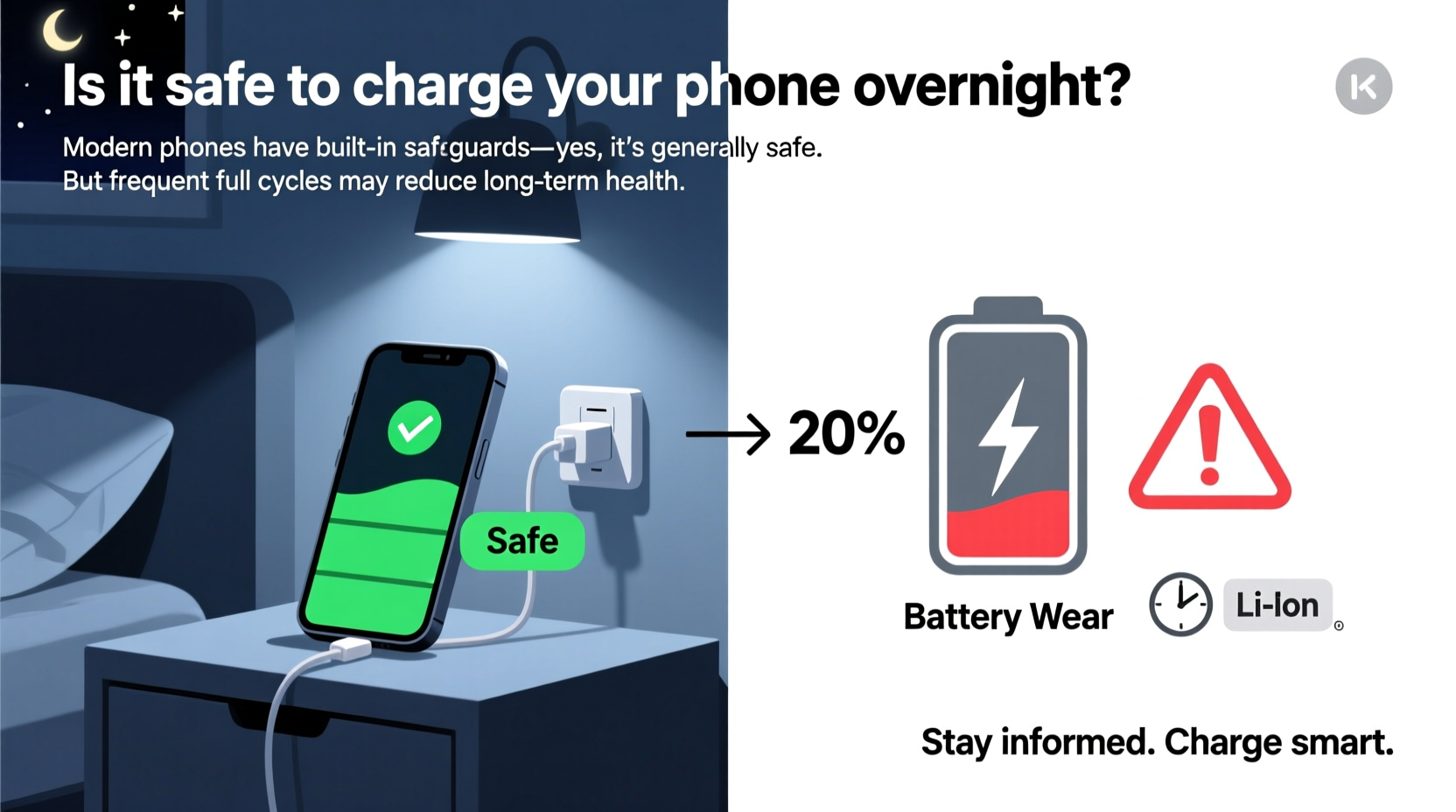
Most smartphones today use lithium-ion (Li-ion) batteries, known for their high energy density, low self-discharge rate, and lack of memory effect. Unlike older nickel-based batteries, Li-ion cells don’t need to be fully drained before recharging. However, they are sensitive to extreme conditions—both overcharging and deep discharging can degrade them faster.
Lithium-ion batteries operate within a specific voltage range, typically between 3.0V and 4.2V per cell. Charging beyond 4.2V generates excess heat and causes chemical instability, leading to capacity loss. Similarly, letting the battery drop below 20% regularly stresses the internal structure. Manufacturers design phones to avoid these extremes through built-in battery management systems (BMS).
The BMS monitors voltage, temperature, and current during charging. Once the battery reaches 100%, the system stops the flow of electricity. Instead of continuously pumping power into the battery, the phone switches to drawing directly from the charger while keeping the battery topped off as needed. This process, called \"trickle charging\" or \"maintenance charging,\" minimizes overcharging risk.
“Modern smartphones are designed to prevent overcharging, but prolonged exposure to 100% state-of-charge increases stress on the battery chemistry.” — Dr. Alan Kim, Battery Research Scientist at Stanford University
Battery Degradation: What Actually Causes It?
While leaving your phone plugged in overnight isn’t immediately dangerous, repeated full charges contribute to gradual battery degradation. Capacity fade—the reduction in how much charge a battery can hold—is influenced by three main factors:
- Charge cycles: Each time your battery goes from 0% to 100%, it completes one cycle. Most smartphone batteries are rated for 500–600 full cycles before capacity drops to about 80% of original.
- State of charge: Keeping a battery at 100% for extended periods increases electrochemical stress. Lithium plating and electrolyte breakdown occur more rapidly at peak voltage.
- Temperature: Heat is the biggest enemy of battery health. Charging generates warmth, and doing so overnight—especially under pillows or blankets—can trap heat and accelerate aging.
A study conducted by Google’s Android team found that users who kept their battery between 30% and 70% experienced up to 30% less degradation over two years compared to those consistently charging to 100%.
Do Overnight Charging Protections Really Work?
Yes—but with caveats. All major smartphone brands incorporate software and hardware safeguards against overcharging:
- iOS Optimized Charging (Apple): Learns your daily routine and delays charging past 80% until just before you wake up.
- Adaptive Charging (Samsung): Slows down charging after reaching 80% and holds it there until morning based on usage patterns.
- Better Battery Health (Google Pixel): Uses AI to estimate when you’ll unplug and adjusts charging speed accordingly.
These features significantly reduce the time the battery spends at 100%, mitigating some of the damage associated with full-state charging. However, they require consistent usage patterns to function effectively. If your wake-up time varies frequently, the system may not adapt properly.
Additionally, third-party chargers and cables without proper certification can bypass safety protocols. Cheap adapters may deliver inconsistent voltage, increasing the risk of overcurrent or overheating—even if the phone’s internal system tries to regulate it.
Real Example: Sarah’s Two-Year iPhone Comparison
Sarah, a digital marketer from Austin, tested two identical iPhones side by side over two years. One was charged nightly from 10% to 100% and left plugged in until morning. The other used iOS Optimized Charging and was unplugged at 80%. After 24 months, the first phone’s battery health dropped to 76%, while the second retained 89% capacity. Both were used similarly otherwise. The difference highlights how small charging habits compound over time.
Best Practices for Long-Term Battery Health
You don’t need to stop charging overnight entirely, but adjusting your habits can extend your battery’s useful life. Consider the following strategies:
1. Use Built-In Smart Charging Features
Enable features like Optimized Battery Charging (iPhone), Adaptive Charging (Samsung), or similar options on Android. These tools delay full charging until necessary, reducing time spent at maximum voltage.
2. Charge Earlier in the Evening
If possible, plug in earlier and unplug once the phone reaches 80–90%. This avoids both deep discharge and prolonged full charge states.
3. Keep the Phone Cool During Charging
Remove thick cases, avoid placing the phone under pillows or on beds, and ensure airflow around the device. High temperatures during charging can permanently reduce capacity.
4. Use Manufacturer-Approved Chargers
Certified chargers communicate correctly with your phone’s BMS. Knockoff chargers may lack proper voltage regulation, risking long-term damage.
5. Limit Fast Charging Frequency
Faster charging generates more heat. While convenient, using fast charging every day accelerates wear. Reserve it for emergencies and use standard 5W or 10W charging overnight when possible.
| Habit | Impact on Battery | Recommendation |
|---|---|---|
| Charging to 100% nightly | High stress due to prolonged full charge | Limit to 80–90%; use smart charging |
| Using phone while charging | Increases heat and strain | Avoid heavy gaming or video calls |
| Fast charging overnight | Elevated temperature risks | Use standard charging instead |
| Leaving phone in hot environments | Accelerates chemical aging | Keep in cool, ventilated area |
| Using uncertified accessories | Potential voltage spikes | Stick to MFi or OEM-certified gear |
Step-by-Step Guide to Healthier Charging Habits
Follow this practical timeline to improve your phone’s battery longevity:
- Evening (7–8 PM): Plug in your phone when battery reaches 30–40%. Start charging early to avoid rushing.
- Before Bed (10–11 PM): Unplug once the battery hits 80–90%, or enable smart charging mode if available.
- Nighttime: Place the phone on a nightstand away from bedding, ideally without its case to dissipate heat.
- Morning: Check battery level. If below 100%, top up briefly before leaving.
- Throughout the Day: Top off whenever convenient—partial charges are better than waiting for near-zero levels.
FAQ: Common Questions About Overnight Charging
Does charging my phone overnight shorten its battery life?
Not drastically in the short term, but yes—over months and years, consistently charging to 100% and leaving it plugged in increases battery stress. Modern safeguards help, but they don’t eliminate degradation entirely. For optimal longevity, aim to keep the battery between 20% and 80% most of the time.
Can my phone explode if I charge it overnight?
Extremely unlikely. Phones have multiple layers of protection against overcharging, overheating, and electrical faults. Explosions or fires usually result from damaged batteries, faulty chargers, or physical trauma—not routine overnight charging. Using genuine accessories and avoiding extreme temperatures makes incidents nearly impossible.
Should I let my phone battery drain completely before recharging?
No. Lithium-ion batteries do not suffer from memory effect. In fact, regularly draining to 0% harms the battery more than partial charging. Try to recharge when the battery drops to around 20–30% to minimize stress.
Bonus Checklist: Optimize Your Charging Routine
- ✅ Enable smart charging (Optimized/Adaptive/Better Battery Health)
- ✅ Use original or certified charging accessories
- ✅ Remove case during charging if it traps heat
- ✅ Avoid charging under pillows or blankets
- ✅ Charge earlier and unplug at 80–90%
- ✅ Keep battery between 20% and 80% when possible
- ✅ Replace swollen or damaged batteries immediately
Conclusion: Balance Convenience and Longevity
Charging your phone overnight is generally safe thanks to advanced engineering and intelligent software. However, treating your battery gently pays dividends in long-term performance. You don’t have to abandon convenience entirely—small adjustments like enabling smart charging, unplugging at 80%, or using quality cables can significantly slow battery aging.
Your smartphone is an investment. By understanding how charging habits affect battery chemistry, you gain control over its lifespan. Whether you rely on your device for work, communication, or creativity, maintaining strong battery health ensures reliability for years to come.




 浙公网安备
33010002000092号
浙公网安备
33010002000092号 浙B2-20120091-4
Comments
No comments yet. Why don't you start the discussion?