
For remote workers, the home office has become more than just a workspace—it’s where hours are spent in front of screens, often seated for prolonged periods. For those managing chronic or recurring back pain, this sedentary routine can be more than uncomfortable; it can be debilitating. As interest grows in ergonomic solutions, one question surfaces repeatedly: Is investing in a standing desk converter truly worthwhile for remote professionals dealing with back issues?
The answer isn’t a simple yes or no. It depends on individual posture, work habits, pain type, and how thoughtfully the tool is integrated into daily routines. However, evidence from physical therapists, ergonomics experts, and thousands of remote workers suggests that when used correctly, a standing desk converter can significantly reduce lower back strain, improve posture, and enhance overall comfort.
Understanding Back Pain in Remote Work Environments
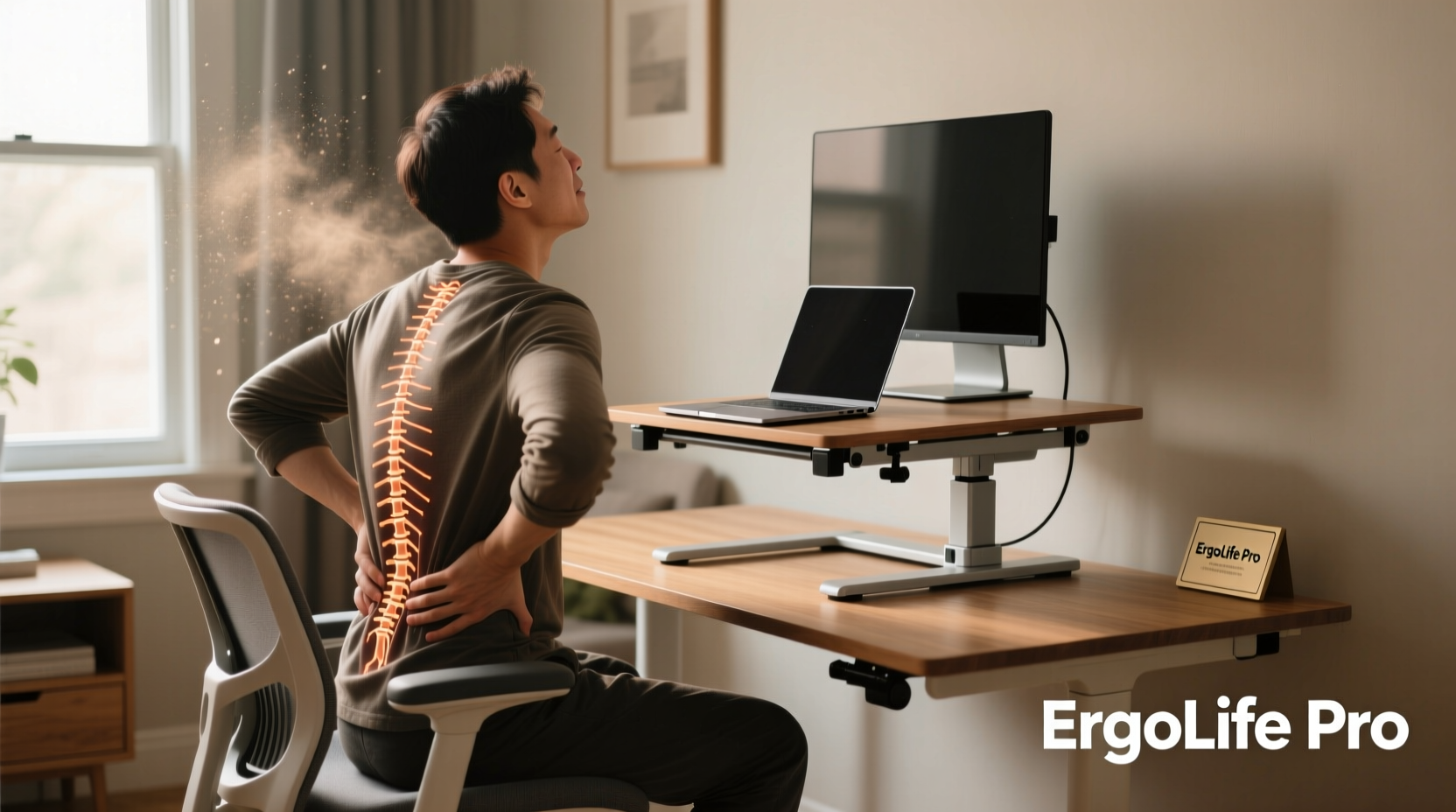
Back pain affects nearly 80% of adults at some point in their lives, and remote work has intensified the issue for many. Without access to properly adjusted office furniture or structured movement breaks, people often default to working from couches, dining tables, or beds—surfaces not designed for long-term computer use.
The most common types of back pain among remote workers include:
- Lumbar strain: Caused by poor sitting posture or weak core muscles.
- Disc compression: Resulting from sustained pressure on spinal discs during prolonged sitting.
- Muscle imbalances: Develop when hip flexors tighten and glutes weaken due to inactivity.
Sitting for more than six hours a day increases the risk of developing chronic low back pain by up to 40%, according to research published in the Journal of Physical Activity and Health. The spine’s natural curvature flattens over time in a seated position, placing undue stress on intervertebral discs and surrounding tissues.
How Standing Desk Converters Alleviate Back Pain
A standing desk converter sits atop an existing desk and elevates your monitor and keyboard to a height suitable for standing work. Unlike full standing desks, converters don’t require replacing your current furniture, making them a cost-effective and space-efficient upgrade.
When used strategically, these devices help mitigate back pain through several mechanisms:
- Promotes Postural Variety: Alternating between sitting and standing reduces static loading on the spine. Movement—even subtle shifts in stance—engages stabilizing muscles and improves circulation.
- Encourages Spinal Alignment: A well-adjusted converter positions your screen at eye level, reducing forward head posture and upper back strain.
- Activates Core and Glute Muscles: Standing engages postural muscles that remain dormant while sitting, helping support the lower back.
- Reduces Disc Pressure: Studies show standing decreases intradiscal pressure compared to prolonged sitting, giving spinal structures brief recovery periods.
Dr. Lena Patel, a physical therapist specializing in workplace ergonomics, explains:
“Patients who incorporate standing intervals report less stiffness and improved mobility. The key isn’t standing all day—it’s breaking up sedentary time. Even five minutes of standing every hour makes a measurable difference in lumbar load.” — Dr. Lena Patel, DPT, Certified Ergonomic Assessment Specialist
Real Impact: A Remote Worker’s Journey
Consider Mark, a 37-year-old software developer who transitioned to full-time remote work in 2020. Within months, he began experiencing persistent lower back pain, especially after long coding sessions. His home setup consisted of a kitchen table and an old office chair with minimal lumbar support.
After visiting a physiotherapist, Mark was advised to reduce continuous sitting. He purchased a mid-range standing desk converter ($180) and committed to a sit-stand schedule: 45 minutes sitting, 15 minutes standing, repeated throughout the day.
Within three weeks, Mark noticed:
- Reduced morning stiffness
- Fewer instances of sharp lower back twinges
- Improved focus during afternoon work blocks
By the sixth week, his pain levels dropped from a consistent 6/10 to 2–3/10 on average. He also reported better sleep quality, which he attributes to increased daytime movement.
Mark’s experience isn’t unique. Online communities like Reddit’s r/StandUpDesk and remote worker forums are filled with similar testimonials—many citing reduced reliance on painkillers and fewer visits to chiropractors after adopting convertible standing setups.
Choosing the Right Converter: What Matters Most
Not all standing desk converters deliver the same benefits. For individuals with back pain, selecting the right model is critical. Key factors include adjustability, stability, weight capacity, and ease of transition.
| Feature | Why It Matters for Back Pain | Recommended Specification |
|---|---|---|
| Height Range | Ensures proper alignment of wrists, elbows, and screen without bending or reaching | Adjustable from 6” to 20” above desktop |
| Weight Capacity | Supports dual monitors and accessories without sagging or wobbling | At least 30 lbs (13.6 kg) |
| Stability | Prevents screen shake that causes neck strain and distraction | Gas-spring or counterbalance mechanism preferred over manual lift |
| Ease of Adjustment | Encourages frequent transitions between sit and stand | One-touch height change (no cranking or locking needed) |
| Ergonomic Layout | Allows keyboard to be positioned slightly below elbow height | Dual-tier design with separate shelf for monitor and input devices |
Step-by-Step Guide to Using a Standing Desk Converter Effectively
Purchasing a converter is only half the solution. To gain lasting relief from back pain, it must be used as part of a dynamic work routine. Follow this timeline to integrate it safely and sustainably:
- Week 1: Acclimatization
Start with two 15-minute standing sessions per day. Use a timer. Focus on posture: shoulders relaxed, core gently engaged, knees slightly bent. - Week 2: Build Duration
Increase to three 20-minute sessions. Add gentle calf raises or weight shifts side-to-side to promote blood flow. - Week 3: Establish Rhythm
Adopt a 50/50 split: 30 minutes sitting, 30 minutes standing. Ensure your monitor top is at or slightly below eye level. - Week 4+: Optimize and Maintain
Listen to your body. Some find 60% sitting / 40% standing ideal. Avoid locking knees or leaning on the desk. Consider adding light stretching every hour.
Remember: standing incorrectly can worsen back pain. Slouching while standing places more strain on the lumbar spine than sitting with good support. Always prioritize form over duration.
Do’s and Don’ts for Back Pain Relief
| Do’s | Don’ts |
|---|---|
| Adjust your converter so elbows are at 90° when typing | Stand for more than 30 minutes without moving your feet |
| Use a footrest or anti-fatigue mat to reduce lower back load | Place your monitor too high or too far away |
| Take walking breaks every hour (even 60 seconds helps) | Wear unsupportive footwear (beware of working barefoot) |
| Pair standing intervals with daily core-strengthening exercises | Ignore new or worsening pain—adjust or stop immediately |
Is It Worth the Investment? Breaking Down the Value
The average standing desk converter costs between $120 and $350. While not inexpensive, consider the long-term value:
- Medical cost reduction: Fewer doctor visits, physical therapy sessions, or prescription medications.
- Productivity gains: Reduced pain leads to better concentration and fewer sick days.
- Longevity: Most quality models last 5+ years with regular use.
Tax deductions may apply if prescribed for a medical condition (consult a tax professional). Many employers also offer wellness stipends that cover ergonomic equipment.
From a health ROI perspective, the investment often pays for itself within a year—especially for those with recurring pain episodes that disrupt work.
FAQ
Can a standing desk converter cure back pain?
No single device can “cure” back pain, especially if caused by structural issues like herniated discs or spinal stenosis. However, a converter can significantly reduce symptoms related to poor posture and sedentary behavior when combined with movement, stretching, and strength training.
How long should I stand each day to see benefits?
Research suggests alternating every 30–60 minutes provides optimal benefit. Aim for 2 to 4 hours of total standing time spread throughout the day. Start slowly and increase based on comfort.
Will standing worsen sciatica or disc-related pain?
It depends. Some with sciatica find relief in standing because it opens the neural foramina. Others feel increased pressure. If you have diagnosed nerve compression, consult your healthcare provider before making major changes to your workstation.
Checklist: Setting Up Your Converter for Back Pain Relief
- ☑ Measure your elbow height when standing to set correct keyboard level
- ☑ Position monitor 20–30 inches from eyes, top at or below eye level
- ☑ Install an anti-fatigue mat under your feet
- ☑ Set phone reminders or use a smartwatch to prompt posture checks
- ☑ Begin with short standing intervals and gradually increase
- ☑ Combine with daily walks, stretches, and core exercises
- ☑ Evaluate pain levels weekly to track progress
Final Thoughts: Small Change, Significant Outcome
For remote workers living with back pain, the path to relief doesn’t always require drastic measures. Often, it starts with rethinking how—and how long—we stay in one position. A standing desk converter isn’t a magic fix, but it is a powerful tool for introducing movement into a static workday.
Used wisely, it supports better posture, reduces mechanical strain on the spine, and empowers users to take control of their physical well-being. When paired with mindful habits and consistent movement, it becomes more than an ergonomic accessory—it becomes part of a sustainable, pain-conscious lifestyle.




 浙公网安备
33010002000092号
浙公网安备
33010002000092号 浙B2-20120091-4
Comments
No comments yet. Why don't you start the discussion?