
In an era where sedentary work dominates daily life, concerns over posture-related pain and long-term musculoskeletal health have surged. One popular solution—standing desks—has gained widespread traction in offices and home workspaces alike. Advocates claim they reduce back pain, improve posture, and boost energy. But what does the scientific evidence actually say? Is a standing desk truly better for your posture, or is it just another wellness trend without solid backing?
To answer this, we must look beyond marketing claims and examine peer-reviewed studies, biomechanical principles, and real-world usage patterns. The relationship between standing desks and posture isn’t as straightforward as “stand more, feel better.” It’s nuanced, dependent on how they’re used, and influenced by individual habits and physiology.
The Posture Problem: Why Sitting All Day Takes a Toll
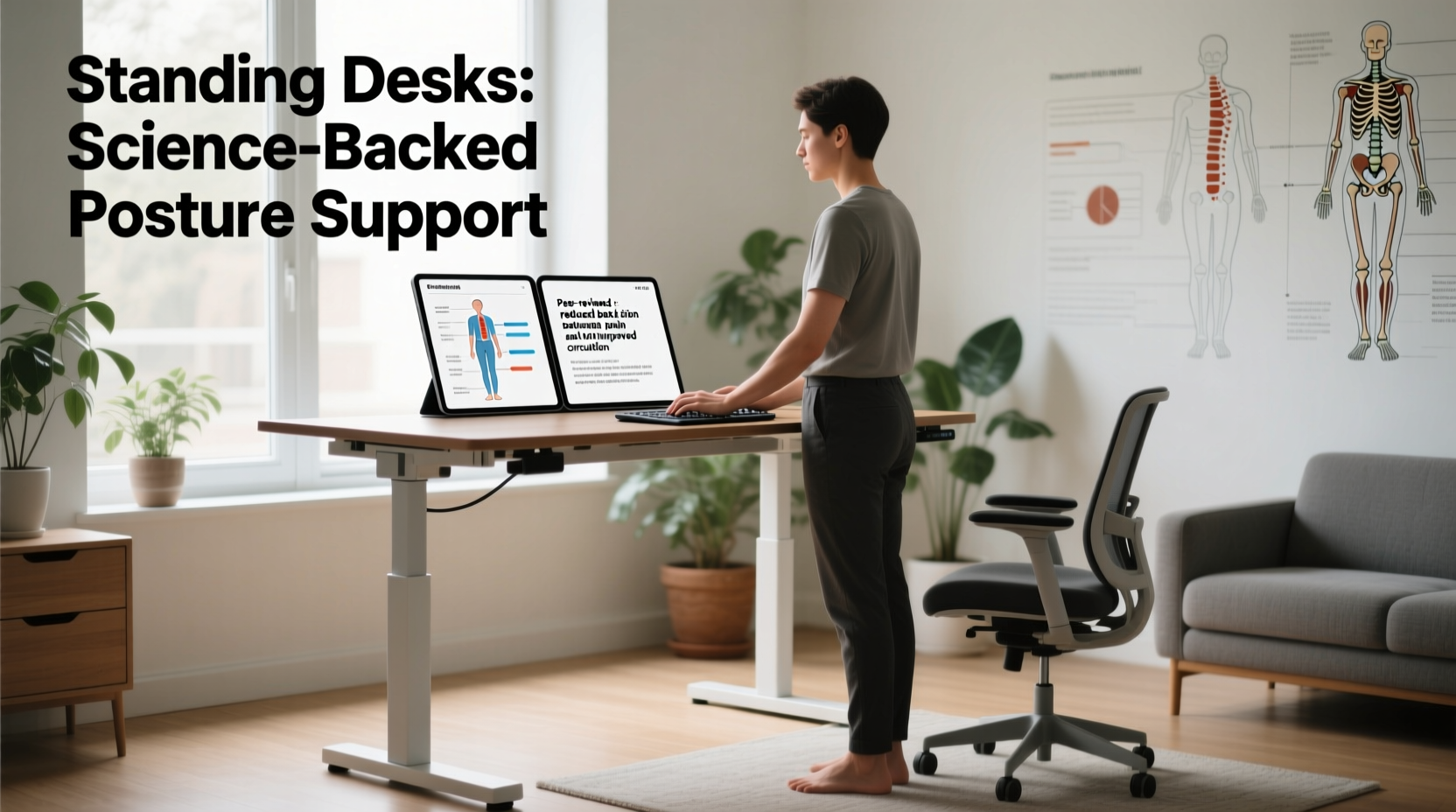
For decades, researchers have warned about the dangers of prolonged sitting. A 2017 study published in Annals of Internal Medicine found that extended sedentary behavior is independently linked to increased risks of cardiovascular disease, type 2 diabetes, and all-cause mortality—even among people who exercise regularly.
From a postural standpoint, chronic sitting often leads to what’s known as “slouched spine syndrome” or “desk hunch.” When seated for hours, especially in poorly designed chairs or at improperly adjusted workstations, individuals tend to:
- Round their shoulders forward
- Drop their chin toward the chest (forward head posture)
- Flatten the natural curve of the lower back
- Tighten hip flexors and weaken glutes
This combination creates muscular imbalances that compromise spinal alignment. Over time, these postural deviations can contribute to chronic neck pain, upper back discomfort, and even nerve compression.
“Prolonged static postures—whether sitting or standing—are inherently problematic. The human body evolved for movement, not sustained stillness.” — Dr. Susan Hallbeck, Human Factors Engineer and Ergonomics Researcher, Mayo Clinic
What Science Says About Standing Desks and Posture
Standing desks aim to counteract the negative effects of sitting by encouraging upright positioning. But does simply standing at work translate into better posture?
A 2020 meta-analysis in Applied Ergonomics reviewed 29 studies on sit-stand desks and concluded that users experienced modest improvements in lower back pain and self-reported comfort. However, the same review noted that improper use of standing desks could lead to new issues, such as increased leg fatigue and varicose veins.
Crucially, the study emphasized that posture quality during standing depends heavily on setup and behavior. Simply standing with poor alignment—such as leaning on one hip, slouching over the keyboard, or locking the knees—can be just as harmful as bad sitting posture.
One key finding from multiple studies: alternating between sitting and standing throughout the day yields better outcomes than either posture alone. A randomized trial conducted at the University of Waterloo showed that participants who alternated every 30 minutes reported less discomfort and demonstrated improved spinal alignment compared to those who remained seated all day.
How Standing Desks Impact Spinal Alignment: A Biomechanical View
From a biomechanical perspective, standing promotes a more neutral spine when done correctly. In a well-aligned stance:
- The ears line up vertically with the shoulders and hips
- The lumbar spine maintains its natural inward curve (lordosis)
- The shoulders are relaxed and slightly back, not rounded
- The arms hang naturally, elbows bent at 90 degrees to the keyboard
When these conditions are met, standing reduces disc pressure in the lower back by approximately 15–20% compared to slumped sitting, according to research from the Cleveland Clinic. This reduction may alleviate strain on intervertebral discs and surrounding ligaments.
However, the benefit hinges on proper ergonomics. If the monitor is too low, users will tilt their heads down, reintroducing forward head posture. If the desk height forces wrist extension, carpal tunnel risk increases. And if there’s no anti-fatigue mat or supportive footwear, discomfort shifts from the back to the feet and legs.
Common Standing Desk Mistakes That Hurt Posture
| Mistake | Postural Consequence | Solution |
|---|---|---|
| Desk too high or too low | Shoulder shrugging or slouching | Adjust so elbows are at 90°, wrists straight |
| Monitor below eye level | Forward head posture, neck strain | Elevate monitor to top-third of screen at eye level |
| Standing statically for hours | Lower limb fatigue, pelvic tilt | Alternate with sitting; shift weight frequently |
| No foot support or mat | Arch collapse, knee hyperextension | Use anti-fatigue mat; consider footrest bar |
| Wearing unsupportive shoes | Increased joint stress, poor balance | Wear cushioned, flat-soled shoes or stand barefoot safely |
Real-World Example: Sarah’s Transition to a Standing Desk
Sarah, a 34-year-old software developer, had suffered from chronic lower back pain for two years. Her doctor recommended ergonomic adjustments, so she invested in a sit-stand desk. Excited by early reports of relief, she began standing for four hours a day—without breaks.
Within two weeks, her back pain decreased, but she developed new discomfort: aching feet and tight calves. She also noticed she was leaning on her right hip, creating a lateral pelvic tilt visible in full-length mirrors.
After consulting an occupational therapist, Sarah learned she was overdoing it. She reset her routine: 30 minutes sitting, 30 minutes standing, repeated throughout the day. She added an anti-fatigue mat, raised her monitor with a riser, and started doing micro-stretches during transitions. Within a month, her posture improved visibly, and both back and leg pain subsided.
Her experience underscores a critical point: standing desks aren’t a standalone fix. They’re tools that require mindful integration into a broader strategy of movement and alignment awareness.
Best Practices for Using a Standing Desk to Improve Posture
To maximize the postural benefits of a standing desk while minimizing risks, follow this step-by-step approach:
- Set Up Your Desk Correctly: Adjust the desk height so your elbows rest at 90 degrees when typing. Wrists should remain neutral, not bent upward or downward.
- Position Your Monitor Properly: The top third of your screen should be at or slightly below eye level. Sit or stand about an arm’s length away.
- Stand with Intention: Distribute weight evenly across both feet. Engage your core lightly. Avoid locking your knees or shifting to one side.
- Alternate Frequently: Use a sit-stand cycle—start with 20 minutes standing, 40 minutes sitting, and gradually increase standing duration as tolerated.
- Add Movement: Shift your stance, perform calf raises, or gently rock front-to-back to keep blood flowing and muscles active.
- Support Your Feet: Stand on an anti-fatigue mat. Consider a footrest bar to alternate resting one foot slightly elevated.
- Wear Supportive Footwear: Or go barefoot if hygiene and safety allow. Avoid heels or thin-soled shoes.
Checklist: Optimize Your Standing Desk for Posture
- ✅ Desk height allows 90-degree elbow bend
- ✅ Monitor top at eye level
- ✅ Keyboard and mouse within easy reach
- ✅ Anti-fatigue mat in place
- ✅ Alternating sit-stand schedule followed (e.g., 30/30)
- ✅ Core gently engaged, shoulders relaxed
- ✅ No leaning or hip hitching
- ✅ Regular micro-movements incorporated
Frequently Asked Questions
Can standing desks correct years of poor posture?
While standing desks alone cannot reverse long-term postural adaptations, they can be part of a corrective strategy. Combined with strength training (especially for the posterior chain), stretching tight muscles (like hip flexors and chest), and postural awareness exercises, they support gradual improvement. Lasting change requires consistent effort over months.
How many hours a day should I stand at my desk?
There’s no universal number, but most experts recommend starting with 30–60 minutes total per day, broken into 20–30 minute intervals. Gradually increase as your body adapts. The ideal is not maximum standing time, but dynamic movement—avoid staying in any single position too long. A common guideline: stand for up to two hours total during an eight-hour workday, with frequent transitions.
Are standing desks good for people with scoliosis or other spinal conditions?
For individuals with diagnosed spinal conditions, standing desks can be beneficial—but only under professional guidance. For example, someone with thoracic kyphosis might benefit from upright standing to open the chest, while a person with lumbar stenosis may find prolonged standing painful. Always consult a physical therapist or spine specialist before making major workstation changes.
Conclusion: Movement Over Position
The question isn’t whether standing desks are universally better for posture—it’s whether they’re used in a way that supports healthier movement patterns. Science confirms that reducing prolonged sitting improves comfort and may enhance spinal alignment, but standing all day introduces its own risks.
The true winner isn’t sitting or standing—it’s variability. Our bodies thrive on change, on shifting loads, on subtle adjustments. A standing desk becomes a powerful tool not because it lets you stand, but because it enables intentional transitions throughout the day.
If you're considering a standing desk, invest not just in the equipment, but in your awareness. Learn proper alignment, listen to your body, and build a rhythm of motion into your workday. That’s where real postural transformation begins.




 浙公网安备
33010002000092号
浙公网安备
33010002000092号 浙B2-20120091-4
Comments
No comments yet. Why don't you start the discussion?