
In recent years, standing desks have surged in popularity as a solution to the sedentary lifestyle epidemic. Marketed as tools to improve posture, reduce back pain, and increase energy, they’ve become staples in home offices and corporate environments alike. But with rising anecdotal reports of foot pain, lower back strain, and shoulder tension among frequent users, a pressing question emerges: Are standing desks truly helping—or are they simply replacing one set of problems with another?
The answer isn’t binary. Standing desks can significantly benefit posture and musculoskeletal health when used correctly. However, improper setup, overuse, and lack of movement awareness can lead to new discomforts that mimic or even exceed those associated with prolonged sitting. Understanding how to integrate standing into your workday strategically is key to reaping benefits without unintended consequences.
The Posture Promise: What Standing Desks Can Do Right
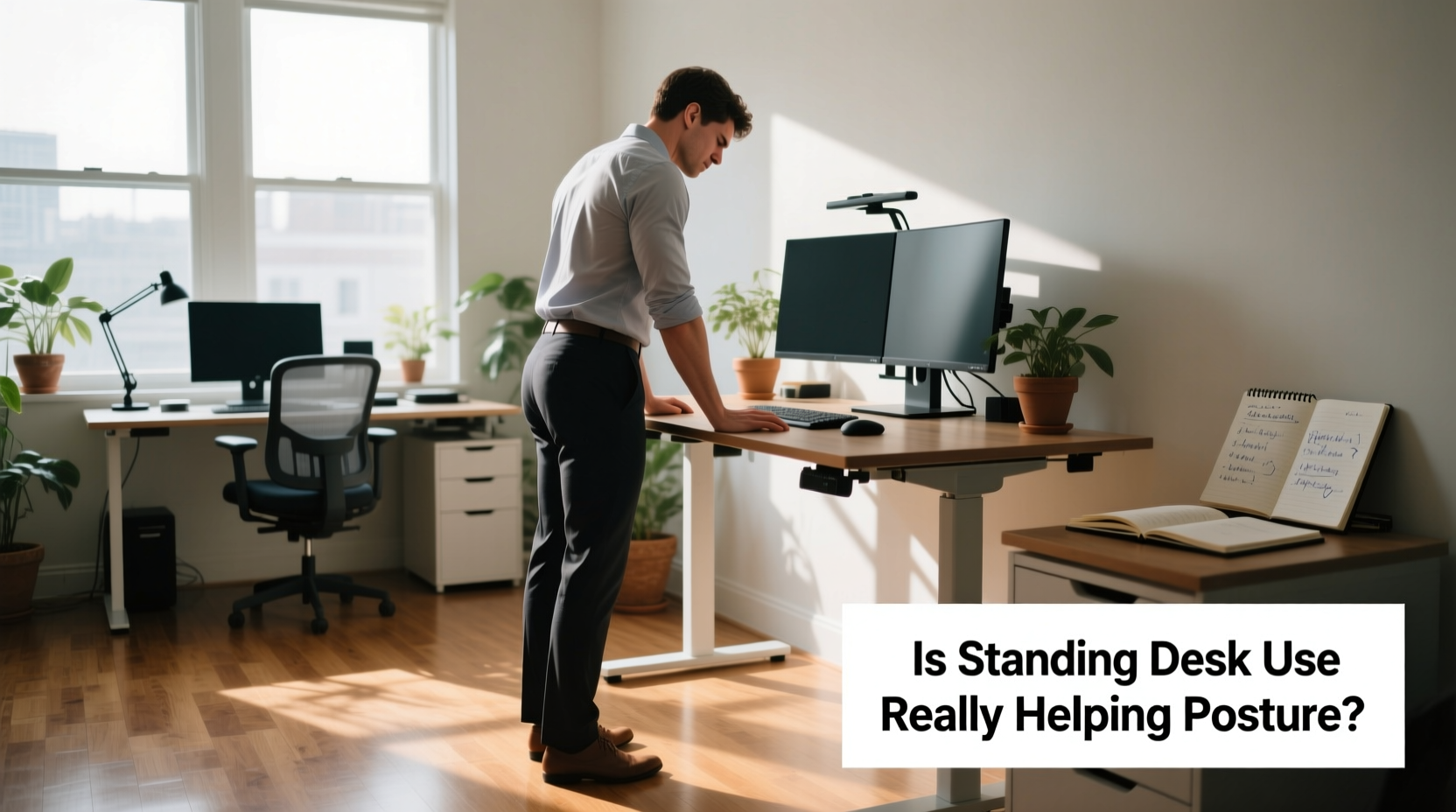
Proponents of standing desks often highlight their potential to counteract the effects of chronic sitting—slouched spines, weakened glutes, tight hip flexors, and forward head posture. When you stand properly at a well-configured workstation, several biomechanical advantages come into play:
- Improved spinal alignment: Standing encourages a more neutral spine position, reducing excessive lumbar curvature caused by soft office chairs.
- Engaged core and gluteal muscles: These stabilizing muscles activate naturally during standing, promoting better balance and pelvic support.
- Reduced pressure on intervertebral discs: Unlike seated positions that compress the lower back, standing distributes weight more evenly across the spine and legs.
- Greater thoracic extension: Without armrests pulling shoulders forward, users tend to open up their chest and avoid rounded shoulders.
A 2021 study published in the Journal of Occupational Rehabilitation found that participants who alternated between sitting and standing every 30 minutes reported a 47% reduction in upper back and neck pain after six weeks. The improvement was attributed not just to reduced sitting time but also to increased postural variability—the natural shifting of body position that supports circulation and muscle engagement.
“Posture isn’t about holding a perfect pose—it’s about dynamic movement. Standing desks succeed when they promote variation, not rigidity.” — Dr. Lena Torres, Biomechanics Researcher at Northwestern University
The Hidden Risks: How Standing Can Backfire
Despite their promise, standing desks aren't inherently beneficial. Poor implementation can lead to new physical issues, some of which are less commonly discussed but equally debilitating:
Lower Limb Strain
Standing for extended periods without adequate support can overload the feet, ankles, and calves. Conditions such as plantar fasciitis, metatarsalgia, and varicose veins may develop due to sustained static posture and poor footwear choices.
Lower Back Overcompensation
Ironically, many users report increased low back pain after switching to standing. This often results from locking the knees, tucking the pelvis too far under (posterior tilt), or leaning on one leg—all compensatory behaviors that shift stress from hips to lumbar vertebrae.
Neck and Shoulder Tension
If monitor height isn’t adjusted, standing workers may crane their neck upward or hunch their shoulders to see the screen. This leads to trapezius strain and cervical spine compression—issues no different than those seen in poorly set-up seated workstations.
Static Fatigue
Even “good” posture becomes harmful when held too long. Muscles fatigue, circulation slows, and microtrauma accumulates. Static standing—remaining motionless for hours—is biomechanically similar to sitting in terms of metabolic stagnation.
Do’s and Don’ts of Standing Desk Use
| Do | Don't |
|---|---|
| Alternate between sitting and standing every 30–50 minutes | Stand continuously for more than an hour |
| Set monitor top at or slightly below eye level | Use a laptop on a riser without external keyboard |
| Wear supportive shoes or use an anti-fatigue mat | Stand barefoot on hard flooring |
| Keep elbows at 90°, wrists straight while typing | Reach forward or upward to access keyboard/mouse |
| Engage core lightly, maintain slight knee bend | Lock knees or slouch with posterior pelvic tilt |
Real-World Example: A Tech Worker’s Journey
Jamie, a 34-year-old software developer, invested in a standing desk after experiencing persistent mid-back stiffness from eight-hour coding sessions. Eager for relief, she stood for four hours straight on day one. By week two, her enthusiasm waned—her feet throbbed, and a new ache had settled into her lower back.
She consulted an ergonomic specialist who observed her setup: her monitor was too high, forcing her to look down; her keyboard was positioned too far forward; and she wore flat sneakers on a hardwood floor. Small adjustments transformed her experience:
- Lowered the monitor using a stand with built-in storage
- Moved the keyboard closer and added a wrist rest
- Introduced a cushioned mat and began alternating sit-stand cycles using a timer app
- Started doing daily mobility drills for ankles and hips
Within three weeks, Jamie noticed improved posture awareness and reduced overall discomfort. Her story underscores a critical point: success with standing desks depends not on the equipment alone, but on how it's integrated into a broader movement strategy.
Building a Balanced Workday: A Step-by-Step Guide
To maximize the benefits of a standing desk while minimizing risks, follow this practical timeline over your first month:
- Week 1: Assess and Adjust
Create an ergonomically sound setup. Ensure your elbows are level with the desk surface when typing, your monitor is 20–30 inches away, and your gaze lands near the top third of the screen. Begin with 15-minute standing intervals twice a day. - Week 2: Introduce Movement
Increase to three 20-minute standing sessions. During each, incorporate subtle movements: shift weight side-to-side, lift heels, rotate ankles. Add a five-minute walk after lunch. - Week 3: Establish Rhythm
Adopt a 30:30 sit-stand ratio. Use a smartwatch or desktop app to prompt transitions. Focus on maintaining neutral posture—ears over shoulders, shoulders over hips. - Week 4: Optimize Holistically
Evaluate comfort levels. If foot or back pain persists, reassess footwear, mat quality, or workstation height. Consider consulting an occupational therapist for personalized feedback.
Actionable Checklist for Healthy Standing
Use this checklist daily to ensure safe and effective standing desk usage:
- ☑ Monitor aligned so the top line of text is at or slightly below eye level
- ☑ Keyboard and mouse within easy reach—elbows close to body at 90°
- ☑ Feet flat on floor or anti-fatigue mat, weight evenly distributed
- ☑ Knees slightly bent, not locked
- ☑ Pelvis neutral—not tucked under or excessively arched
- ☑ Shoulders relaxed, not shrugged or rolled forward
- ☑ Alternating between sitting and standing every 30–50 minutes
- ☑ Moving intentionally during standing phases (shifting, stepping, stretching)
- ☑ Wearing supportive footwear or going barefoot only on cushioned surfaces
- ☑ Taking at least one short walking break per hour
Frequently Asked Questions
Can standing desks fix bad posture?
Not automatically. Standing desks provide an opportunity to improve posture, but only if used with awareness and proper form. Simply standing while slouching or craning your neck will not correct poor habits. Long-term improvements require consistent attention to alignment, regular movement, and ergonomic setup.
How long should I stand at my desk each day?
There’s no universal ideal duration, but research suggests limiting continuous standing to 30–50 minutes at a time. Most experts recommend a balanced approach: aim for no more than two to four hours of total standing spread throughout the workday, interspersed with sitting and light activity. Listen to your body—discomfort is a signal to change position.
Why do my legs feel heavy after using a standing desk?
Heavy or achy legs typically indicate poor circulation from static standing. Blood pools in the lower extremities when calf muscles remain inactive. To prevent this, wear compression socks if needed, use an anti-fatigue mat, and perform periodic ankle pumps or mini-squats. Walking breaks are essential to restore venous return.
Conclusion: Movement Over Position
The truth about standing desks lies not in their ability to replace sitting, but in their power to disrupt it. They are most effective not as permanent solutions, but as tools to introduce variability into the workday. Posture improves not because you stand, but because you move more deliberately, align yourself with greater intention, and break free from the inertia of sedentariness.
However, treating a standing desk as a cure-all invites new imbalances. Without thoughtful integration, it risks trading lower back strain from sitting for foot pain, joint fatigue, or upper body tension from poor alignment. The goal isn’t to stand all day—it’s to avoid staying in any single position for too long.
Start small. Prioritize ergonomics. Build habits around micro-movements and hourly transitions. Let your body guide the rhythm rather than chasing productivity myths. In doing so, you’ll transform your standing desk from a trendy gadget into a sustainable part of a healthier, more dynamic work life.




 浙公网安备
33010002000092号
浙公网安备
33010002000092号 浙B2-20120091-4
Comments
No comments yet. Why don't you start the discussion?