
For college students navigating packed schedules, tight budgets, and the need for digital efficiency, choosing the right device is critical. The Microsoft Surface Go 4 has emerged as a compact, lightweight option in the 2-in-1 tablet-laptop category, often marketed toward mobile professionals and students alike. But when it comes to the daily grind of lectures, research, and handwritten notes, does this device truly hold up?
The answer isn’t a simple yes or no—it depends on your academic workload, preferred note-taking style, and software needs. This article breaks down the Surface Go 4’s capabilities specifically through the lens of a college student, evaluating its hardware, input methods, battery life, and long-term usability in academic environments.
Design and Portability: Built for Campus Life
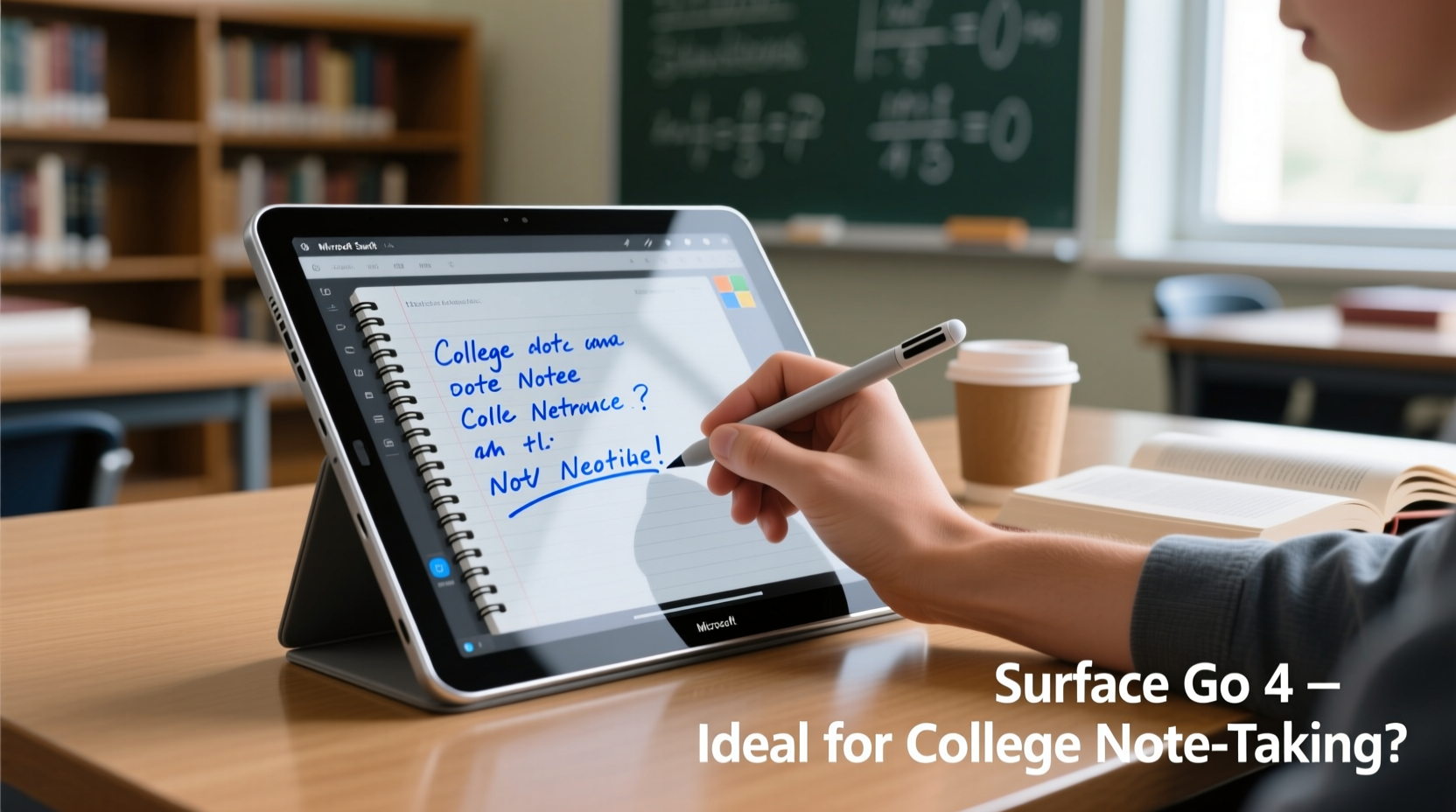
Weighing just under 1.5 pounds (630 grams) and measuring 9.7 inches by 6.7 inches, the Surface Go 4 is one of the most portable Windows devices available. Its slim profile makes it easy to slip into a backpack or even a large coat pocket, which is ideal for students constantly moving between classrooms, libraries, and study groups.
The magnesium alloy chassis feels sturdy despite its minimal weight. It doesn't have the premium heft of higher-end Surface models like the Pro series, but it resists minor bumps and drops—common occurrences during a hectic campus day. The 10.5-inch PixelSense display offers a 1920x1280 resolution with sharp text and decent color accuracy, making it suitable for reading PDFs, e-books, and lecture slides.
One design limitation is the lack of a built-in kickstand on the base model. Students must purchase the optional Type Cover separately, which also functions as a keyboard and screen protector. Without it, the device lacks stability on uneven surfaces like library tables or dorm room beds.
Performance: Can It Handle Student Workloads?
The Surface Go 4 is powered by Intel’s 12th Gen N-series processors (either the N200 or N200), designed for efficiency rather than high performance. These chips are adequate for web browsing, document editing, video streaming, and light multitasking—but not much beyond that.
In practical terms, the device handles Microsoft Office Suite, Google Workspace, Zoom, Teams, and Canvas/Blackboard platforms without issue. You can open multiple browser tabs alongside a Word document and a PDF reader, though performance begins to lag when exceeding five or six active applications. Students in STEM fields relying on MATLAB, SPSS, or engineering simulation tools will likely find the Go 4 underpowered.
Ram configurations come in 8GB or 16GB options. For serious note-taking and moderate multitasking, 8GB is the minimum recommended. The 4GB variant should be avoided entirely—it struggles with basic productivity tasks over time due to Windows memory demands.
Storage is limited to 128GB or 256GB eMMC drives. While sufficient for documents and apps, eMMC is slower than SSD storage, resulting in longer boot times and app loading delays. Cloud integration with OneDrive helps offset local storage limits, especially for storing scanned notes or recorded lectures.
“Students don’t always need raw power—they need reliability and responsiveness in core tasks. The Surface Go 4 delivers where it counts: portability and pen input.” — Dr. Alan Reeves, Educational Technology Researcher at University of Michigan
Note-Taking Experience: Handwriting, Typing, and Digital Organization
The true test of any student device lies in how well it supports note-taking. The Surface Go 4 shines here—if used correctly. When paired with the Surface Pen (sold separately), the experience becomes highly functional for sketching diagrams, annotating readings, and writing mathematical equations.
The screen supports 4,096 levels of pressure sensitivity and tilt recognition, allowing for natural-feeling handwriting. Apps like OneNote, Whiteboard, and Nebo respond quickly with minimal lag. Students report that lecture notes taken with the Pen feel nearly as fluid as paper-based writing, particularly in classes requiring visual learning such as biology or architecture.
Typing comfort depends heavily on the Type Cover. At approximately $130, it's an expensive add-on, but essential for essay writing and coding assignments. The keyboard offers shallow key travel, typical of ultra-thin devices, so extended typing sessions may cause finger fatigue. That said, it's usable for short papers and email communication.
| Note-Taking Method | Surface Go 4 Support | Best Use Case |
|---|---|---|
| Handwritten Notes | Excellent (with Surface Pen) | Lectures, sketching, math |
| Typed Notes | Good (with Type Cover) | Seminars, fast-paced discussions |
| Voice Recording + Transcription | Fair (dual mics, moderate background noise filtering) | Backup for missed details |
| PDF Annotation | Very Good (via Adobe, OneNote, Edge) | Research papers, textbooks |
Real Example: A Week in the Life of a Biology Major
Maria, a sophomore at Boston College, uses her Surface Go 4 daily across three science-heavy courses. In Anatomy lab, she sketches muscle systems using OneNote and layers labels directly onto imported diagrams. During lectures, she splits her screen: OneNote on one side, PowerPoint slides from the professor on the other. She records audio via Voice Recorder as a backup, then syncs timestamps with her handwritten notes later.
\"It’s not perfect,\" Maria admits. \"The battery sometimes dips below 20% by mid-afternoon, and I forgot my charger once and had to borrow a power bank. But being able to flip it into tablet mode and draw freely—that’s saved me hours compared to trying to describe things in words.\"
Battery Life and Connectivity: Staying Powered Through Long Days
Microsoft claims up to 10.5 hours of typical device usage. In real-world student scenarios—Wi-Fi browsing, mixed app use, moderate brightness—the Surface Go 4 lasts about 6 to 7 hours. Heavy use involving continuous video playback or background syncing reduces this to around 5 hours.
This means students should carry a charger or power bank, especially on days with back-to-back classes and evening study sessions. The USB-C charging port supports third-party adapters, offering flexibility, but fast charging is not supported. A full recharge takes nearly two hours.
Connectivity includes Wi-Fi 6 and Bluetooth 5.1, ensuring stable connections to campus networks and peripherals like wireless headphones or presentation remotes. However, there is only one USB-C port, limiting peripheral expansion. A dongle or hub is necessary for connecting external drives, HDMI monitors, or wired Ethernet.
Notably absent is LTE support on most models, restricting offline access to cloud-stored materials unless tethered to a phone. For students who commute via public transit or study in areas with spotty Wi-Fi, this could be a drawback.
Software and Ecosystem: Integration With Academic Tools
Running full Windows 11 Home, the Surface Go 4 supports all major educational software, including Microsoft 365, Zoom, Teams, Slack, and institutional LMS platforms. Unlike iPads, it doesn’t rely on mobile-optimized versions of apps—students get desktop-grade functionality.
OneNote remains the standout application for academic organization. Its hierarchical notebook structure allows students to create separate sections for each course, embed multimedia, tag important points, and search handwritten ink converted to text. Features like page templates and drawing rulers enhance productivity further.
Cloud synchronization via OneDrive ensures notes are backed up and accessible across devices. If a student starts annotating a syllabus on their Surface Go 4 and continues on a lab computer, changes appear instantly.
Checklist: Preparing Your Surface Go 4 for College Success
- Purchase the Surface Pen (at least $100) for reliable handwriting input
- Invest in the Type Cover for comfortable typing and added protection
- Upgrade to 8GB RAM and 128GB storage minimum
- Install Microsoft 365 suite and enable OneDrive auto-sync
- Download essential apps: OneNote, Zoom, Teams, Adobe Acrobat Reader
- Set up automatic backups and file organization system early in the semester
- Carry a compact USB-C hub for expanded connectivity
Limitations and Who Should Avoid It
While the Surface Go 4 excels in mobility and pen input, it isn’t ideal for every student. Those pursuing degrees in computer science, engineering, graphic design, or data analytics may quickly outgrow its processing limits. Running virtual machines, IDEs like Visual Studio, or Adobe Creative Suite leads to sluggish performance and thermal throttling.
Additionally, the small screen size can be constraining when working with complex spreadsheets or coding environments. Multitasking across large documents requires frequent window resizing, reducing workflow efficiency.
The total cost also adds up. Starting at $599 for the base tablet, adding the Type Cover ($130), Surface Pen ($100), and potential hub ($40) pushes the total past $850—nearly the price of a full-powered Surface Pro or MacBook Air, which offer better longevity and performance.
Frequently Asked Questions
Can the Surface Go 4 replace a traditional laptop for college?
Yes, but only for students with light-to-moderate computing needs. If your coursework involves word processing, web research, presentations, and digital note-taking, the Go 4 is sufficient. However, avoid it if you require intensive software or extensive multitasking.
Is the Surface Pen worth the extra cost?
Absolutely, if you plan to take handwritten notes, annotate documents, or draw diagrams. The precision and low latency make it one of the best styluses for education. Skipping it turns the Go 4 into a subpar mini-laptop with a cramped keyboard.
How durable is the Surface Go 4 for daily student use?
It’s reasonably durable thanks to its metal build, but the screen is vulnerable without the Type Cover attached. Dropping it on tile or concrete can crack the display. Using a protective case or sleeve is strongly advised, especially in crowded lecture halls.
Final Verdict: A Niche Device With Real Academic Value
The Microsoft Surface Go 4 isn’t the most powerful or future-proof device on the market, but it fills a unique role in the college ecosystem. For liberal arts majors, pre-med students, educators, or anyone prioritizing handwritten note-taking and extreme portability, it offers a compelling blend of form and function.
Its strengths—lightweight design, excellent pen support, and seamless Microsoft integration—align perfectly with the realities of classroom learning. Yet its weaknesses—limited performance, narrow connectivity, and high accessory costs—require careful consideration.
If you're entering college with a clear understanding of your tech needs and are willing to invest in the necessary accessories, the Surface Go 4 can be a reliable companion for four years of academic work. But if your studies demand heavy computing or you prefer typing over handwriting, a more robust laptop would serve you better in the long run.




 浙公网安备
33010002000092号
浙公网安备
33010002000092号 浙B2-20120091-4
Comments
No comments yet. Why don't you start the discussion?