
When it comes to e-readers, Amazon’s Kindle lineup offers a range of choices tailored to different reading habits and budgets. Two of the most popular models—the Kindle Paperwhite and the Kindle Oasis—sit close together in functionality but differ significantly in price and design philosophy. The most debated feature? The presence of physical page-turn buttons on the Oasis. But is that premium justified? For readers weighing comfort against cost, this question isn’t just about hardware—it’s about how you read, where you read, and what kind of experience you’re willing to pay for.
The Paperwhite has long been the sweet spot for most users: waterproof, glare-free display, adjustable warm light, and solid battery life—all at a competitive price. The Oasis, meanwhile, sits at the top of the Kindle hierarchy with a slimmer profile, larger screen, and those distinctive physical buttons. But as prices climb, so do expectations. Let’s break down whether those buttons—and the other upgrades—deliver enough value to justify the extra $100–$150.
Design and Build: Form Meets Function
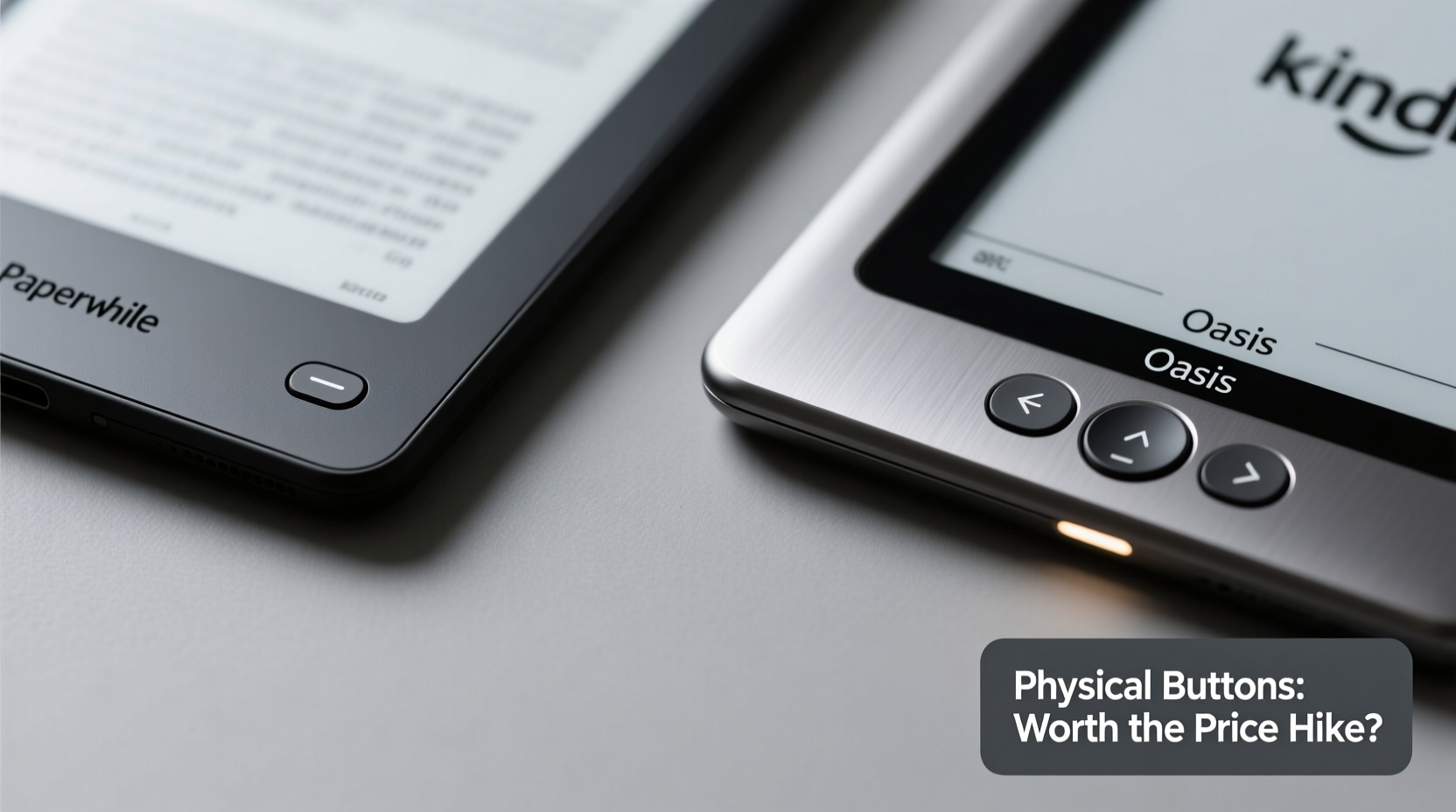
The first noticeable difference between the two devices is their physical design. The Paperwhite maintains a symmetrical, rectangular shape with rounded corners and touch-based navigation. It’s lightweight (around 182g) and comfortable for one-handed use, especially during short reading sessions. However, holding it for extended periods can strain the hand, particularly if you're using it in bed or standing up.
In contrast, the Oasis features an asymmetrical design, tapered on one side to accommodate physical page-turn buttons. This allows for a more ergonomic grip, mimicking the feel of holding a paperback book. At 194g, it’s slightly heavier than the Paperwhite, but the weight distribution feels more balanced when held in one hand. The textured back also improves grip, reducing slip risk—especially useful in humid environments or while lounging by the pool.
Another key distinction is screen size. The Oasis boasts a 7-inch display compared to the Paperwhite’s 6.8 inches. While that may seem like a small increase, the extra real estate makes a noticeable difference in line length and font spacing. Fewer line breaks mean less eye movement per page, which many readers find reduces fatigue over time.
The Physical Button Debate: Convenience or Gimmick?
The defining feature of the Oasis is its pair of physical page-turn buttons. Positioned along the right edge (for right-handed users), they allow you to flip pages without touching the screen. This might sound minor, but in practice, it changes the reading dynamic significantly.
For readers who often use their Kindle in motion—on public transit, walking, or lying down—one-handed operation becomes a major advantage. Instead of repositioning your fingers to tap the screen, you can keep your thumb on the button and turn pages effortlessly. This is especially helpful when wearing gloves in cold weather or when your hands are damp after swimming or showering (both models are IPX8 waterproof).
However, the buttons aren’t perfect. Left-handed users must either adapt to using them awkwardly or rotate the device manually—a setting exists to flip the screen orientation, but it requires adjustment each time. Additionally, because the Oasis is designed around right-hand dominance, lefties don’t get a mirrored version. This lack of ambidextrous support limits its universal appeal.
Touchscreen navigation on the Paperwhite works well under normal conditions, but accidental swipes are common—especially when reading in bed or in tight spaces. You might unintentionally open the menu, highlight text, or jump chapters. The physical buttons eliminate that risk entirely, offering tactile feedback that confirms your input.
“Physical buttons transform the reading experience from interactive to intuitive. Once you’ve used them, going back to pure touch feels like a step backward.” — Daniel Reed, Digital Reading Analyst at TechRead Insights
Feature Comparison: What Else Sets Them Apart?
Beyond buttons and design, several technical differences influence the decision. Here's a breakdown of key specifications:
| Feature | Kindle Paperwhite (2021+) | Kindle Oasis (2019) |
|---|---|---|
| Screen Size | 6.8 inches | 7 inches |
| Resolution | 300 ppi | 300 ppi |
| Water Resistance | IPX8 | IPX8 |
| Physical Buttons | No | Yes (right side) |
| Weight | 182g | 194g |
| Battery Life | Up to 10 weeks | Up to 6 weeks (with same usage) |
| Storage Options | 8GB / 32GB | 32GB only |
| Price (Starting) | $149.99 | $249.99 |
Note that while both devices offer excellent displays, the Oasis trades longer battery life for its larger screen and additional hardware. In real-world use, this means charging every few weeks instead of every two months. For frequent travelers or those who dislike managing battery levels, this could be a downside.
On the upside, the Oasis includes 32GB of storage as standard—ideal for audiobook listeners who sync content via Bluetooth. The Paperwhite offers only 8GB in its base model, which fills up quickly with audiobooks or large libraries. If you plan to use your Kindle for both reading and listening, the Oasis provides greater flexibility out of the box.
Real-World Use Case: Who Benefits Most?
Consider Sarah, a university professor who reads extensively for research and leisure. She travels weekly for conferences and often reads on planes, trains, and hotel beds. Her previous Paperwhite served her well, but she found herself frustrated by accidental touches when adjusting position mid-read. After upgrading to the Oasis, she noticed immediate improvements: one-handed control made reading in cramped airplane seats easier, and the larger screen reduced eye strain during long journal article sessions.
More importantly, the physical buttons allowed her to navigate PDFs and textbooks without smudging the screen—an issue with gloves or cold hands in drafty lecture halls. While she missed the longer battery life, the trade-off felt worthwhile given her usage patterns.
Now consider Mark, a casual reader who enjoys fiction before bedtime. He uses his Paperwhite primarily at home, charges it once a month, and rarely carries it outside. For him, the Oasis’s benefits are marginal. The buttons don’t add much value when both hands are free, and the larger screen doesn’t compensate for the doubled price tag. In his case, sticking with the Paperwhite—or even considering the base Kindle—is the smarter financial move.
This contrast illustrates a broader truth: the value of the Oasis depends heavily on context. High-frequency readers, commuters, travelers, and those with mobility considerations benefit most. Occasional readers gain little beyond prestige.
Step-by-Step: How to Decide Which Kindle Is Right for You
If you're still unsure whether the Oasis’s buttons justify the cost, follow this decision framework:
- Assess your reading environment. Do you read on the go, in unstable positions, or in situations where one-handed use is necessary? If yes, the Oasis has a clear edge.
- Evaluate your hand dominance. Are you left-handed? If so, test the Oasis’s button layout (via video or store demo). If discomfort arises, the Paperwhite avoids the issue entirely.
- Estimate your media needs. Will you listen to audiobooks regularly? Does your library exceed 1,000 books? If storage is a concern, the Oasis’s 32GB becomes more appealing.
- Compare budget constraints. Can you comfortably spend $250 on an e-reader? If not, the Paperwhite delivers 90% of the experience at half the price.
- Test alternatives. Consider waiting for sales or exploring refurbished units. Sometimes, a discounted Oasis closes the value gap—but only if the features matter to you.
FAQ: Common Questions Answered
Can I use the physical buttons with gloves?
Yes, the Oasis’s buttons work with most gloves, including winter mittens and touchscreen-compatible varieties. This makes it ideal for outdoor reading in colder climates.
Is the battery life really worse on the Oasis?
Yes, despite similar claims, real-world testing shows the Oasis drains faster due to its larger screen and higher power demands. Expect to charge every 4–6 weeks with moderate use versus 8–10 weeks on the Paperwhite.
Are there any software differences between the models?
No. Both run the same version of Kindle OS, receive identical updates, and support all core features like X-Ray, Goodreads integration, vocabulary builder, and Whispersync. The difference is purely hardware-driven.
Final Verdict: Are the Buttons Worth It?
The answer hinges on your definition of “worth.” If you measure value strictly by features-per-dollar, the Paperwhite wins decisively. It delivers nearly all the core Kindle experience—high-resolution screen, waterproofing, warm light, long battery—at a fraction of the Oasis’s cost.
But value isn’t always monetary. For avid readers whose lives revolve around books, the Oasis offers intangible benefits: comfort, precision, and continuity. The physical buttons reduce cognitive load, making page turns instinctive rather than deliberate. Over thousands of pages, that subtle shift accumulates into a noticeably smoother experience.
Moreover, the Oasis represents the pinnacle of Amazon’s e-reader engineering. It’s built for durability, designed for immersion, and refined through years of user feedback. While newer models haven’t been released recently, its build quality suggests longevity—something that matters when investing over $200.
Still, most people don’t need the best. They need something reliable, functional, and affordable. And for that, the Paperwhite remains unmatched.
Conclusion: Choose Based on Your Reading Life
The Kindle Paperwhite vs Oasis debate ultimately comes down to lifestyle, not specs. The physical buttons on the Oasis aren’t a gimmick—they’re a thoughtful enhancement for specific users. But they’re not essential for everyone.
If you read frequently in challenging environments, value one-handed control, or simply want the most premium e-reading experience available, the Oasis earns its price. Its design choices reflect a deep understanding of how people actually use Kindles—not just in ideal conditions, but in the messy reality of daily life.
But if you read mostly at home, charge regularly, and prefer simplicity over specialization, the Paperwhite is more than sufficient. It proves that excellence doesn’t require extravagance.




 浙公网安备
33010002000092号
浙公网安备
33010002000092号 浙B2-20120091-4
Comments
No comments yet. Why don't you start the discussion?