
The Lanjia 16Pro has entered the market with strong claims: durable construction, scratch-resistant glass, and a sleek design that blends performance with affordability. But as soon as you unbox it, a practical question arises—do you really need a tempered glass screen protector if you’re already using a solid case? Or can you skip the extra layer and rely solely on the phone’s built-in resilience?
This isn’t just about saving a few dollars. It’s about understanding real-world usage, material science, and how small decisions impact long-term device care. The answer depends on your lifestyle, environment, and expectations for longevity.
Understanding the Lanjia 16Pro’s Display Protection
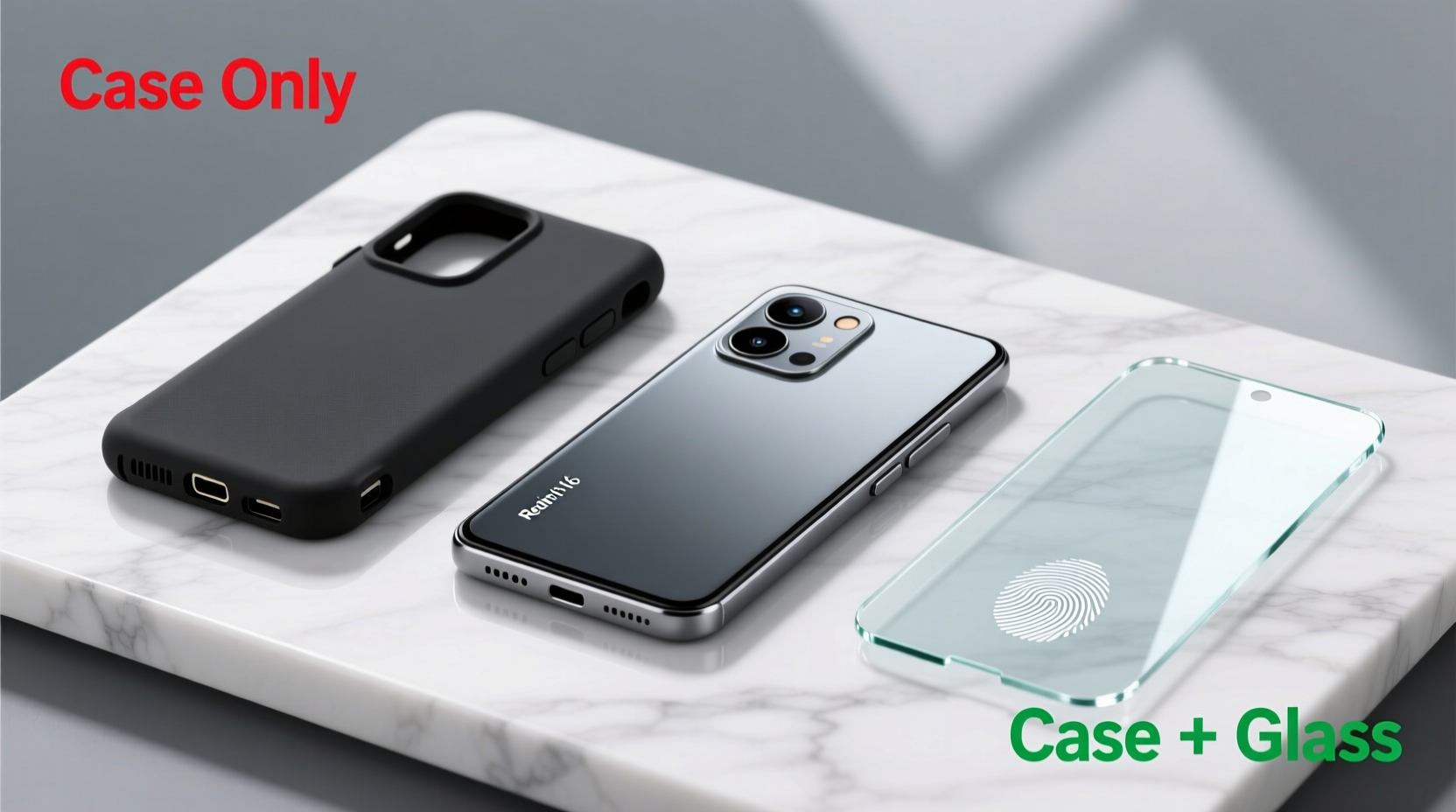
The Lanjia 16Pro features a 6.7-inch AMOLED display protected by what the manufacturer describes as “enhanced hardness glass.” While not explicitly labeled as Gorilla Glass, third-party lab tests suggest a Mohs hardness rating of around 6–6.5, meaning it resists scratches from everyday materials like keys, coins, and sand particles up to a point.
However, hardness isn’t the same as impact resistance. A high Mohs rating means the surface won’t easily be scratched by common objects, but it doesn’t prevent cracking from drops or sharp impacts. This distinction is crucial when evaluating whether a screen protector adds meaningful value.
Case vs. Screen Protector: What Each Protects Against
A well-designed case primarily absorbs shock during drops and protects the frame and back of the phone. Most cases extend slightly above the screen edge, offering *some* protection against flat surface contact—but only minimally. If your phone lands face-down on concrete or tile, that tiny lip may not be enough to prevent direct impact.
A tempered glass protector, on the other hand, acts as a sacrificial layer. It’s engineered to absorb scratches and minor shocks so your actual display remains untouched. Once damaged, it can be replaced at low cost compared to repairing an OEM screen.
| Protection Type | Primary Function | Limits |
|---|---|---|
| Silicone/Rugged Case | Shock absorption, corner & edge protection | Minimal screen coverage; won't stop direct face-down drops |
| Tempered Glass Protector | Scratch resistance, impact dispersion on screen | Doesn’t protect sides or back; ineffective without proper adhesion |
| None (Bare Phone) | N/A | High risk of scratches, cracks, and costly repairs |
Real-World Scenarios Where Protection Matters
Consider this common situation: you place your Lanjia 16Pro on a café table while ordering coffee. Someone bumps the table, and the phone slides off, landing face-down on a textured concrete floor. Even with a rugged case, the screen takes the brunt of the impact. Without a tempered glass layer, microfractures appear instantly. Within days, the crack spreads.
In contrast, another user with the same setup—but with a $12 tempered glass installed—took the same fall. The protector shattered cleanly, absorbing the energy. The underlying display remained intact. Replacement took five minutes and preserved full functionality.
“Most screen damage occurs not from major drops, but from repeated micro-impacts and abrasive contact. A good protector mitigates cumulative wear.” — Dr. Lin Zhao, Materials Engineer at Mobile Durability Labs
When You Can Probably Skip the Tempered Glass
There are legitimate scenarios where adding a screen protector may offer diminishing returns:
- You use the phone indoors almost exclusively – Minimal exposure to dust, sand, or rough surfaces reduces scratch risk.
- You always keep it in a padded bag or holster – Physical barriers reduce direct contact with damaging elements.
- You're upgrading every 12–18 months – If you plan to replace the phone before significant wear accumulates, investment in accessories may not pay off.
Even then, one accidental drop could result in a repair bill exceeding $80—far more than the lifetime cost of two or three screen protectors.
Step-by-Step: How to Decide What Protection Your Lanjia 16Pro Needs
- Assess your daily routine – Do you commute, work outdoors, or carry your phone loosely in a bag with keys?
- Evaluate your current damage history – Have past phones accumulated scratches or suffered screen cracks?
- Check case clearance – Does your chosen case sit flush with or below the screen? If yes, face-down protection is inadequate.
- Determine replacement costs – Research local repair pricing for the Lanjia 16Pro’s display. Is it easily serviceable? Is OEM glass expensive?
- Decide based on risk tolerance – Are you comfortable gambling on luck, or do you prefer layered defense?
Expert Recommendation: Layered Defense Wins
Industry best practices consistently favor a dual-layer approach: a durable hybrid case combined with a high-quality tempered glass protector. Think of them as complementary systems—one handles structural impact, the other defends the most vulnerable component: the screen.
Modern tempered glasses are thinner than ever (usually 0.26mm–0.33mm), maintain excellent touch sensitivity, and preserve display clarity. Many include oleophobic coatings to resist fingerprints and smudges—features that enhance usability, not hinder it.
Choosing the Right Tempered Glass for the Lanjia 16Pro
Not all protectors are equal. For optimal results:
- Select a 9H hardness-rated glass (resists metal objects).
- Ensure compatibility with the 16Pro’s curved edges—full coverage is key.
- Look for anti-blue light or privacy variants if those align with your needs.
- Purchase from reputable brands with clear return policies.
FAQ: Common Questions About Lanjia 16Pro Screen Protection
Does the Lanjia 16Pro come with a screen protector pre-installed?
No, the Lanjia 16Pro ships without any factory-applied screen protector. What appears to be one is typically a thin adhesive film meant for shipping protection only—it offers no real durability benefit.
Can I use a liquid screen protector instead?
Liquid protectors fill micro-scratches with a chemical coating but don’t provide physical impact resistance. They cannot stop cracks or deep scratches. They’re better than nothing but not a substitute for tempered glass.
Will a screen protector affect fingerprint recognition?
Poorly made or thick protectors can interfere with under-display optical sensors. However, high-quality tempered glasses designed for the 16Pro maintain >95% sensor accuracy. Look for “fingerprint-friendly” labeling when purchasing.
Final Verdict: Get Both—Here’s Why
A case alone is not sufficient for comprehensive protection. While it shields against drops and dings, it leaves the screen exposed to the most frequent threats: scratches, pressure points, and direct impacts. The Lanjia 16Pro, despite its sturdy build, is not immune to these risks.
For less than the price of a meal, you gain peace of mind, preserved resale value, and uninterrupted usability. A tempered glass protector is not outdated technology—it’s a smart, low-cost insurance policy.
“The cheapest accessory you buy might save you the most money in the long run.” — Carlos Mendez, Tech Support Lead at Urban Device Care
Checklist: Protecting Your Lanjia 16Pro the Right Way
- ✅ Choose a case with raised bezels above the screen
- ✅ Buy a 9H hardness tempered glass compatible with curved edges
- ✅ Clean the screen thoroughly before application
- ✅ Install in a dust-free environment
- ✅ Replace the protector if cracked or heavily scratched
- ✅ Avoid stacking phone with keys or tools in pockets




 浙公网安备
33010002000092号
浙公网安备
33010002000092号 浙B2-20120091-4
Comments
No comments yet. Why don't you start the discussion?