
For professionals who spend hours typing every day, the right keyboard can make a significant difference in comfort, speed, and long-term wrist health. Two of the most popular premium wireless keyboards on the market are the Logitech MX Keys and the Apple Magic Keyboard. Both offer sleek designs, reliable connectivity, and high-end build quality. But when it comes to choosing the best tool for serious work—whether you're coding, writing reports, or managing spreadsheets—the differences matter. This detailed comparison breaks down design, typing experience, compatibility, battery life, and real-world usability to help you decide which keyboard earns a permanent spot on your desk.
Design and Build Quality
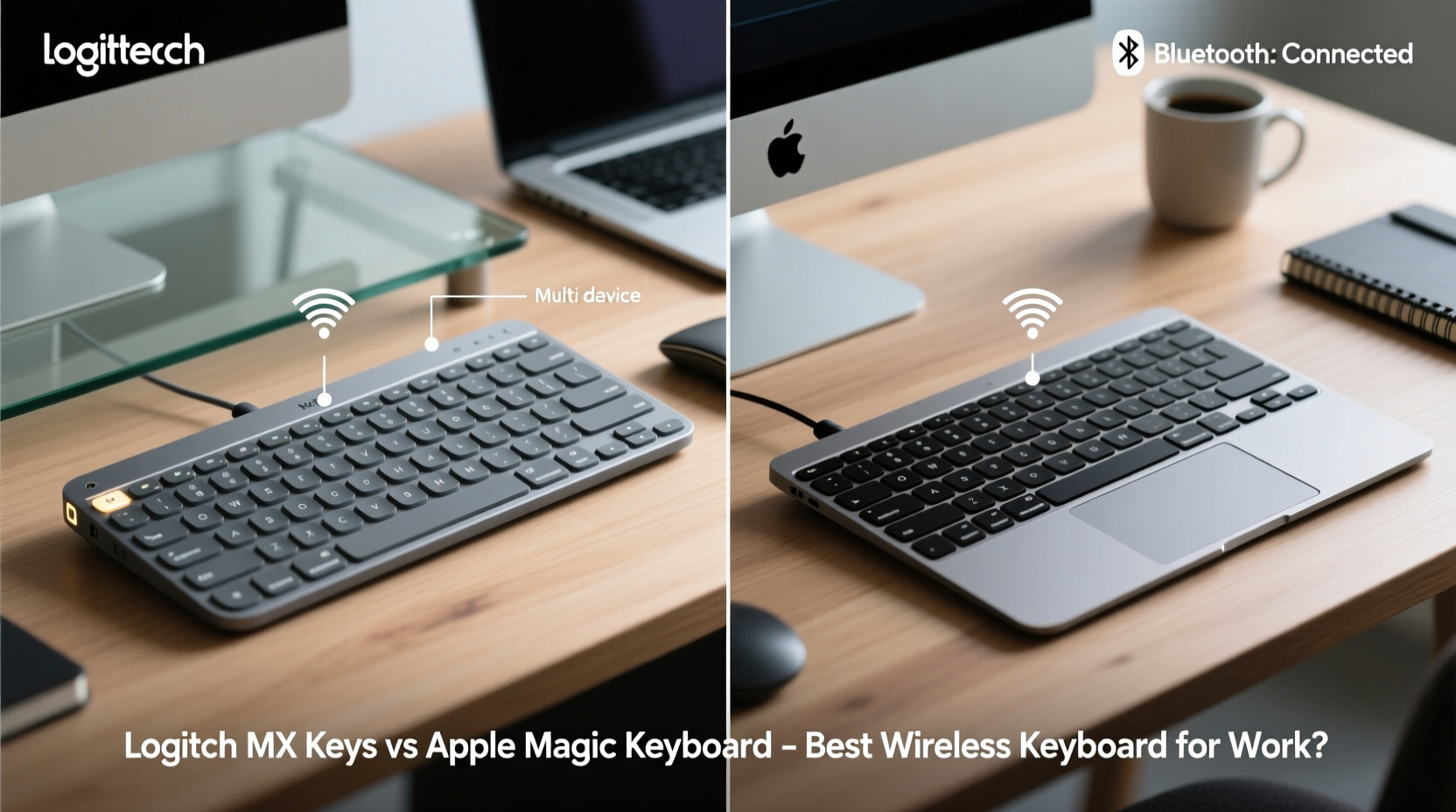
The first impression both keyboards make is one of refinement. The Apple Magic Keyboard embraces minimalism with its slim aluminum body, low-profile keycaps, and seamless integration into the Mac ecosystem. Available in silver and space gray, it’s designed to match MacBooks and iMacs flawlessly. Its ultra-thin profile makes it highly portable, though that also means limited adjustability. There are no built-in feet to elevate the typing angle, which may lead to wrist strain during extended use.
In contrast, the Logitech MX Keys takes a more functional approach. It features a slightly curved keywell, integrated palm rest, and adjustable tilt legs that let users customize the typing angle. The brushed aluminum top plate feels sturdy and premium, while the matte plastic base provides grip. At 506 grams, it’s heavier than Apple’s model (which weighs around 231 grams), making it less ideal for frequent travel but more stable during intense typing sessions.
Typing Experience and Key Feel
The core of any keyboard decision lies in how it feels under your fingers. The Apple Magic Keyboard uses scissor-switch mechanisms with a shallow 0.5 mm travel distance. This results in a crisp, quiet keystroke favored by those who prefer light actuation force. However, the short travel can feel imprecise for fast typists or those accustomed to mechanical or deeper tactile feedback. Some users report increased finger fatigue after prolonged use due to the lack of key resistance and feedback.
The Logitech MX Keys, on the other hand, uses a hybrid dome-switch mechanism with 1.5 mm of key travel—three times deeper than Apple’s. This allows for more accurate bottoming out and better tactile response. The keys are also backlit with automatic brightness adjustment based on ambient light, a feature absent on the standard Magic Keyboard (though present on iPad-specific models). Additionally, the MX Keys includes concave keycaps that cradle fingertips, improving accuracy during long typing marathons.
“Key travel depth and tactile feedback are critical for reducing typing errors and preventing repetitive strain injuries.” — Dr. Lena Torres, Ergonomics Researcher at Stanford Human Factors Lab
Compatibility and Multi-Device Use
If you work across multiple platforms—Mac, Windows, Linux, or even iOS and Android—compatibility becomes a deciding factor. The Apple Magic Keyboard pairs seamlessly with Macs via Bluetooth or USB-C, especially when using Handoff on iCloud-connected devices. However, its functionality is severely limited outside the Apple ecosystem. On Windows, for example, function keys default to media controls instead of F1–F12 unless remapped through third-party software. There’s also no support for multi-device pairing; you must manually disconnect and reconnect when switching between devices.
The Logitech MX Keys shines here with its Easy-Switch technology, allowing users to pair up to three devices simultaneously and toggle between them with a press of a button. Whether you’re switching from a MacBook to a Windows laptop to an iPad, the transition is instant. The keyboard also supports both Bluetooth and Logitech’s proprietary USB Unifying receiver, giving flexibility in connection stability. For hybrid workers juggling personal and professional machines, this versatility is invaluable.
Battery Life and Charging
Both keyboards boast impressive battery longevity, but their charging methods differ significantly.
The Apple Magic Keyboard uses a Lightning port for charging—a growing point of contention as Apple transitions to USB-C across its lineup. A full charge lasts about a month with moderate use. While convenient if you already own Lightning cables, relying on an outdated connector can be frustrating, especially for users without spare cables.
The Logitech MX Keys uses USB-C and delivers up to 10 days of use on a full charge with backlighting enabled, or up to five months with lights off. A standout feature is rapid charging: just three minutes plugged in gives you a full day of use. This is ideal for last-minute meetings or forgotten charges. Plus, USB-C ensures future-proof compatibility with nearly all modern laptops and chargers.
| Feature | Logitech MX Keys | Apple Magic Keyboard |
|---|---|---|
| Connection Types | Bluetooth, USB Unifying Receiver | Bluetooth, USB-C (data/power) |
| Multi-Device Pairing | Yes (3 devices) | No (manual switch only) |
| Key Travel | 1.5 mm | 0.5 mm |
| Backlighting | Auto-sensing ambient light | No (except iPad Pro version) |
| Battery Life | Up to 5 months (lights off) | ~1 month |
| Charging Port | USB-C | Lightning |
| Ergonomic Adjustability | Tilt legs included | No adjustable feet |
| OS Compatibility | macOS, Windows, Linux, iOS, Android | Best with macOS/iOS |
Real-World Performance: A Day in the Life of a Remote Writer
Consider Sarah, a freelance technical writer who works remotely across a MacBook Pro, a Windows desktop for testing software, and an Android tablet for research. Her workflow demands constant context switching, long-form writing, and precise editing. She initially used the Apple Magic Keyboard for its clean look and Mac integration. But she quickly found herself frustrated when switching to her Windows machine—function keys didn’t work as expected, and she had to re-pair the device each time.
After switching to the Logitech MX Keys, her productivity improved. With one button, she toggled between her MacBook (for drafting) and Windows PC (for documentation tools). The deeper key travel reduced typos in her 3,000-word articles, and the auto-backlight helped during late-night edits. Even her wrists felt less strained thanks to the adjustable tilt and palm-friendly design. Though she missed the ultra-slim profile, the trade-off in functionality was well worth it.
Step-by-Step Guide: Choosing the Right Keyboard for Your Workflow
- Assess your primary operating system. If you’re fully invested in Apple devices and rarely use non-Apple hardware, the Magic Keyboard offers unmatched integration.
- Evaluate your typing volume. If you write, code, or input data for more than three hours daily, prioritize key travel and ergonomics—favoring the MX Keys.
- Determine your device count. Need to switch between a Mac, PC, and tablet? The MX Keys’ triple-pairing is a game-changer.
- Check your charging setup. If you’ve phased out Lightning cables, the Magic Keyboard’s charging method could become a hassle.
- Test ergonomics. Look for adjustable tilt, palm support, and key feedback. These reduce long-term injury risk.
- Consider future needs. Will you change jobs, adopt new devices, or work in hybrid environments? Plan ahead for adaptability.
Expert Recommendations and Industry Trends
According to recent studies by the Human Factors and Ergonomics Society, keyboards with 1.5–2.0 mm key travel reduce typing errors by up to 23% compared to ultra-shallow switches. Additionally, multi-device support is becoming a baseline expectation in remote and hybrid workplaces. Logitech has positioned itself at the forefront of this trend, integrating cross-platform functionality into its MX series.
Apple, meanwhile, continues to optimize for aesthetic cohesion within its ecosystem. The Magic Keyboard remains a strong choice for casual users, creatives who value silence, and those deeply embedded in Apple’s ecosystem. However, its limitations in cross-platform use and ergonomics make it less suited for heavy-duty professional work.
“In knowledge work, small efficiency gains compound. A keyboard that reduces friction across devices and improves typing accuracy isn’t a luxury—it’s a productivity multiplier.” — Mark Ren, Productivity Consultant at WorkFlow Labs
Frequently Asked Questions
Can I use the Apple Magic Keyboard with a Windows PC?
Yes, but with caveats. It pairs via Bluetooth, but function keys default to media controls instead of F1–F12. You’ll need third-party software like SharpKeys or Microsoft PowerToys to remap them. Additionally, there’s no backlighting or battery level indicator on Windows.
Is the Logitech MX Keys worth the higher price?
If you work across multiple devices or type extensively, yes. The combination of superior key feel, multi-device switching, USB-C charging, and cross-platform compatibility justifies the premium for most professionals. For light typists on Mac-only setups, the Apple option may suffice.
Does the MX Keys work with iPad and iPhone?
Absolutely. The MX Keys pairs seamlessly with iPads via Bluetooth and supports iOS shortcuts. It’s particularly effective with iPadOS when used with external displays and multitasking workflows. Function keys map correctly to brightness, mission control, and dictation.
Final Verdict: Which One Should You Choose?
The Apple Magic Keyboard excels in simplicity, elegance, and Mac integration. It’s ideal for users who prioritize aesthetics, own only Apple devices, and engage in light to moderate typing. Its compact size makes it excellent for mobile setups, and its silent keys suit quiet environments like libraries or shared offices.
However, for most working professionals—especially those in tech, writing, design, or project management—the Logitech MX Keys is the superior choice. Its thoughtful ergonomics, deep key travel, intelligent backlighting, and seamless multi-device switching deliver tangible benefits over time. The ability to switch between systems instantly, combined with future-proof USB-C charging and broader OS support, makes it a smarter long-term investment.
Ultimately, your keyboard should disappear into the background of your work—not because it’s invisible, but because it works so well you forget it’s there. The Logitech MX Keys achieves that balance more consistently for demanding workflows.




 浙公网安备
33010002000092号
浙公网安备
33010002000092号 浙B2-20120091-4
Comments
No comments yet. Why don't you start the discussion?