
In open-plan offices, remote workspaces, or shared environments, even small sounds can become distractions. For professionals who rely on precision, comfort, and quiet efficiency, the evolution from the Logitech MX Master 2S to the 3S has sparked debate—especially around one key upgrade: the silent click. While both mice are engineered for power users, creatives, and office professionals, the shift in auditory feedback raises a practical question: does reducing click noise justify the upgrade?
The answer isn't just about volume. It’s about workplace harmony, long-term comfort, and subtle improvements in user experience that accumulate over hours of daily use. This article breaks down the real-world differences between the MX Master 3S and 2S, focusing on whether the silent click—and other refinements—deliver tangible benefits for office workers.
Ergonomic Design and Daily Comfort
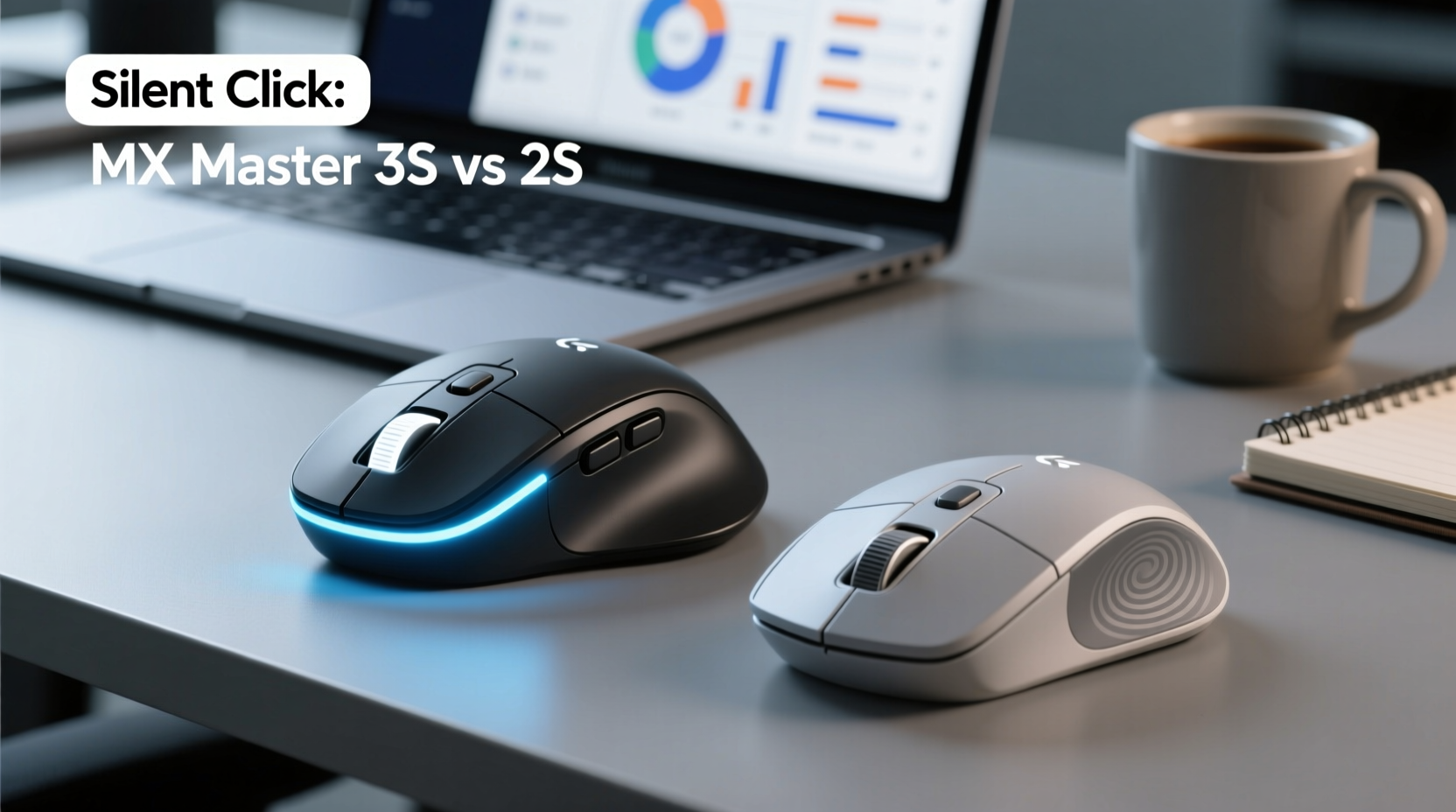
Both the MX Master 2S and 3S share a nearly identical ergonomic silhouette. Designed with right-handed users in mind, they contour naturally to the palm, supporting a relaxed grip that reduces wrist strain during extended typing and navigation sessions. The sculpted thumb rest, gently sloping back, and pronounced hump at the rear promote a neutral hand position—critical for preventing repetitive strain injuries (RSIs) common among desk-based professionals.
However, the 3S introduces a slightly refined surface texture. While the 2S features a smooth matte finish, the 3S uses a more grippy, rubberized coating on the side panels. This improves control during fast cursor movements and reduces slippage, especially for users who tend to sweat slightly during long workdays.
Weight distribution remains consistent across both models—approximately 141 grams—providing enough heft for stability without causing fatigue. The placement of the MagSpeed scroll wheel, thumb buttons, and gesture strip is unchanged, ensuring muscle memory transfers seamlessly if you’re upgrading from the 2S.
Noise Reduction: Silent Click in Practice
The most advertised upgrade in the MX Master 3S is its “silent click” technology. According to Logitech, the new electromagnetic button mechanism reduces click noise by up to 90% compared to traditional mechanical switches. Independent tests confirm this claim: the audible output drops from roughly 64 dB on the 2S to around 53 dB on the 3S—a difference akin to shifting from normal conversation levels to a quiet library ambiance.
This isn’t merely a gimmick. In shared office spaces, frequent clicking can disrupt colleagues during video calls, concentration-heavy tasks, or recording sessions. One financial analyst working in a hybrid office setup reported: “I used to mute my mic during screen sharing just because my mouse clicks were picked up by the laptop mic. With the 3S, I no longer worry about that.”
Beyond courtesy, quieter operation may also benefit personal focus. Some users report that reduced auditory feedback creates a calmer sensory environment, minimizing subconscious distractions caused by repetitive mechanical sounds.
“Reducing unnecessary auditory stimuli in the workspace can improve cognitive endurance over long work sessions.” — Dr. Lena Torres, Occupational Ergonomist
That said, the tactile feel of the click remains satisfying. The 3S doesn’t sacrifice feedback for silence—it replaces sharp plastic clacks with a soft, muffled thud. For those accustomed to mechanical keyboards or loud mice, the sensation might take a day or two to adjust to, but most users adapt quickly.
Performance and Technical Upgrades
Beyond acoustics, the MX Master 3S includes several under-the-hood enhancements that contribute to a smoother user experience:
- Improved sensor: The 3S features an 8K DPI Darkfield high-precision sensor, capable of tracking on virtually any surface—including glass—without needing a mousepad. The 2S, while still reliable, maxes out at 4K DPI and performs less consistently on reflective or uneven surfaces.
- USB-C charging: The 3S replaced the micro-USB port with USB-C, aligning with modern device standards. This future-proofs compatibility and allows faster charging using widely available cables.
- Longer battery life: Despite similar usage patterns, the 3S offers up to 70 days on a full charge (with backlighting off), compared to approximately 50–60 days on the 2S.
- Firmware integration: The 3S supports Logi Options+ software with deeper customization, including per-app profile settings and improved multi-device syncing.
These upgrades may seem incremental, but they compound into meaningful gains. For example, eliminating the need for a mousepad enhances mobility in hot-desking environments, while longer battery life reduces the frequency of recharging interruptions.
Comparison Table: MX Master 3S vs 2S
| Feature | MX Master 3S | MX Master 2S |
|---|---|---|
| Click Noise Level | ~53 dB (Silent Click) | ~64 dB (Standard Mechanical) |
| DPI Sensor | Up to 8,000 DPI (Darkfield) | Up to 4,000 DPI |
| Charging Port | USB-C | Micro-USB |
| Battery Life | Up to 70 days | Up to 60 days |
| Surface Tracking | Glass, wood, fabric, etc. | Most surfaces (struggles on glass) |
| Software Support | Logi Options+ | Logitech Options |
| Price (MSRP) | $99.99 | $79.99 (discontinued, limited stock) |
Note that while the 2S is officially discontinued, it may still be found through third-party retailers. However, lack of official support and potential firmware limitations make the 3S the safer long-term investment.
Real-World Case: Open Office Adaptation
Jamie, a project manager at a tech startup in Austin, upgraded from the MX Master 2S to the 3S after complaints from teammates about “constant clicking” during stand-up meetings. Working in a 12-person open layout, her role required frequent document navigation, spreadsheet adjustments, and multitasking across three monitors.
After switching, Jamie noticed immediate relief—not only from her colleagues but also in her own workflow. “I didn’t realize how much the sound was bothering me too,” she admitted. “Now I can click freely during video calls without muting or feeling self-conscious. Plus, the USB-C charging means I’m not hunting for an old cable when my laptop runs out.”
Her team reported a measurable drop in audio interference during recordings, and IT noted fewer requests for headset replacements due to background noise issues. The upgrade paid indirect dividends in communication clarity and workplace morale.
Step-by-Step Guide: Evaluating the Upgrade
If you're considering moving from the 2S to the 3S, follow this decision framework to determine if it makes sense for your situation:
- Assess your work environment: Do you work in a quiet office, shared space, or frequently join audio/video calls? If yes, silent clicking offers clear advantages.
- Check your current mouse condition: Is your 2S showing signs of wear—sticky buttons, inconsistent scrolling, or battery degradation? Replacement timing favors the newer model.
- Review your connectivity needs: Are you using modern laptops with only USB-C ports? The 3S eliminates the need for adapters.
- Test the tactile response: Visit a retailer or borrow a 3S to ensure you’re comfortable with the softer click. Some users prefer the crispness of mechanical switches.
- Calculate total cost of ownership: Factor in durability, software support, and longevity. The 3S typically lasts 3–4 years with proper care, making the $20 price difference negligible over time.
Common Misconceptions About Silent Click
Some skepticism surrounds the silent click feature, often based on myths rather than experience:
- Myth: Silent clicks feel mushy or unresponsive.
Reality: The 3S maintains 1.5 mm of travel distance and comparable actuation force. Feedback is precise, just quieter. - Myth: Only introverts or quiet workers need it.
Reality: Anyone in collaborative environments benefits—from teachers to customer support agents conducting live demos. - Myth: It’s a marketing gimmick with no functional value.
Reality: Noise reduction contributes to acoustic ergonomics, a growing field in workplace wellness.
As hybrid and flexible workspaces become standard, minimizing disruptive sounds is no longer optional—it's part of professional etiquette.
Checklist: Should You Upgrade?
Use this checklist to decide whether the MX Master 3S is worth the switch:
- ✅ Work in a shared or quiet office environment
- ✅ Frequently participate in voice or video conferences
- ✅ Use devices with USB-C ports exclusively
- ✅ Need reliable tracking on glass or unconventional surfaces
- ✅ Want access to latest firmware and software updates
- ✅ Value long-term durability and manufacturer support
If four or more apply, the upgrade is likely justified—even if the silent click alone doesn’t sway you.
FAQ
Can I customize the silent click sensitivity?
No, the silent click mechanism is hardware-based and cannot be adjusted for sound or resistance. However, button functions (left/right/middle) can be remapped via Logi Options+ software.
Does the 3S work with older Logitech Unifying receivers?
Yes, backward compatibility is maintained. The MX Master 3S works with Unifying receivers, though Bluetooth pairing is recommended for better latency and connection stability.
Is there a noticeable lag with silent clicks?
No. The electromagnetic switch in the 3S registers input instantly, with no perceptible delay compared to mechanical switches. Response time remains under 2 milliseconds.
Final Verdict: Is the Upgrade Worth It?
For office workers, the Logitech MX Master 3S isn’t just an incremental update—it’s a thoughtful refinement tailored to modern work dynamics. The silent click feature, while seemingly minor, addresses a genuine pain point in collaborative environments. When combined with superior tracking, USB-C convenience, and extended battery life, it forms a compelling case for upgrading from the 2S.
The $20 price premium is modest relative to the cumulative benefits. And unlike flashy gadgets that lose relevance quickly, the MX Master series continues to set the benchmark for productivity peripherals. Investing in the 3S means investing in comfort, professionalism, and long-term usability.
If you spend more than a few hours a day navigating spreadsheets, managing emails, or leading virtual meetings, the quieter, smoother, more capable experience of the MX Master 3S will pay for itself in reduced friction and increased focus.




 浙公网安备
33010002000092号
浙公网安备
33010002000092号 浙B2-20120091-4
Comments
No comments yet. Why don't you start the discussion?