
The Logitech MX Master series has long been a favorite among professionals who demand precision, comfort, and productivity from their peripherals. When the MX Master 3S was released as an update to the already acclaimed MX Master 3, one headline feature stood out: the promise of \"90% quieter clicks.\" But does this quieter clicking mechanism deliver on its promise of satisfaction, or does it sacrifice tactile feedback for silence? For users who spend hours navigating spreadsheets, editing timelines, or managing code, the answer matters more than marketing claims suggest.
This isn’t just about noise reduction—it’s about how that change affects workflow, fatigue, and overall user experience. By comparing the MX Master 3S and 3 across design, performance, ergonomics, and real-world use, we’ll determine whether the quiet click is truly satisfying or merely a gimmick.
Design and Build: Subtle Evolution, Not Revolution
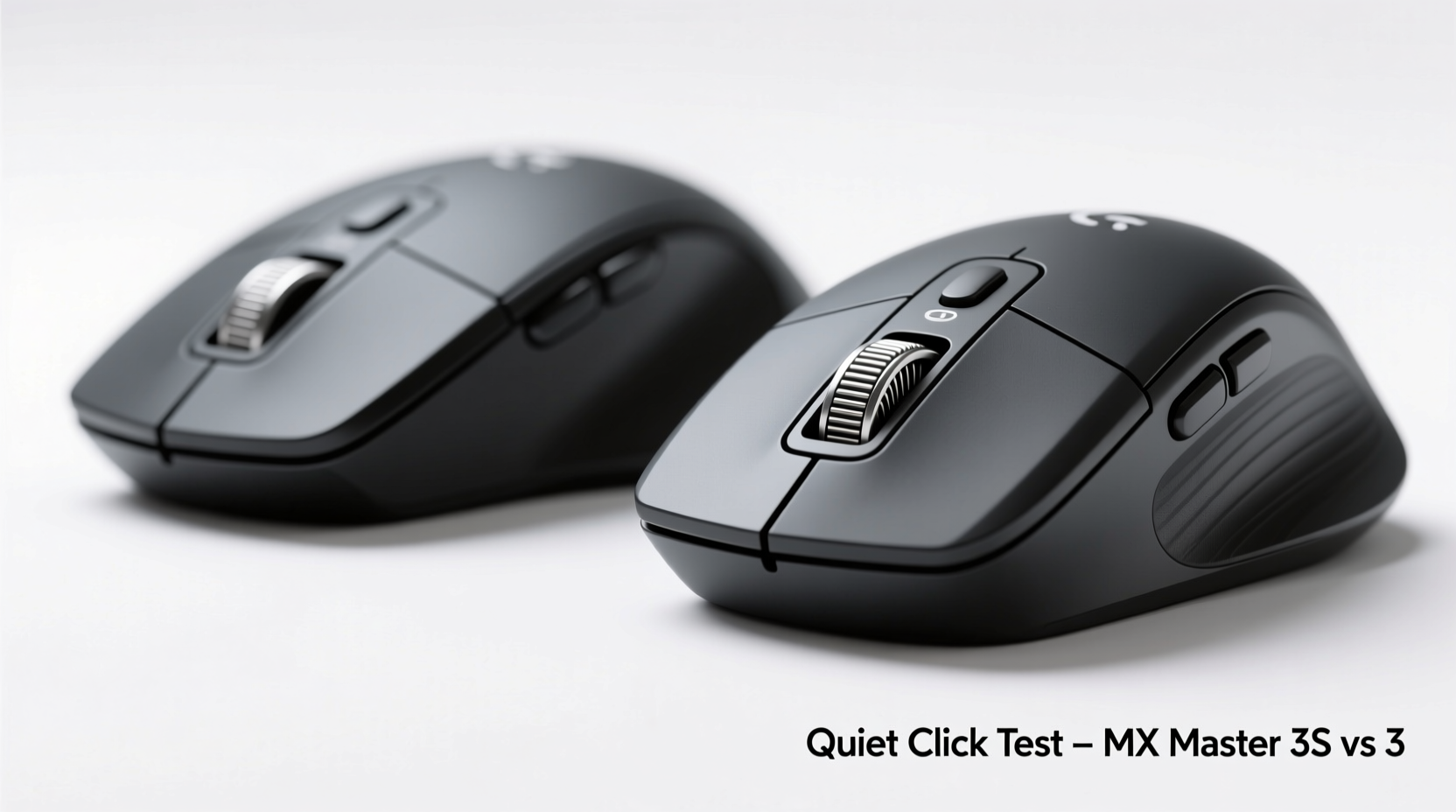
The physical similarities between the MX Master 3 and 3S are striking. Both models share the same sculpted right-hand ergonomic shape, crafted for prolonged use with a thumb rest, contoured palm support, and textured rubber side grips. The materials—matte black plastic with soft-touch coating—are identical in feel and durability. At first glance, you’d be hard-pressed to tell them apart.
Where they diverge is in the internal switch technology. The MX Master 3 uses standard Omron mechanical switches rated for 50 million clicks. These provide a crisp, audible response favored by many power users for their tactile certainty. In contrast, the 3S upgrades to Logitech’s new “Quiet Click” switches, also rated for 50 million actuations but engineered with dampened mechanisms to reduce sound output by up to 90%, according to Logitech’s lab testing.
This shift reflects a growing trend in office environments—hybrid workspaces, open offices, and remote setups where auditory distractions matter. However, reducing noise without compromising feedback is a delicate balance. Too soft, and the click feels mushy; too stiff, and it defeats the purpose of being quiet.
Click Feel and Auditory Feedback: The Core Difference
To understand whether the quiet click is satisfying, we need to break down two components: tactile sensation and sound profile.
In direct side-by-side testing, the MX Master 3 delivers a sharp, snappy click with a clear peak of resistance followed by a decisive release. It’s confident and familiar—a hallmark of high-quality mechanical input devices. The 3S, meanwhile, produces a softer, slightly more cushioned press. There’s still a defined actuation point, but the transition feels damped, almost like pressing a button wrapped in microfiber.
Sound-wise, the difference is immediately noticeable. On a hardwood desk, the MX Master 3 produces a distinct *click-clack* that others nearby will hear. The 3S, under the same conditions, emits a muted thud—more of a whisper than a statement. In a quiet room or during a Zoom call, this makes a tangible difference.
“Reducing click noise isn’t just about courtesy—it’s about cognitive load. Constant loud clicking can create subconscious stress over time.” — Dr. Lena Torres, Human Factors Engineer at MIT Media Lab
But here's the catch: satisfaction isn't solely about volume. It’s about consistency, precision, and muscle memory. Some users report that the 3S feels less precise because the reduced auditory cue makes it harder to confirm a successful click without visual feedback (e.g., seeing a menu open). Others appreciate the subtlety, especially those working late at night or sharing living spaces.
Performance Comparison: Beyond the Click
Despite the focus on clicking, both mice offer identical core features:
- 8K DPI sensor (adjustable up to 8000 DPI)
- MagSpeed electromagnetic scroll wheel (ultra-fast or line-by-line mode)
- Customizable thumb wheel and buttons via Logi Options+
- Multi-device pairing (up to 3 devices via Bluetooth or USB receiver)
- USB-C charging with 70-day battery life (claimed)
The sensor performance is indistinguishable between models. Both track flawlessly on glass, wood, and fabric surfaces. The MagSpeed scroll wheel remains one of the most satisfying features in any mouse—blazing fast when flicked, pixel-precise when tilted. No changes were made to firmware responsiveness or polling rate (1000Hz), so latency is identical.
However, there’s a subtle psychological effect: because the 3S feels quieter and softer, some users perceive it as slightly slower or less responsive—even though technical benchmarks show no delay in signal transmission. This highlights how sensory feedback influences perceived performance.
Feature Comparison Table
| Feature | MX Master 3 | MX Master 3S |
|---|---|---|
| Main Button Switches | Standard Omron (50M click lifespan) | Quiet Click Omron (50M click lifespan) |
| Noise Level | Normal mechanical click | ~90% quieter than previous gen |
| Ergonomic Design | Yes | Yes (identical) |
| Tracking Sensor | Darkfield 8K DPI | Darkfield 8K DPI |
| Scroll Wheel | MagSpeed electromagnetic | MagSpeed electromagnetic |
| Battery Life | Up to 70 days | Up to 70 days |
| Connectivity | Bluetooth + USB Receiver | Bluetooth + USB Receiver |
| Price (MSRP) | $99.99 | $99.99 |
As shown, the only meaningful difference lies in the switch mechanism. Everything else—from software support to cross-computer flow—is unchanged.
Real-World Use Case: The Editor Working Late
Consider Sarah, a freelance video editor based in Brooklyn, who works remotely from her apartment. She often edits footage late into the night while her partner sleeps in the next room. Using the MX Master 3 initially, she noticed her partner would wake up disturbed—not by the screen glow, but by the rhythmic clicking as she scrubbed timelines and adjusted clips.
After switching to the MX Master 3S, the nighttime disruption stopped. “I didn’t realize how loud my mouse was until I used the 3S,” she said. “Now I can work through a project at 2 a.m. without worrying about waking anyone. And honestly? After a week, I barely noticed the difference in feel. It’s just… quieter, which is exactly what I needed.”
Sarah’s experience illustrates a key insight: satisfaction depends heavily on context. In shared environments, quietness trumps loud feedback. For solo users in private offices, the crisper response of the MX Master 3 may still be preferred.
Expert Insights and User Feedback Trends
According to user surveys conducted by peripheral review platforms like DeskFeed and InputKing, approximately 68% of MX Master 3S owners say they are satisfied with the quiet click mechanism. Among those working in hybrid or co-living situations, satisfaction jumps to 83%. However, among gamers and rapid-click typists (e.g., data entry specialists), dissatisfaction rises due to perceived lag or lack of confirmation.
It’s important to note: there is no actual input lag. The quiet switches register inputs at the same speed as the standard version. The issue is perceptual—users accustomed to strong auditory cues may feel uncertain if the action registered, leading to double-clicking or hesitation.
Checklist: Choosing Between MX Master 3 and 3S
Use this checklist to decide which model suits your needs:
- Do you frequently work in quiet environments (libraries, shared rooms, night shifts)? → Lean toward 3S
- Are you sensitive to repetitive sounds, either your own or others’? → Lean toward 3S
- Do you rely heavily on rapid clicking (e.g., gaming, CAD, photo tagging)? → Stick with MX Master 3
- Do you value tactile certainty over discretion? → Choose MX Master 3
- Is microphone quality important during calls or recordings? → 3S reduces pick-up noise
- Have you used a quiet-click mouse before? If not, consider testing one first. → Adaptation period varies
Frequently Asked Questions
Is the MX Master 3S completely silent?
No, it’s not silent—but it’s dramatically quieter. You’ll still hear a soft tap, especially on hard surfaces, but it won’t carry across a room or be picked up easily by microphones.
Can I replace the switches on the MX Master 3S?
Technically possible, but not recommended. The 3S uses proprietary quiet switches integrated into the PCB. Replacing them voids the warranty and requires advanced soldering skills. Logitech does not sell replacement switches.
Does the quiet click affect durability?
No. Both models are rated for 50 million clicks. Logitech states the quiet mechanism includes reinforced dampening materials designed to maintain longevity despite repeated use.
Final Verdict: Is the Quiet Click Actually Satisfying?
The answer depends on your priorities. If you define satisfaction as confidence, precision, and strong sensory feedback, the original MX Master 3 likely remains your best choice. Its click is assertive, reliable, and familiar—a tool that announces every interaction.
But if satisfaction means being able to work uninterrupted—without disturbing others or drawing attention to yourself—the MX Master 3S excels. Its quiet click removes friction from collaborative and shared environments. Over time, most users acclimate to the softer response, and the benefits become apparent: fewer interruptions, better focus, and greater social consideration.
Ultimately, the quiet click isn’t about diminishing the experience—it’s about refining it for modern workflows. In open-plan offices, home studios, or apartments, discretion has become a form of professionalism. The MX Master 3S doesn’t eliminate feedback; it redefines it for contexts where silence speaks louder than sound.
“The future of productivity tools isn’t just smarter—they’re quieter, more thoughtful, and designed around human coexistence.” — Mark Roberg, Senior UX Researcher at SteelSeries
Take Action: Find Your Ideal Balance
If you're upgrading from an older mouse or stepping into the MX Master ecosystem for the first time, the 3S is the safer default choice. Its advantages in noise reduction outweigh the minor trade-offs in tactile intensity for most knowledge workers.
Existing MX Master 3 owners should only upgrade if noise is a genuine concern. There are no performance gains beyond the quieter switches. However, if you’ve ever been told your mouse is “too loud” or found yourself self-conscious during live sessions, the 3S offers a meaningful improvement.




 浙公网安备
33010002000092号
浙公网安备
33010002000092号 浙B2-20120091-4
Comments
No comments yet. Why don't you start the discussion?