
Hyperlinks are the foundation of the web. They connect pages, resources, and users across the digital world. Without them, the internet would be a collection of isolated documents. For anyone learning HTML, understanding how to create effective, accessible, and well-structured links is essential. Whether you're building your first personal website or starting a career in web development, mastering HTML links is one of the most practical skills you can acquire.
This guide walks through everything a beginner needs to know—from basic syntax to advanced linking techniques—ensuring you can confidently implement links that work correctly and enhance user experience.
Understanding the Anchor Tag: The Foundation of HTML Links
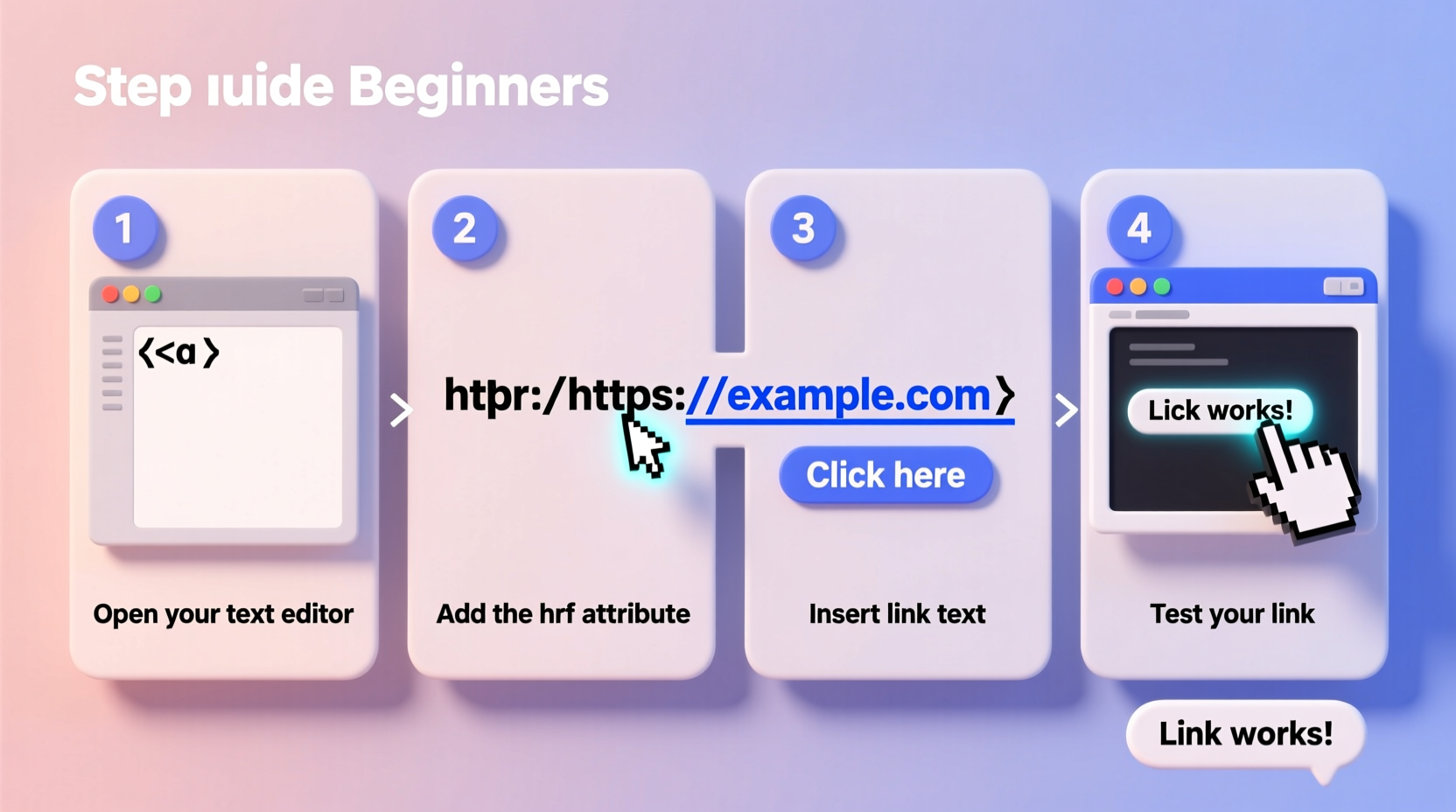
The anchor tag, represented by <a>, is used to define hyperlinks in HTML. This element tells the browser where a link leads and what text (or content) should be clickable. At its core, every link requires two components: the destination (via the href attribute) and visible text (the link label).
Here’s the simplest form of an HTML link:
<a href=\"https://www.example.com\">Visit Example Website</a>- href: Stands for \"hypertext reference.\" It specifies the URL the link points to.
- Link text: The words between the opening and closing
<a>tags become the clickable portion visible to users.
Step-by-Step Guide to Creating Different Types of Links
Not all links point to external websites. You’ll often need to link to internal pages, downloadable files, email addresses, or specific sections within the same page. Below is a structured breakdown of common link types and how to implement each one correctly.
- External Links – Point to another website.
- Internal Links – Navigate between pages on your own site.
- Email Links – Open the user’s default email client.
- Phone Links – Trigger a call on mobile devices.
- Anchor Links – Jump to a section on the same page.
<a href=\"https://www.google.com\" target=\"_blank\" rel=\"noopener\">Search on Google</a>Note: Use target=\"_blank\" only when necessary, and always include rel=\"noopener\" for security.
<a href=\"/about.html\">About Us</a>These paths are relative to the current file location unless they begin with a forward slash (/), which indicates the root directory.
<a href=\"mailto:support@example.com\">Contact Support</a>You can also pre-fill the subject line:
<a href=\"mailto:info@example.com?subject=Feedback\">Send Feedback</a><a href=\"tel:+15551234567\">Call Us Now</a>First, assign an id to the target element:
<h3 id=\"contact-section\">Contact Information</h3>Then create a link pointing to it:
<a href=\"#contact-section\">Go to Contact</a>Best Practices for Accessible and Secure Linking
Creating functional links is just the beginning. To ensure usability, accessibility, and security, follow these industry-recommended practices.
| Practice | Do | Avoid |
|---|---|---|
| Link Text | Use clear, context-rich labels (“Learn more about web hosting”) | Vague phrases (“Click here,” “Read more”) |
| External Links | Add rel=\"noopener\" when using target=\"_blank\" |
Omitting rel attributes—security risk |
| Accessibility | Ensure links make sense out of context for screen readers | Using images without alt text or ARIA labels |
| File Downloads | Indicate file type and size (“Download PDF, 2.4 MB”) | Unclear triggers like “Get it now” |
“Accessible links are not just helpful—they’re a requirement for inclusive design. Users relying on assistive technologies depend on predictable, descriptive navigation.” — Dr. Lena Patel, Web Accessibility Consultant
Common Linking Mistakes and How to Fix Them
Even experienced developers occasionally make errors with links. Here are frequent issues and how to resolve them.
- Broken URLs: Double-check spelling and path structure. A typo like
/contatc.htmlinstead of/contact.htmlbreaks navigation. - Missing Protocols: For external sites, always include
https://. Omitting it turns the link into a relative path. - Overuse of Target Blank: Opening every link in a new tab disrupts user control and can harm SEO.
- Ignoring Link Purpose: Don’t use links for styling buttons. If it performs an action but doesn’t navigate, use a
<button>instead.
Mini Case Study: Improving Navigation on a Small Business Website
A local bakery launched a new website but noticed visitors weren’t reaching the online ordering page. Analytics showed high bounce rates on the homepage. Upon review, the “Order Now” button was styled as plain text with no link. After replacing it with a properly coded anchor tag and adding descriptive text, conversions increased by 40% in two weeks.
The fix was simple:
<a href=\"/order.html\" class=\"btn\">Order Fresh Pastries Online</a>This case illustrates how correct linking directly impacts user behavior and business outcomes.
Complete Checklist for Creating Effective HTML Links
Before finalizing any webpage, run through this checklist to ensure your links are optimized:
- ✅ All
hrefattributes point to valid destinations - ✅ External links include
rel=\"noopener\"if opening in a new tab - ✅ Link text clearly describes the destination
- ✅ Email and phone links use correct
mailto:andtel:syntax - ✅ Anchor links have corresponding
idattributes on target elements - ✅ No broken or dead-end links
- ✅ Downloadable files indicate format and size
- ✅ Links are keyboard-navigable and screen-reader friendly
Frequently Asked Questions
Can I link to a specific part of another page?
Yes. Combine internal linking with anchor IDs. For example: <a href=\"about.html#team\">Meet the Team</a>. Just ensure the target page has an element with id=\"team\".
Should I always use https:// in href values?
For external websites, yes. Omitting the protocol may cause the browser to treat the link as relative. For internal links, use relative paths (e.g., /services.html) unless linking across domains.
How do I make a link open in a new tab?
Add target=\"_blank\" to the anchor tag. However, use this sparingly. Example: <a href=\"https://blog.example.com\" target=\"_blank\" rel=\"noopener\">Read Blog</a>.
Mastering Links Empowers Your Web Presence
HTML links are more than technical elements—they shape how users explore information, interact with content, and perceive your site’s credibility. By understanding their syntax, applying best practices, and avoiding common pitfalls, you lay the groundwork for intuitive, accessible, and professional web experiences.
Start small: review your existing pages, audit your links, and apply the principles covered here. Over time, precise linking becomes second nature—and your users will thank you for it.




 浙公网安备
33010002000092号
浙公网安备
33010002000092号 浙B2-20120091-4
Comments
No comments yet. Why don't you start the discussion?