
Instagram has evolved from a simple photo-sharing app into one of the most powerful digital platforms for personal branding, business growth, and audience engagement. With over 2 billion monthly active users, standing out requires more than just posting pretty pictures. It demands strategy, consistency, and an understanding of how the platform’s algorithm and user behavior work. Whether you're building a personal brand, promoting a small business, or managing a corporate account, mastering Instagram means combining creativity with data-driven decisions.
Optimize Your Profile for Maximum Impact
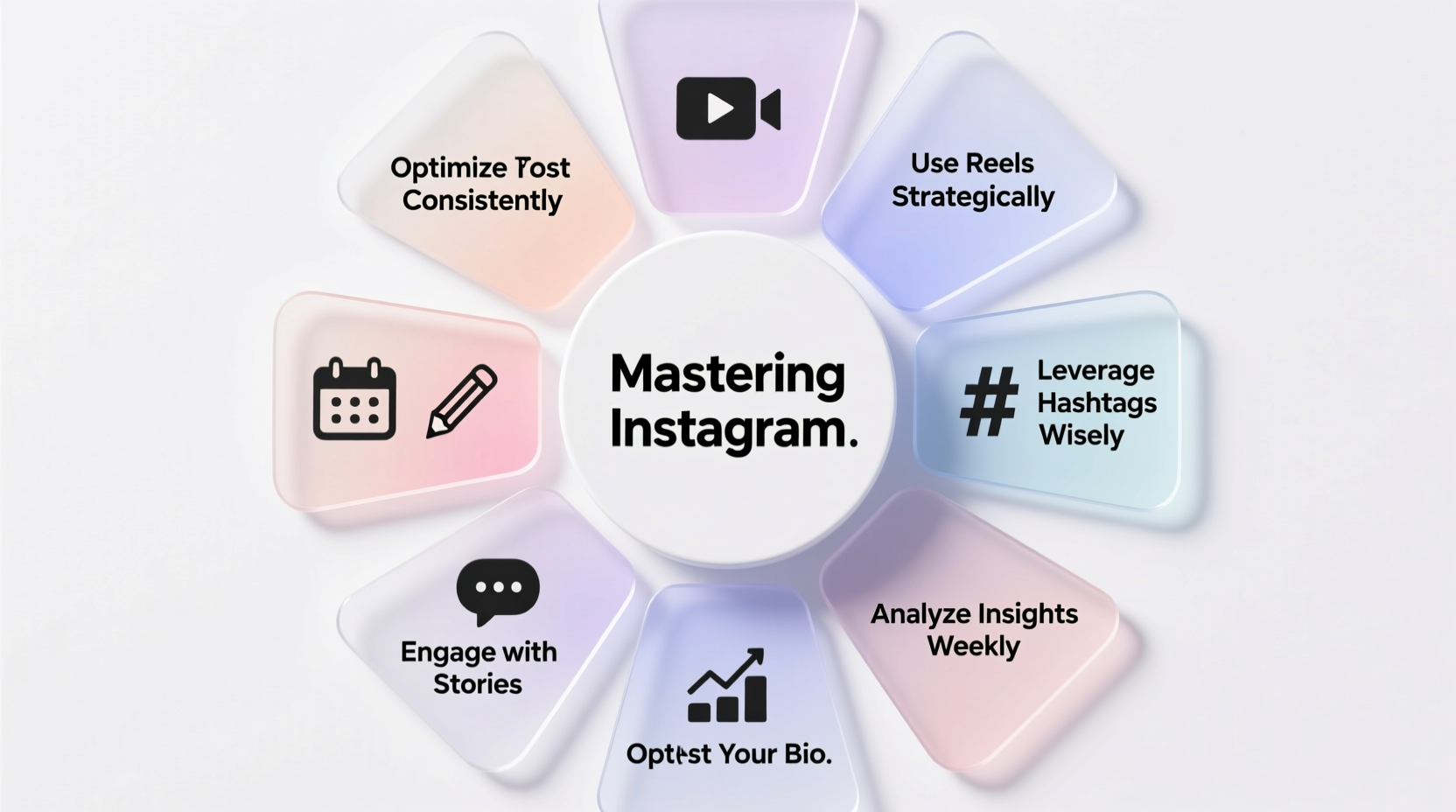
Your Instagram profile is your digital storefront. First impressions matter, and users decide within seconds whether to follow or scroll past. A well-optimized profile builds credibility and makes it easy for visitors to understand who you are and what you offer.
Your bio should be concise but informative. Include your niche, value proposition, and a call-to-action (CTA), such as “Click the link below” or “DM for collaborations.” Use relevant emojis to break up text and improve readability. The link in your bio is prime real estate—use tools like Linktree or Beacons if you want to direct traffic to multiple destinations.
“Your bio is your elevator pitch. Make every word count.” — Sarah Kim, Social Media Strategist at Bloom Digital
Create a Content Strategy That Resonates
Random posting won’t build a loyal following. A strategic content plan ensures consistency, reinforces your brand identity, and keeps your audience engaged. Start by defining your niche and target audience. Are you targeting fitness enthusiasts, entrepreneurs, or parents? Once you know your audience, tailor your content to their interests, pain points, and preferred formats.
Instagram supports multiple content types: feed posts, Stories, Reels, Guides, and Live videos. Each serves a different purpose:
- Feed Posts: High-quality images or carousels that reflect your brand aesthetic.
- Stories: Temporary, behind-the-scenes content that boosts engagement.
- Reels: Short-form videos ideal for reaching new audiences through the Explore page.
- Guides: Curated collections of posts, useful for tutorials or product highlights.
- Live: Real-time interaction for Q&As, launches, or events.
Content Calendar Checklist
- Define weekly themes (e.g., Motivation Monday, Tip Tuesday)
- Schedule at least 3 Reels per week
- Post 3–5 feed updates weekly
- Share daily Stories with polls, questions, or updates
- Engage with followers’ comments and DMs within 24 hours
Leverage Hashtags and Captions Strategically
Hashtags remain a powerful discovery tool on Instagram. But using irrelevant or overly popular hashtags (#love, #instagood) can hurt your reach. Instead, focus on a mix of niche-specific, moderately popular, and branded hashtags.
| Hashtag Type | Example | Recommended Quantity |
|---|---|---|
| Niche-Specific | #PlantBasedRecipes | 5–7 |
| Moderate Reach (50k–200k posts) | #HealthyEatingTips | 5–8 |
| Branded | #MyKitchenJourney | 1–2 |
| Location-Based (if applicable) | #NYCFoodie | 1–2 |
Captions are equally important. They provide context, emotion, and opportunities for engagement. Start with a hook, share a story or insight, and end with a question to encourage comments. For example: “What’s one meal you could eat every day? Mine’s this lentil bowl—simple, filling, and packed with protein. What’s yours?”
Growth Through Engagement and Consistency
Posting great content isn’t enough. Instagram rewards accounts that actively engage with their community. The algorithm prioritizes meaningful interactions—likes, comments, shares, and saves. Set aside 15–20 minutes daily to respond to comments, reply to DMs, and engage with content from similar accounts.
A consistent posting schedule signals reliability to both your audience and the algorithm. Use Instagram Insights (available on Business or Creator accounts) to determine when your followers are most active, then schedule posts accordingly. Tools like Later, Buffer, or Meta Business Suite allow you to plan and automate your feed and Stories.
“Accounts that comment on others’ posts grow 3x faster than those that only post.” — Data from HubSpot’s 2023 Social Media Report
Step-by-Step Guide to Building Daily Engagement
- Open Instagram and navigate to the search tab.
- Type in a relevant hashtag (e.g., #SmallBusinessTips).
- Scroll through recent top or recent posts.
- Like 10–15 posts and leave thoughtful comments (not just “Nice!”).
- Follow 5–10 accounts in your niche.
- Repeat this process daily for at least two weeks to see measurable growth.
Real Example: How a Local Bakery Grew Its Following
Jenna runs a small bakery in Portland and wanted to attract more local customers. She started by revamping her profile with a professional logo, updated bio (“Artisan sourdough & seasonal pastries 🥐 | Open Wed–Sun | Order via DM”), and a Linktree linking to her menu, Google Maps, and online orders.
She committed to posting three Reels per week: time-lapses of bread baking, customer testimonials, and “Pastry of the Week” highlights. She used hashtags like #PortlandEats, #SourdoughLove, and #LocalBakeryOR. Within two months, her follower count grew from 800 to over 6,500. More importantly, foot traffic increased by 40%, and she began receiving daily DMs for custom cake orders.
Her secret? Consistency and authenticity. She didn’t chase trends—she focused on showcasing her craft in a relatable way.
Frequently Asked Questions
How often should I post on Instagram?
For optimal growth, aim for 3–5 feed posts per week and 2–3 Reels. Daily Stories help maintain visibility. Quality matters more than quantity—focus on valuable content rather than overposting.
Should I switch to a Business or Creator account?
Yes. Both provide access to Instagram Insights, which shows follower demographics, peak activity times, and content performance. This data is essential for refining your strategy. You can switch in Settings > Account > Switch Account Type.
Can I grow without using Reels?
Possibly, but it’s significantly harder. Reels are prioritized by Instagram’s algorithm and have the highest potential for viral reach. Even simple, authentic videos perform better than static images in terms of discovery.
Final Thoughts: Turn Strategy Into Action
Mastering Instagram isn’t about shortcuts or hacks—it’s about showing up consistently, creating value, and building real connections. The platform rewards authenticity, effort, and intentionality. By optimizing your profile, planning your content, engaging daily, and analyzing your results, you position yourself not just to survive the noise, but to stand out.
The most successful accounts aren’t always the most polished—they’re the ones that show up with purpose. Start today. Refine one element of your profile, post one Reel, engage with ten people in your niche. Small actions compound into meaningful growth.




 浙公网安备
33010002000092号
浙公网安备
33010002000092号 浙B2-20120091-4
Comments
No comments yet. Why don't you start the discussion?