
In today’s globalized world, seamless multilingual communication is no longer a luxury—it’s a necessity. Translation glasses, equipped with real-time speech recognition and augmented reality displays, are revolutionizing how we interact across language barriers. But their effectiveness can falter in noisy environments: bustling conference halls, busy restaurants, or crowded train stations. Background chatter, overlapping voices, and ambient sounds can distort input, delay translations, or cause misinterpretations. The key to unlocking the full potential of translation glasses lies not just in the technology itself, but in how users adapt to challenging acoustic conditions.
With thoughtful preparation and smart techniques, you can maintain clarity and confidence when using translation glasses in high-noise settings. This guide offers actionable strategies grounded in user experience, audio engineering principles, and field-tested practices.
Understanding How Translation Glasses Work in Noise
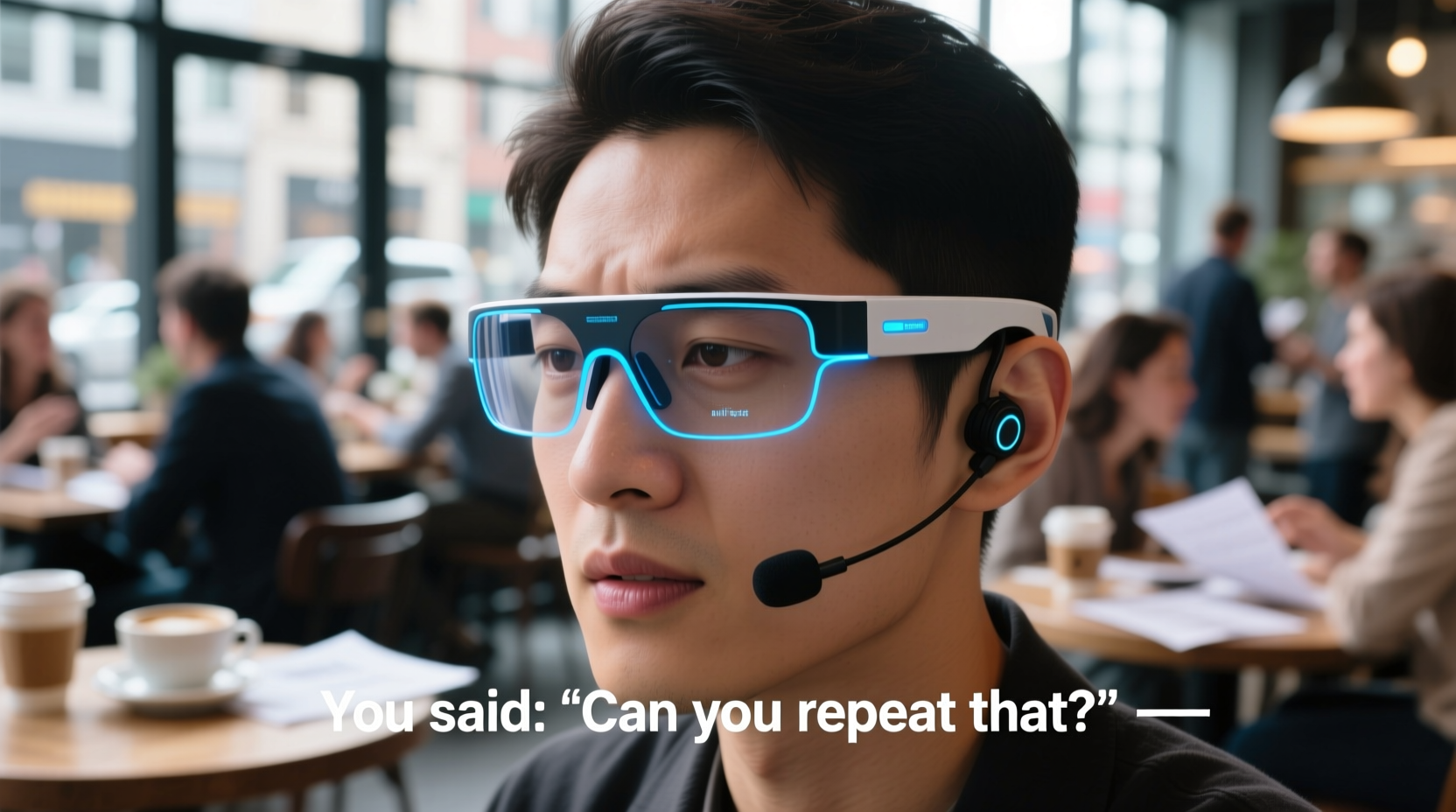
Most translation glasses rely on built-in microphones to capture spoken language, which is then processed through AI-powered translation engines before being displayed as subtitles in the lens display. In quiet environments, this process is nearly instantaneous. However, background noise introduces interference that can compromise accuracy and timing.
Noise doesn’t just make it harder for the device to \"hear\"—it also affects speaker separation. When multiple voices overlap, the system may struggle to identify which one to translate, leading to garbled or irrelevant text. Additionally, sudden loud sounds (like clattering dishes or passing sirens) can trigger false inputs or interrupt ongoing conversations.
“Even the most advanced translation systems depend heavily on signal-to-noise ratio. If the voice isn’t clearly distinguishable from its surroundings, performance drops significantly.” — Dr. Lena Torres, Audio Processing Researcher at MIT Media Lab
Optimizing Device Placement and Settings
The physical positioning of your translation glasses plays a critical role in capturing clean audio. Most models place microphones near the temples or bridge of the nose—locations that are convenient but acoustically suboptimal in loud settings.
Adjusting software settings can further enhance performance:
- Enable noise suppression mode: Many devices offer adaptive filtering that reduces ambient frequencies while amplifying human vocal ranges.
- Select directional audio capture: If available, switch from omnidirectional to forward-facing mic mode to focus on the person in front of you.
- Adjust subtitle delay tolerance: Lower latency settings minimize lag but may increase errors; in very noisy areas, a slight delay allows more context for accurate translation.
Step-by-Step Guide to Using Translation Glasses in Crowds
Follow this five-step approach to maximize clarity during real-world interactions:
- Arrive early and test the environment: Before entering a noisy venue, activate your glasses and listen to the audio feed. Note any persistent background sounds (e.g., music, HVAC systems) and adjust filters accordingly.
- Position yourself strategically: Stand with your back to walls or large objects that block sound, facing the speaker directly. Avoid standing near open kitchens, bars, or loudspeakers.
- Initiate conversation deliberately: Begin by saying, “I’m using translation glasses—please speak clearly and one at a time,” to set expectations and encourage cooperative speaking habits.
- Use confirmation cues: Nod or repeat short phrases to confirm understanding. If the subtitle seems off, ask the speaker to rephrase rather than guessing.
- Pause and reset if overwhelmed: If the system becomes overloaded with inputs, step aside briefly, disable translation temporarily, and restart once in a quieter zone.
Do’s and Don’ts: Best Practices Table
| Do | Don’t |
|---|---|
| Speak at a moderate pace and volume | Shout or exaggerate pronunciation |
| Maintain eye contact to help lip-sync algorithms | Turn away mid-sentence |
| Use simple, structured sentences | Rely on idioms or slang |
| Carry a backup method (e.g., phrasebook app) | Assume perfect accuracy in chaotic settings |
Real-World Example: A Business Meeting in Tokyo
Sophie, an American project manager, attended a client meeting at a rooftop restaurant in Shibuya. Despite her fluent Japanese, she used translation glasses to ensure precise understanding of technical terms. The venue was lively, with music and overlapping conversations.
She arrived 15 minutes early, tested her device, and activated noise-reduction mode. During introductions, she explained her use of the glasses and asked participants to speak one at a time. When a colleague began speaking too quickly, Sophie politely requested a slower pace. Midway through, the system momentarily froze due to a sudden burst of laughter nearby. She paused, restarted the app, and summarized the last point aloud to regain context.
By combining technical awareness with interpersonal tact, Sophie maintained professionalism and comprehension throughout the meeting—earning praise from both clients and colleagues.
Frequently Asked Questions
Can translation glasses handle multiple languages simultaneously?
Most consumer-grade models support sequential translation between two languages. Simultaneous multi-language interpretation requires enterprise-level systems with advanced speaker identification. For group settings, designate one person to translate back into a common language to avoid confusion.
What should I do if the translation is inaccurate?
First, verify that you’re in a relatively quiet spot and facing the speaker. Then, ask them to rephrase using simpler words. Some devices allow manual correction input, which improves future accuracy through machine learning. If mistranslation persists, switch to a secondary tool like a smartphone app or written notes.
Are translation glasses suitable for people with hearing impairments?
Yes—many users with mild to moderate hearing loss find translation glasses beneficial, especially in noisy environments where traditional hearing aids amplify all sounds indiscriminately. The visual subtitles provide an additional layer of clarity. However, they should complement—not replace—medical hearing solutions.
Checklist: Preparing for Noisy Environment Use
- ✅ Charge glasses fully and bring a power bank
- ✅ Update firmware and language packs
- ✅ Test noise suppression settings in advance
- ✅ Practice basic troubleshooting steps (restart, reconnect, recalibrate)
- ✅ Inform conversation partners about the device
- ✅ Identify quiet zones in the venue for resets or complex discussions
- ✅ Have a fallback communication method ready
Conclusion: Speak Across Barriers with Confidence
Translation glasses are powerful tools, but their success depends on more than hardware and algorithms. In noisy environments, the difference between confusion and clarity often comes down to preparation, etiquette, and adaptability. By mastering microphone placement, leveraging settings wisely, and communicating transparently with others, you can turn even the loudest room into a space of meaningful dialogue.
Technology bridges languages—but human awareness makes the connection real. Whether you're negotiating a deal, traveling abroad, or connecting with new friends, these strategies empower you to engage authentically and effectively. Start applying them today, and transform every noisy encounter into an opportunity for understanding.




 浙公网安备
33010002000092号
浙公网安备
33010002000092号 浙B2-20120091-4
Comments
No comments yet. Why don't you start the discussion?